PortSwigger
Lab Description
This lab leaks its source code via backup files in a hidden directory. To solve the lab, identify and submit the database password, which is hard-coded in the leaked source code.
Objective: Find the hidden backup directory and extract the database password from the leaked source code.
Step 1: Understanding Source Code Disclosure
Source code disclosure occurs when:
- Backup files (
.bak,.old,.swp) are left on the server - Hidden directories are not properly protected
- Version control files (
.git/,.svn/) are exposed
Why this is dangerous:
- Hard-coded credentials (passwords, API keys) are exposed
- Business logic can be analyzed for vulnerabilities
- Security controls can be reverse-engineered
In this lab:
robots.txtreveals a/backupdirectory- The backup directory contains
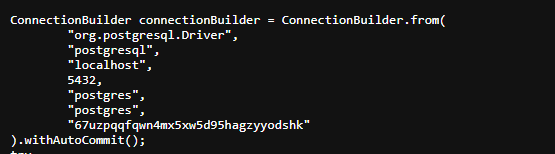
ProductTemplate.java.bak - The Java source code contains a hard-coded database password
Step 2: Reconnaissance
Step 2.1: Check robots.txt
robots.txt is a standard file that tells search engines which paths to avoid crawling. Attackers also check it for hidden directories.
Navigate to:
https://YOUR-LAB-ID.web-security-academy.net/robots.txt
Expected content:
User-agent: *
Disallow: /backup
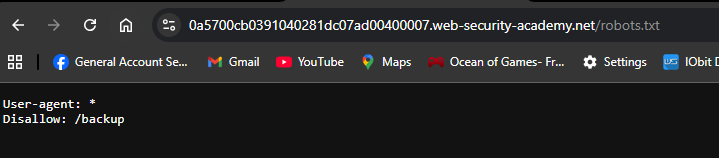
This reveals the existence of a /backup directory.
Step 2.2: Alternative Discovery Methods
Navigate directly:
https://YOUR-LAB-ID.web-security-academy.net/backup/
Step 3: Exploring the Backup Directory
Step 3.1: Browse to /backup
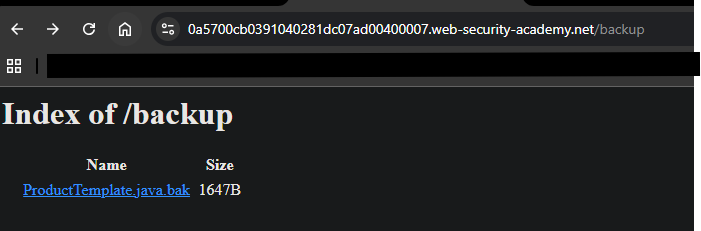
Step 3.2: Identify the Backup File
The backup file has a .bak extension:
ProductTemplate.java.bak- Backup of Java source code
Common backup file extensions:
| Extension | Description |
|---|---|
.bak | Generic backup |
.old | Old version |
.swp | Vim swap file |
~ | Editor backup (e.g., file.java~) |
.backup | Backup copy |
Step 4: Accessing the Source Code
Step 4.1: Download the Backup File
Navigate to:
https://YOUR-LAB-ID.web-security-academy.net/backup/ProductTemplate.java.bak
The file will be displayed in the browser.
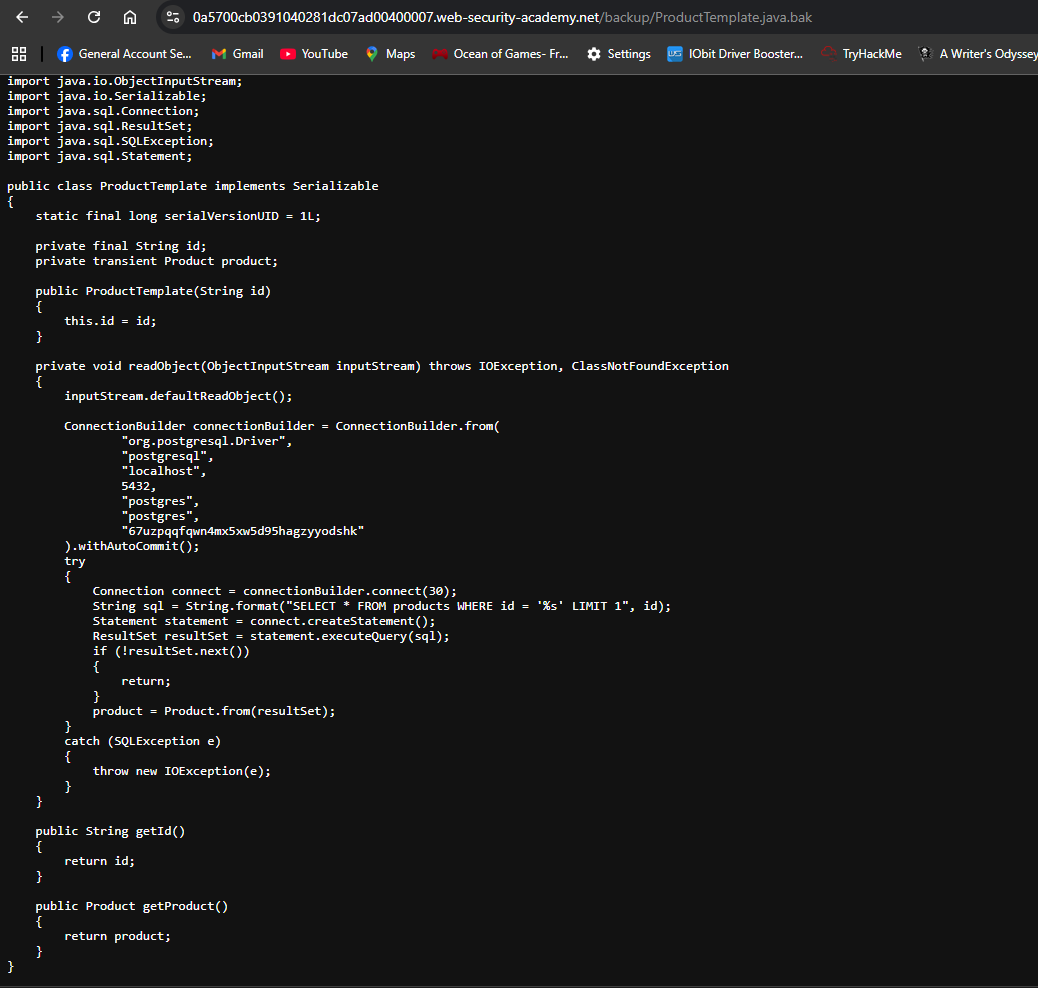
Step 4.2: View the Source Code
The file contains Java source code:
Step 5: Extracting the Database Password
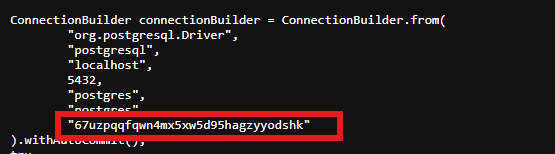
Copy only the password string
67uzpqqfqwn4mx5xw5d95hagzyyodshk
Step 6: Submitting the Solution
-
Go back to the lab page
-
Click Submit solution
-
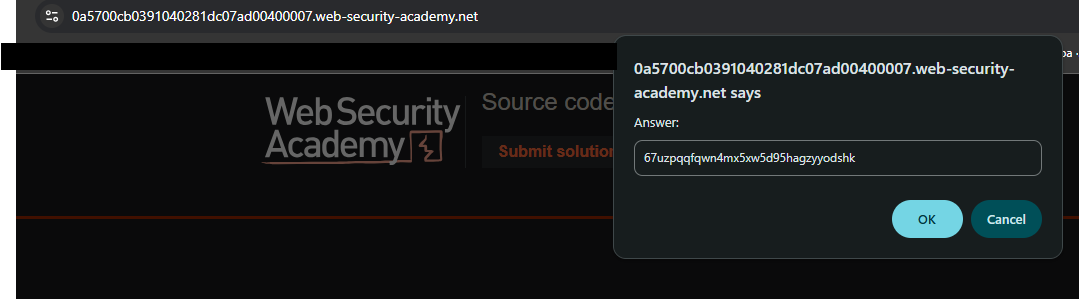
Paste the database password
-
Click Submit
Step 7: Lab Solved
Success message displayed:
