PortSwigger
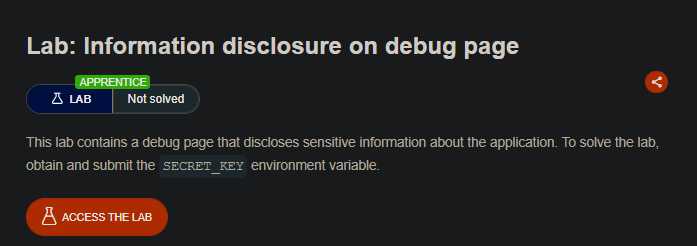
Lab Description
This lab contains a debug page that discloses sensitive information about the application. To solve the lab, obtain and submit the
SECRET_KEYenvironment variable.Objective: Find the hidden debug page and extract the secret key.
Step 1: Understanding Debug Page Disclosure
Debug pages are development tools that:
- Provide detailed system information
- Reveal environment variables
- Display server configuration
- Show installed extensions and modules
Why debug pages are dangerous in production:
- Attackers can find them through directory brute-forcing or hidden comments
- They expose sensitive data like API keys, database credentials, and secret keys
- They reveal server paths and configuration details
In this lab:
- A hidden debug page exists at
/cgi-bin/phpinfo.php - It is referenced in an HTML comment on the homepage
- The page discloses the
SECRET_KEYenvironment variable
Step 2: Reconnaissance
Step 2.1: Browse the Homepage
- Open the lab homepage
- Use Burp Suite to capture traffic
- Examine the HTML source for hidden comments
Step 2.2: Use Burp’s Comment Discovery Tool
Method 1 - Using Burp Suite:
- Go to Target ⇒ Site map
- Right-click on the top-level entry for the lab
- Select Engagement tools ⇒ Find comments
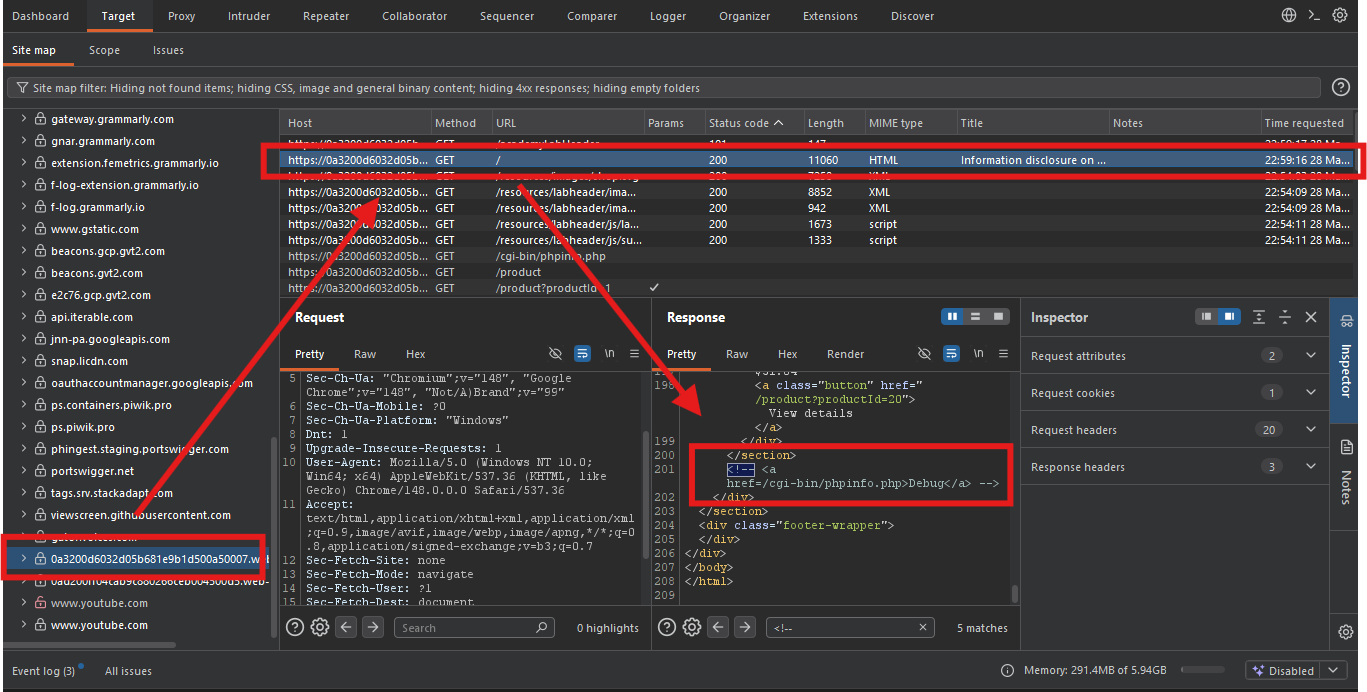
- Burp will scan the site map for HTML comments
Method 2 - Manual Inspection:
- Right-click the homepage ⇒ View Page Source
- Search for
<!--(HTML comment opening tag) - Look for any hidden links or references
URL:
view-source:https://YOUR-LAB-ID.web-security-academy.net/
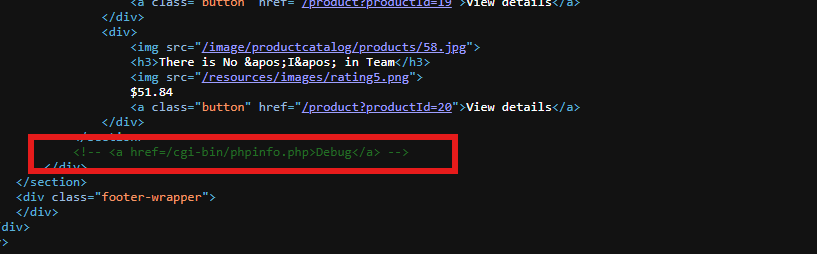
Step 2.3: Discover the Debug Page
Expected comment:
<!-- Debug: /cgi-bin/phpinfo.php -->
The comment reveals a hidden debug endpoint:
- Path:
/cgi-bin/phpinfo.php - Type: PHP info page (common debugging endpoint)
Step 3: Accessing the Debug Page
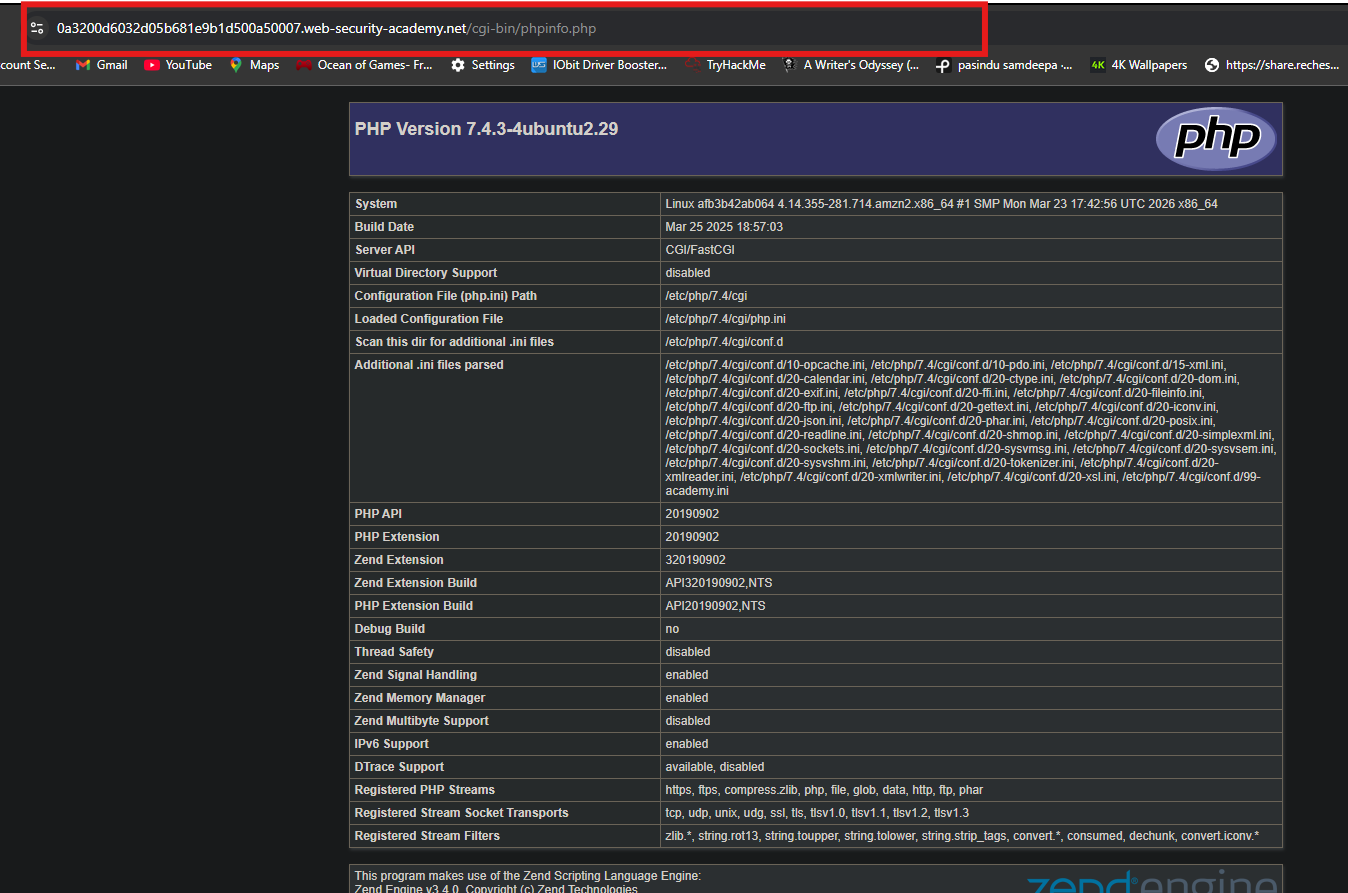
Step 3.1: Navigate to the Debug Page
Construct the full URL:
https://YOUR-LAB-ID.web-security-academy.net/cgi-bin/phpinfo.php
Step 4: Analyzing the Debug Page
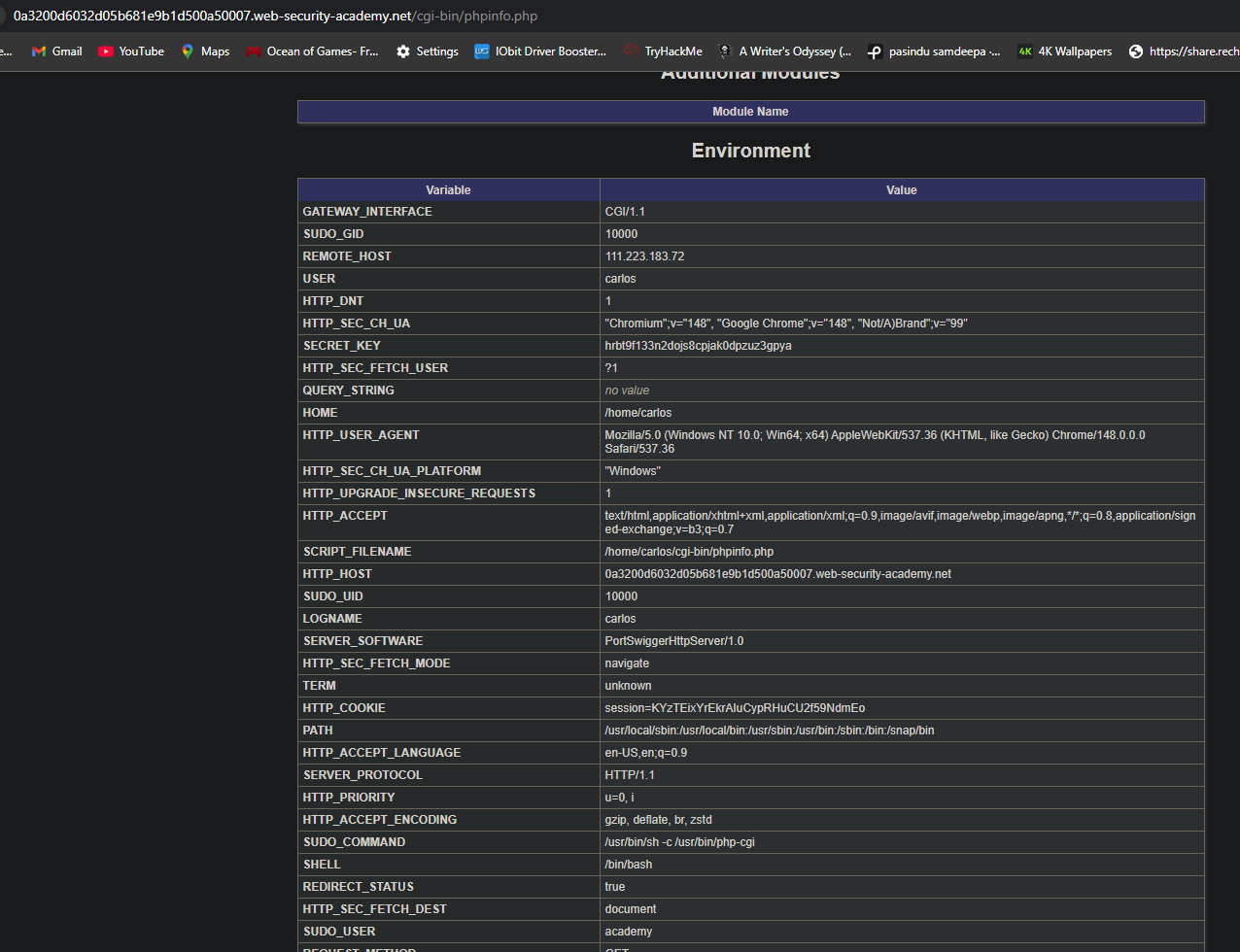
Step 4.1: What phpinfo() Reveals
The phpinfo() page typically discloses:
Step 4.2: Find the SECRET_KEY
Search the response for SECRET_KEY:
hrbt9f133n2dojs8cpjak0dpzuz3gpya

- Copy the value (not the variable name).
Step 5: Submitting the Solution
-
Go back to the lab page
-
Click Submit solution
-
Paste the
SECRET_KEYvalue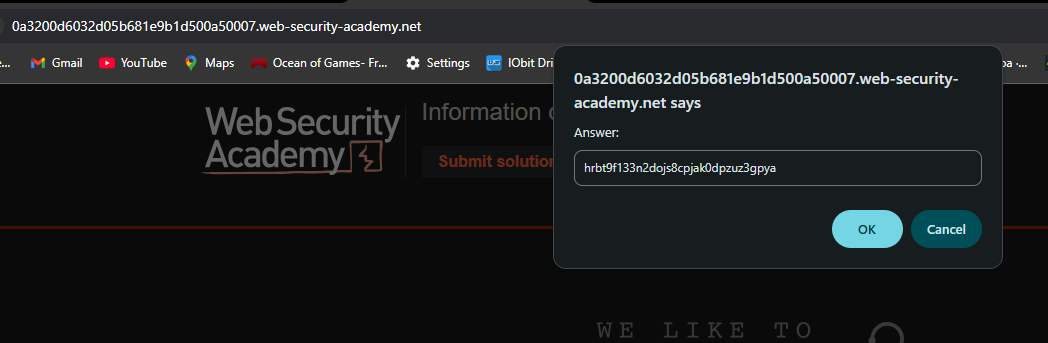
-
Click Submit
Step 6: Lab Solved
Success message displayed:
