PortSwigger
Lab Description
This lab discloses sensitive information via its version control history. To solve the lab, obtain the password for the administrator user then log in and delete the user carlos.
Objective: Access the exposed
.gitdirectory, extract the admin password from commit history, log in as administrator, and delete usercarlos.
Step 1: Understanding Git Repository Exposure
Git repositories store:
- All source code files
- Full commit history (including deleted files and changes)
- Author information and commit messages
- Configuration files (sometimes with hard-coded secrets)
Why exposed .git directories are dangerous:
- Attackers can download the entire repository
- Commit history reveals previous versions of files
- Deleted secrets (passwords, keys) are still accessible
- Developers often commit sensitive data, then “remove” it — but history remains
In this lab:
- The
.gitdirectory is publicly accessible - A commit message says “Remove admin password from config”
- The diff shows the original hard-coded password
Step 2: Reconnaissance
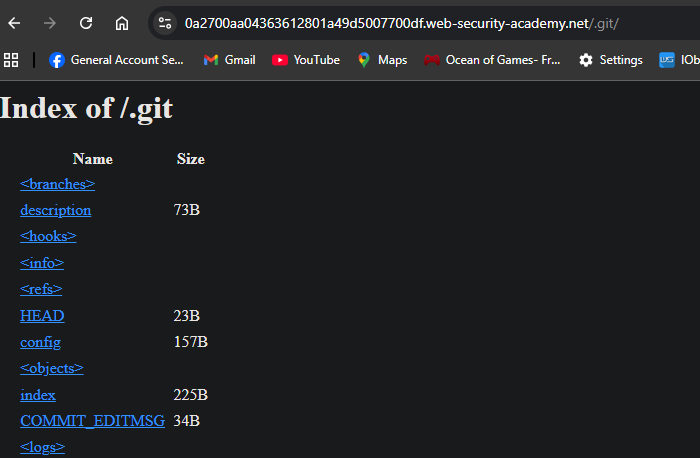
Step 2.1: Check for .git Directory
Navigate to:
https://YOUR-LAB-ID.web-security-academy.net/.git/
Expected: Directory listing or access to Git metadata files.
Step 3: Downloading the Git Repository
Step 3.1: Using wget (Linux/Mac)
wget -r -np -nH https://YOUR-LAB-ID.web-security-academy.net/.git/
Step 3.2: Alternative Tools
Windows users - options:
- Git Bash (comes with Git for Windows):
git clone https://YOUR-LAB-ID.web-security-academy.net/.git/
Using git-dumper (recommended for complex cases):
pip install git-dumper
git-dumper https://YOUR-LAB-ID.web-security-academy.net/.git/ ./repo
Step 4: Exploring the Repository
Step 4.1: Navigate to Downloaded Repository
cd ./YOUR-LAB-ID.web-security-academy.net
# or
cd ./repo
Step 4.2: Check Git Log
git log --oneline
Expected output:

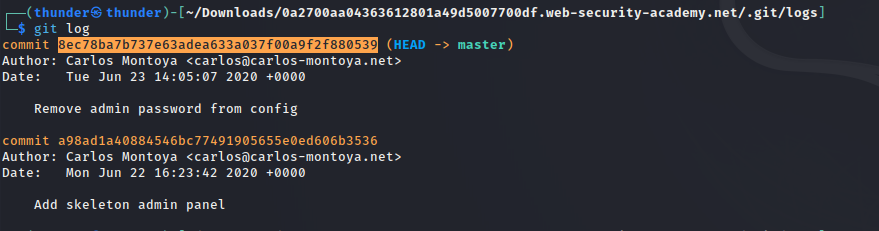
Step 4.3: View the Full Commit History
git log
Step 5: Finding the Leaked Password
Step 5.1: Examine the Suspicious Commit
The commit message “Remove admin password from config” indicates that the password was removed but remains in history.
View the commit diff:
git show abc1234
- (Replace
abc1234with the actual commit hash)
Step 5.2: Analyze the Diff
Expected output:
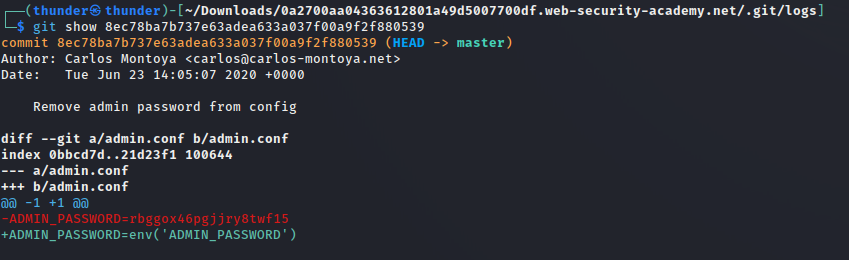
The password is: rbggox46pgjjry8twf15 (or similar — varies by lab)
Step 6: Logging in as Administrator
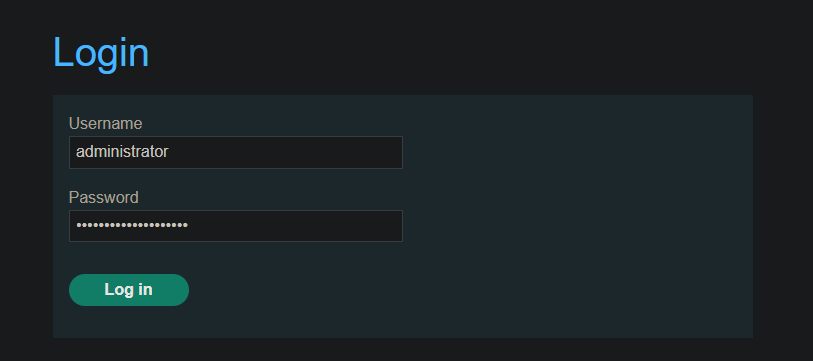
Step 6.1: Navigate to Login Page
https://YOUR-LAB-ID.web-security-academy.net/login
Step 6.2: Enter Credentials
| Field | Value |
|---|---|
| Username | administrator |
| Password | rbggox46pgjjry8twf15 (or the password you found) |
Step 7: Deleting User Carlos
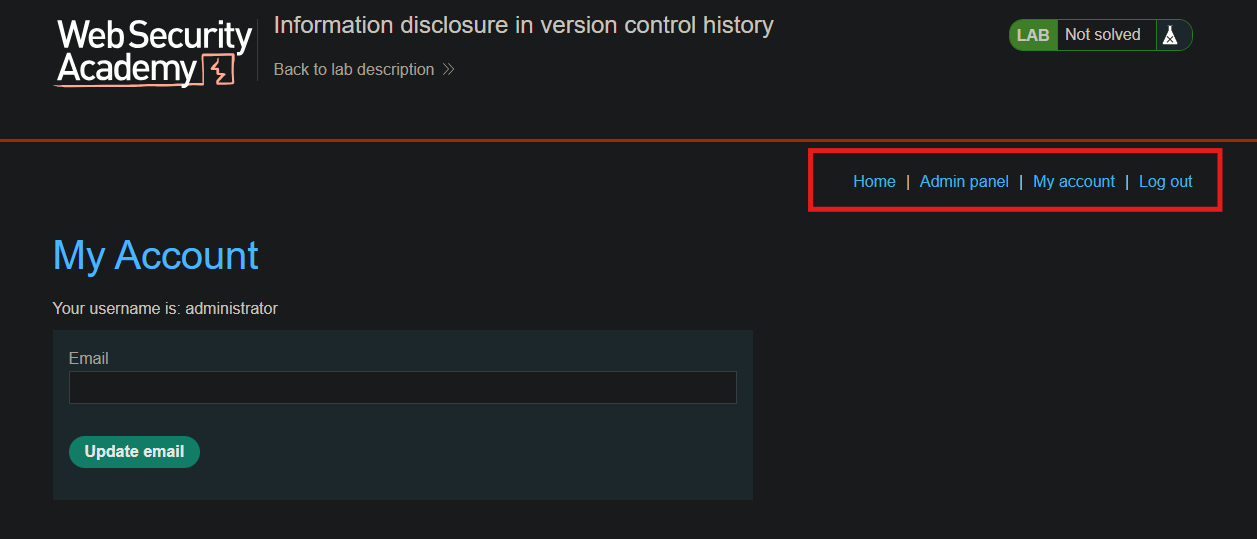
Step 7.1: Access Admin Panel
After logging in, go to the admin interface:
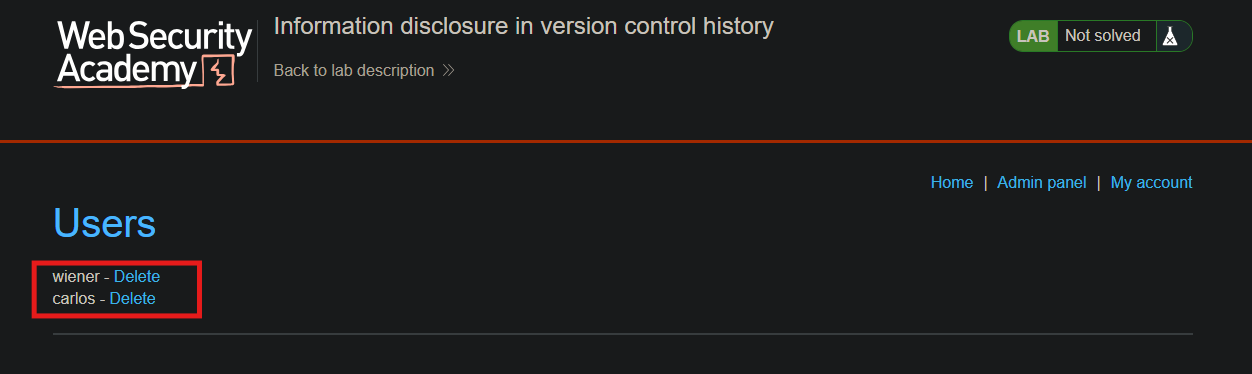
Step 7.2: Delete Carlos
Click the Delete button next to carlos, or send:
Step 8: Lab Solved
Success message displayed:
