PortSwigger
Lab Description
This lab contains a DOM-based open-redirection vulnerability.
Objective: Exploit this vulnerability and redirect the victim to the exploit server.
Step 1: Understanding the Vulnerability
DOM-based open redirection occurs when:
- Client-side JavaScript reads data from a URL parameter (or other attacker-controlled source)
- That data is used to redirect the browser to a new location
- The application does not validate the destination URL
In this lab:
- A blog post page contains a “Back to Blog” link
- The link’s destination is determined by a
urlparameter in the query string - No validation is performed on the redirect destination
Step 2: Reconnaissance
- Open the lab homepage
- Click on any blog post (e.g.,
postId=1,postId=2, etc.) - Look for a “Back to Blog” link — typically at the bottom of the post
- Right-click → Inspect or view the page source
Find the vulnerable JavaScript:
<a href='#' onclick='
    var returnUrl = /url=https?:\/\/.+)/.exec(location);
    if(returnUrl) {
        location.href = returnUrl[1];
    } else {
        location.href = "/";
    }
'>Back to Blog</a>

Step 3: Identifying the Vulnerability
The regex checks that the url parameter starts with http:// or https:// — but does not validate the domain.
This means:
-
url=https://example.com→ allowed url=https://attacker-controlled.com→ also allowed!-
url=javascript:alert(1)→ blocked (doesn’t match http/https)
The flaw: No domain whitelist — any HTTPS/HTTP destination is accepted.
Step 4: Crafting the Exploit URL
Goal: Redirect the victim to your exploit server.
Base URL structure:
https://YOUR-LAB-ID.web-security-academy.net/post?postId=4&url=REDIRECT_TARGET
Fill in the parameters:
| Parameter | Value |
|---|---|
postId | Any valid post ID (e.g., 1, 2, 4) |
url | Your exploit server URL (must start with http:// or https://) |
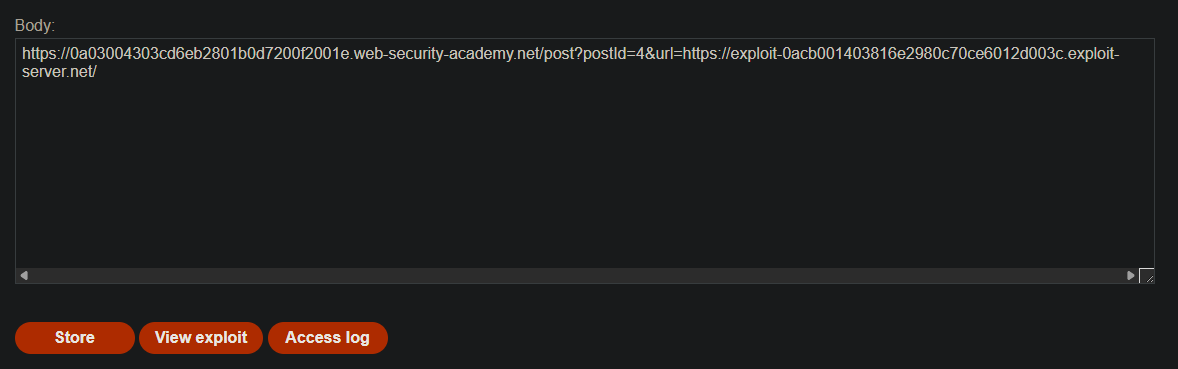
Final exploit URL:
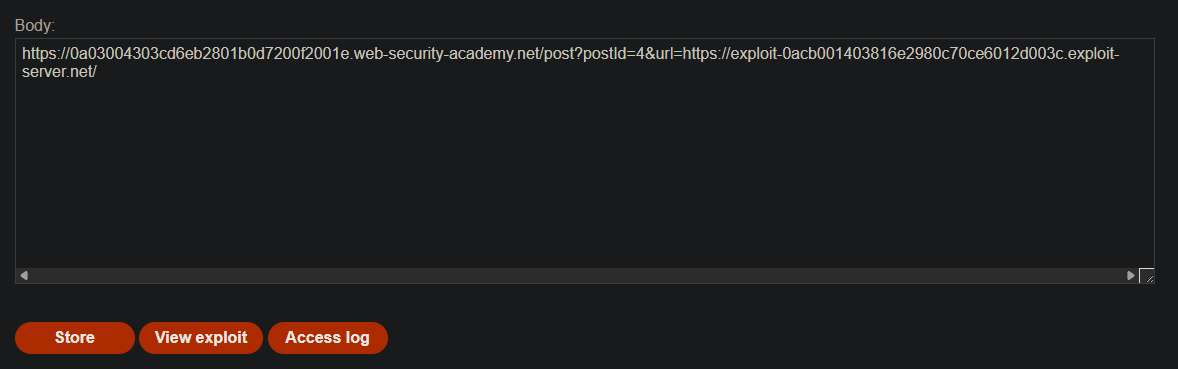
https://YOUR-LAB-ID.web-security-academy.net/post?postId=4&url=https://YOUR-EXPLOIT-SERVER-ID.exploit-server.net/
Example with placeholder values:
Step 6: Testing the Exploit
-
Get your exploit server URL from the lab
-
Construct the full attack URL:
-
Paste this URL directly into your browser
-
Observe that you are redirected to your exploit server
Step 7: Delivering the Exploit to the Victim
- Navigate to the crafted URL yourself
- The lab detects that the redirect occurred and marks it as solved
Step 8: Lab Solved
Success message displayed:
